
- Woocommerce
- Shopify Apps
- WordPress
Step 1: Go to LLMs TXT generator from the woocommerce settings option.
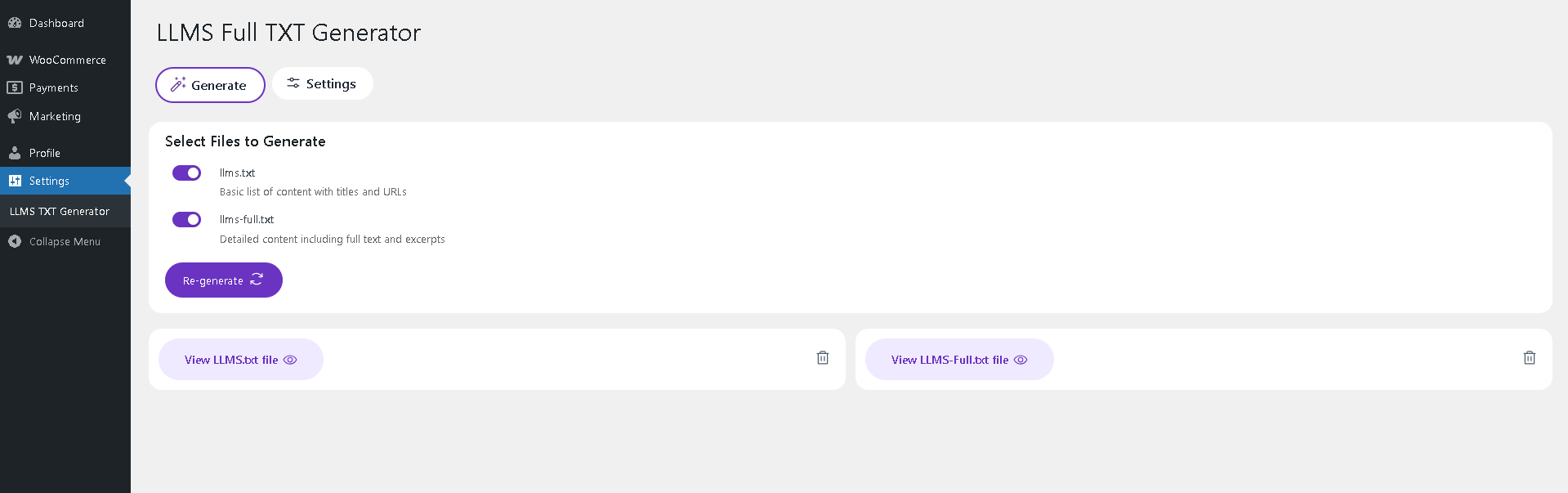
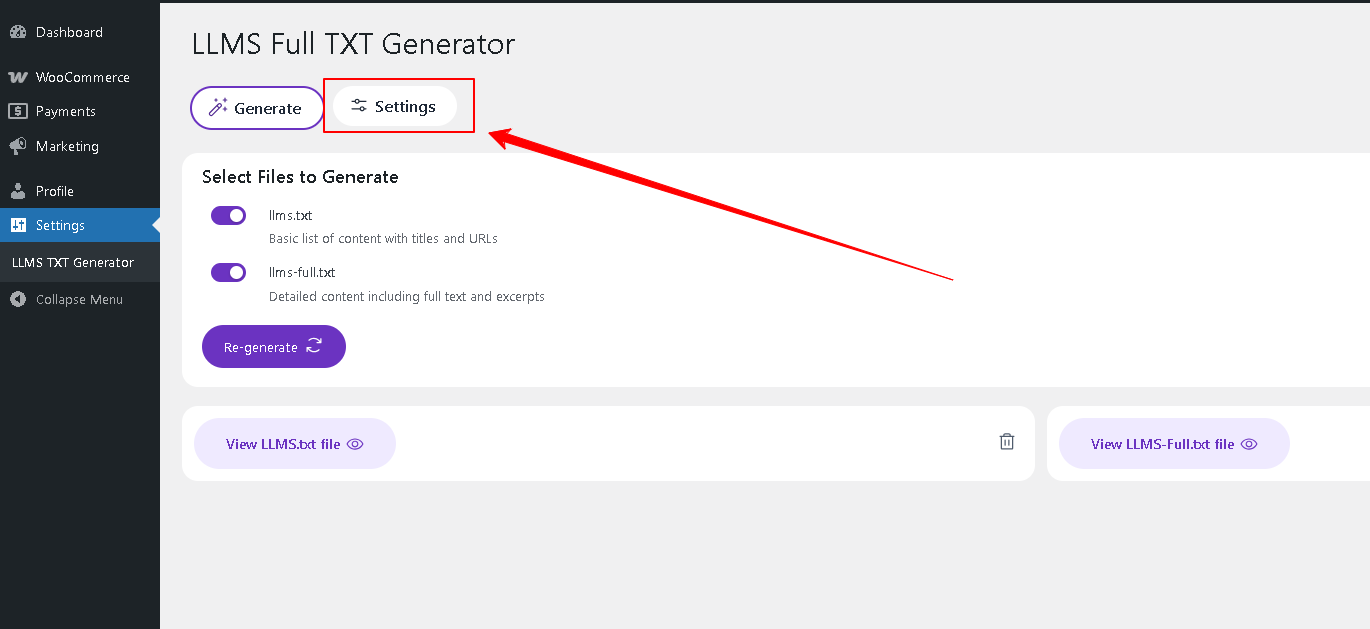
Step 2: Navigate to the settings option of the LLMs to configure the plugin content generator.
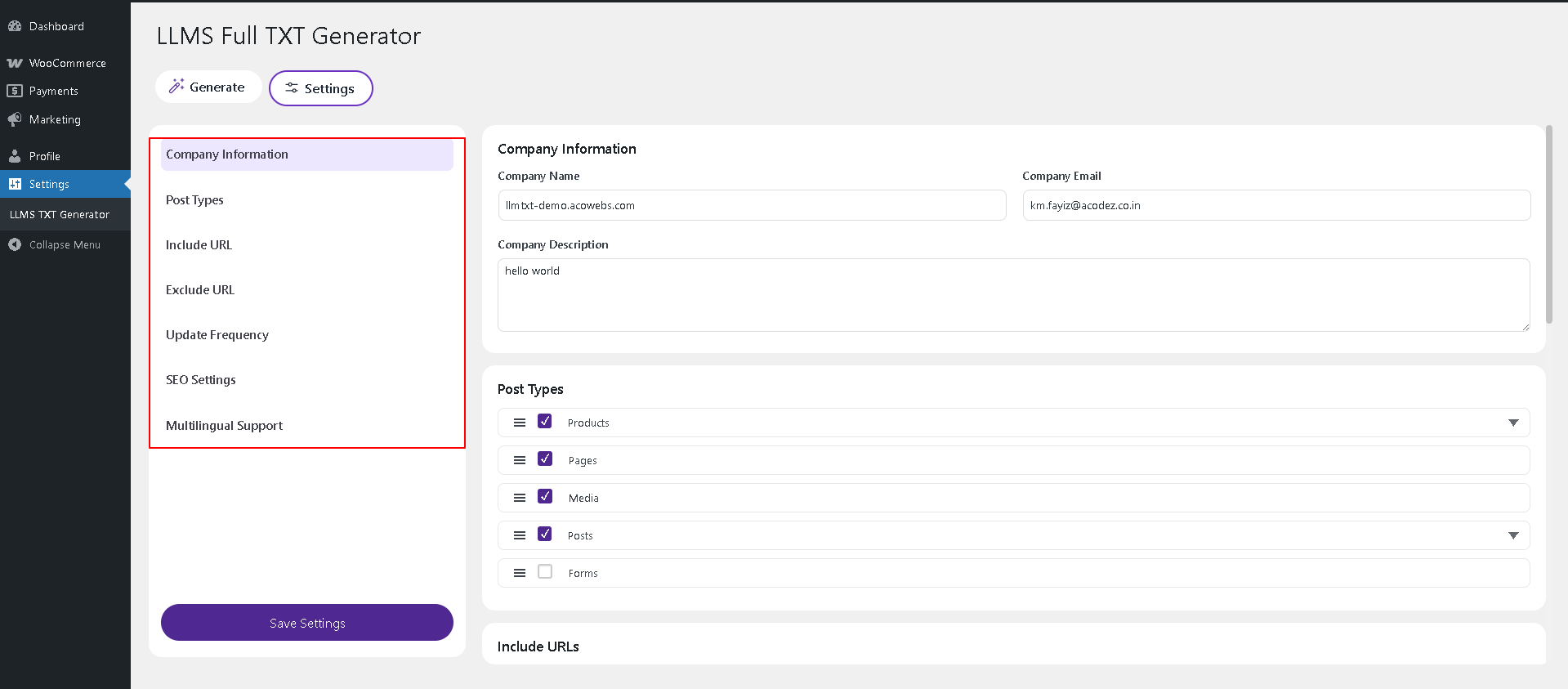
Step 3: Once navigating to the settings, configure the content by customising the company description, post types to be included in the LLMs content, included and excluded urls, content update frequency, etc..
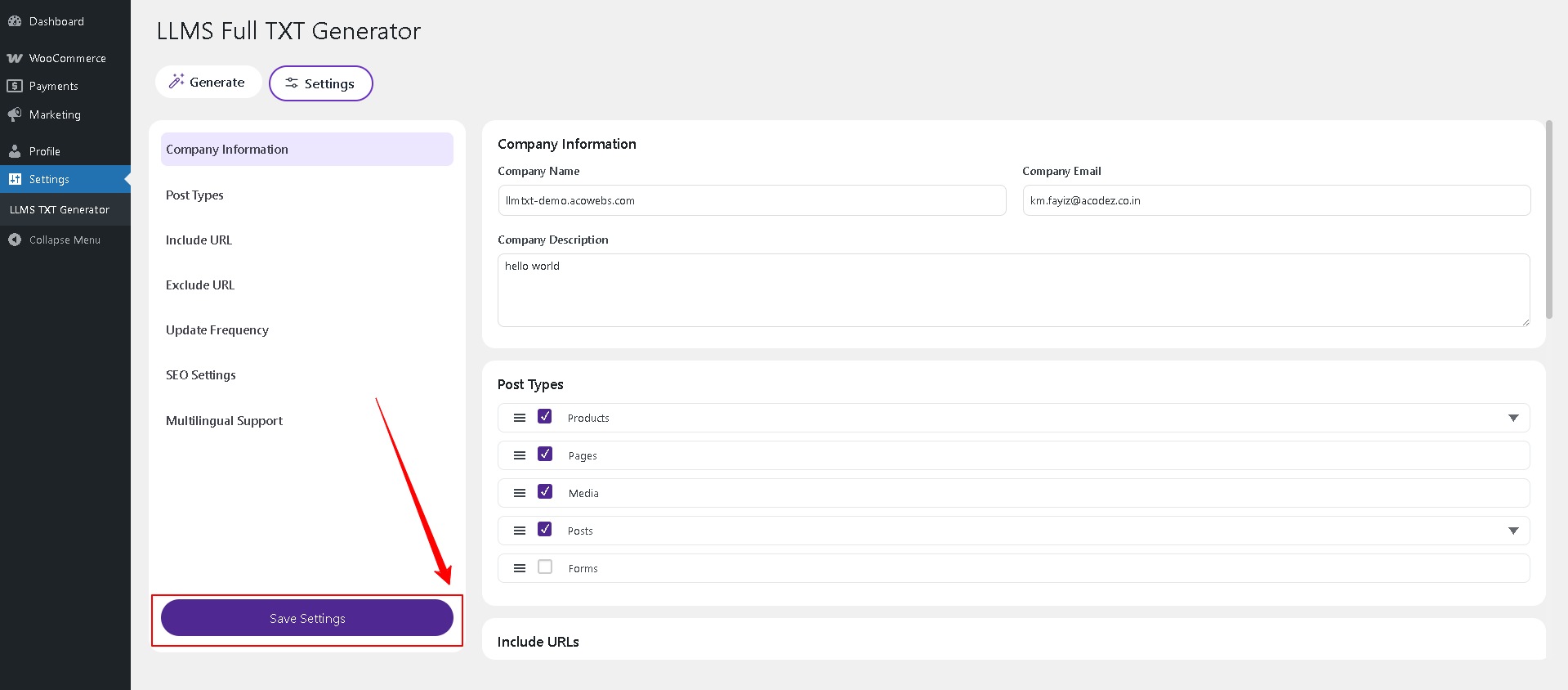
Step 4: Once updating the changes, click on save settings button.
Step 5: Navigate back to the home screen of the plugin and click on the required content type to generate the data.
1. LLMs.txt
2. LLMs-full.txt
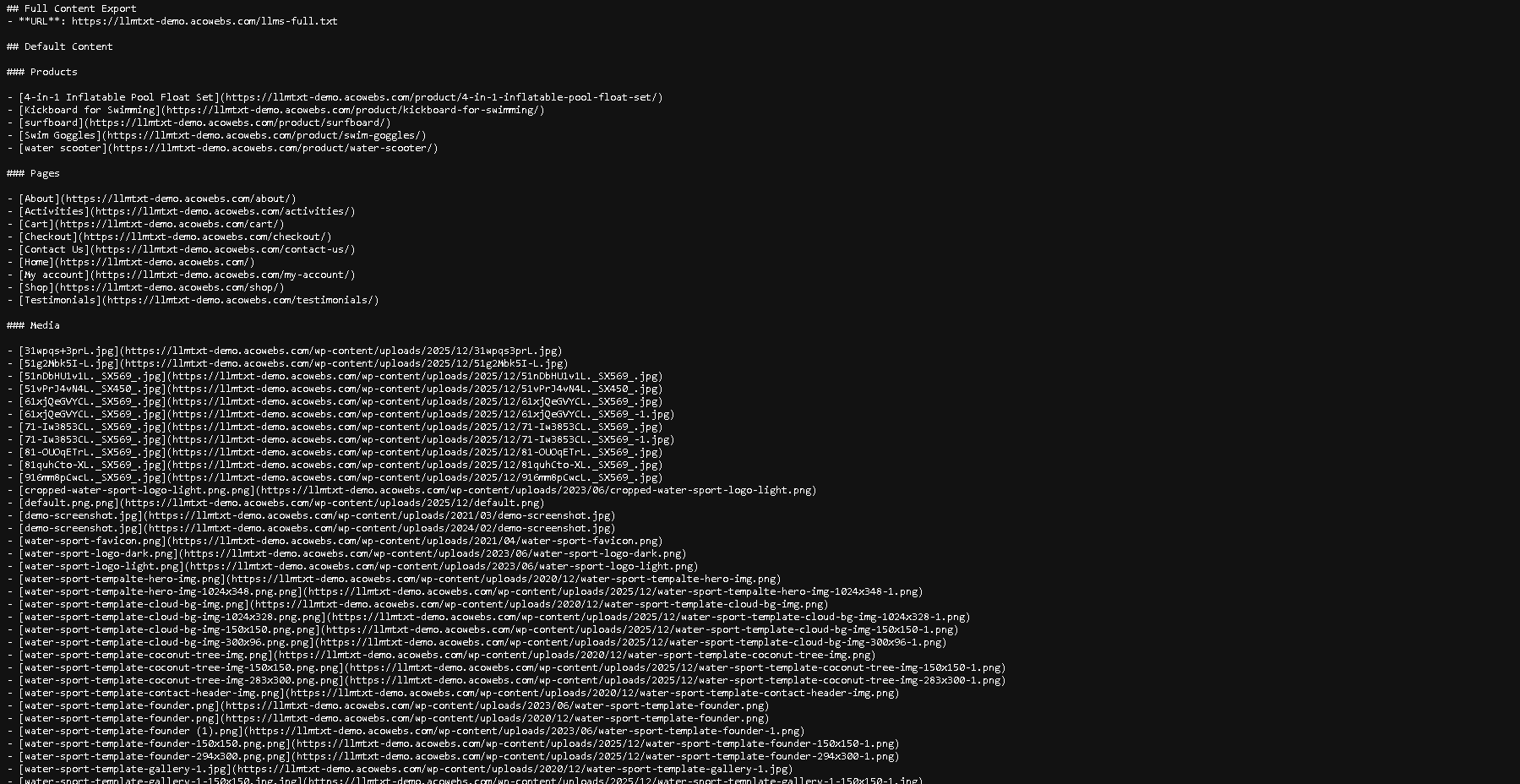
LLMs.txt : provides you a short scripted data for training and professional usage with basic list of content with titles and URLs
LLMs-full.txt: provides you the best full scripted data that handles all the content of the configured post types and urls of the store that can be used for commercial platforms with detailed content including full text and excerpts.
Step 6: Click on the generate button to generate the content of the required type.
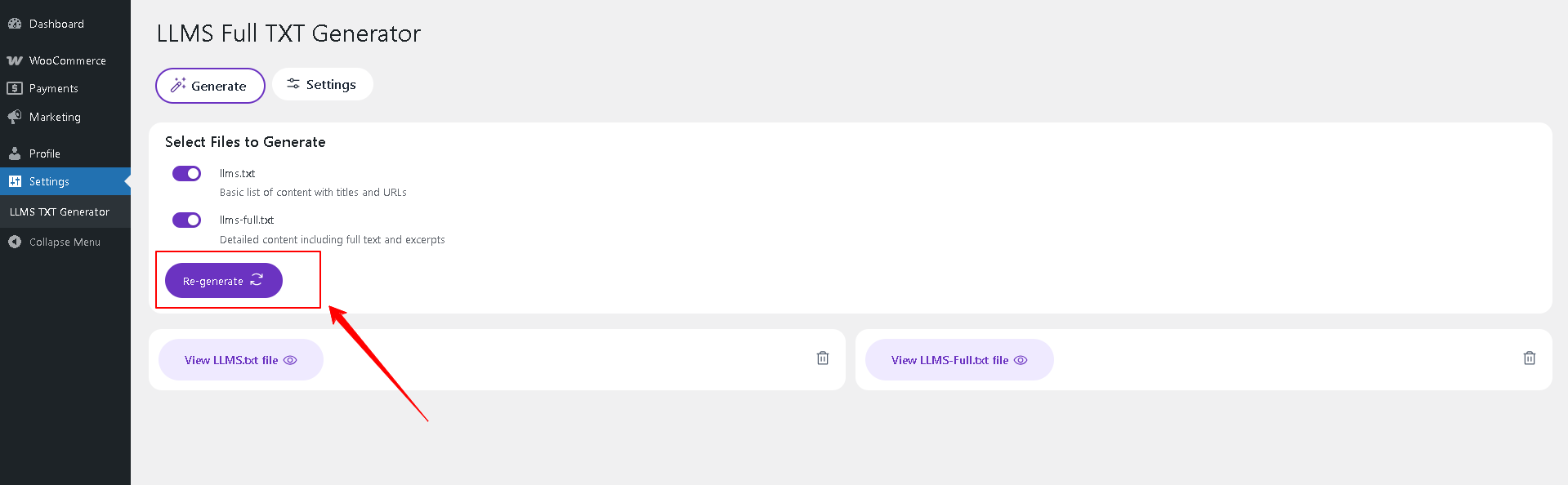
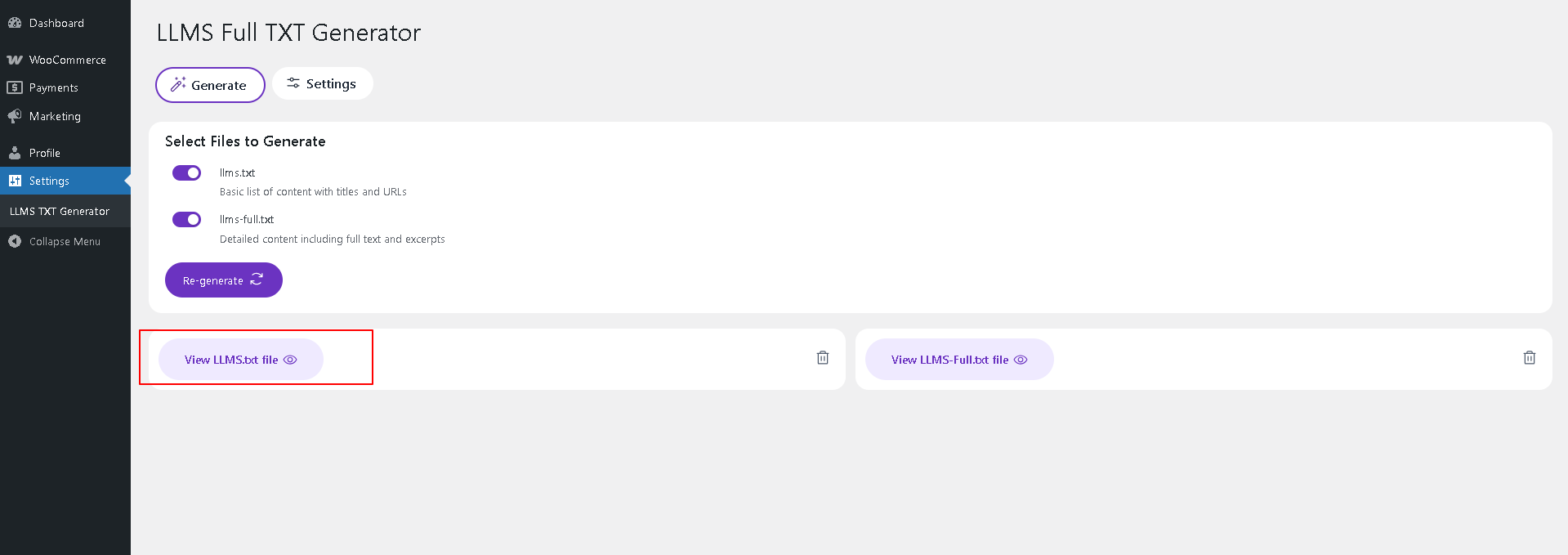
Step 7: By clicking on the selected content type, a new tab opens with the generated content.
Click below to watch the tutorial.
If you have questions about our plugin(s), are experiencing issues with any of our plugin


 Login
Login
 Cart
Cart