
- Woocommerce
- Shopify Apps
- WordPress
To activate POS, Kindly navigate to the Shopify Point of Sale Settings.
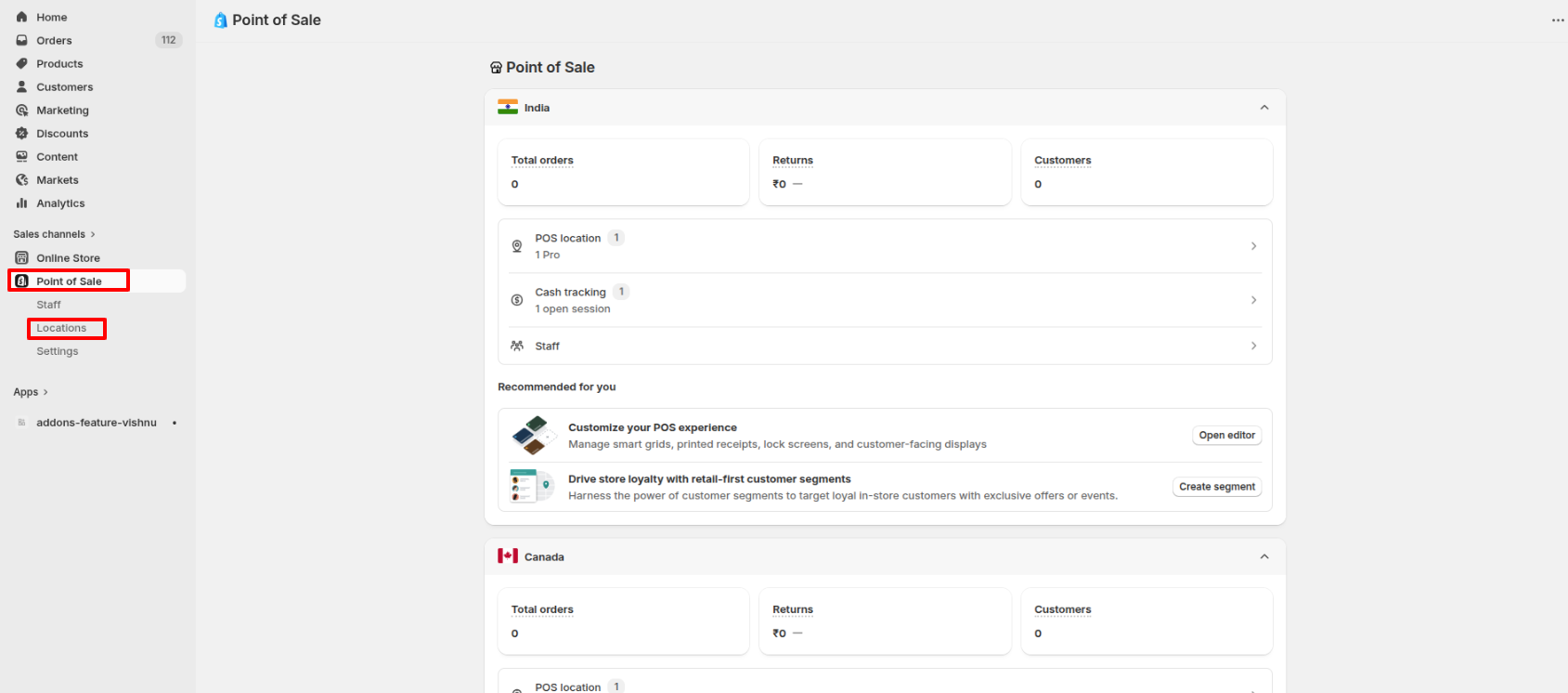
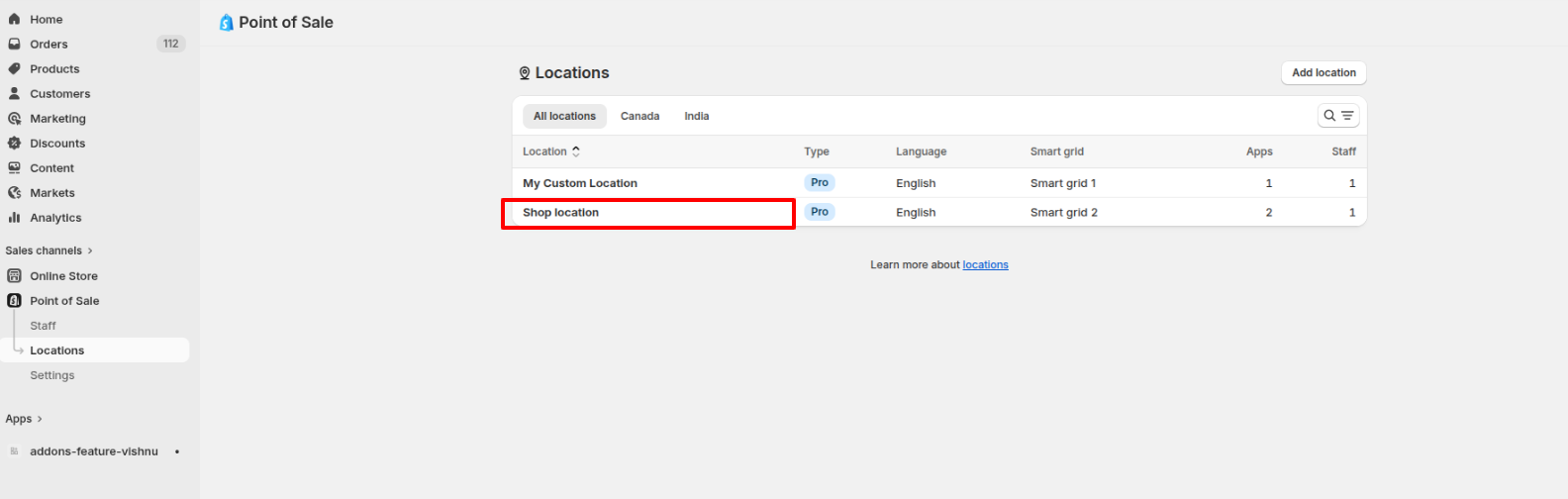
Then, select the “Location” >> Shop location
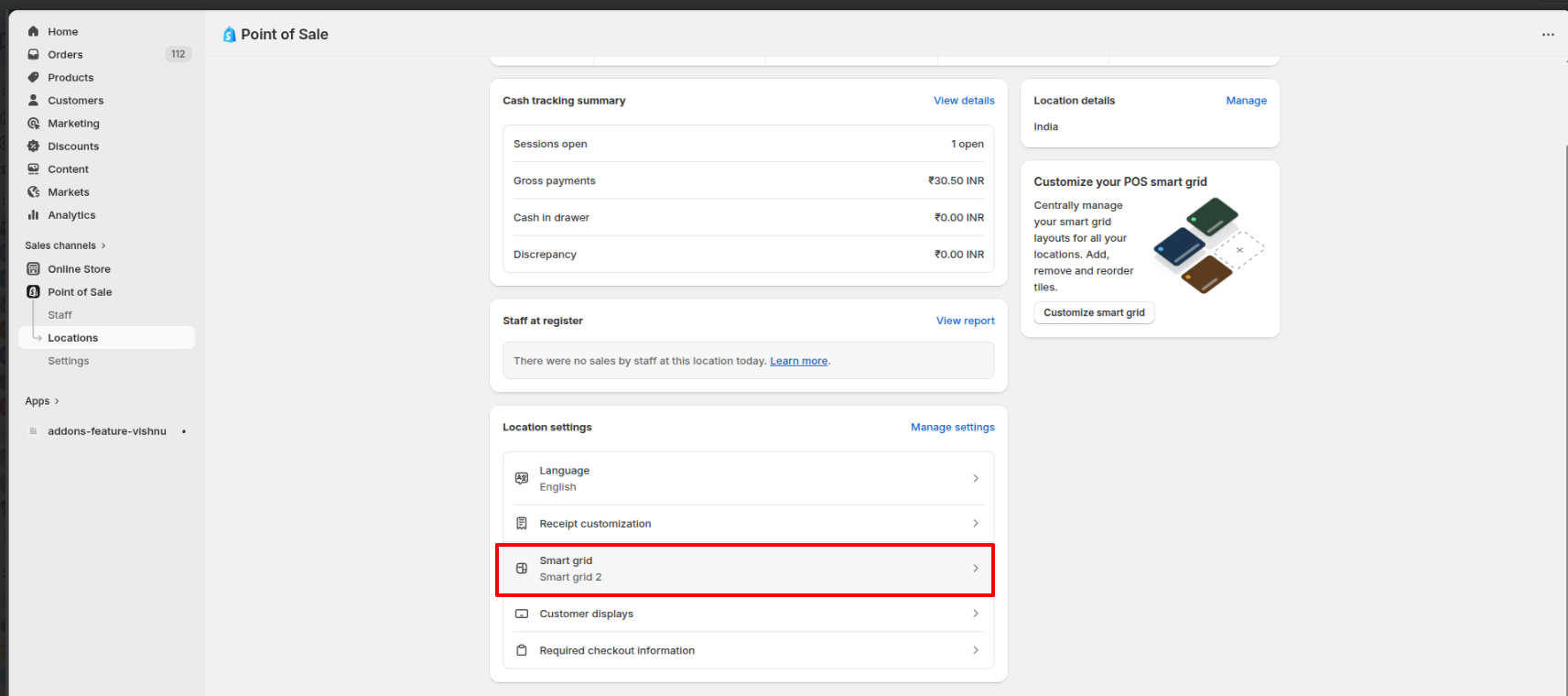
Then select the Smart grid option
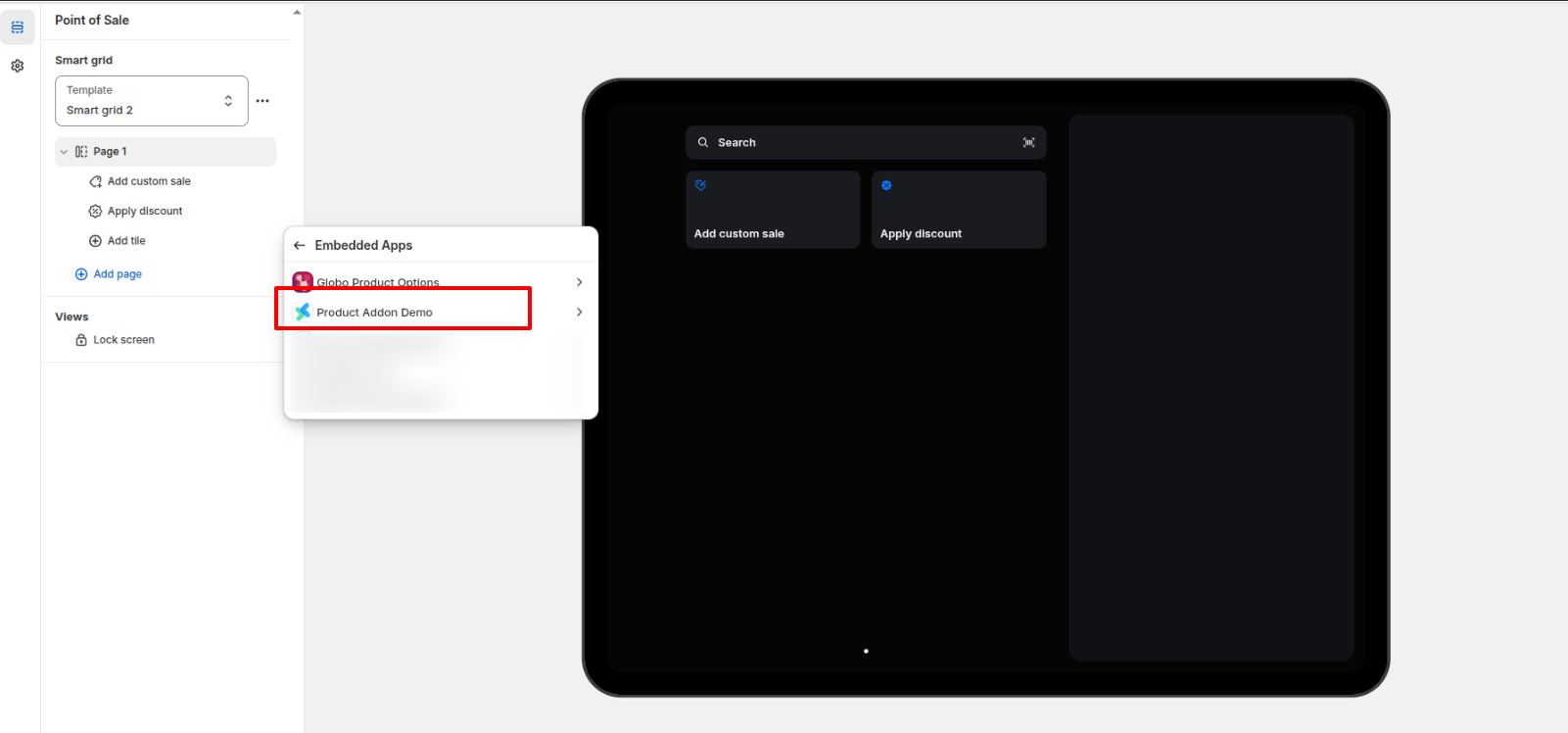
Inside the Smart grid, choose the required Page >> Add title >> Embedded Apps
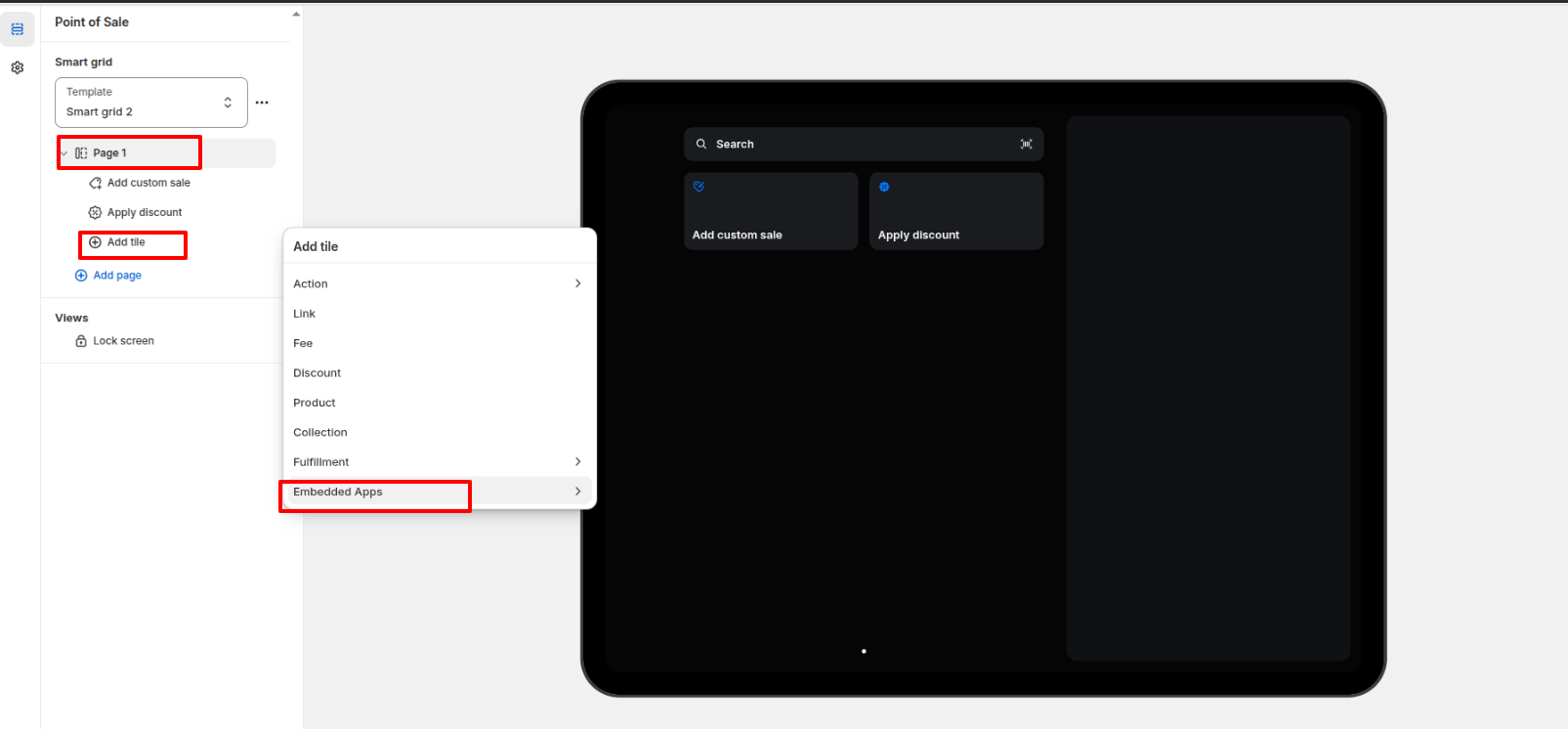
From the Embedded Apps, choose the Product Addon
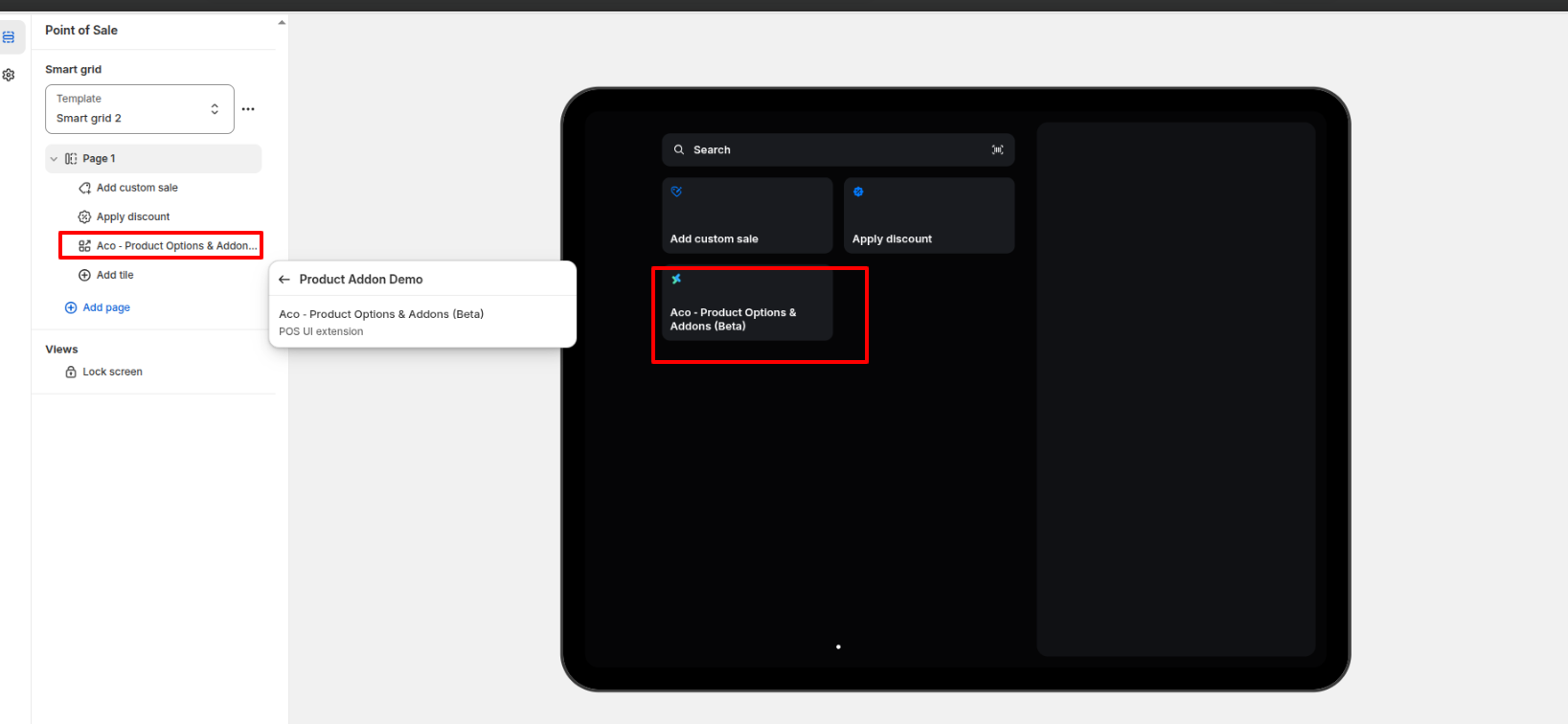
After adding it, you might have to restart the POS application for the button to appear in POS.
If you have questions about our plugin(s), are experiencing issues with any of our plugin


 Login
Login
 Cart
Cart BUY THIS PLUGIN