


















 Login
Login
 Cart
Cart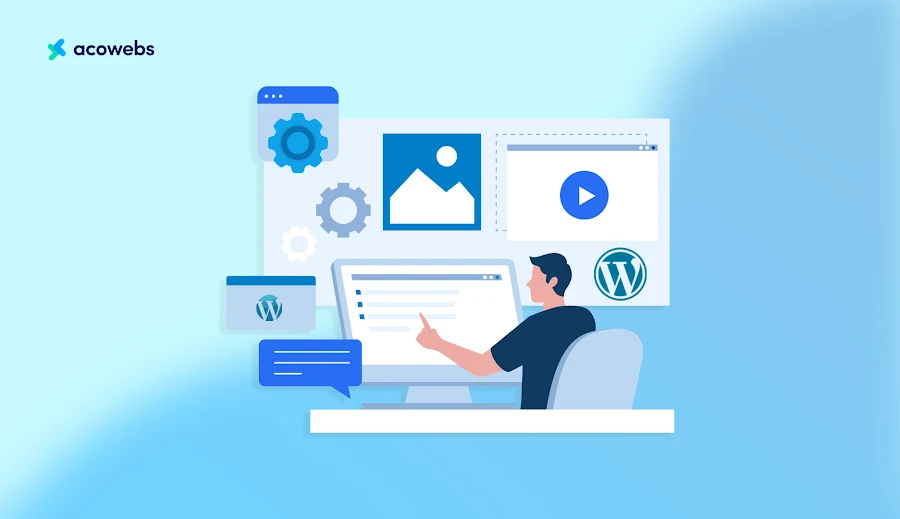
What is a WordPress offload media plugin?
To understand what WordPress offload media plugins are, first, know what the media offloading process is. Media offloading is the process of moving images, videos and other uploadable media and files from your WP server to an external cloud storage. Amazon S3, Google Cloud Storage, Digital Ocean Spaces and Cloudflare R2 are some popular cloud storage providers. Using a media offload plugin automates transfers and writes media URLs and continues to display assets rightfully while hooking into a CDN where files are served around the world.
Why that matters in plain terms:
- Server storage reduction: Having an offload media frees up disk space on your hosting account.
- Faster page loads: media served from a CDN-backed cloud tends to be faster compared to a single origin server.
- Scalability: the ability to expand your media library without the demand of host upgrades and costly disk expansion.
Why look for a WP Offload Media alternative?
WP Offload Media, the market leader, is a feature-rich option for your needs, but here are a few other reasons why you should consider its alternatives. These reasons were also key for other site owners like you:
- Pricing concerns: A major reason behind site owners considering WP offload media alternatives is that they are expensive due to their premium licensing alternatives.
- Cloud provider support: to run providers like Cloudflare R2, Wasabi and others compatible with S3, you must have native support
- Feature gaps: Site owners switch to alternatives for built-in image optimisation and direct to cloud uploads or easier CDN setup
- Ease of setup: Few alternatives consist of simpler onboarding, saving hours from WP offload media, which takes a multi-step configuration.
- WooCommerce compatibility: WP Offload media alternatives are also equipped with e-commerce-ready usage for handling product images, downloadable files and gallery behaviour
Best WordPress media offload plugins (overview)
Below you’ll find five solid WP Offload Media alternatives. Each entry follows what it does, standout features, supported cloud providers, ideal use case, and a short pros/cons list.
1) Offload Media Cloud Storage by Acowebs (best balanced WP Offload alternative)
Acowebs Offload Media Cloud Storage is a modern offload solution designed for performance and WooCommerce compatibility. It moves media to cloud storage, updates URLs, supports CDN delivery, and includes workflow features aimed at stores and content sites.
Standout features
- Multi-provider support (Amazon S3, Google Cloud Storage, DigitalOcean Spaces, Cloudflare R2).
- Bulk offload accompanied by one-click sync of existing libraries.
- Optional local file removal to free server disk space.
- Built-in CDN integrations and straightforward URL rewriting.
- Explicit WooCommerce support (product images, galleries, downloadable products).
- Lightweight code and tested compatibility with common themes and builders.
- Bulk image compression and WebP conversion, allowing users to optimize and offload assets from a single interface.
- Compatible with Imagify
Best for: WooCommerce merchants and publishers who want broad provider choice, easy migration, and a plugin that’s actively tested in ecommerce environments.
Pros: Multi-provider support, including R2; WooCommerce-aware; simple migration UI; free along with premium tiers.
Cons: Advanced image optimization relies on external integrations (recommended: pair with an image optimization plugin or workflow).
2) Infinite Uploads , All-in-one storage + CDN (hosted service)

Infinite Uploads provides proprietary cloud storage and CDN as a subscription service, meaning you don’t set up your own S3/Google account; the vendor hosts the assets on your behalf.
Standout features
- Turnkey cloud storage paired with CDN, no extra cloud account needed.
- Video hosting and streaming included.
- Automatic backups and versioning.
- Simple pricing tiers based on storage.
Best for: Site owners who prefer a managed solution that removes infrastructure setup and are ideal for agencies or teams without cloud admin skills.
Pros: Extremely simple onboarding; video support comes with an integrated CDN.
Cons: You rely on the vendor’s storage and pricing; less control over provider choice and long-term data portability considerations.
3) Media Cloud, Feature-rich, developer-friendly offload + optimization
Media Cloud targets power users who need broad provider support, direct uploads to the cloud, image optimisation, and advanced integrations (for example, imgix).
Standout features
- Wide provider compatibility: Amazon S3, Google Cloud, Wasabi, Backblaze B2, and more.
- Built-in image optimization and optional imgix integration for on-the-fly transforms.
- Direct browser uploads to cloud (bypassing your server entirely).
- Vision/AI integrations for automated image tagging and metadata.
Best for: Publishers and teams that require large-scale media workflows, heavy image processing with advanced CDN/image service integrations.
Pros: Extremely flexible; direct-to-cloud uploads; powerful image handling.
Cons: Steeper learning curve; more configuration required to unlock full value.
4) Next3 Offload, Simple, no-friction offloading
Next3 Offload focuses on simplicity, quick setup, clean UI, and reliable migration tools. Supports the major S3-compatible providers you’re likely to use.
Standout features
- Quick setup wizard for beginner offloaders.
- Bulk migration tools to move existing media.
- Automatic URL rewriting and multisite support.
Best for: Beginners and small teams that want to offload quickly with minimal configuration.
Pros: Easy onboarding; multisite-friendly; free and premium options.
Cons: Fewer advanced features (no built-in image optimization or AI integrations).
5) Advanced Media Offloader, a lightweight free starter option
A no-frills, free plugin that offloads files to S3 and rewrites URLs. Ideal for users who want basic offload functionality without extra features.
Standout features
- Completely free core functionality.
- Amazon S3 support.
- Basic migration tools and small footprint.
Best for: Sites with tight budgets and straightforward offloading needs.
Pros: Free; minimal performance overhead.
Cons: Limited provider support and lacks advanced tooling like bulk direct uploads or optimization.
6) S3 Uploads by Human Made (best for developers)
S3 Uploads is a developer drop-in, not a dashboard plugin: you add it via Composer, configure it with wp-config constants, and manage it with WP-CLI. It rewrites all uploads to S3 and removes local storage.
Standout features
- Clean, minimal architecture from a respected agency (Human Made).
- Composer + WP-CLI driven — no admin UI to click through.
- S3-only (with any S3-compatible endpoint, so R2 and MinIO work at the API level).
- Ideal for code-first teams who deploy infrastructure as code.
Best for: developers and DevOps teams who manage WordPress through code and deploys.
Pros: Lightweight; no UI bloat; great for multi-server setups. Cons: Not for non-technical users; S3-centric; no built-in image optimization.
7) Sirv (best for image-heavy sites)
Sirv is an image CDN with a WordPress plugin that handles offload plus heavy image optimization. It converts images to modern formats (WebP, AVIF), applies dynamic resizing, and serves them from Sirv’s global CDN — with WooCommerce support for product and gallery images.
Best for: photographers, portfolios and stores where image quality and delivery speed are the whole product.
Pros: Excellent optimization pipeline; AVIF/WebP; simple WordPress integration. Cons: Tied to Sirv’s CDN rather than your own cloud account; storage and bandwidth are billed by Sirv.
Other options worth a mention
Two more names keep appearing in competitor roundups and are worth knowing. S3 Bubble is an S3-focused offload plugin that shows up in Next3 Offload’s own comparison list — handy if you want a simple S3 pipeline with a different UI. CloudSync Master is labeled “best overall” by a rival comparison page, a positioning that directly competes with the one this post claims for Acowebs; treat that label with healthy skepticism and judge it on the same criteria used throughout this guide — provider support (does it handle R2 or Wasabi?), built-in optimization, WooCommerce handling and real egress costs. Neither changes the top of this list: for stores, the combination of provider breadth, built-in optimization and pre-signed URLs keeps Acowebs Offload Media ahead.
Quick comparison table
| Plugin | Cloud providers | Free version | Image optimization | WooCommerce support |
| Acowebs Offload Media | S3, R2, GCS, Spaces, MinIO, Wasabi | Yes | Yes (compression + WebP) | Yes |
| WP Offload Media | S3, Spaces, GCS (+ CloudFront CDN) | Lite (media-item quota) | Add-on | Yes (standard attachments) |
| WP-Stateless | Google Cloud Storage only | Yes (fully free) | No (thumbnail regen only) | Yes (standard attachments) |
| FastCloudWP | Fully-managed (Cloudflare network) | Yes (5 GB / 100 GB) | Coming (WebP/AVIF) | Yes (standard attachments) |
| Media Cloud | S3, R2, Spaces, GCS and more | Yes | Yes (incl. AI vision tagging) | Yes — closed on wp.org, pending review |
| S3 Uploads (Human Made) | S3 (S3-compatible endpoints) | Yes (open source) | No | No (developer tool) |
| Sirv | Sirv CDN | Free plugin (paid CDN service) | Yes (WebP/AVIF, dynamic resize) | Yes |
How to choose the right media offload plugin
Below are the practical criteria to guide your decision.
- Cloud storage provider support
First, ensure support for your preferred provider. Some teams are committed to S3, others prefer Cloudflare R2 or DigitalOcean Spaces for cost reasons. If your stack uses a specific provider, choose a plugin that includes it out of the box.
- Pricing and licensing options
Compare plugin costs plus cloud storage/bandwidth charges. Some plugins are one-time purchases; others are subscriptions. Remember, storage and exit fees from cloud providers can dominate long-term costs.
- CDN integration and performance features
You should check whether the plugin integrates with a CDN or can be combined with Cloudflare/KeyCDN. Serving media from edge locations reduces LCP and improves user experience globally.
- Migration and setup simplicity
If you have an existing media library, the plugin should offer robust bulk migration and sync tools. For very large libraries, direct-to-cloud upload (bypassing your server) reduces migration time and origin load.
- WooCommerce and plugin compatibility
If you run a store, confirm compatibility with WooCommerce galleries, downloadable products, and popular gallery/slider plugins. Plugins that explicitly test with WooCommerce reduce headaches.
Who should use which media offload plugin?
- Best for WooCommerce stores: Acowebs Offload Media, designed and tested for ecommerce workflows.
- Best for agencies / multisite managers: Infinite Uploads or Media Cloud, their business models and multi-site support are agency-friendly.
- Best free starter option: Advanced Media Offloader, which gives essential offload functionality at no cost, along with Acowebs Offload media.
- Best for massive/complex libraries: Media Cloud, direct uploads, imgix integration, and AI tools scale for big operations.
- Best for quick and simple migration: Next3 Offload, straightforward wizard and migration tools.
- Best for AWS / Google Cloud–standardized teams: WP Offload Media (mature, well-documented).
- Best for Google Cloud–committed sites: WP-Stateless (free, GCS-native, two-minute setup).
- Best for zero-config / non-technical users: FastCloudWP (site key only, flat pricing, no egress fees).
- Best for developers: S3 Uploads by Human Made (Composer + WP-CLI).
- Best for image-heavy sites: Sirv (AVIF/WebP pipeline).
- Best overall, given a mix of numerous factors: this demand could be prioritised for an option like Acowebs Offload Media
How offloading media improves WordPress performance (technical benefits)
Media offloading affects measurable performance metrics and operational costs:
- Reduced server load: Your origin host handles fewer requests and smaller storage footprints.
- Faster TTFB and LCP: Smaller workload and CDN edge delivery lower Time To First Byte (TTFB) and Largest Contentful Paint (LCP). Typical LCP improvements range from ~0.5s to 2s, depending on baseline.
- Global CDN delivery: Assets served from edge nodes reduce latency for international visitors.
- Lower bandwidth costs: Cloud providers often offer more competitive bandwidth costs than shared hosts.
- Enhanced Core Web Vitals: Offloading heavy hero images and video improves LCP and CLS when coupled with proper lazy-loading and responsive images.
Migration checklist: How to move safely from WP Offload Media (or another plugin)
- Backup first: Export a full DB with snapshots of the wp-uploads.
- Inventory: Note total media size and counts, estimate cloud storage costs.
- Install and configure: Set up your cloud provider credentials in the new plugin (buckets, permissions).
- Test with a sample: Offload a small folder, verify CDN URLs, and check front-end rendering.
- Bulk migrate: Use the plugin’s bulk offload or direct-to-cloud upload feature.
- URL rewrite & cache purge: Ensure the plugin rewrites all media URLs and get rid of caches/CDN.
- Spot check pages: Confirm product pages, galleries, and emails (if images are used in templates) render correctly.
- Monitor: Watch for 404s, broken links, or missing media in admin orders (for WooCommerce).
- Cleanup: Once verified, optionally remove local copies to reclaim disk space.
Egress fees: the real cost of offloading
The single biggest cost trap in media offloading is egress — the fee your cloud provider charges to move data out of its network. Every image a visitor loads is egress. On classic S3-style pricing, a popular post can generate a surprisingly large bandwidth bill.
Two models have changed the conversation in 2026:
- Cloudflare R2 was built specifically to remove this cost: it is object storage “without the costly egress bandwidth fees associated with typical cloud storage services,” and it is fully S3-compatible, so plugins like Acowebs Offload Media connect to it with the same settings you would use for S3.
- Fully-managed services like FastCloudWP bundle storage and CDN into one flat subscription with no egress fees and no per-request charges. The Pro plan is a flat $9/month (or $79/year) regardless of traffic spikes.
Wasabi and MinIO are two more S3-compatible providers worth knowing: Wasabi targets the same egress-free positioning on the commercial side, and MinIO is the self-hosted option for teams that want object storage on their own infrastructure. All four are supported natively by Acowebs Offload Media.
When comparing plugins, do not compare license prices alone — model the bandwidth. A “free” plugin backed by a provider with high egress fees can cost more in a month than a paid plugin that plugs into R2 or a flat-rate service.
Signed URLs and private media for WooCommerce digital products
If you sell downloads — ebooks, PDFs, software licenses, course videos — you probably do not want those files publicly accessible in a bucket. Anyone with the URL could share it. This is where pre-signed URLs matter.
A pre-signed URL is a time-limited link: it grants access to a private object for a fixed window, then expires. Acowebs Offload Media includes pre-signed URL support out of the box, which lets WooCommerce stores keep downloadable products private in the cloud while still letting paying customers fetch them through authorized, temporary links. Combine that with the plugin’s WooCommerce product-image handling and you have one consistent pipeline for store media.
If you are new to WooCommerce and want the full picture of store setup — media handling included — our WooCommerce setup tutorial walks through the basics step by step.
Headless WordPress and AI image tagging
Two trends are shaping where offload plugins go next:
- Headless WordPress. When your WordPress backend feeds a React or mobile front-end, media URLs must work over APIs. Cloud-stored media is the natural fit: one bucket serves every front-end, and the origin server never becomes a bottleneck. This is the same share-one-library logic that WP Offload Media has championed for years, and it now applies to headless setups too.
- AI image tagging. Media Cloud’s vision/AI metadata tagging — auto-generating image descriptions, alt text and categories — was the feature that made rivals sit up. The plugin itself is closed on WordPress.org pending review as of August 2026, but the idea is now mainstream: expect AI-assisted media workflows (auto alt text, smart categorization) to land in more offload plugins, including the ones in this list, over the next year.
Real cost considerations & cloud provider tips
- Storage vs egress: Storage is cheap; egress (bandwidth) can be costly. If you have heavy traffic or many large videos, evaluate pricing. Cloudflare R2 and Wasabi are attractive due to their lower or zero cost.
- Lifecycle policies: Use cloud lifecycle rules to move old assets to cheaper storage tiers if compliance and access patterns allow.
- Security & permissions: Use least-privilege IAM keys for S3 and set proper CORS and bucket policies to prevent accidental exposure.
- Backups: Even with cloud storage, maintain backups (versioning or separate buckets) in case of accidental deletions.
FAQs
Sure, the majority of alternatives offer migration tools that import or re-offload existing media, but ensure to run a full backup before migration.
Not specifically, search engines index images regardless of the location of the hosting, just make sure filenames, alt text and structured data are intact
Few options do, but ensure to confirm multisite support and license terms prior to deploying a network.
Standard formats such as JPEG, PNG, WebP, MP4, MOV are supported with some plugins enabling direct video streaming services.
By checking the total WP-Uploads sizes and comparing storage with its rates across providers such as Google Cloud, DigitalOcean, Wasabi, Cloudflare R2
Yes – for the right audience. If you are standardized on Amazon S3 with CloudFront, need versioned backup, or share media across multiple servers, WP Offload Media remains a mature, reliable choice. The reasons to switch are specific: you want native Cloudflare R2 support, built-in image optimization without add-ons, per-site (not per-media-item) pricing, or a simpler setup. For most WooCommerce stores and smaller publishers, the alternatives above now cover those needs at a lower total cost.
self-hosted cloud storage (S3, R2, GCS, Spaces), you own the cloud account, create the bucket, manage credentials and IAM policies, and pay the cloud provider’s bill directly. You get full control – and full responsibility for configuration.
fully-managed service like FastCloudWP, the provider owns the storage and CDN infrastructure. You install the plugin, paste a site key, and the service handles buckets, networking and delivery behind the scenes. You pay one flat subscription instead of itemized cloud bills, and you never touch a cloud console.
Teams with in-house DevOps often prefer self-hosted; agencies and non-technical site owners increasingly choose fully-managed.
Offloading treats videos as files: they are uploaded to the cloud and served through the CDN, which usually speeds up delivery and removes them from your server’s bandwidth. For light use (a few product videos), standard offload is fine. For heavy streaming, a purpose-built video service with adaptive streaming is a better fit than a generic bucket. Embeds from third-party platforms – YouTube, Vimeo, Spotify – are not affected at all, because those videos never live on your server in the first place.
Only if you choose to. Acowebs Offload Media’s Storage Saver removes local copies after a successful upload but keeps them restorable from the cloud; WP Offload Media offers the same choice. If you prefer, keep local copies and use the cloud purely as a delivery layer.
For stores, Acowebs Offload Media is the strongest fit: it supports six providers including R2, includes image compression and WebP conversion, handles product images and galleries explicitly, and ships pre-signed URLs for private downloadable products – all from a plugin priced at $49/year for a single site, with a free version to start.
There is no single winner for every site, but the decision is simple once you answer two questions:
Who manages your cloud? If you have DevOps and a cloud account you love, WP Offload Media or S3 Uploads fits. If you want zero infrastructure work, choose FastCloudWP.
What are you building? For a WooCommerce store or a content site that wants broad provider choice, built-in optimization and private-file support, start with Acowebs Offload Media – Cloud Storage – it is free to try, takes minutes to migrate your library, and the premium plan costs less than a single month of hosting on some providers.
Final verdict: Which WP Offload Media alternative is right for you?
If you run a WooCommerce store or a performance-sensitive WordPress site and want broad provider support (including Cloudflare R2) plus WooCommerce-aware workflows, Acowebs Offload Media – wordpress cloud storage is an excellent alternative to consider. It balances feature depth, provider flexibility, and an e-commerce-tested approach. Whatever you choose, test on staging, estimate long-term cloud costs, and prioritise plugins that make migration simple and keep your WooCommerce assets intact.