
WooSync Google Sheets Add-on lets you manage your WooCommerce store directly from Google Sheets. You can fetch product data, edit it in bulk, and sync updates back to your website without logging into WordPress every time.
Follow the steps below to fetch and manage products.
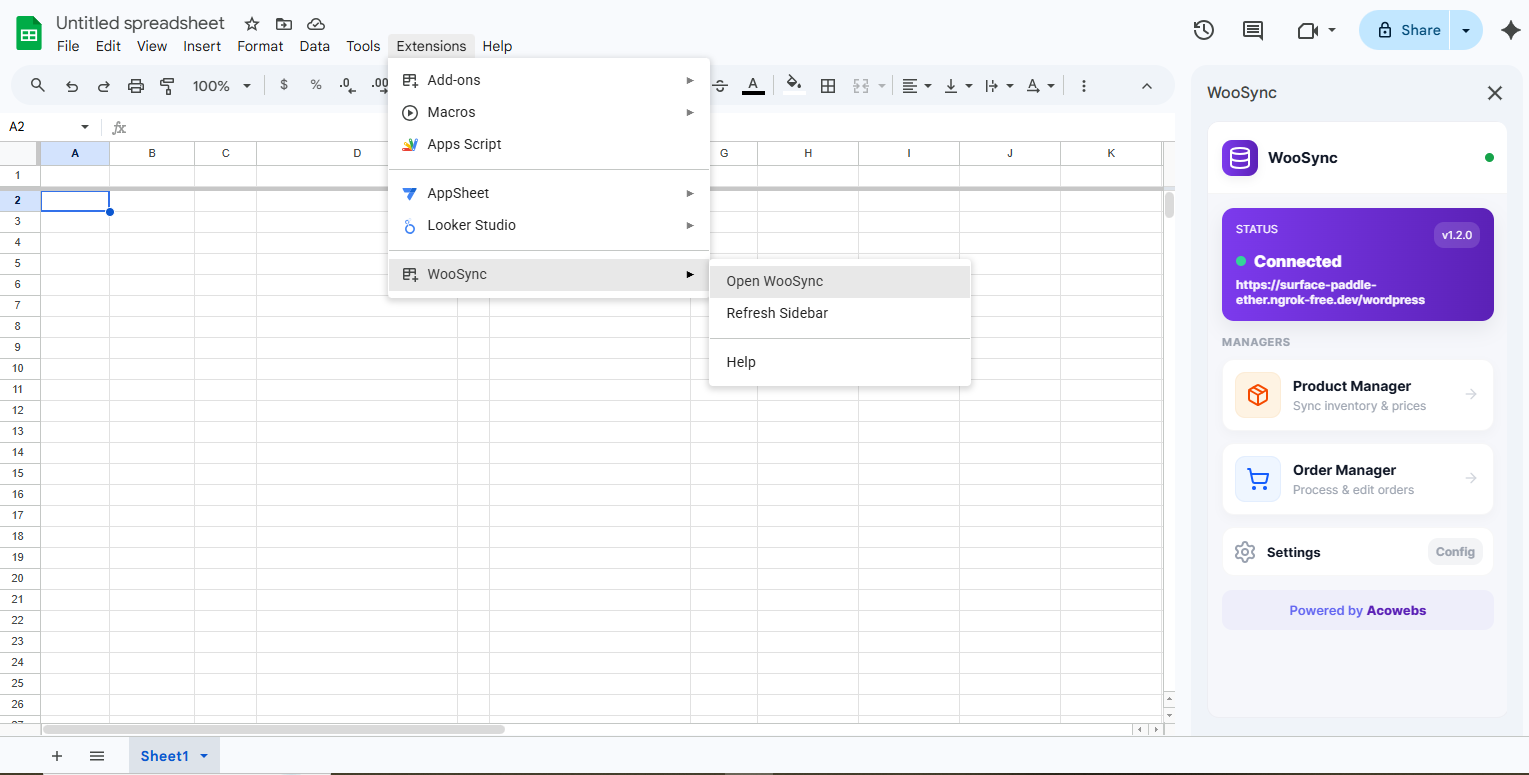
Open your Google Sheet and click:
Extensions > WooSync > Open WooSync
The WooSync sidebar will appear on the right side of your screen.
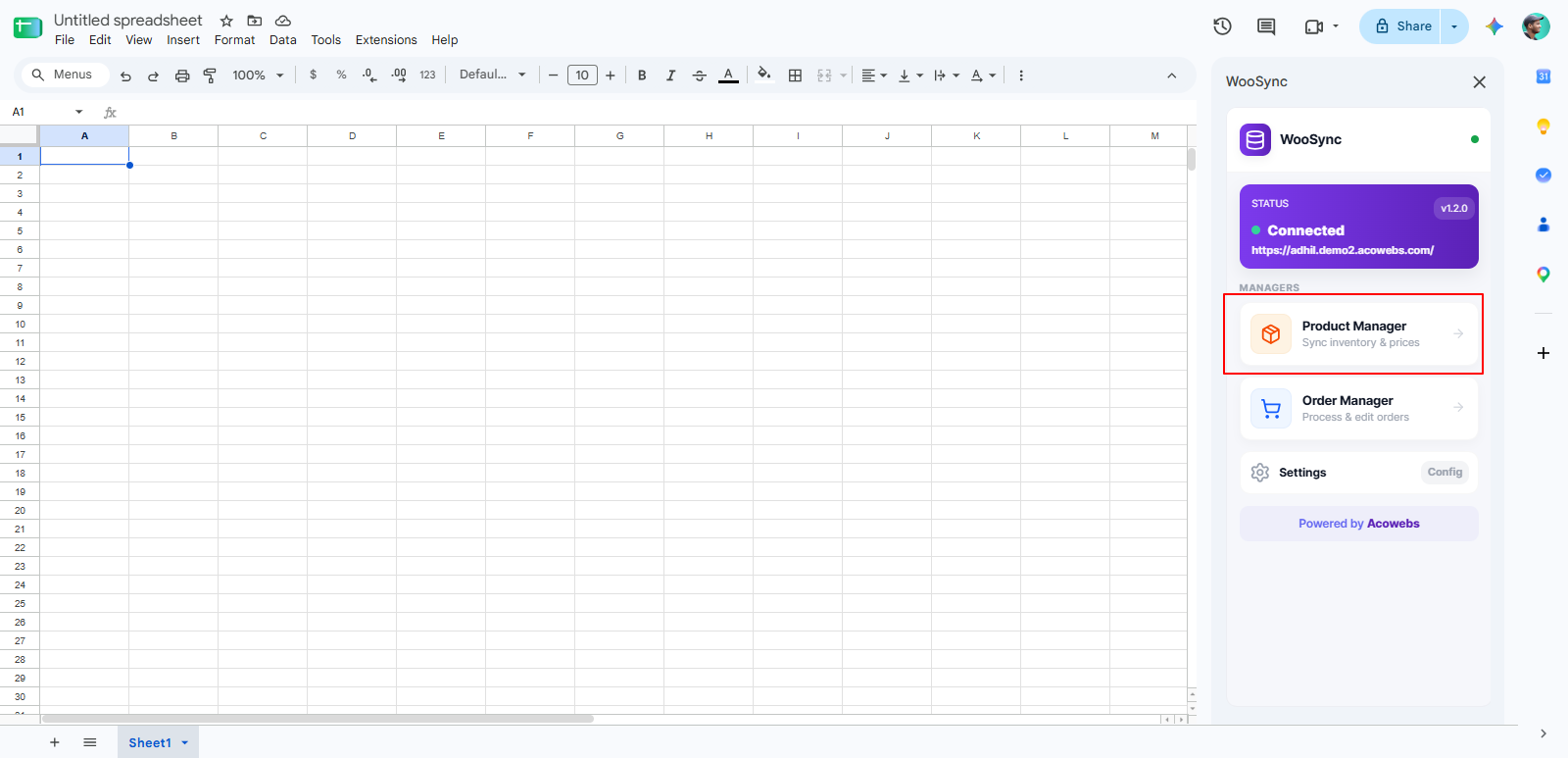
In the WooSync dashboard, you will see the Managers section.
Click on Product Manager ( Sync inventory & prices )
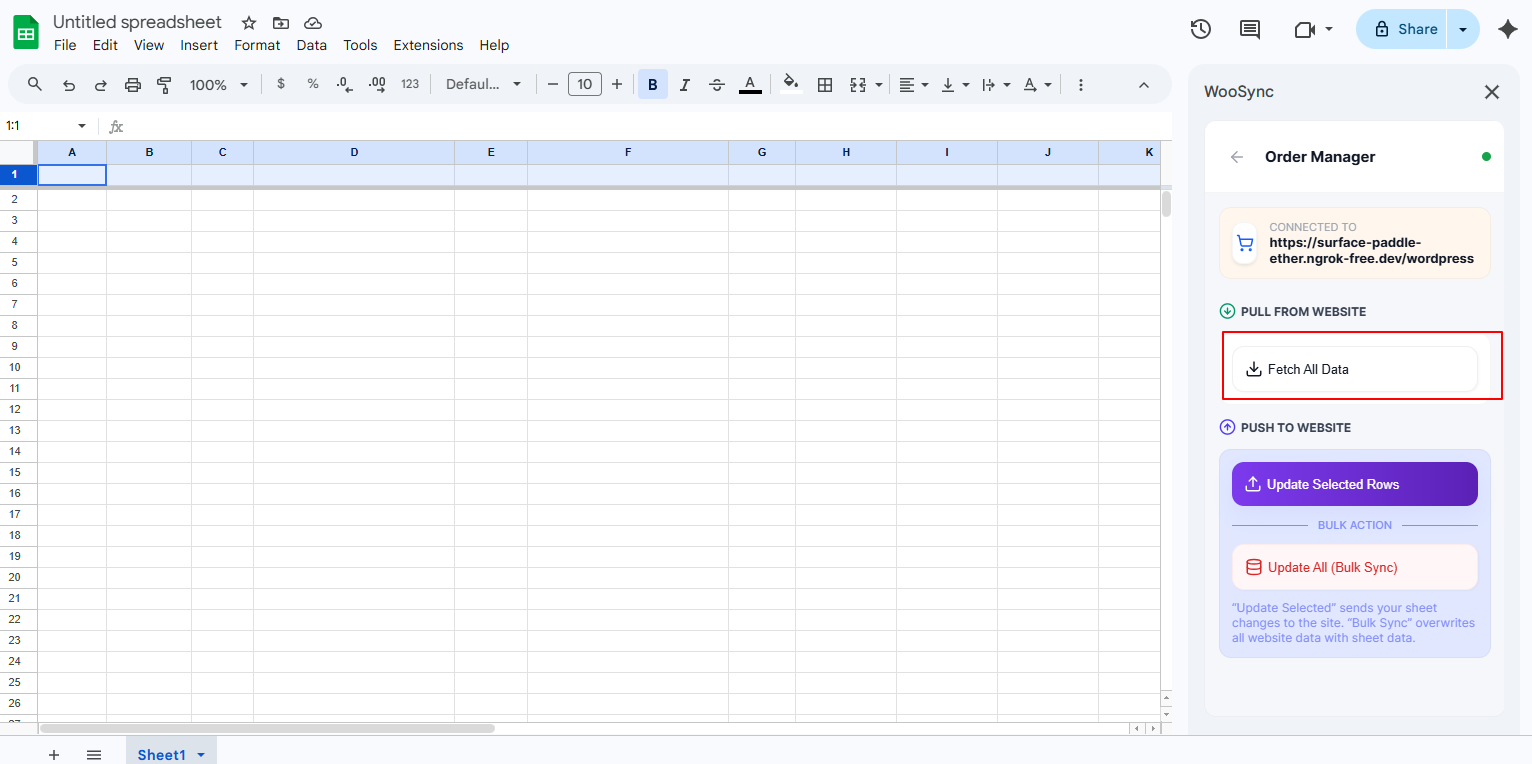
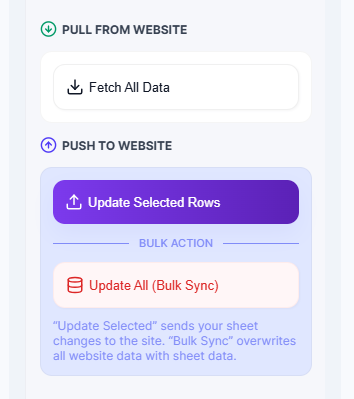
Inside Product Manager, click the Fetch All Data button.
This will import all WooCommerce product data into your Google Sheet.
Once the fetch is complete, all selected product fields will appear in your spreadsheet. You can view product details like stock, pricing, and status.
Fields marked as Editable can be updated directly in the sheet. Any changes made can be synced back to WooCommerce.
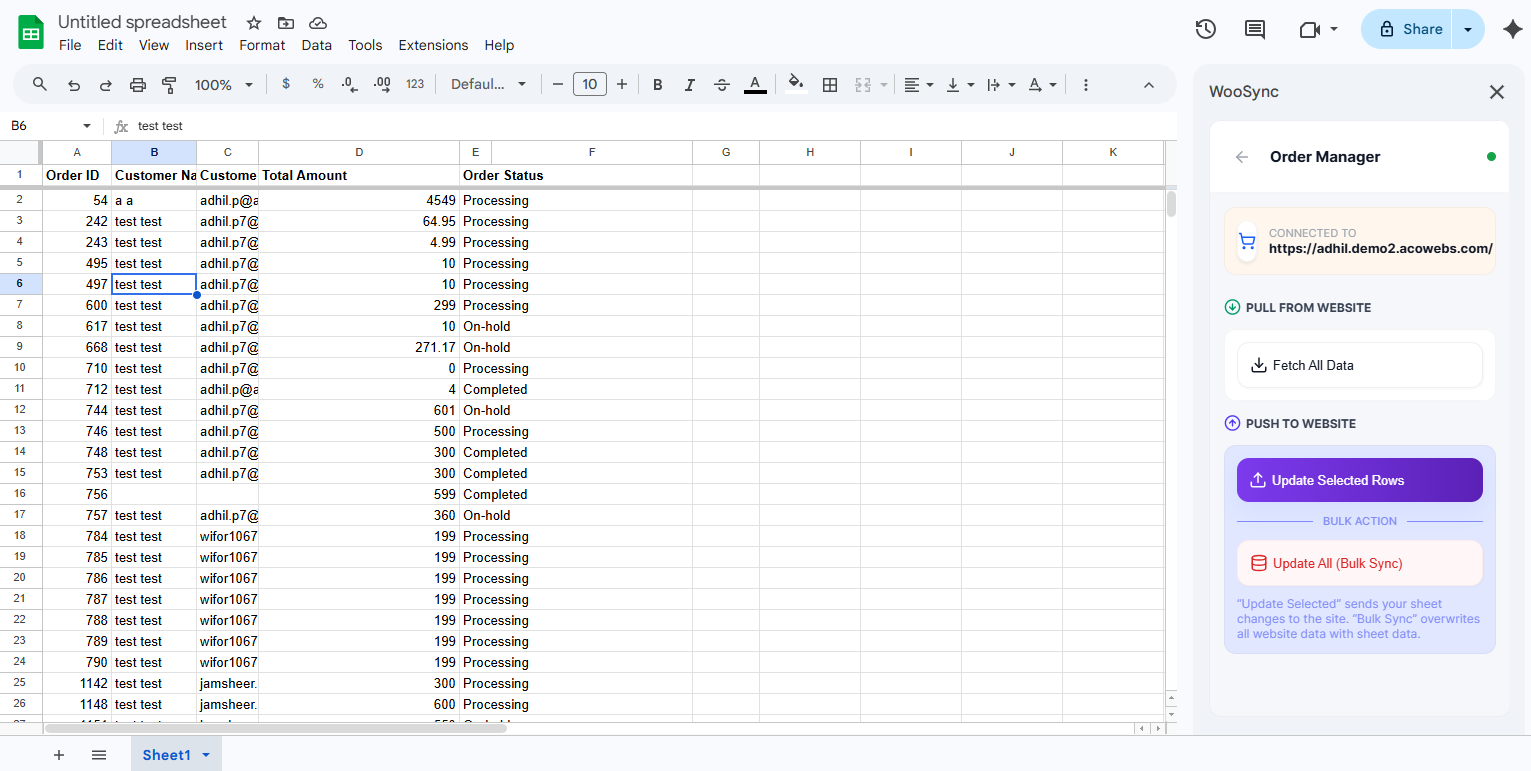
Use Update Selected Rows to update specific products, or Update All (Bulk Sync) to update all products at once.
Congratulations 🎉
You have successfully learned how to fetch, edit, and update WooCommerce products using the WooSync Google Sheets Add-on.
Your products are now fully manageable from Google Sheets.
If you have questions about our plugin(s), are experiencing issues with any of our plugin






















 Login
Login
 Cart
Cart
