
The WooSync Spreadsheet Addon allows you to choose which WooCommerce product and order fields should be synced to Google Sheets. You can also rearrange the field order based on your preferred spreadsheet column structure.
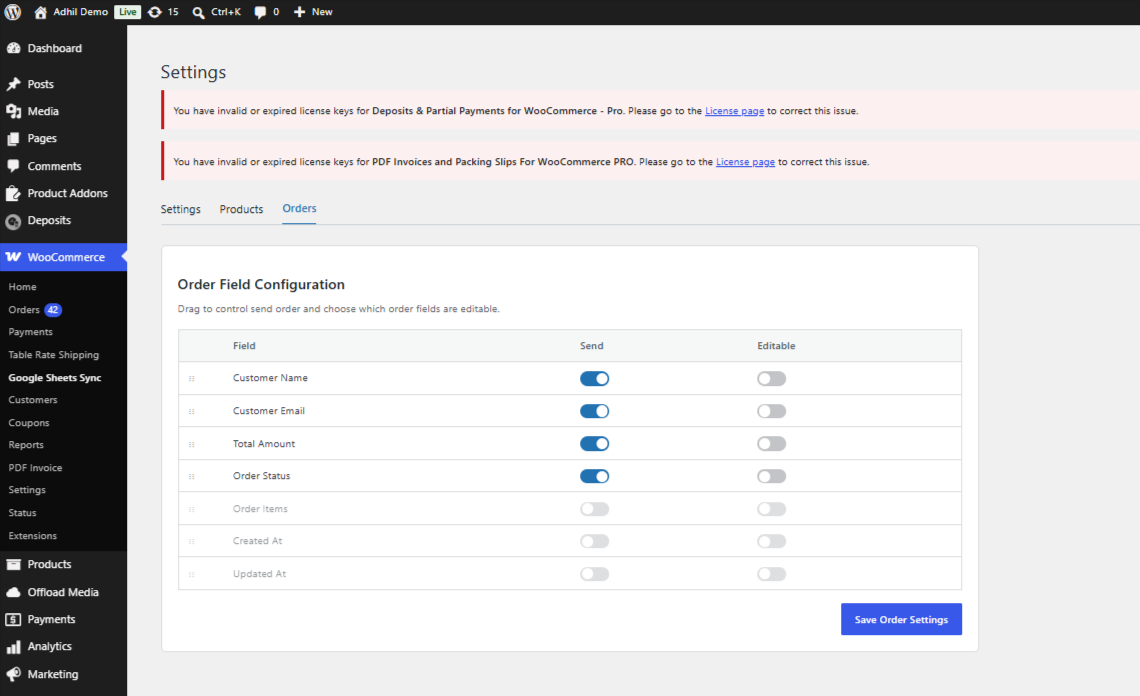
In the Products and Orders tabs, each field includes a drag handle that allows you to reorder the fields using drag-and-drop functionality.
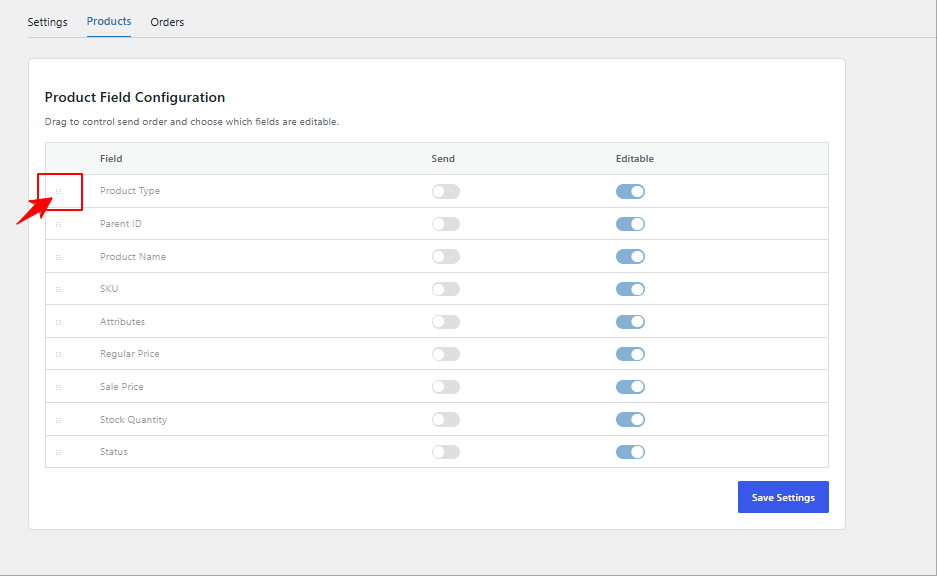
Simply drag the fields into your preferred order and click the Save Settings button to apply the changes.
The updated field arrangement will also reflect in the Google Sheets column order during syncing.
If you have questions about our plugin(s), are experiencing issues with any of our plugin






















 Login
Login
 Cart
Cart
