
If a subscription renewal payment fails, you can configure the plugin to automatically retry the payment. You can also set the number of retry attempts, choose what happens if the payment continues to fail, and set the time between each retry.
In your WordPress admin dashboard, go to Subscriptions > Settings and select the Payment tab.
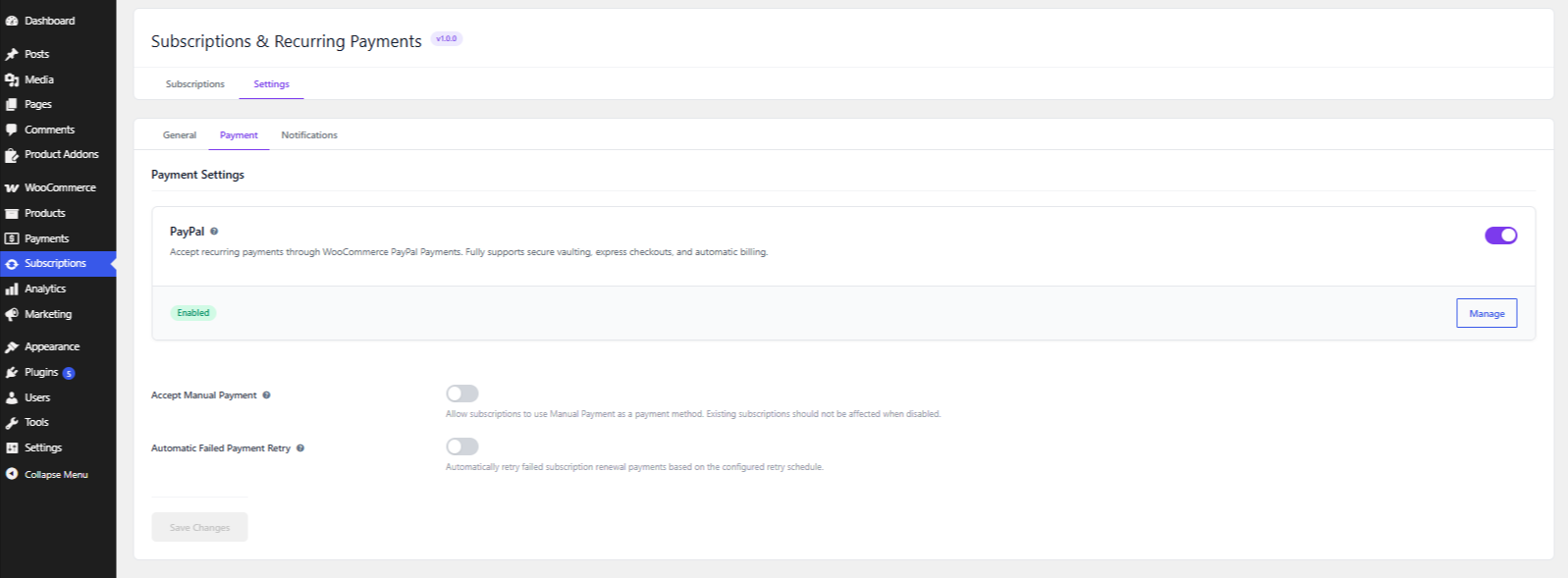
In the Payment Settings, enable Automatic Failed Payment Retry to automatically retry failed subscription renewal payments.
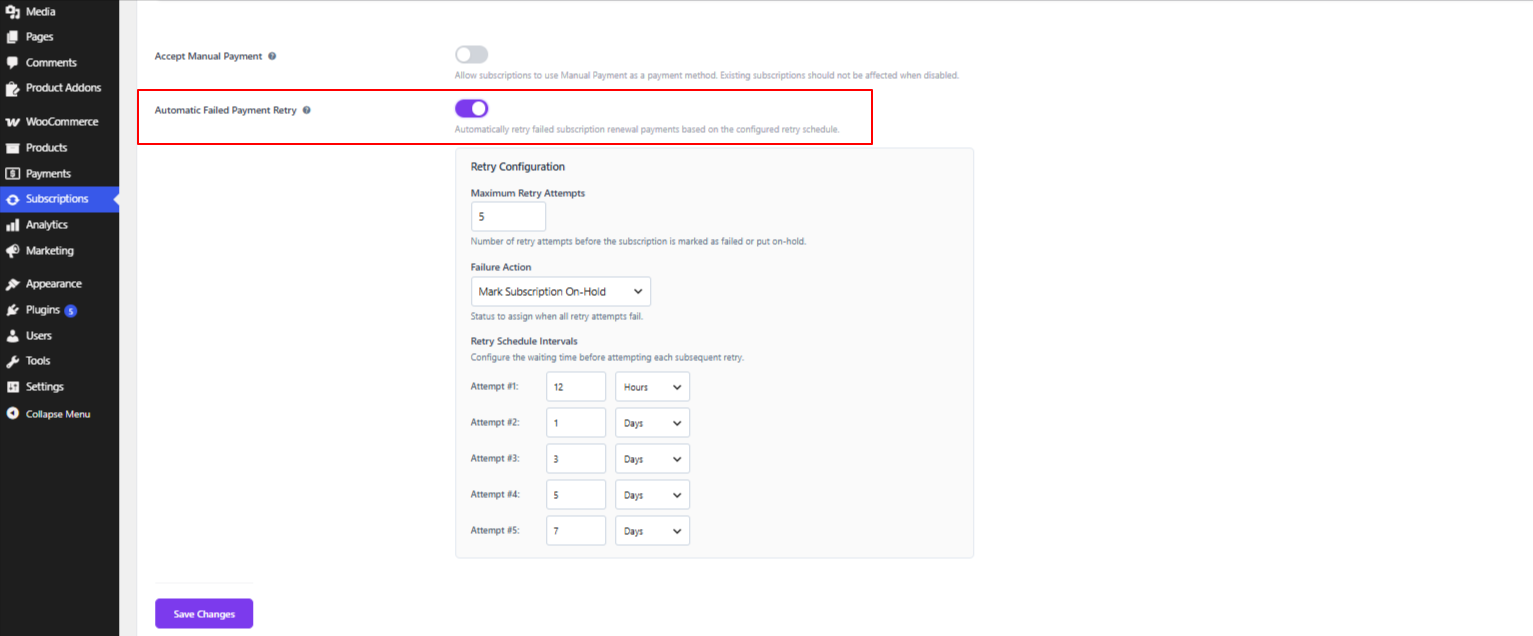
After enabling Automatic Failed Payment Retry, go to the Retry Configuration section.
Under Maximum Retry Attempts, enter the number of times you want the plugin to retry the failed payment.
For example, if you enter 5, the plugin will make up to five additional attempts to process the failed renewal payment.
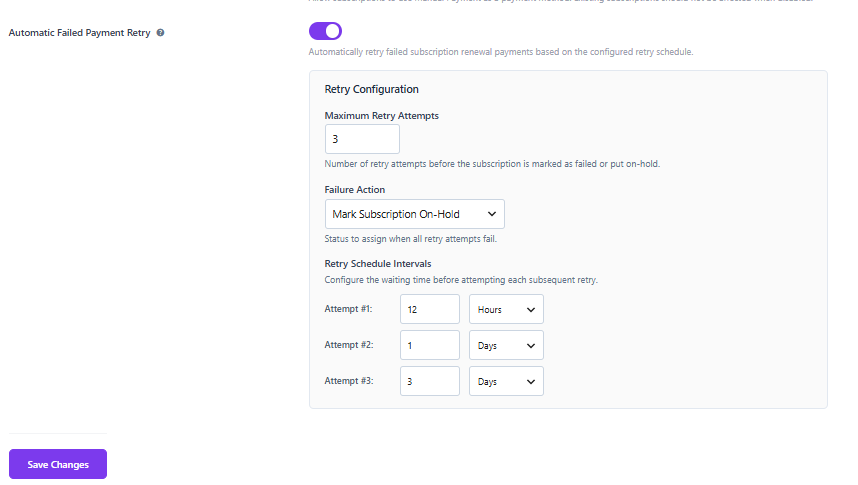
Under Failure Action, choose what should happen when all retry attempts have failed.
You can select one of the following options:
Select the option that best suits your subscription payment process.
Under Retry Schedule Intervals, set the waiting time before each retry attempt.
You can configure up to five retry attempts:
For each attempt, enter the waiting time and select either Hours or Days. For example, you can set the first retry after a few hours and later retries after a longer period.
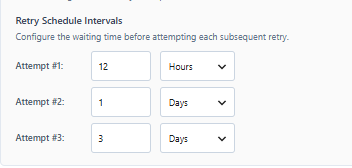
After configuring the retry attempts, failure action, and retry schedule, click Save Changes.
The failed payment retry settings will now be saved and applied to subscription renewal payments.
If you have questions about our plugin(s), are experiencing issues with any of our plugin






















 Login
Login
 Cart
Cart
