
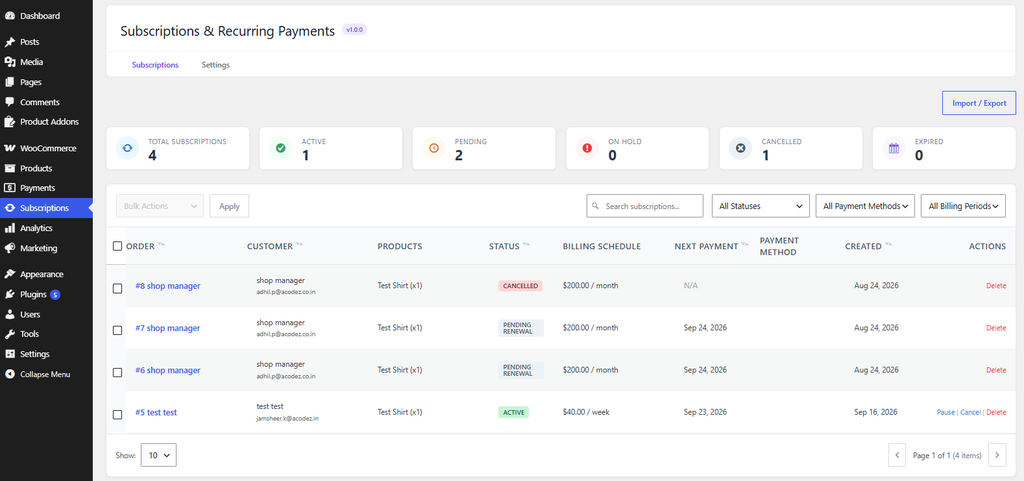
The Subscribers Dashboard allows you to view subscription records and manage their status directly from the subscription list.
From your WordPress dashboard, go to Subscriptions.
The Subscribers Dashboard will open and display your subscription records.
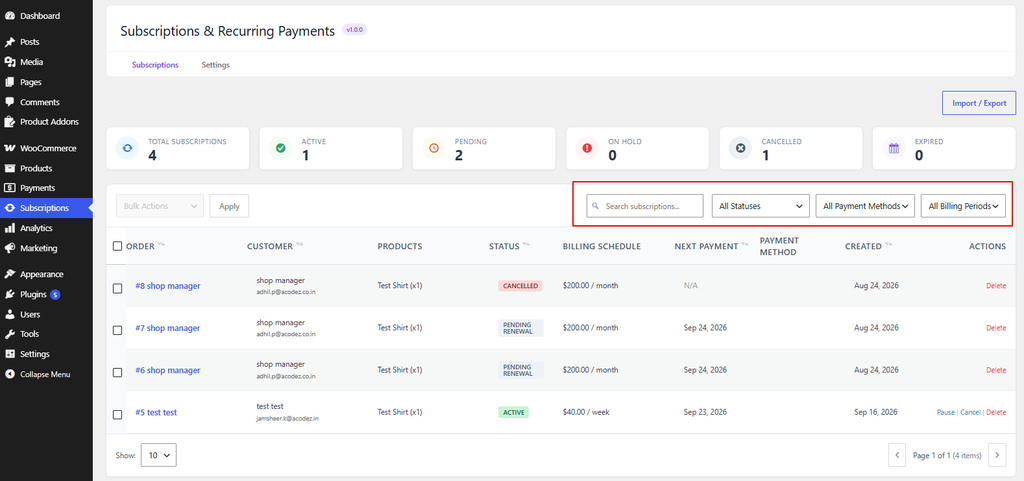
Use the available status filters or Search option to find the subscription you want to manage.
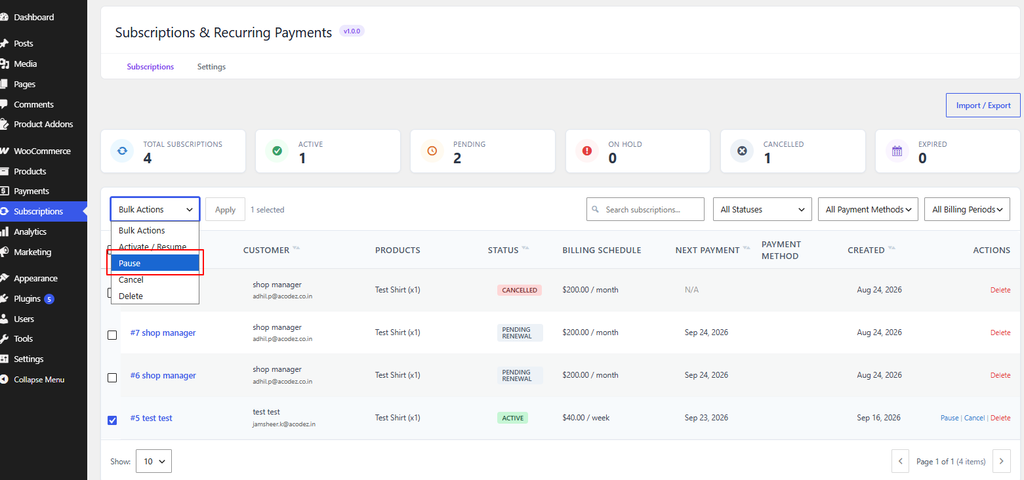
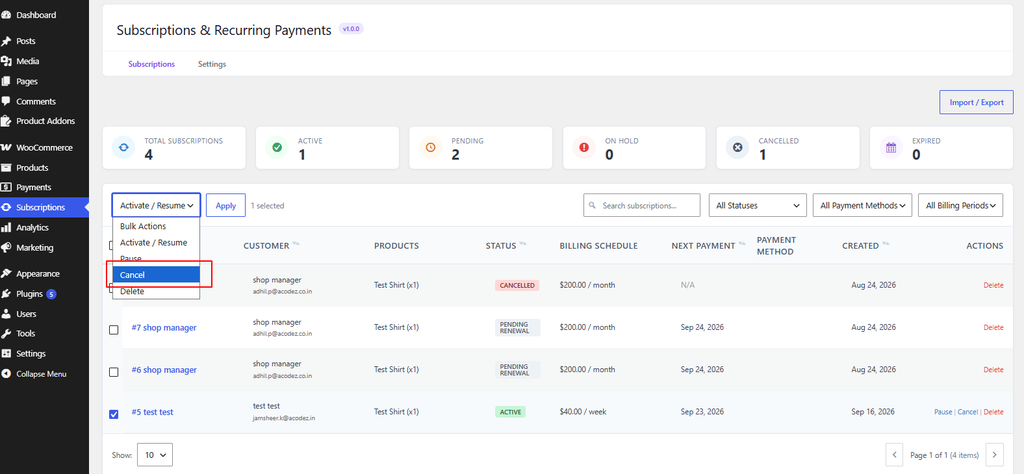
Find the subscription you want to pause. In the Bulk Actions column, click Pause.
The subscription will be paused and its status will change to On-Hold.
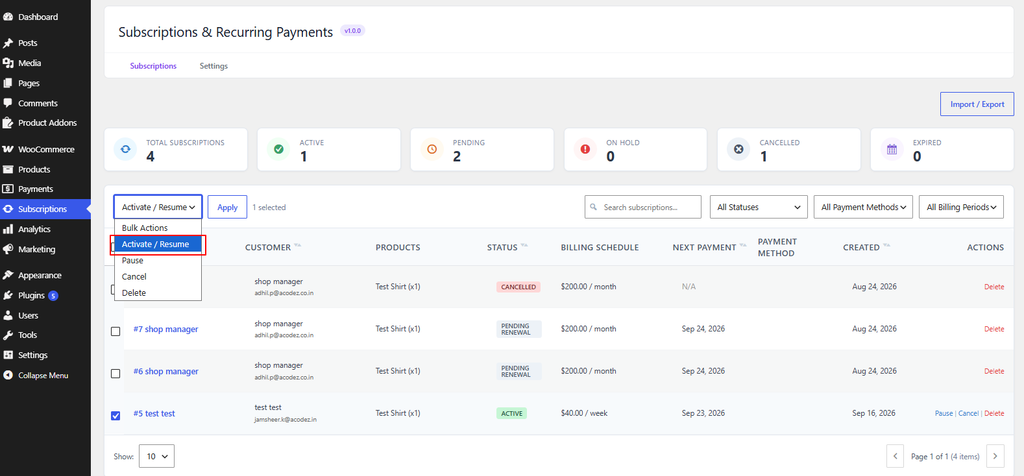
For an On-Hold subscription, click Resume in the Actions column. The subscription will become Active again.
To stop a subscription, click Cancel in the Actions column.
If a confirmation message appears, confirm the cancellation. The subscription will then be cancelled.
If you have questions about our plugin(s), are experiencing issues with any of our plugin






















 Login
Login
 Cart
Cart
