















 Login

 Cart


For a while now, WooCommerce has been providing a reliable backbone on which countless online stores and eCommerce can thrive. But as the digital landscape continues to evolve, a fresh wave is sweeping through the air—headless WooCommerce. And it is more than a buzzword.
Imagine having total power over how your store looks and feels while your product data and backend activities run seamlessly in the background.
There are now more than 5 billion Internet users around the globe, and the realm of online shopping keeps expanding. Retail eCommerce sales were likely to cross $4.1 trillion in 2024, with further growth prospects.
So when does it make sense to abandon the traditional all-in-one WooCommerce model for headless? Most importantly, when should you decouple?
This article assesses how the decoupling of WooCommerce improves performance, fosters creative independence, and ultimately provides a smoother and more engaging shopping experience for the end users.
TL;DR: Headless WooCommerce keeps WooCommerce as the back end and swaps the WordPress theme for a custom front end. It’s worth it for large catalogs, heavy traffic, and multi-channel selling, but it costs more, breaks some plugins, and doesn’t guarantee a faster site. Most small stores are better off with an optimized traditional setup, and a hybrid approach is a safer middle step.
What is Headless WooCommerce?
Headless WooCommerce separates the back-end functionality of eCommerce from the user interface, providing a flexible and scalable platform.
Instead of WordPress themes for their design and layout, the front end is built on the latest modern frameworks, allowing greater customization and improved performance.
Developers can build an interactive and high-performing front end using modern frameworks such as React, Vue.js, and Next.js, while WooCommerce does the heavy lifting of product management, order requests, payments, and stock management.
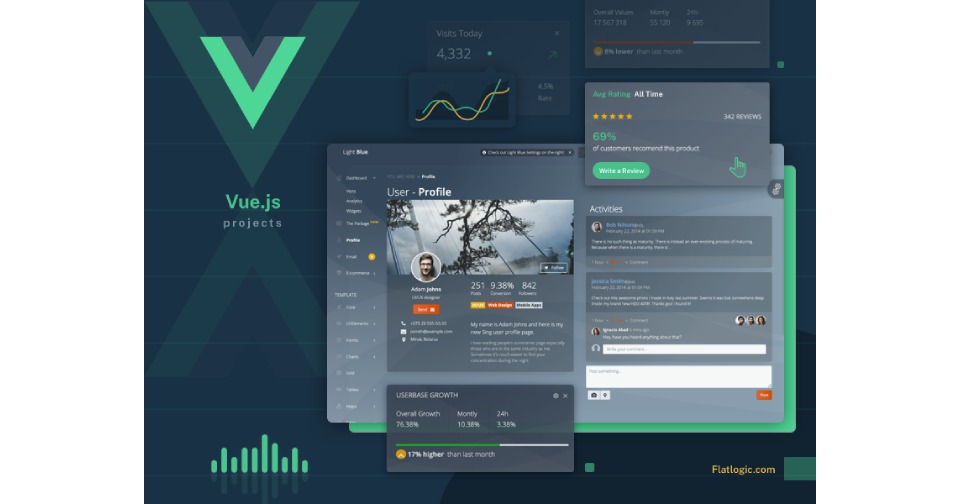
By decoupling these two components, brands empower themselves to take control of design, speed, and user experience. It is indeed a platform suited to brands looking for speed, scalability, and compatibility across platforms without the limitations of the WordPress front end.
The Differences Between Headless and Traditional WooCommerce
In a traditional WooCommerce setup, the front end (what shoppers see) and the back end (products, orders, payments) run together as one system inside WordPress. The theme, plugins, and store logic all share the same codebase and server, so a heavy theme or plugin can slow down the whole store.
On the other side, headless WooCommerce separates these layers, enabling businesses to operate the store in the quick preload of a completely custom front end while leveraging the powerful back end that WooCommerce brings to bear for eCommerce functions.
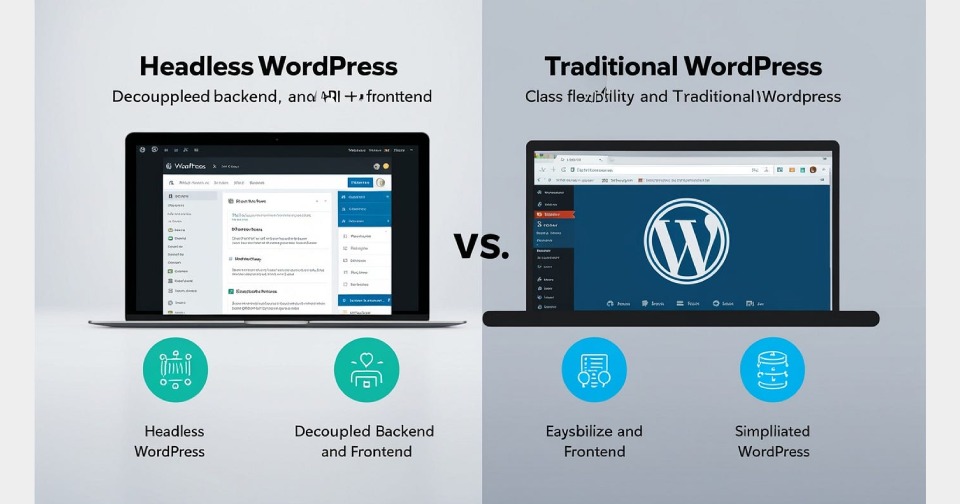
Headless WooCommerce increases flexibility, site loading speed, and security since it reduces vulnerabilities in WordPress themes and plugins.
By going headless, businesses can give a more exciting, smooth shopping experience without all the roadblocks to performance one would get with a classic WooCommerce setup.
Traditional vs Headless vs Hybrid WooCommerce at a glance
| Traditional | Headless | Hybrid | |
| Speed | Good with caching and a light theme; limited by theme and plugin weight | Highest ceiling, depends on how well the front end is built | Fast on the decoupled pages, normal elsewhere |
| Cost | Lowest | Highest upfront and ongoing | Middle |
| Plugin support | Full | Partial; front-end features often need rebuilding | Full on WordPress pages, partial on decoupled pages |
| Maintenance | One system | Two systems to update and monitor | Two systems, smaller front-end surface |
| Team skills | WordPress and PHP | WordPress plus JavaScript, APIs and DevOps | Both, at a lighter level |
| Best for | Most small and mid-size stores | Large catalogs, multi-channel selling, custom experiences | Stores that need speed on a few key pages |
Why You Should Decouple: Key Benefits of Headless WooCommerce
1. Identifying Performance Bottlenecks in Traditional WooCommerce
Have you ever experienced an online store that took a long time to load? If so, it is likely you chose not to wait.
If your WooCommerce shop struggles with sluggish load times, elevated bounce rates, or even crashes when traffic spikes, transitioning to a headless architecture could be beneficial.
Conventional WooCommerce stores often depend heavily on WordPress themes and plugins, which tend to cause slowdowns as the number of products and customers increases.
A good example is Gymshark. This fitness brand routinely faced website crashes during significant sales events due to its tightly integrated back-end and front-end systems.
By adopting a headless configuration, they transformed their site into a rapid platform capable of accommodating millions of shoppers simultaneously without failures.
2. Scalability Needs
Any growing eCommerce business will find itself faced with challenges. More products, customers, and orders mean your site has to handle higher traffic without slowing down. It is among the reasons why you should decouple.
A headless WooCommerce architecture allows seamless scalability via cloud-hosting solutions, micro-services, and CDNs; all these enhance site stability and performance.
Nike successfully leverages its global online platform to empower millions of users simultaneously without losing the personalized experience each user expects based on their geographical location, type of device, and other preferences.
They made the transition to a headless system that empowers back-end operations for order management while allowing the front-end interface to maintain a fluid user interface across web browsers and mobile apps with minimal lag or downtime.
3. Enhanced Omnichannel Capabilities for Better Customer Experience
Reflect upon your shopping habits; at times, an individual may prefer to use a mobile phone or a laptop. Sometimes, you may prefer shopping through a smart device such as a speaker or a watch.
Modern consumers require consistency in the shopping experience across each of these platforms. When should you decouple to achieve this?
A headless WooCommerce architecture provides the framework for businesses to develop standardized paths of shopping that promote customer interaction when engaging through websites, mobile apps, and chatbots.
For example : A traditional WooCommerce store can expose data to an app through the REST API, but the website itself is still tied to the theme, so the two experiences are built and maintained separately. In a headless setup, the website, the app, and any later channel are all clients of the same API.
4. Greater Customization and Design Adaptability
Traditional WooCommerce stores rely on WordPress themes, which limit how far you can customize the design. Even a well-built theme forces you to work within its layouts, templates, and settings.
With headless WooCommerce, developers are given the means to build entirely customized front ends, ensuring an ideal shopping experience consistent with the brand’s identity.
Consider the online store of Tesla; instead of traditional WooCommerce themes, they built a fully customized frontend that perfectly illustrates the crisp and futuristic design language of their brand.
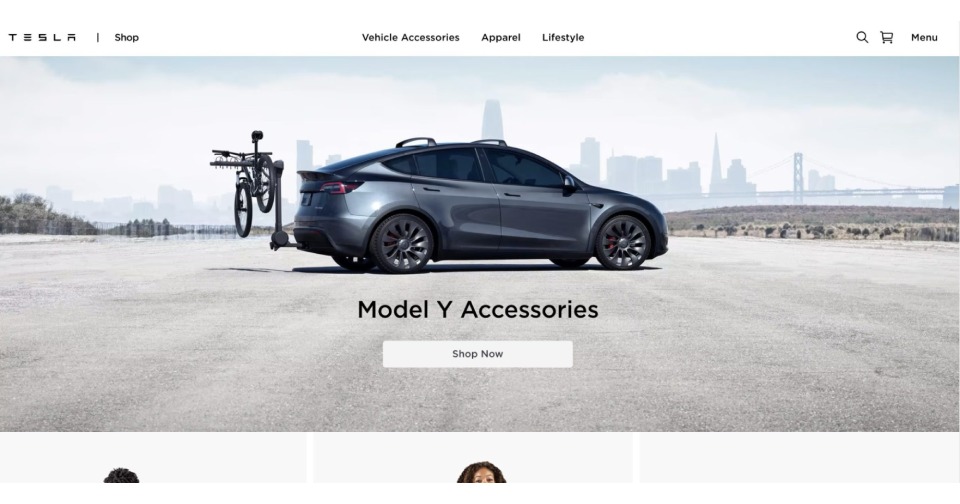
Such extensive creative freedom would not be feasible within traditional WooCommerce configurations. Adopting a headless approach allows businesses to design visually striking storefronts that prioritize user-friendliness without being constrained by template limitations.
5. Enhanced Security and Stability
WordPress is indeed a powerful site, but it is commonly hacked due to its reliance on third-party plugins. When WooCommerce stores overuse plugins, they land on security breaches, malware, and performance issues.
In headless WooCommerce, the front end gets separated from WordPress, keeping these risks minimal. For example, many financial institutions and banks use headless architectures to enhance security and protect their systems from potential vulnerabilities.
By disconnecting the back end from direct access and minimizing plugin dependence, companies could form a more stable and safe scenario for their eCommerce platform.
This secures customer data and helps keep the website functional even when WordPress encounters some issues.
Core Web Vitals and SEO impact
Headless WooCommerce can improve page speed, but it does not improve it automatically. A badly built JavaScript storefront can score worse than a tuned WordPress theme.
Google’s Core Web Vitals measure three things, judged at the 75th percentile of real page loads:
- Largest Contentful Paint (LCP): how fast the main content loads. Aim for 2.5 seconds or less.
- Interaction to Next Paint (INP): how fast the page responds to taps and clicks. Aim for 200 milliseconds or less.
- Cumulative Layout Shift (CLS): how much the layout jumps around. Aim for 0.1 or less.
Server-side rendering (SSR) and static site generation (SSG) help because the browser receives finished HTML instead of an empty shell that JavaScript has to fill in. That usually improves LCP and keeps product pages easy for crawlers to read. Heavy client-side rendering tends to hurt both. Our explainer on JavaScript SEO covers the crawling side, and our guide to Google Core Web Vitals covers the metrics in more depth.
Going headless also means you rebuild the SEO work that WordPress and your SEO plugin used to do for you. Before launch, make sure the new front end generates:
- Title tags, meta descriptions and canonical URLs for every page type.
- Product, breadcrumb and organization schema markup.
- XML sitemaps and correct robots.txt.
- 301 redirects from every old URL that changes.
- Open Graph tags and image alt text.
Skipping any of these is the most common way a headless migration loses organic traffic.
Key Technologies for a Headless Setup
1. Front-end Frameworks
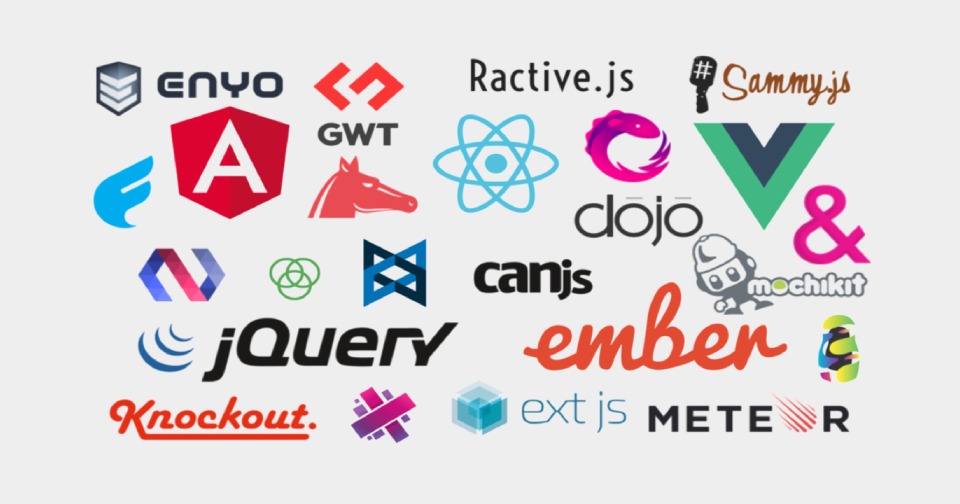
Front-end frameworks are crucial in a headless WooCommerce setup as they determine how the store is displayed to users. Since WooCommerce no longer handles the front end, a separate technology stack is required to build an interactive and responsive UI.
Some Popular Frontend Frameworks:
- React is a JavaScript library developed by Facebook and is known for its component-based architecture, making it ideal for dynamic eCommerce experiences.
- Vue.js is a flexible and efficient front-end framework known for its reactivity and seamless integration with WooCommerce APIs.
- Next.js built on React, excels in delivering server-side rendering (SSR) and static site generation (SSG), which significantly boosts performance.
- Angular developed by Google using TypeScript, is best suited for large-scale eCommerce applications that require a well-structured architecture and robust performance.
Each of these frameworks allows developers to create a custom storefront while communicating with WooCommerce’s backend using APIs.
2. API Integration
APIs play a vital role that headless WooCommerce can utilize:
Types of APIs Used in Headless WooCommerce:
- REST API: A widely used API that allows HTTP-based communication between the front end and WooCommerce. It provides endpoints to fetch products, orders, and customer data.
- GraphQL API: It differentiates itself from REST by allowing clients to request only the data they require. This capability reduces the size of payloads and enhances overall performance, making it particularly beneficial for optimizing storefront loading speeds.
APIs ensure that the front end can display real-time product updates, user carts, and checkout processes by fetching data from WooCommerce dynamically.
WooCommerce Store API
Alongside the standard REST API, WooCommerce ships a Store API built for customer-facing features: listing products, managing the cart, getting shipping rates and checking out. It is unauthenticated and only returns data for the current customer, which makes it the safer choice for browser-side cart and checkout calls. It cannot read other customers’ orders or change store settings. For those tasks, use the authenticated REST API from a server, never from the browser.
WPGraphQL, WooGraphQL and authentication
WPGraphQL and WooGraphQL. WPGraphQL is a free, open-source plugin that adds a GraphQL API to WordPress. With the WooGraphQL extension, you can query products, carts, customers and orders in the same way. GraphQL lets the front end ask for exactly the fields it needs, and fetch related data in a single request. That means fewer round trips than the equivalent REST calls, which helps on slow mobile connections.
Authentication options. Headless stores usually pick from these:
- WooCommerce REST API keys for server-to-server calls only. Never expose them in browser code.
- JWT (JSON Web Token) authentication, commonly added through a WPGraphQL JWT plugin, for logged-in customer sessions.
- WordPress application passwords for trusted back-office integrations.
Whichever you choose, keep secrets on the server, use HTTPS everywhere, and limit each credential to the access it needs.
3. Content Management System (CMS)
A headless Content Management System (CMS) frequently complements headless WooCommerce by managing various types of content, such as blogs, landing pages, and product descriptions, independently from the eCommerce functions.
This separation fosters greater flexibility in content marketing strategies and search engine optimization.
Popular Headless CMS Solutions:
- Contentful: It is a cloud-based headless CMS designed to provide structured storage for content while enabling easy API integration
- Strapi: It stands out as a self-hosted open-source headless CMS that gives users complete control over their content management processes through a user-friendly API-first approach.
By using a headless CMS, eCommerce businesses can manage content efficiently without affecting WooCommerce’s backend operation
4. Hosting and Infrastructure
Since the front end and back end are decoupled, hosting considerations for both become essential. The backend (WooCommerce) still runs on WordPress, requiring a stable hosting environment, while the front end benefits from modern deployment solutions.
Recommended Hosting Solutions:
- AWS (Amazon Web Services): It delivers scalable cloud infrastructure, supporting both the backend and front end of WooCommerce to ensure optimal performance.
- Vercel: It serves as an ideal deployment platform tailored specifically for front-end frameworks like Next.js; it offers functionalities like serverless computing alongside automatic scaling features.
- Netlify: This represents another effective option as a static hosting provider compatible with Jamstack architecture—it supports Vue and R eact, amon g other front-end structures.
Selecting an appropriate hosting platform plays a crucial role in enhancing the overall efficiency, security, and scalability of any headless WooCommerce store.
Challenges and Considerations Before Going Headless
While headless WooCommerce offers flexibility, speed, and customization, a certain number of complexities must be handled accordingly by businesses looking to make the switch. What follows are key challenges and considerations in detail.
1. Higher Development Costs
The higher rates come from a need for specialized types of development skills. Unlike traditional WooCommerce setups, which heavily rely on WordPress themes, a headless WooCommerce setup requires knowledge of front-end frameworks.
Skilled developers well-versed in these technologies often charge higher rates. Custom UI/UX design is also needed, as businesses cannot use a pre-existing WooCommerce theme. Designing and coding a unique storefront from scratch takes an extensive amount of effort.
API development and optimization also add to the costs, as the front-end and WooCommerce’s back-end require efficient API calls, caching strategies, and performance boosting.
Ongoing maintenance, such as updates, bug fixes, and performance tuning, also has to be handled separately for the front end and the back end, which usually means a larger long-term investment from store owners.
2. Complexity in Maintenance
A headless WooCommerce store has a decoupled architecture – the front end and back end are managed separately. This separation allows for added flexibility.
However, it comes at the cost of greater complexity in actual maintenance between both APIs and either the back end or the front end of WooCommerce: they now need to be independently monitored, updated, and optimized.
Any changes made to WooCommerce APIs or WordPress upgrades will impact the front end’s functionality frequently, meaning that constant compatibility testing will be necessary.
Security and compliance become very important, as the communication between both the front end and back end via the API has to be done safely through authentication, encryption, and rate limiting.
Another problem will be optimal performance due to API requests in order to not overload it; for this reason, there will be an added burden to carefully handle requests from the front end to either API, caching layers and content delivery networks (CDNs), thus assuring fast page load times on the storefront(s).
Troubleshooting issues is more complex in a headless environment since problems can arise from the front end, back end, or API connectivity. Businesses must have a dedicated technical team or partner with experienced agencies to handle long-term support and maintenance.
3. Limited Plugin Support
One of the biggest advantages of WooCommerce is the extensive ecosystem of plugins that can add any functionality desired to an eCommerce store. However, headless WooCommerce could be limiting in terms of some plugin support.
Many WooCommerce plugins are built to work in the traditional WordPress environment by utilizing shortcodes or direct integration with WordPress templates.
Since the front end is decoupled in a headless set, plugins that depend on shortcodes won’t be able to work unless customization is done.
Payment gateways and checkout plugins present another level of headache because some of them require direct integration with WordPress forms, while others may not support API-based transactions.
SEO and Schema plugins, such as Yoast SEO, also pose challenges as they rely on WordPress to generate metadata that is potentially not available in a headless framework without further development effort.
Third-party integrations, such as CRM tooling and shipping calculators, may require a custom API solution to bridge the front and back ends. The business will have to go through an exhaustive audit of the existing WooCommerce plugins before it can think about transitioning to a headless architecture.
Hybrid approaches, where parts of the store stay on WordPress and the rest is decoupled, make for a much gentler transition with fewer compatibility issues.
4. Increased Initial Setup Time and Complexity
Transitioning to a headless architecture requires a significant upfront investment in time and resources. Setting up a new front-end framework, configuring APIs, and ensuring seamless communication between the front and back ends can be a complex and time-consuming process.
Unlike traditional WooCommerce setups, where themes and plugins can be quickly installed and configured, headless implementations require a more in-depth understanding of development best practices and infrastructure management.
Conclusion
The future of headless WooCommerce is certainly promising, buoyed by increased demand for faster, more flexible, and scalable eCommerce solutions. Powered by newer front-end frameworks, companies can create extremely interactive and personalized shopping experiences.
Headless WooCommerce offers a flexible, scalable, and high-performance solution for businesses looking to enhance their eCommerce operations.
If your store struggles with performance issues, scalability challenges, or omnichannel demands, decoupling your WooCommerce setup can be a game-changer.
While headless WooCommerce presents exciting opportunities, it’s essential to evaluate your business needs, technical expertise, and budget before making the transition.
By leveraging the right technologies and strategies, businesses can unlock the full potential of headless eCommerce and stay ahead in the competitive digital landscape.
Acowebs are the developers of the WooCommerce Product Labels which let customers include custom product labels or product badges for the WooCommerce products. WooCommerce sales badges plugin provides you with different label styles and customizations for labels. It offers a easy-to-use UI to add labels to the selected products or categories and woocommerce email customizer using which you can easily build and customize WooCommerce emails with a drag-and-drop user interface.
FAQs
What is headless WooCommerce?
Headless WooCommerce is a setup where WooCommerce runs the back end (products, orders, customers, payments) while a separate front end, such as Next.js, React, or Vue, handles what shoppers see. The store still runs on WooCommerce; the shopper just never sees WordPress. The two parts communicate through APIs.
What are the benefits of headless WooCommerce?
The main benefits are design freedom, potentially faster pages, independent scaling of the front end and back end, and omnichannel selling. With product data available by API, you can power a web storefront, mobile app, in-store kiosk, or conversational commerce interface from the same back end. Speed gains aren’t automatic, since they depend on how well the front end is built.
What are the disadvantages of headless WooCommerce?
The main drawbacks are higher build and maintenance costs, limited plugin compatibility, and a bigger technical skill requirement. A headless store is two systems, each with its own hosting, updates, dependencies, and ways to break. Troubleshooting is also harder because problems can come from the front end, back end, or API.
Is headless WooCommerce worth it?
It can be for stores with large catalogs, heavy traffic, multi-channel selling, or demanding custom experiences. For most small and mid-size stores, a well-optimized traditional setup is cheaper and simpler. It is genuinely worth it for a specific kind of store, and an expensive mistake for most of the others.
Does headless WooCommerce improve SEO?
It can, but only if the front end uses server-side rendering or static generation and you rebuild what WordPress and your SEO plugin used to handle. That includes metadata, schema markup, XML sitemaps, and 301 redirects. Skipping those is the most common way a headless migration loses organic traffic, so test Core Web Vitals before and after launch.
Do WooCommerce plugins work with a headless setup?
Many don’t, at least not without rebuilding their front-end parts. Plugins that rely on shortcodes, themes, or WordPress templates won’t render on a decoupled front end, and SEO, checkout, and payment plugins are the most common trouble spots. Audit your plugins before committing to a headless build.

