




















 Login

 Cart
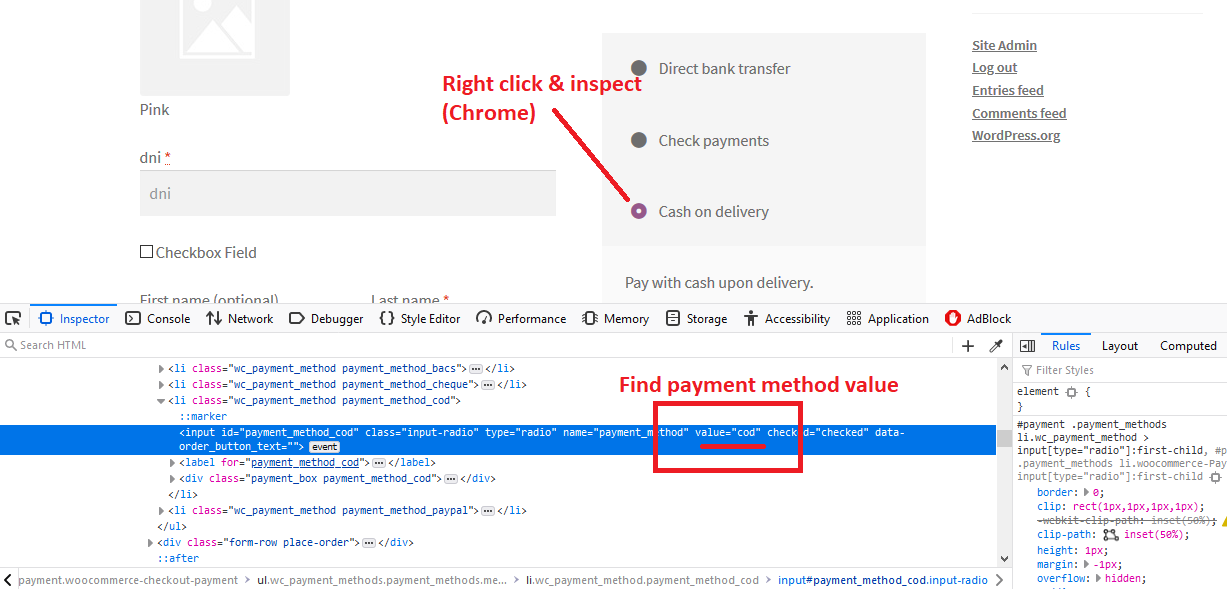
Follow the steps to enable conditional logic for payment method.
- Right-click and inspect the payment methods.
- Find payment method value.
- Add these values to the conditional logic.
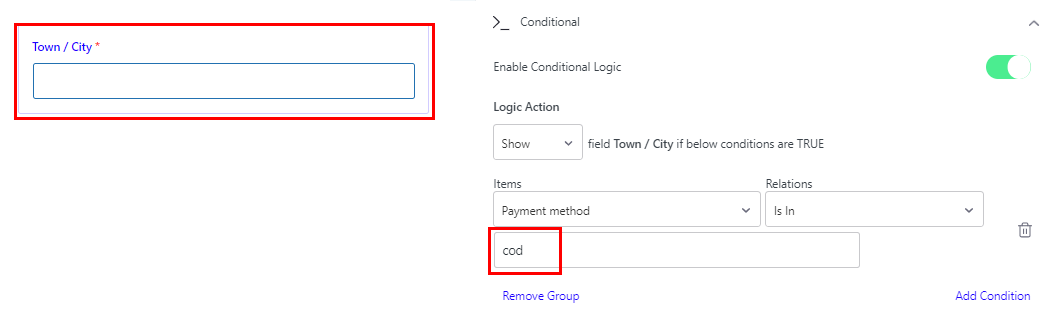
Below is a demo for setting the conditional logic with Payment method. Here, the conditional logic is applied to Town/City field, where payment method value is set as cod(Which is the value for payment method Cash on Delivery, where we get it by inspecting). Which means, the Town/City field is shown if the payment method Cash on Delivery is selected. Otherwise it won’t show the field Town/City.
If you are not sure about how to apply conditional logic, please go through our guidelines to get started with conditional logic from here.
Was this article helpful?
Thanks for letting us know.
Sorry about that. Ask our support team and we will help you set it up.