
- Woocommerce
- Shopify Apps
- WordPress
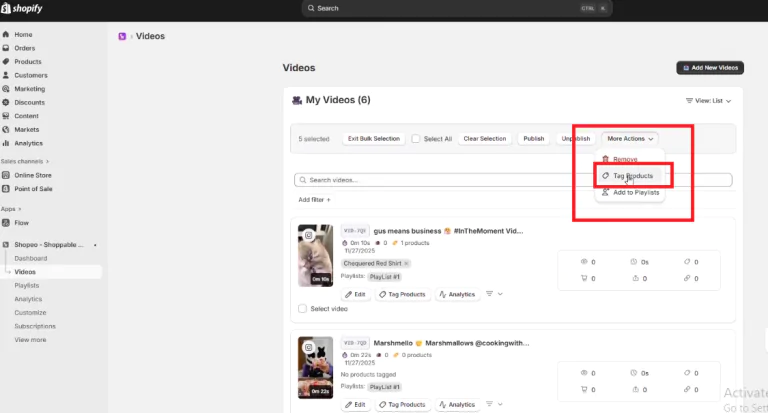
Product tagging allows you to link Shopify products to your videos so customers can shop directly while watching. You can tag products in bulk or individually, depending on your needs.
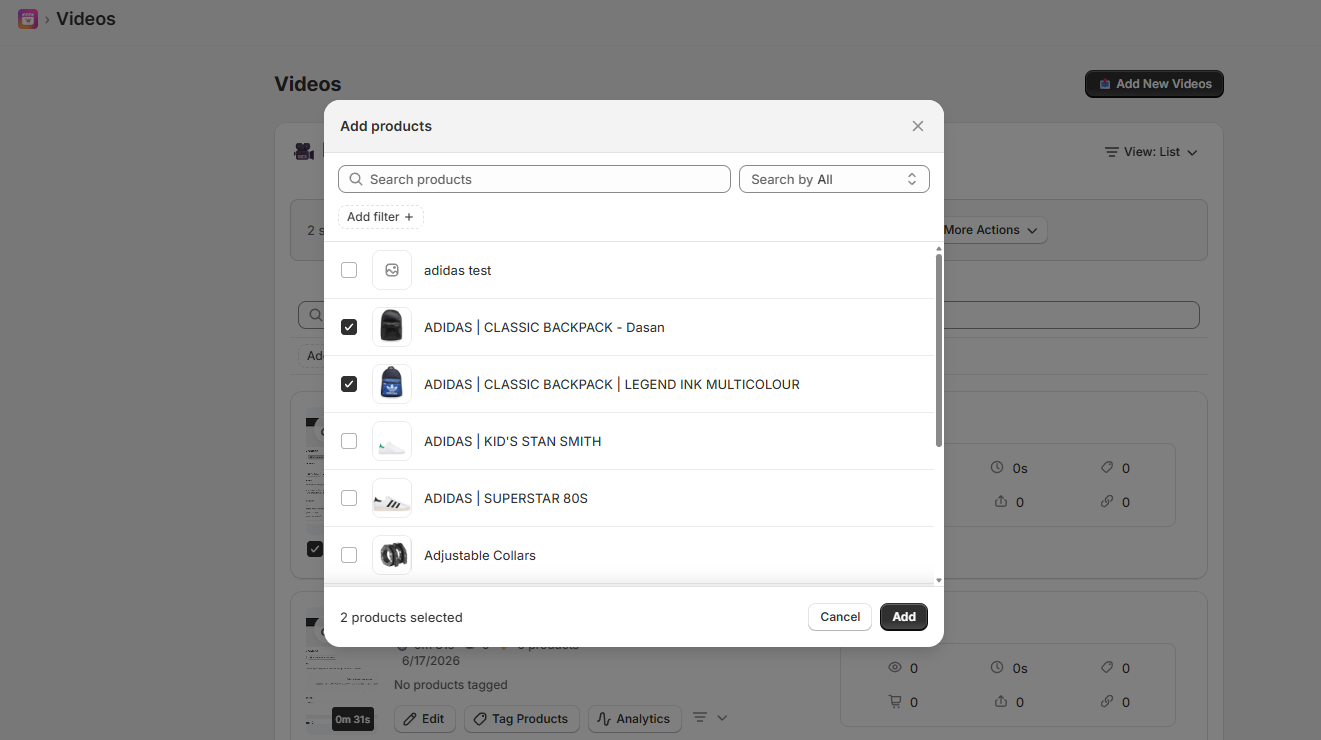
To tag products to multiple videos at once:
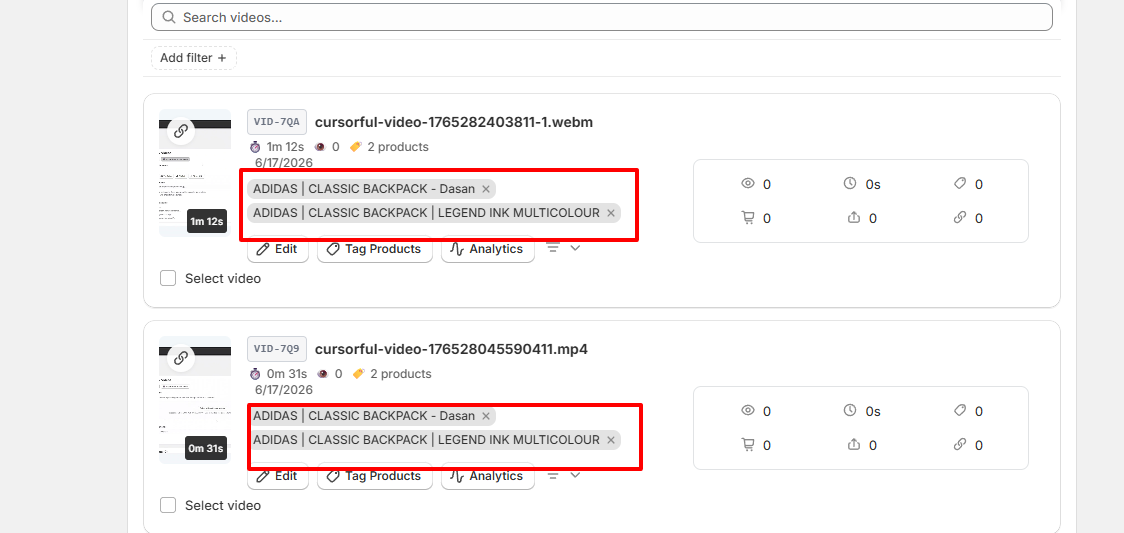
All selected products will be applied to every selected video, making it easy to manage large batches of content.
If you want to tag products for each video separately:
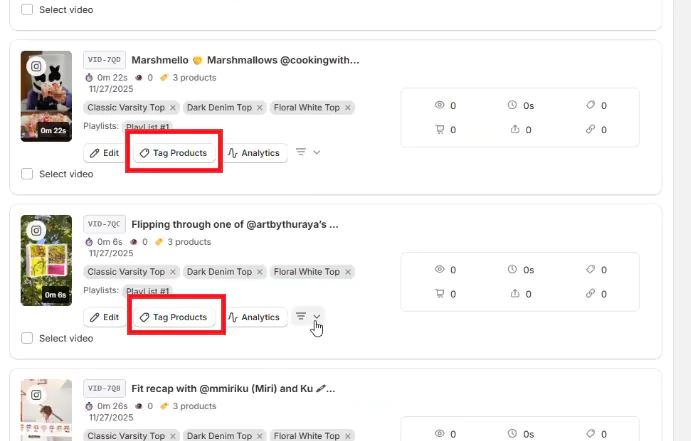
This allows you to create precise product-to-video relationships—perfect when each video promotes different products.
If you have questions about our plugin(s), are experiencing issues with any of our plugin




















 Login
Login
 Cart
Cart