
- Woocommerce
- Shopify Apps
- WordPress
The Shopeo app allows you to fully customize the appearance of your playlists and video popups. This helps you optimize both engagement and visual branding.
From the customize settings you can customize how your videos and playlist elements look on the storefront.
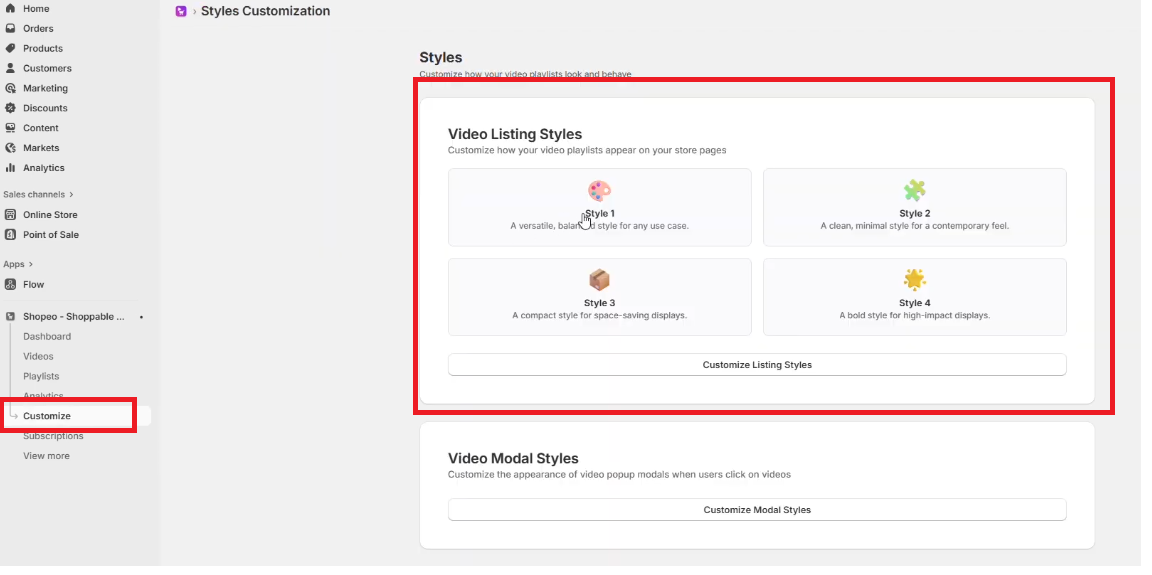
You can change:
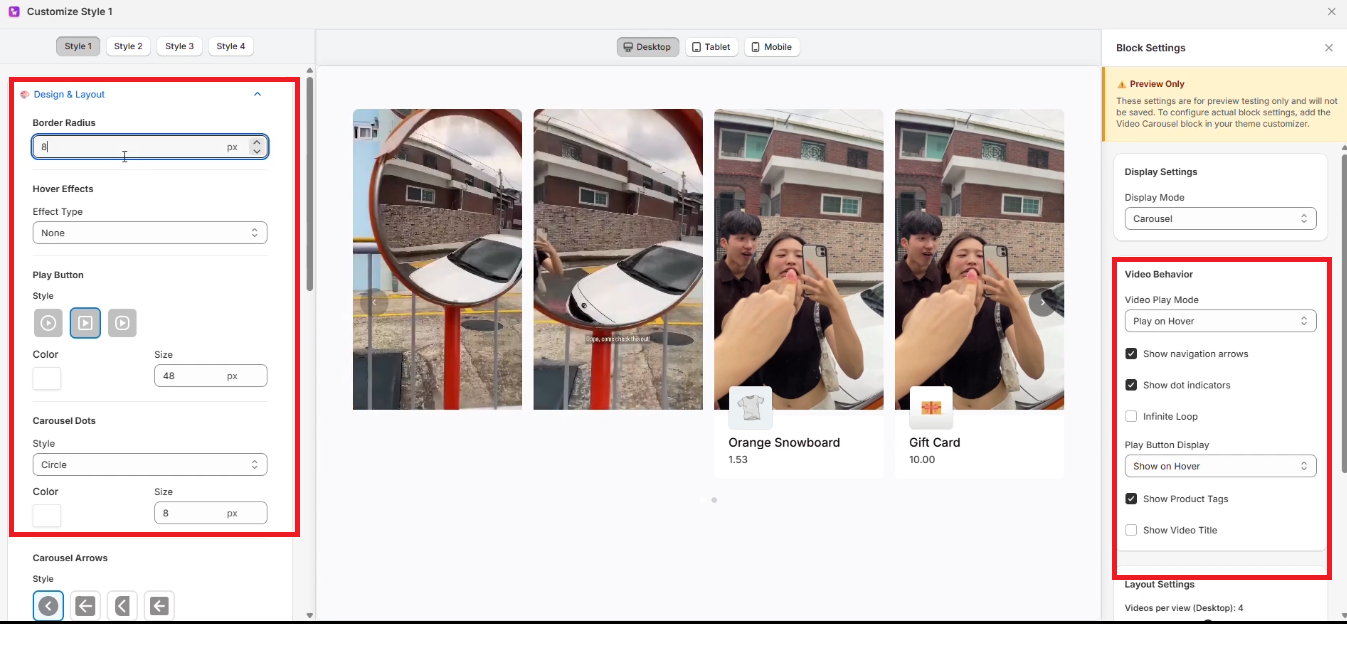
This allows you to match the app’s UI to your store’s branding.
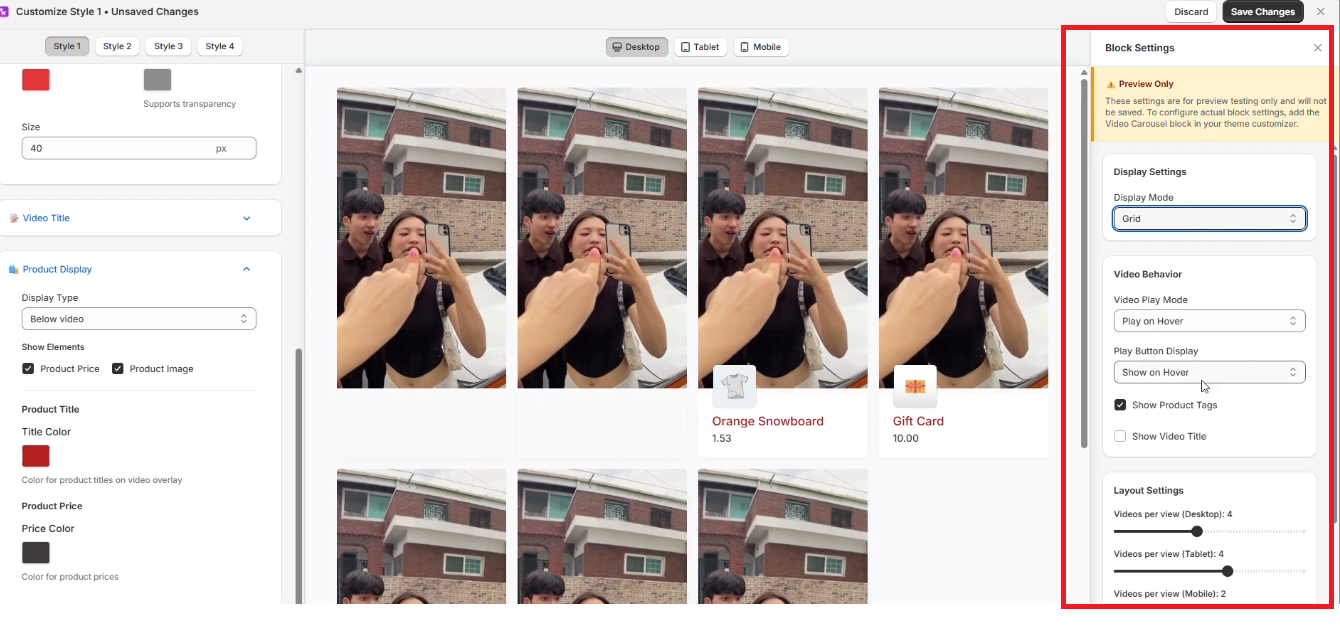
As you adjust each setting, the live preview updates instantly.
This helps you see exactly how your playlist or video popup will look before saving any changes.
Video Popup Layout
The app offers two pop-up styles when a user opens a video:
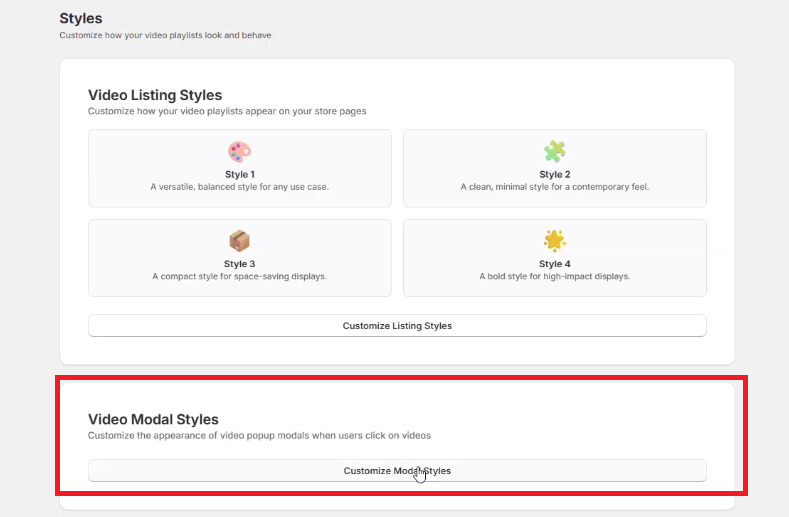
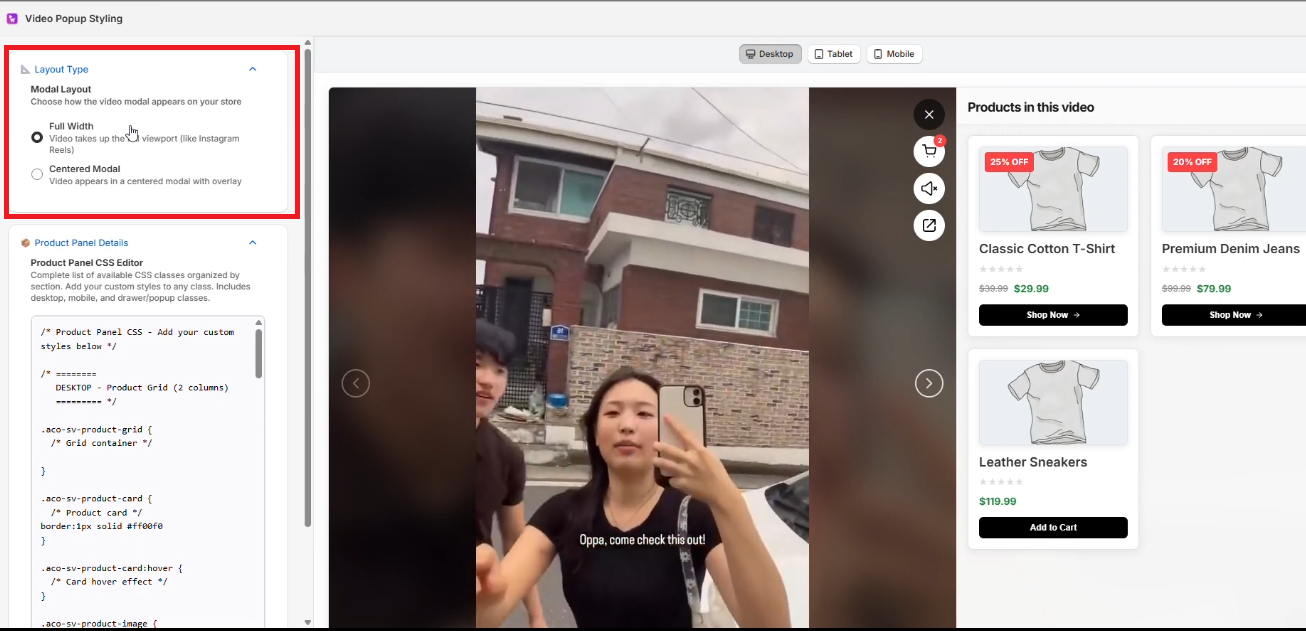
Switch between these layouts based on your store theme or viewing preference.
Edit Product Panel CSS
For advanced customization, you can modify the CSS of the product panel directly within the style settings.
This allows you to:
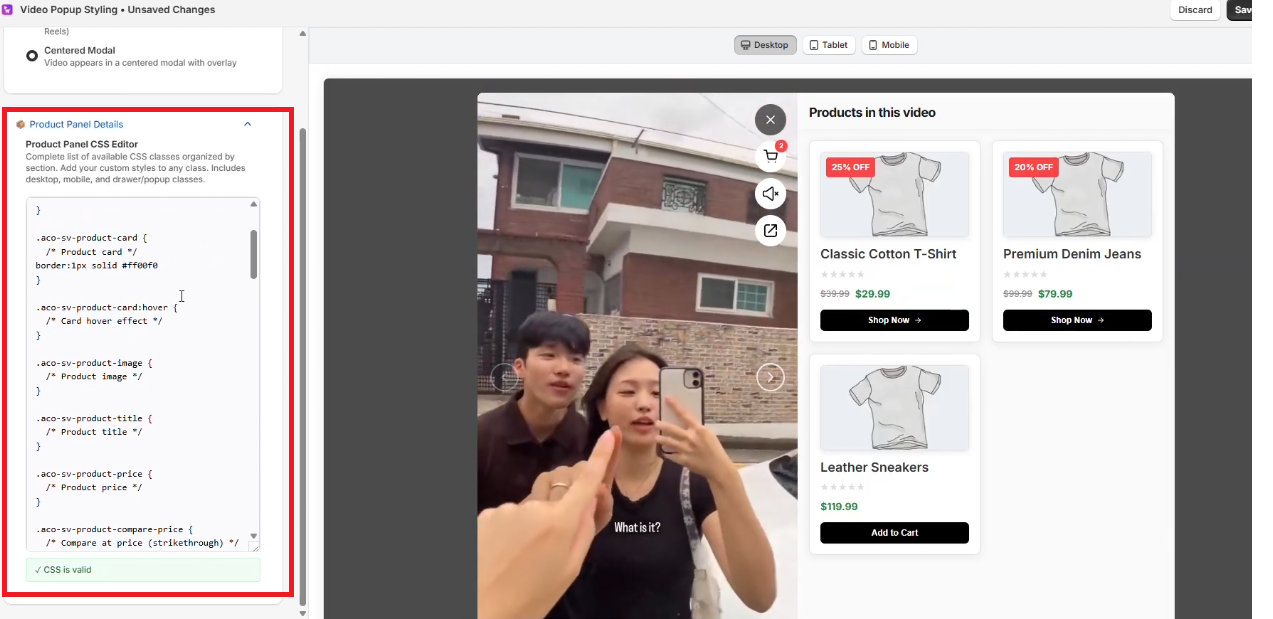
Use this option if you need deeper customization beyond the standard settings.
If you have questions about our plugin(s), are experiencing issues with any of our plugin




















 Login
Login
 Cart
Cart