Login
Login
 Cart
Cart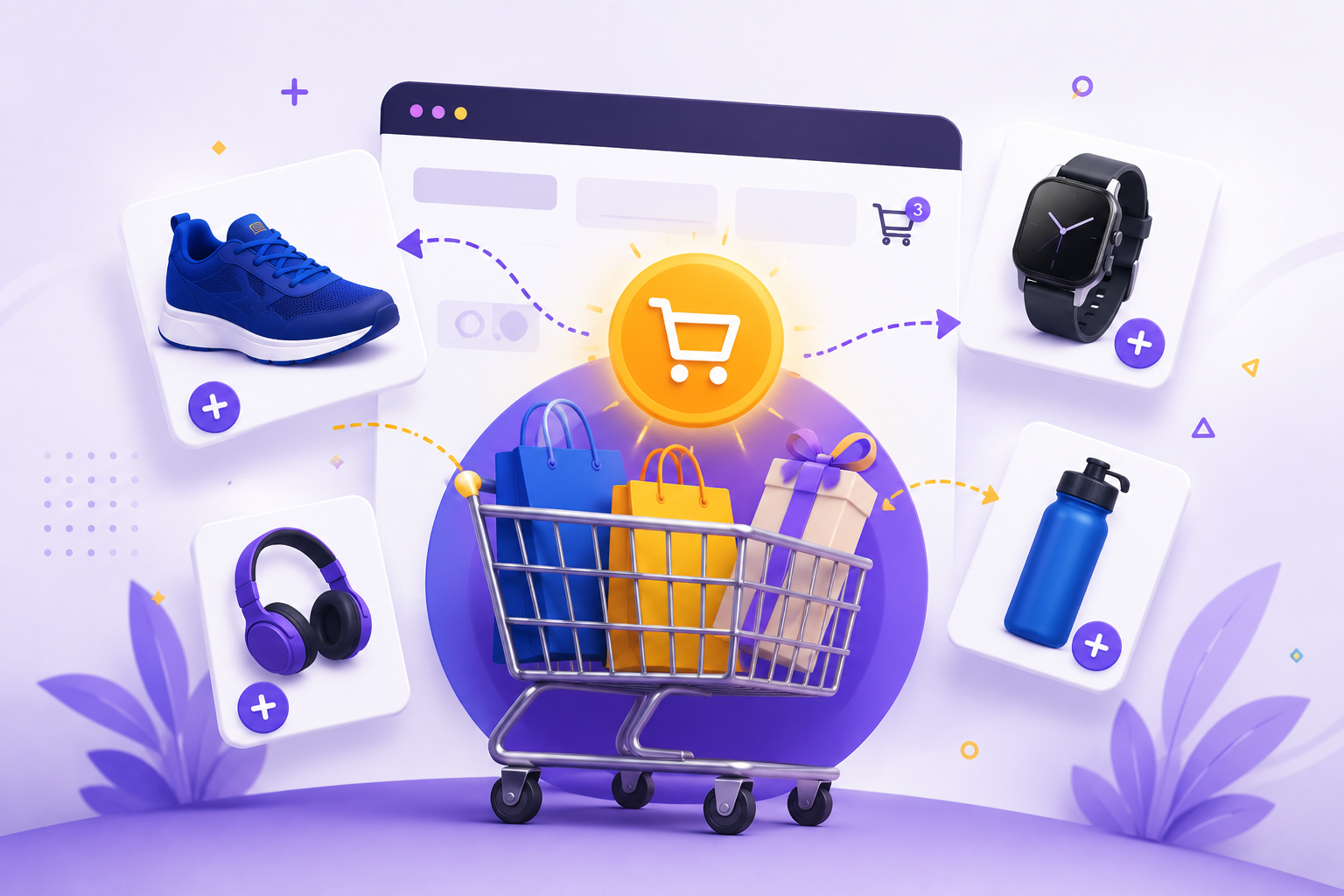
Cross selling drives bigger revenue by encouraging customers to add related products to their carts. When a customer buys running shoes, adding a matching water bottle or moisture-wicking socks at checkout can increase the average order value without pushing unrelated items. Cross selling is a straightforward concept with powerful results. It requires relevance, timing, and a clean, non-cluttered user interface. By recommending products that genuinely complement what a customer has chosen or already purchased, you help them get more value from their purchase while increasing your store’s revenue.
In ecommerce, cross selling works when you recommend the right product, at the right time, and in a way that feels helpful not pushy.
What Is Cross Selling?
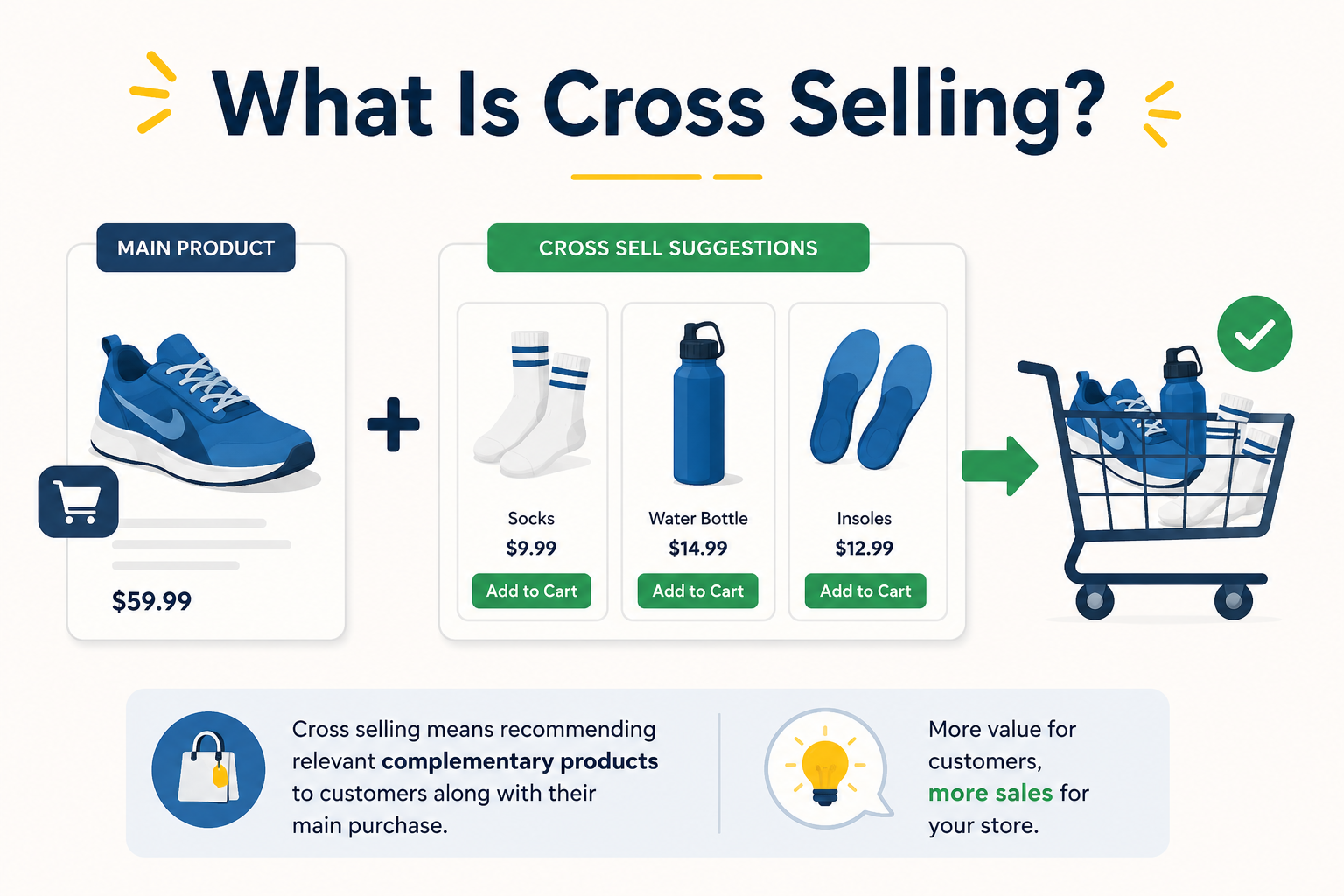
Cross selling is a sales strategy where a business suggests complementary products or services that match what a customer has already shown interest in or purchased. Unlike upselling, which pushes customers toward a higher-end version of the same product, cross selling introduces a different item- something that pairs naturally with the original choice. In ecommerce, this appears on many surfaces: on product pages offering “Frequently Bought Together” bundles, on cart pages suggesting accessories or add-ons (“Complete your outfit”), and in post-purchase emails recommending complementary items.
Businesses use cross selling to extract more value from existing traffic and existing orders. Instead of hoping customers return for another purchase months later, you close the gap in the same session. This improves your average order value (AOV) and can lift lifetime value (LTV) when the recommended products genuinely add value to the customer’s experience. Many general articles on cross selling focus on B2B sales teams or retail checkout scenarios. Ecommerce cross selling is more constrained by platform features, cart experience, and user journey areas where plugins like WooCommerce Checkout Field Editor for WooCommerce can make a significant difference.
Cross Selling vs. Upselling: Key Differences
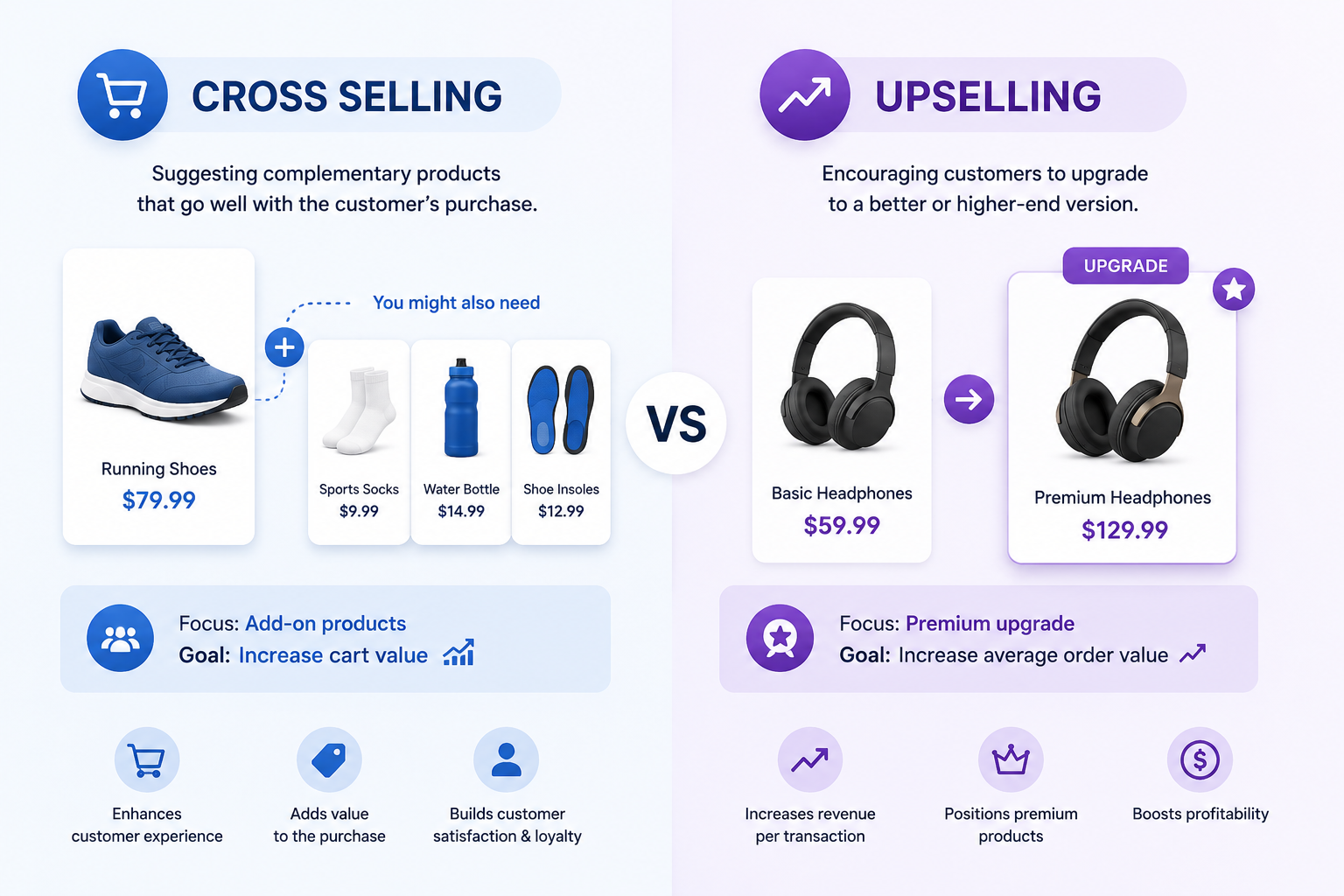
Understanding the difference between cross selling and upselling helps you choose the right approach for each stage of the customer journey.
| Aspect | Cross Selling | Upselling |
| Product Type | Complementary products that pair well with the original purchase | A higher-end or premium version of the product the customer is considering |
| Goal | Increase order value by recommending related items | Increase order value by encouraging customers to choose a more expensive option |
| Customer Trust | Easier to implement, as recommendations feel helpful and relevant | More challenging, as the additional cost must be clearly justified |
| Timing | Typically shown on the product page, cart page, or after purchase | Usually presented on the product page, during checkout, or as a dedicated upsell offer |
| Common Examples | Shoes + socks, smartphone + protective case, laptop + wireless mouse | Basic plan → Premium plan, Standard model → Pro model, Mid-tier package → High-tier package |
Cross selling often lands better with customers because the recommendation has an obvious use case. Upselling requires stronger value justification, especially when the price increases. Both techniques are most effective when customer data and purchase history inform the recommendation, not random guessing.
Why Cross Selling Matters
Businesses that treat cross selling as a core leverage point see measurable gains:
- Average order value improves: A simple CTA to “Complete your look” or “Add accessories” can add a 10–30% value lift on average orders.
- Customer retention expands: Cross selling a complementary item after purchase (e.g., suggesting extra blades for a shaver you just sold) reinforces that your store knows their needs.
- Revenue without extra traffic: Improving AOV means more sales using the same customer acquisition spend.
- Cart abandonment reduction: Cross selling adds more reasons to complete checkout. Customers discover items they hadn’t considered, especially when presented at the right moment.
A high-performing cross sell can push a purchase across the line before abandonment. When a customer has already invested time adding items to the cart, an attuned recommendation feels like an opportunity rather than an interruption. The impact adds up: cross-selling accounts for 21% of company revenue on average, with 87% of sales professionals actively using it as part of their strategy.
Types and Stages of Cross Selling
Cross selling works at different stages; each requires a slightly different approach.
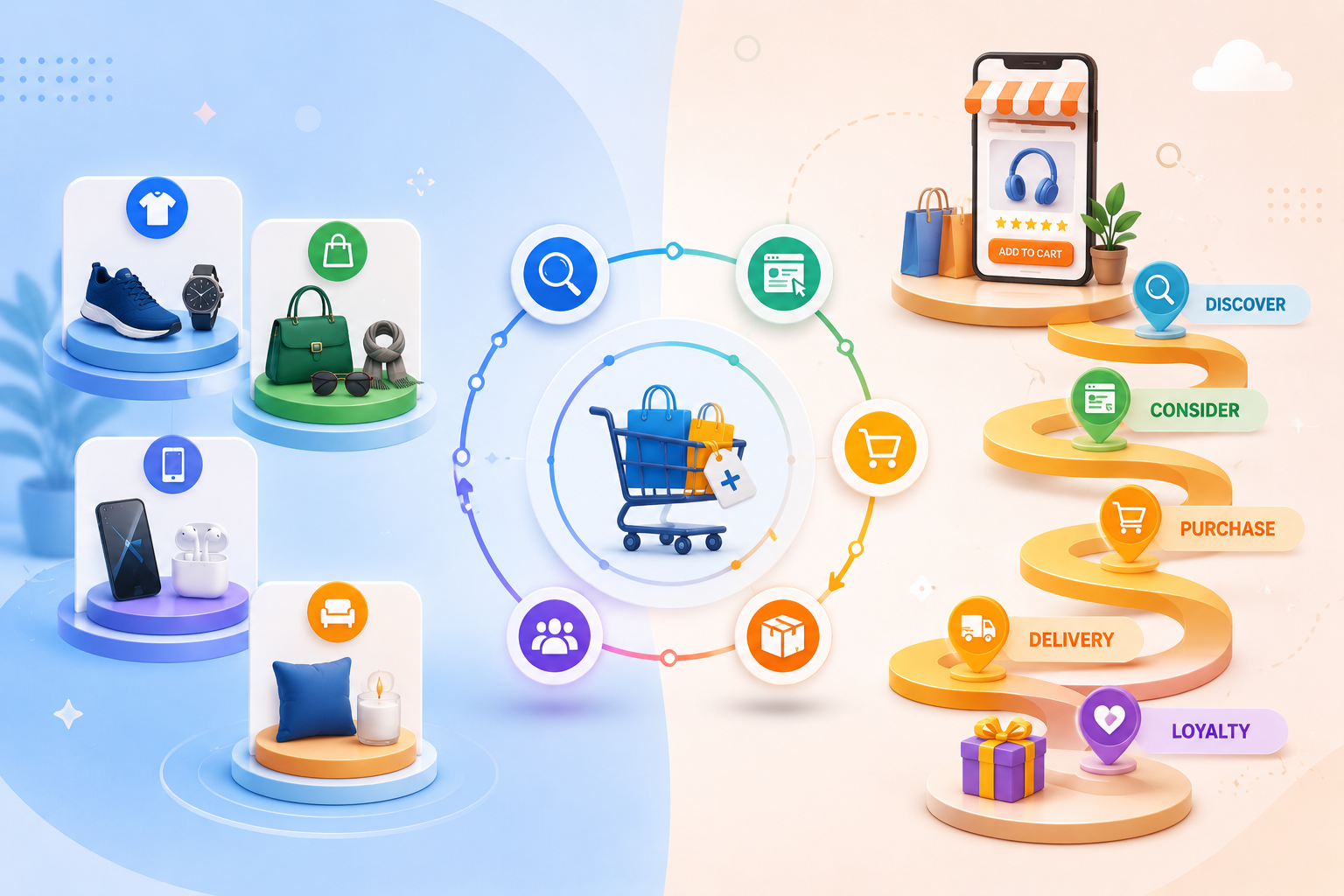
1. Pre-Purchase Cross Selling
This stage builds awareness during product selection. When a user lands on a product page, you can:
- Highlight accessories or add-ons right alongside the main product
- Suggest bundles that include complementary items
- Show “Frequently Bought Together” suggestions based on prior orders or user behavior
Pricing is important here: customers may need a small discount or a justification for an additional purchase. Plugins like WooCommerce dynamic pricing let you adjust shipping expectations and bundle pricing dynamically.
2. At Checkout Cross Selling
Checkout is high-friction. Where you place cross selling matters:
- Slow page: Avoid interrupting if checkout is already slow. Use a banner or side panel at the top.
- Fast page: Offer 1–2 targeted recommendations based on what’s in the cart (e.g., a phone case that matches the phone or rechargeable batteries that match the device).
- Cross-selling checkout fields: Offer additional options like gift wrapping, express delivery upgrade, or extended warranty.
The WooCommerce Checkout Field Editor for WooCommerce enables you to design checkout pages that conditionally display cross-sell options based on cart contents, reducing clutter and increasing relevance.
3. Post-Purchase Cross Selling
Even after the sale is complete, you can drive more revenue through email or post-order pages:
- Send an order confirmation too late, and the customer has moved on. Time your post-purchase recommendation windows (hours or a day later) appropriately.
- Link products naturally to the original purchase: “Add matching prints” for art prints, “Get matching frames” for picture frames.
- Use content like “Care guides” for products that require accessories, e.g., show how to use cleaning pads and replacement cartridges for electronics.
Recurrence strategies (subscriptions) also enable recurring cross sells, suggesting refill products based on what they initially bought (e.g., razor blade refills, cleaning supplies for appliances).
Cross Selling Examples Across Industries
Cross selling patterns repeat across industries. Here are concrete examples you can mirror in your own store.
1. Fashion and Apparel
Visual cross sells work well here. When a customer buys a coat, suggest:
- Scarves, gloves, and beanies in complementary colors
- Moisture-wicking base layers
- Shoes that pair with the winter collection
Dynamic pricing and discount bundles allow you to price these accessories at small discounts that still add to order value while preserving profit.
2. Electronics and Tech
Electronics have strong accessory ecosystems. When a customer adds a laptop to their cart, cross selling opportunities include:
- Laptop sleeves, carrying cases, and backpacks
- External monitors, docks, and chargers
- Webcam covers and protective film
The predictive power is that most tech buyers anticipate needing at least one accessory.
3. Beauty and Personal Care
Beauty and personal care offer two-cycle cross selling possibilities:
- Same skin type – products that complement each other (e.g., cleanser + moisturizer)
- Same brand – new launches matching the brand vibe
Post-purchase cross selling is especially powerful here: after a skincare set is purchased, recommend an upgraded version, expanded set, or a future “rotation” set.
4. Home and Kitchen
Home buyers often purchase sets or consider matching products. When a customer buys a coffee maker, cross selling can include:
- Filters that fit that model specifically
- A grinder if they haven’t bought one yet
- Milk frothers or sugar dispensers
Consider seasonal cross sells cozy mugs, hot chocolate, and baking accessories for colder months.
5. Grocery and Fast Food
Fast food and grocery apps use cart add-ons aggressively:
- Sundries at checkout: fries + drink combo
- Recipe hooks: bread + soup + spices for a meal
- Loyalty rewards offers
Though more aggressive, this pattern works because the pairing is low-effort and cheap to offer.
Cross Selling Strategies for Ecommerce
Successful cross selling doesn’t come from random recommendations. Use these proven patterns to build an effective strategy.
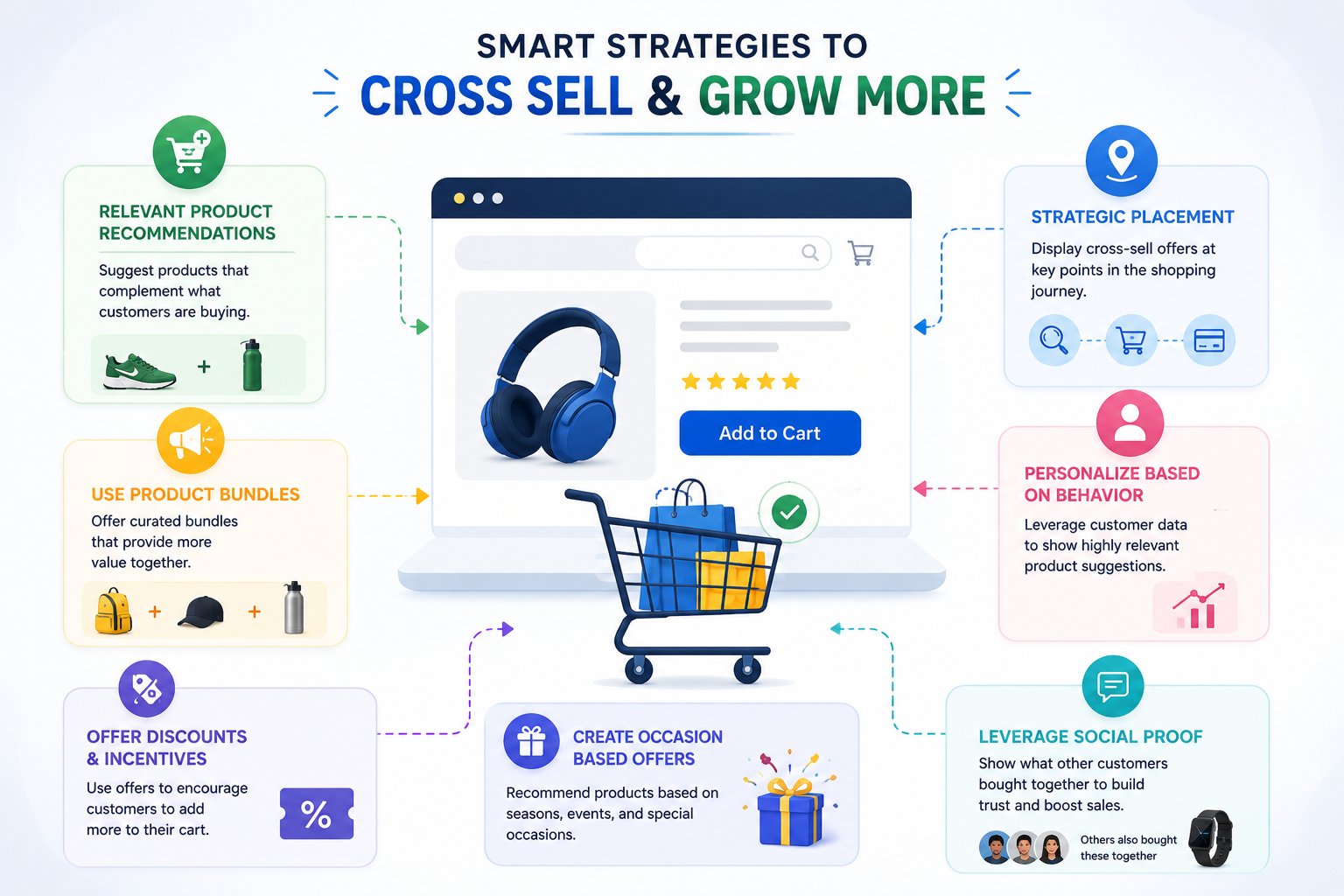
1. Group Purchases by Behavior
Analytics can reveal patterns that cross selling tools expose. Categories like:
- What people who buy X in the same month also buy
- Common accessories for specific products
- Bundling requests on product pages
If a large number of customers for a certain product add related items together later, surface those recommendations more prominently. Use Shopify recommendations or similar features to capture this automatically.
2. Pair Products by Use Case
Instead of random associations, align recommendations with how the product will be used:
- Cameras + memory cards + tripods for photography setups
- Gifting sets for certain holidays and occasions
- Travel sets for cross-border shoppers (adapters, power banks)
Aligning with use case reduces perception of intrusionyou’re helping them get the most out of the product.
3. Use Time-Based Segments
Different shopping contexts require different techniques:
- New visitors: Keep cross sells minimal. Avoid overwhelming them or they may abandon.
- Returning visitors: Raise relevanceuse previous purchase history to surface personal recommendations.
- Abandoned cart recoveries: Offer 1–2 targeted add-ons to increase order total before they leave.
4. Leverage Data Cutoffs and Filters
Dynamic pricing and advanced checkout features let you apply a cutoff. For instance:
- Offer free shipping only on orders over $X, encouraging customers to add one more item to qualify.
- Unlock an exclusive discount or bonus add-on if they spend above a threshold.
Shoppers respond positively to perceived exclusivity or clear, limited-time incentives.
5. Test Placement, Messages, and Timing
Once you implement cross sells, monitor performance:
- Where is the test? Product page, cart page, email?
- What message works? “Complete your look” vs. “Recommended for you” vs. “Customers who bought this also bought…”
- When do customers convert? Early in the cart, near checkout submit, or after checkout?
Small tweaks here dramatically impact performance. For WooCommerce, test different checkout field layouts and trigger conditions.
How to Set Up Cross Selling on Your WooCommerce Store
Cross selling on WooCommerce integrates with your checkout UI, customizable fields, and pricing plugins. Here’s a practical framework.
1. Install a Cross Sell or Recommendation Plugin
Several plugins excel at this space. Choose one based on your needs:
- For product page bundles: Look for “WooCommerce Product Bundles” or plugin-based bundle and upsell systems that support cross sells.
- For cart-based upsell and cross sell: Plugins that let you trigger offers when a specific cart condition is met (e.g., cart value > $X, or items containing term X).
- For cross selling through custom fields: Use a plugin extension to add cart-level variable fields that conditionally display cross sells.
2. Configure Trigger Conditions
Define what triggers a cross sell:
- Cart has item ID X
- Cart total > $80
- Shipping destination includes region Y
- Product category matches Z
These conditions prevent irrelevant recommendations and reduce friction.
3. Edit Checkout and Cart Pages Efficiently
A flexible checkout editor helps you position cross sell messages:
- Headline and description clarity
- Placement (before or after address)
- Buttons that add to cart seamlessly
The WooCommerce Checkout Field Editor and manager for WooCommerce lets you design consistent checkout layouts that integrate with your cross sell flow.
4. Use Dynamic Pricing for Promotional Bundles
Cross selling bundles often need visual pricing to feel attractive:
- Show original prices, bundled price, and savings amount
- Apply different discounts for different products (e.g., 20% off one product if bought with another)
- Make discount logic simple: “Buy X and get Y at 20% off,” “Buy X and Y together to get $Z off total”
Dynamic pricing for WooCommerce simplifies the logic and lets you test variations quickly.
5. Monitor and Optimize
After implementation, track performance:
- Increase in basket value per cross sell setup
- Impact on cart abandonment rate
- Conversion lift from specific recommendations
Refine your product combinations and messages based on actual data. Over time, you can automate which recommendations surface and which stay hidden.
Common Cross Selling Mistakes to Avoid
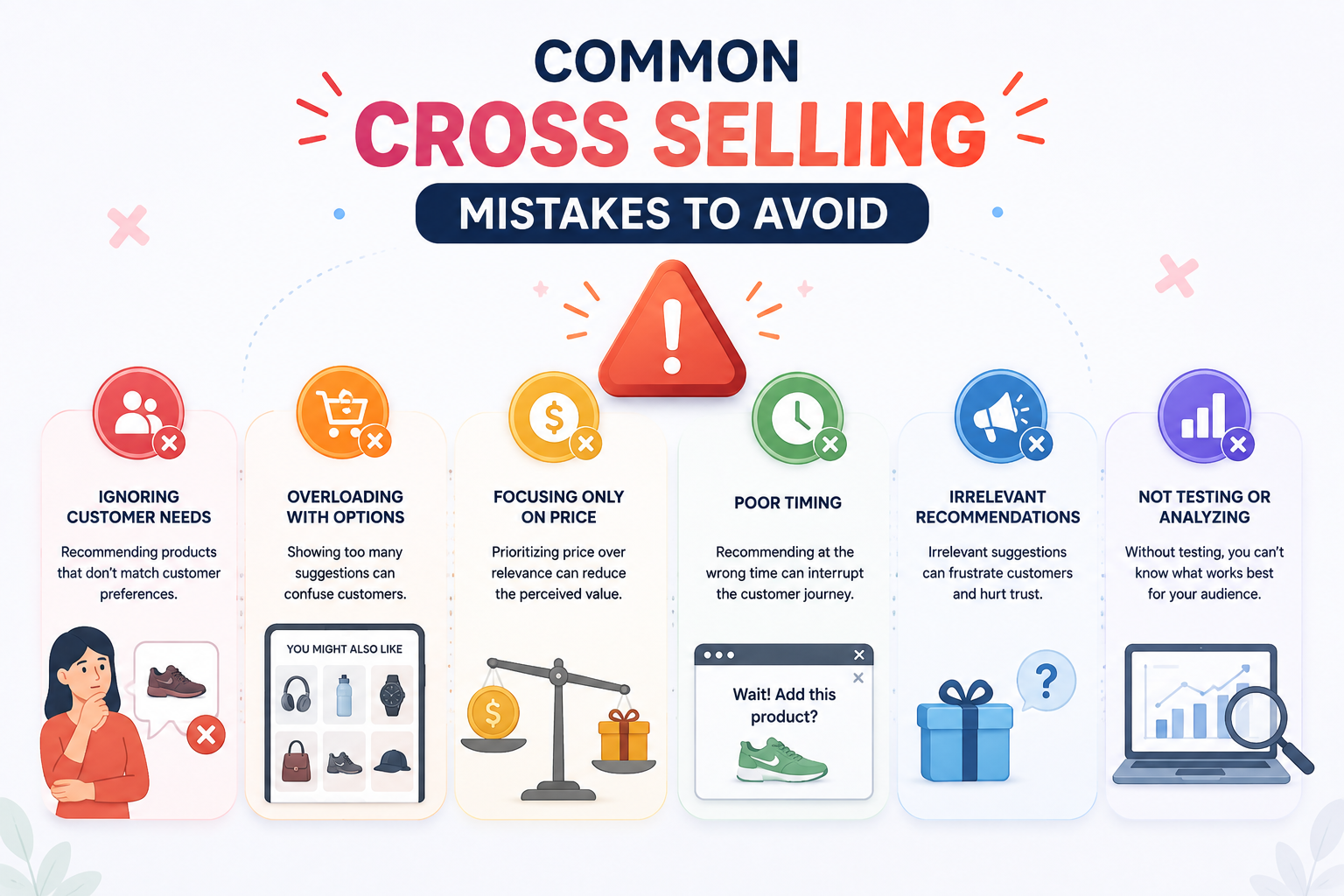
Even with the best intent, mistaken implementation hurts conversions.
1. Ignore Customer Context
Pushing unrelated items feels intrusivegaming chairs on a clothing page, hair dryers on a book page. Always match category and use case.
2. Ask Too Often
Stacking outrages of cross sells can repel buyers. Keep it to 1–2 relevant suggestions per view, especially near checkout.
3. Misprice the Recommendation
High-ticket cross sells might never convert. Use dynamic pricing to test small bundles that still increase revenue without deterring initial purchase.
4. Skip Relevant Fields or Sections
On drop-off points, keep checkout simple. Avoid loading ads, unrelated offers, or lengthy forms right before the submit button. The WooCommerce Checkout Field Editor can help you move or hide less important fields.
5. Forget Post-Purchase Exposure
The most valuable cross-sell window is often right after purchase. Many stores never follow upmissing a large opportunity to increase repeat purchases.
Conclusion
Ecommerce platforms and tools now make it easier than ever to implement cross selling, especially for WooCommerce stores. From bundle pricing and dynamic discount rules to flexible checkout page editors, the basics can be set up quickly and then refined as you gather real data on what your customers respond to. Start simple: identify the top 3–5 most common customer journeys for your products, build 1–2 targeted bundles for each, and place them at the most natural point- product page, cart, or post-purchase. Test, measure, and expand from there. Over time, you’ll build a cross selling stack that consistently lifts average order value without overwhelming your audience
Acowebs is the developer of WooCommerce Dynamic Pricing With Discount Rules – the easiest way to set up bundle discounts, quantity-based pricing, and cross-sell offers without touching code. Build rules like “20% off when bought together” or category-based discounts in a simple UI, and start lifting your average order value today.
Frequently Asked Questions
A common example: a customer buys a smartphone at checkout. The cart or product page suggests a phone case, screen protector, and wireless charger. All three items work together with the original purchase and are easy to justify as practical add-ons.
Cross selling and upselling are different. Cross selling promotes complementary or related products, while upselling pushes customers toward a higher-end version of the same product. Both strategies should be customer-focused; one extends utility, the other improves quality.
“Cross sold” refers to a product that was sold through a cross selling technique. When a customer selects an initial item and then adds an accessory, the store “cross sells” that accessory. Tracking which products are cross sold helps optimize future recommendations.
To avoid annoyance, prioritize relevance, timing, and brevity:
1. Filter recommendations based on cart contents, behavior, or purchase history.
2. Limit suggestions to 1–2 highly related items.
3. Present them as helpful suggestions (“Complete your setup”) rather than hard sells.
4. Monitor conversion rates and optimise placements; only keep what works.
Several WooCommerce-focused solutions incorporate cross selling and upselling into the checkout experience:
1. Plugins that let you display add-ons and upsells conditionally on the cart or checkout pages.
2. Plugins dynamic calculations for bundles and discounts.
3. Stores that include these features natively, like Shopify-based solutions with integrated recommendations.
To set up cross selling on WooCommerce:
1. Choose a plugin or built-in feature for bundles, cart upsells, or add-ons.
2. Configure trigger conditions based on cart contents, value, or customer behavior.
3. Customize checkout views with an editor to position recommendations appropriately.
4. Test different offers and messages using dynamic pricing software.
5. Track performance metrics and refine based on data.