
















 Login

 Cart
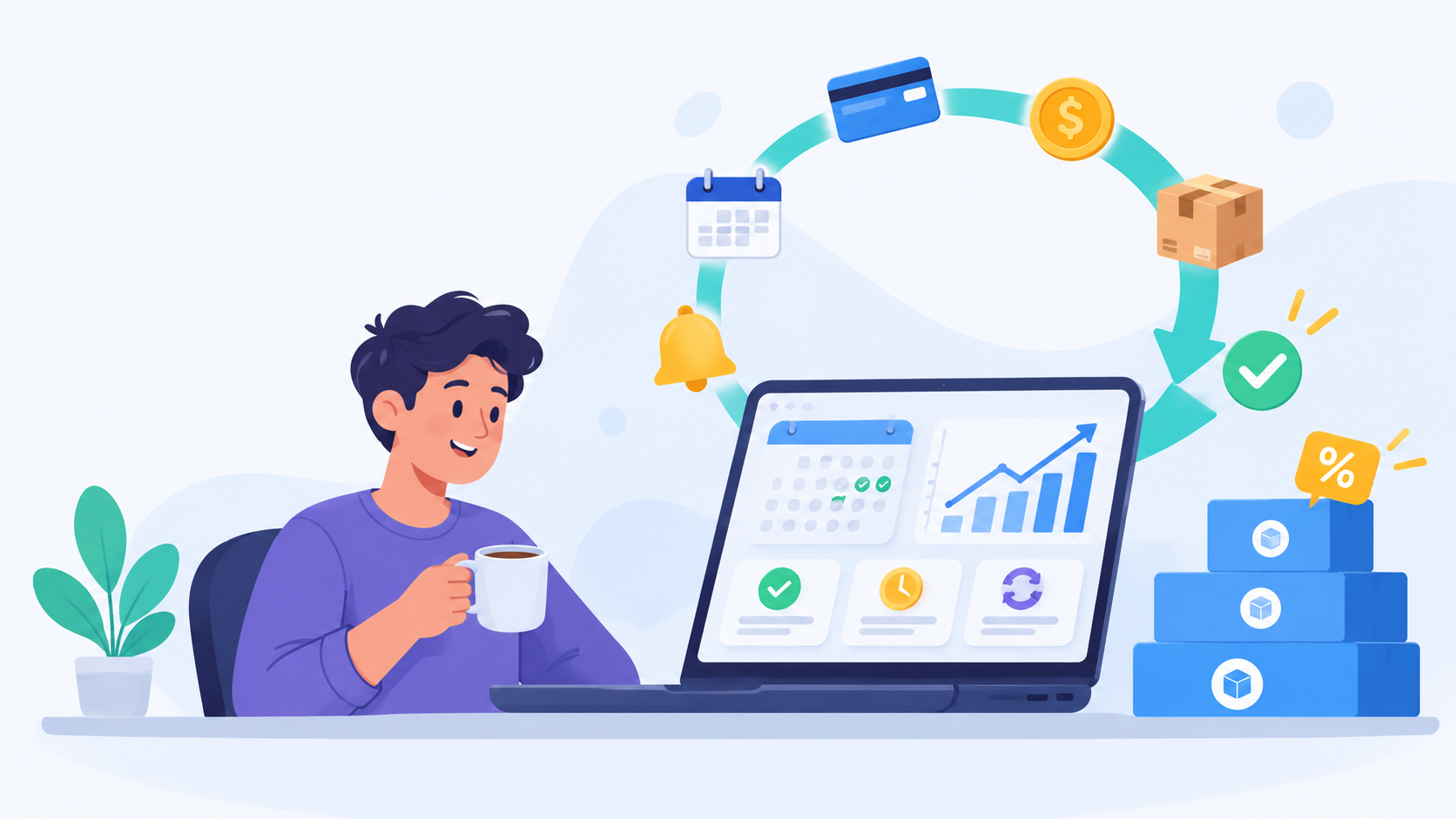


Most online stores live and die by the next sale. A subscription flips that. Customers pay on a schedule, and you can plan around money you already expect.
Acowebs has built a WooCommerce subscription plugin to make that switch simple. This guide explains what it does, who it suits, and how to set it up in minutes.
If you have ever sent a customer a manual invoice every month, you know the pain. Someone forgets to pay, someone else pays late, and you spend hours chasing money. Recurring billing takes that work off your plate. The customer agrees once, and the plugin handles every payment after that.
Recurring revenue also makes planning easier. When you know roughly how many subscribers renew each month, you can order stock, hire help and spend on ads with more confidence. You are no longer starting every month from zero.
Below you will find what the plugin does, which businesses it fits, how to set it up, and what launch pricing looks like. Each section is short, so you can read it end to end or jump to the part you need.
TL;DR: The Acowebs WooCommerce subscription plugin lets you sell recurring products and charge renewals automatically. Renewals run through Stripe and PayPal, while other gateways, like bank transfer, use manual renewals with an invoice email. Standout features include free trials, variable plans, plan switching, subscription coupons, smart payment retries and a cancellation survey with a retention offer. Setup takes four steps: install, connect payments, create a product and start selling. Prices start at $43 a year for one site, launch pricing takes 10% off every plan, and a 30-day money-back guarantee covers your purchase.
What is the Acowebs WooCommerce subscription plugin?
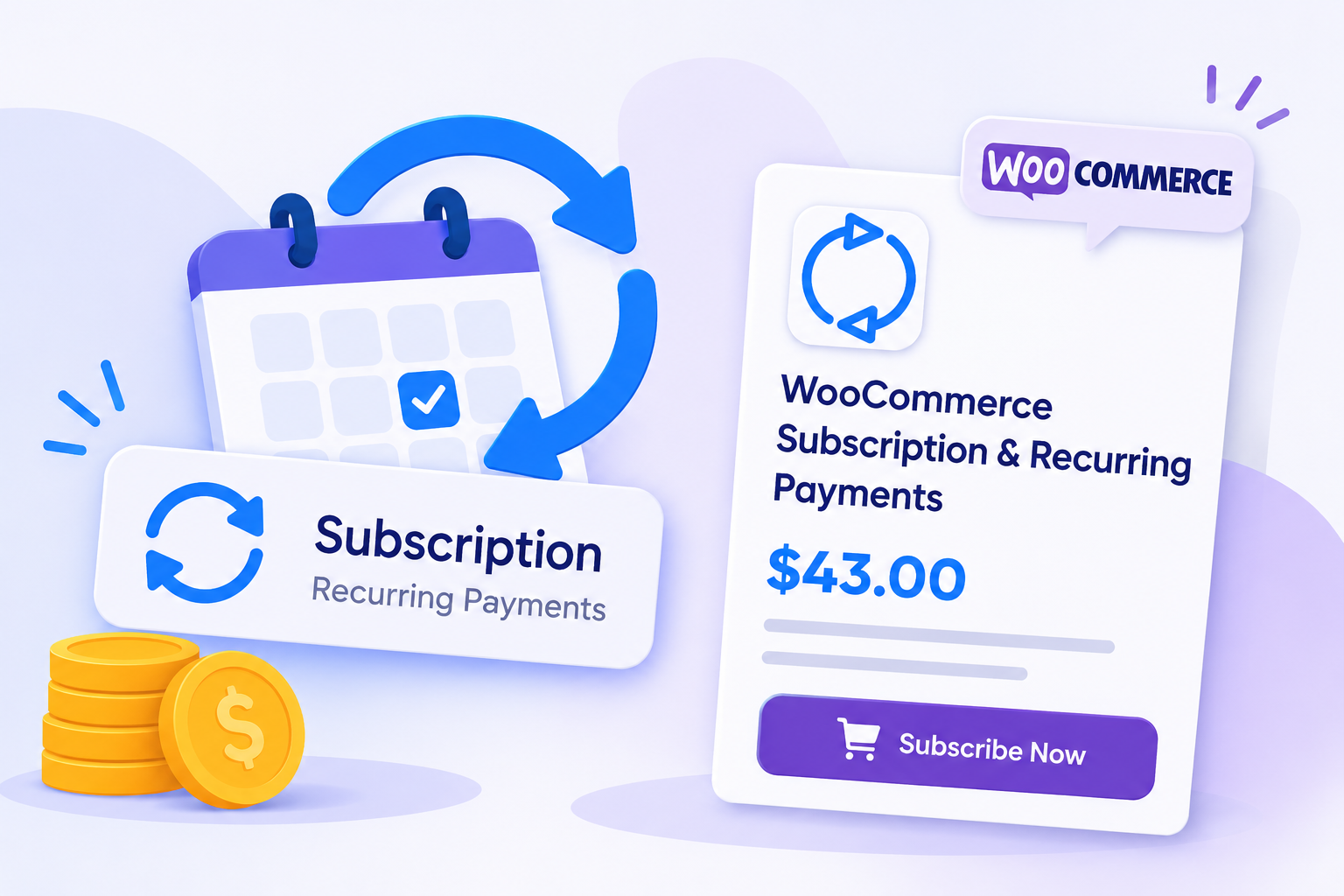
The Acowebs WooCommerce subscription plugin, officially called WooCommerce Subscription & Recurring Payments, turns a normal WooCommerce store into a subscription store. You create a product, set a price and a billing schedule, and customers subscribe at checkout. Their card or PayPal account is saved, and every renewal is charged automatically.
Think of it as a layer on top of the WooCommerce you already use. Your products, orders and customer accounts stay where they are. The plugin adds the parts that a normal store lacks: a billing schedule, renewal orders, and a place for customers to manage their plans.
It comes in a free version and a Pro version. The free version covers the basics: simple subscriptions, free trials, sign-up fees and billing synchronisation. Pro adds the growth and retention tools covered below.
It needs WordPress 6.5 or higher, WooCommerce 9 or higher and PHP 7.4 or higher. Check these versions before you install, especially if your site runs on older hosting. Starting on the free version is a low-risk way to test the basics with your own products.
Key features of the Acowebs WooCommerce subscription plugin
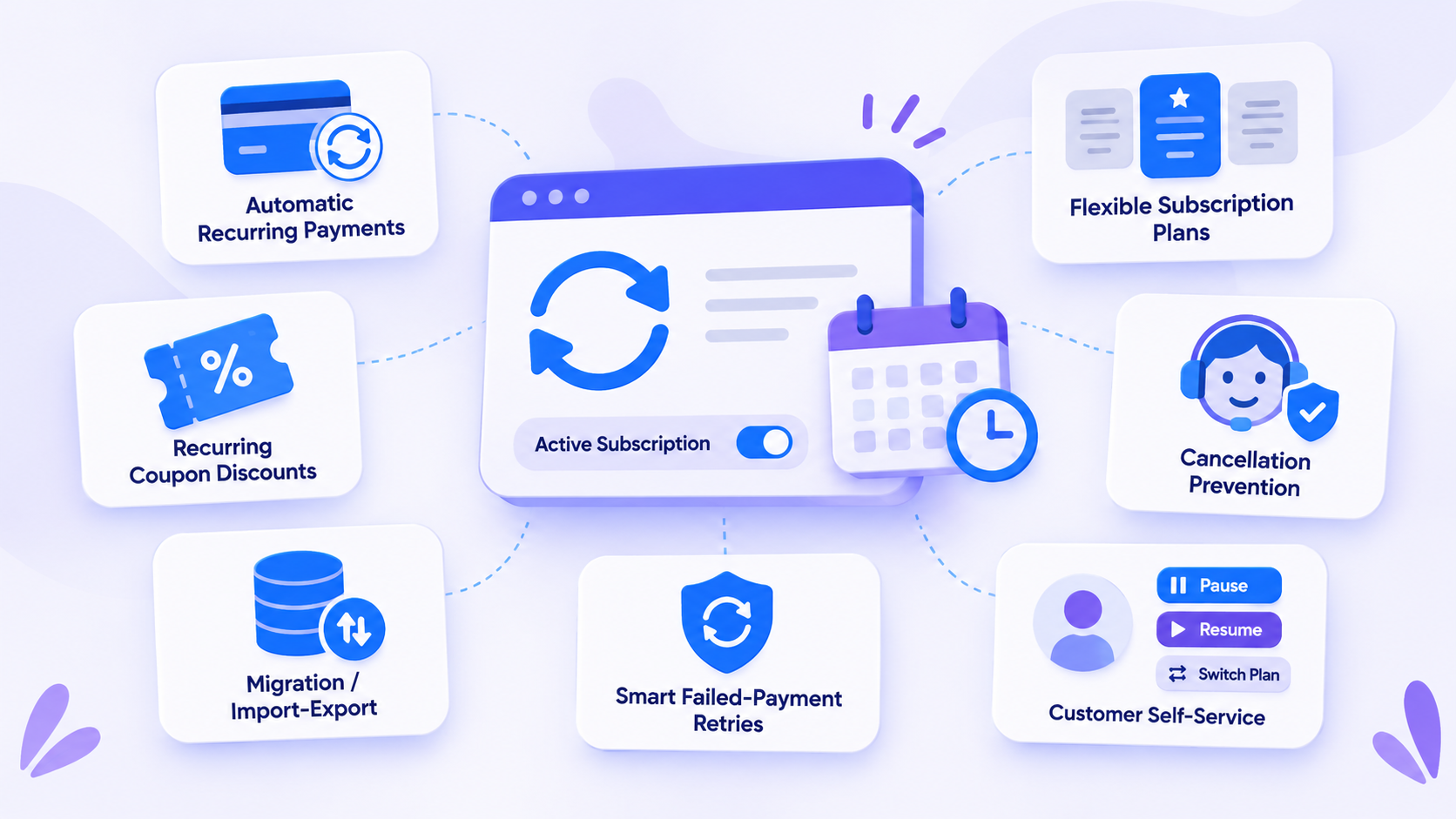
Here are the features that matter most for day-to-day selling. They fall into three groups: getting paid, giving customers control, and keeping subscribers for longer. Each one solves a problem that subscription stores meet again and again.
Automatic renewals with Stripe and PayPal
The customer pays once at checkout. Every renewal after that is charged automatically. Renewals run through the official WooCommerce Stripe Gateway and WooCommerce PayPal Payments plugins.
With other gateways, such as bank transfer, the customer gets an invoice email with a payment link for each renewal.
Automatic renewals matter because every manual step is a chance for a customer to drop off. Fewer steps usually mean fewer missed payments and fewer support requests.
Simple and variable subscription products
Sell a single plan or several in one product. With variable subscriptions, each variation can have its own price, billing schedule, length, sign-up fee and free trial. A 250 g, 500 g and 1 kg coffee plan can sit on one product page.
This keeps your catalogue tidy. Shoppers compare plans side by side instead of hunting through separate listings, and you manage one product instead of three.
Free trials and sign-up fees
Let people try before they pay. The first payment is taken when the trial ends. Pro also lets you limit trials to one per customer, per product or across the whole store.
A trial lowers the risk for a new buyer, and a sign-up fee can cover your setup costs. Used together, they let you attract cautious shoppers without giving everything away.
Subscription coupons
Normal WooCommerce coupons only discount the first order. Subscription coupons can discount renewals too. For example, give 20% off the first three payments, then charge full price from the fourth.
This is a handy way to reward new subscribers or run a seasonal offer. The customer sees a clear saving, and you keep control over how long it lasts.
Smart payment retries
Failed renewals cost real revenue. The plugin retries them automatically. With Pro, retries follow the Stripe decline reason. Cards that cannot succeed, such as stolen or closed cards, are skipped, and the customer is asked to pay with another card straight away.
Not every failed payment means a lost customer. Many are simple, temporary problems, so a well-timed retry can save a subscription that would otherwise lapse.
Customer self-service
Customers manage their own plans from My Account. They can view subscriptions, cancel, pause and resume. Pro adds plan switching with proration, renewing early, resubscribing and an auto-renew on/off toggle. That means fewer support emails for you.
Self-service also builds trust. Customers like knowing they can pause or change a plan without writing to anyone, and that confidence can make them more willing to sign up in the first place.
Cancellation survey and retention offer
When a customer clicks Cancel, Pro asks why. You can then show a discount to stay. If they accept, the subscription stays active, and the Cancellations report shows how many you saved.
The survey answers are useful on their own. If many people say a plan is too expensive or that they no longer need it, you learn where to adjust your pricing or your product.
More tools for growing stores
- Separate shipping schedule: bill yearly and ship monthly.
- Price change for existing subscribers, with an email to each customer.
- Card expiry reminders and an Update Card page.
- Mailchimp and Klaviyo sync, tagged by subscription status.
- Import, export and migration from WooCommerce Subscriptions, YITH, SUMO or a CSV file.
- CSV exports for payments, a monthly summary and cancellations.
You do not need all of these on day one. Start with the basics, then add tools as your subscriber list grows.
Which businesses can use subscription models?
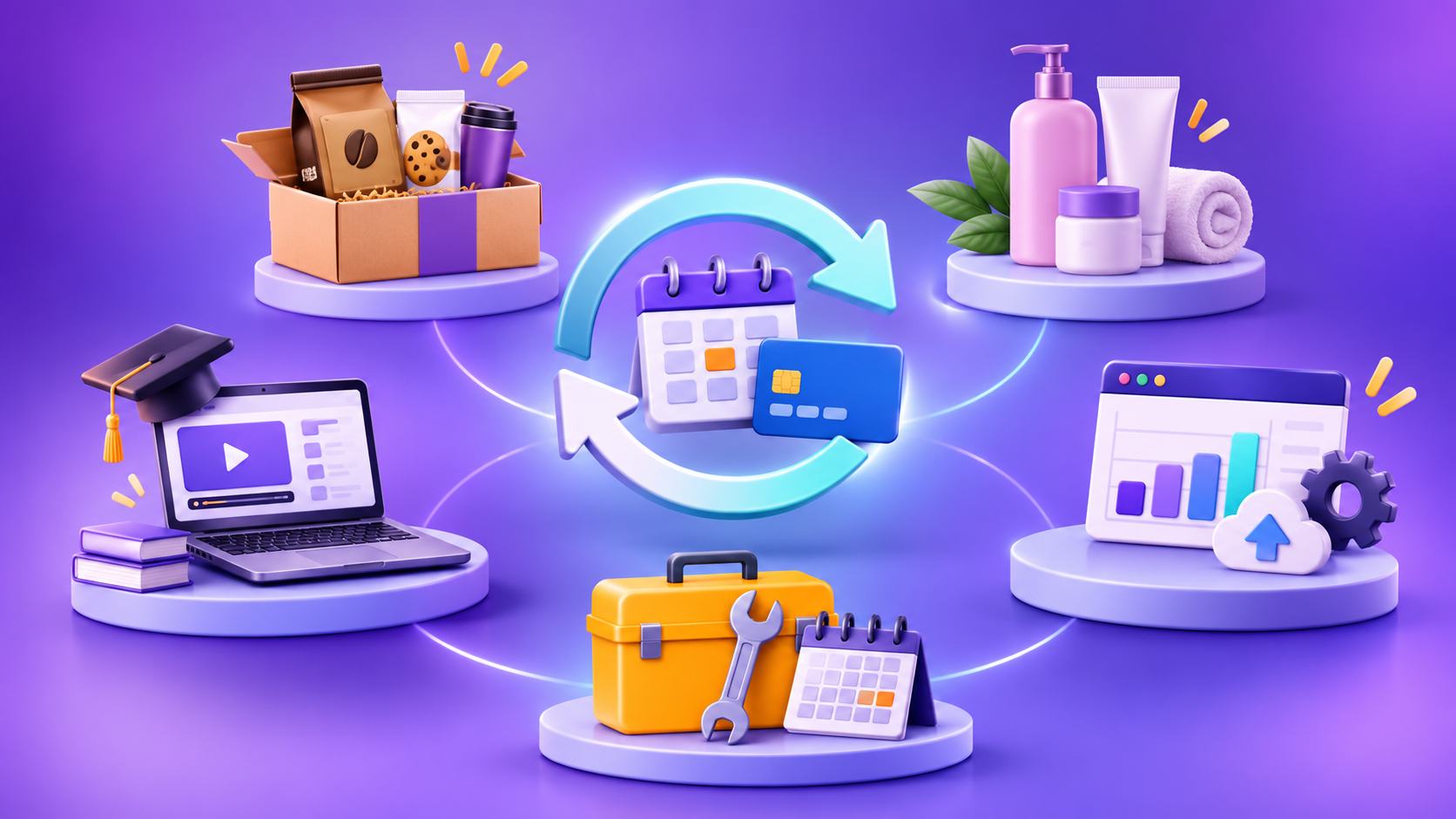
Any business that bills on repeat can use them. If your customers need something again and again, or pay for ongoing access, a subscription model is worth testing. Here are the most common fits.
| Business type | Example | How the plugin helps |
| Subscription boxes | Coffee, snacks or beauty boxes | Monthly billing, variable plans and a separate shipping schedule |
| Memberships and courses | Monthly or yearly access | Free trials and limited-length plans, such as a 12-month course |
| Software and SaaS | Tiered plans | Customers upgrade and downgrade themselves |
| Services | Maintenance, cleaning or coaching | Billing on a fixed schedule with automatic reminders |
Product stores benefit too. McKinsey found that replenishment subscriptions, like razors or diapers, had the best conversion rate: 65% of people who considered one went on to subscribe. If you sell items people reorder, a subscription option is an easy upgrade.
You do not have to switch your whole store. Many shops keep one-time purchases and add a “subscribe” option on the products customers buy most often. That way you test demand with little risk.
Selling learning content? See our guide to selling courses with WooCommerce.
How to set up the Acowebs WooCommerce subscription plugin
You can go live in four steps. Most store owners finish the basics in one sitting. Work on a staging copy of your site first if you can, so you can test without affecting real customers.
Step 1: Install and activate
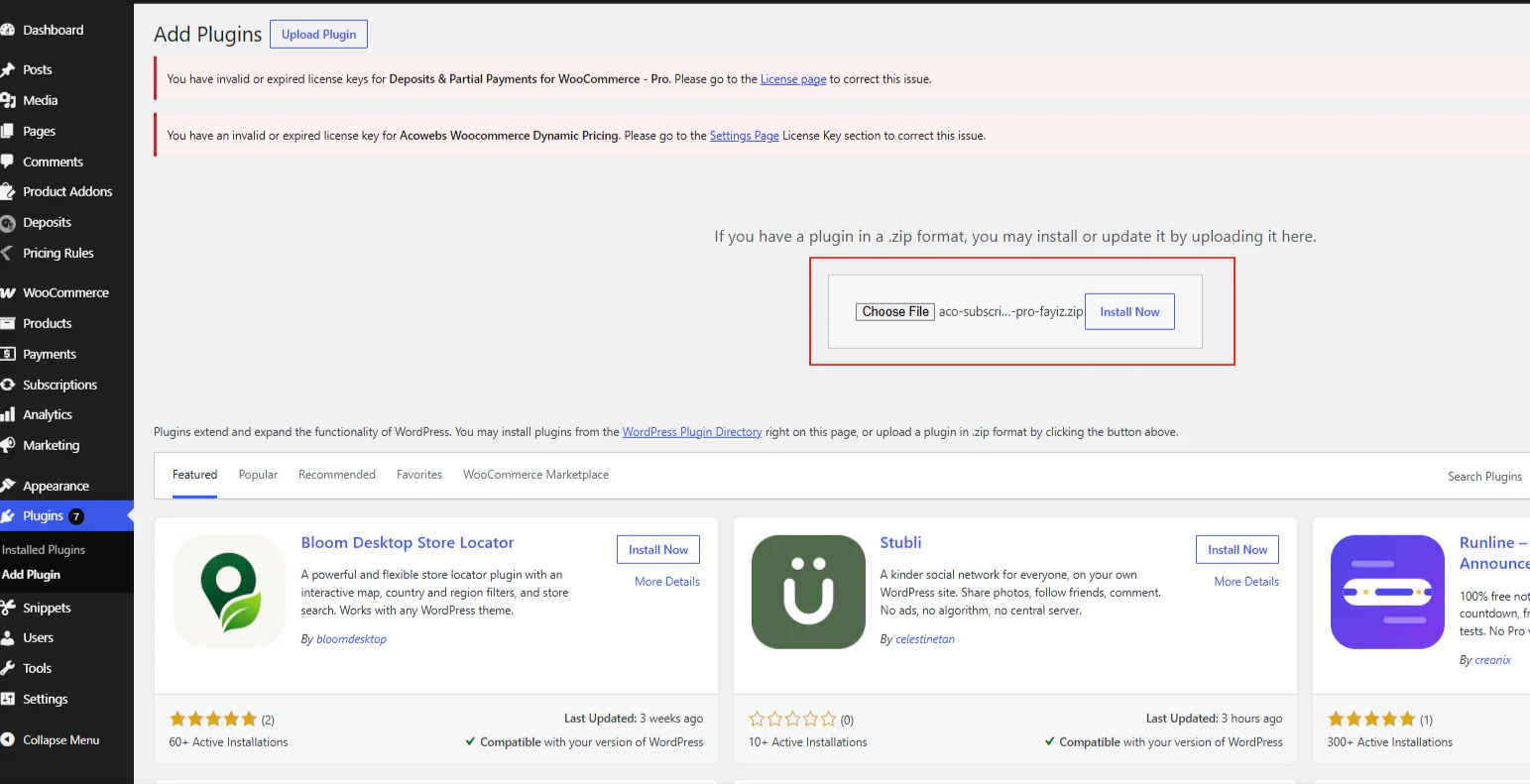
Install WooCommerce first. Then go to Plugins → Add New → Upload Plugin, upload the Acowebs plugin and enter your license key. A new Subscriptions menu appears in your admin.
Step 2: Connect payments
Install and connect the WooCommerce Stripe Gateway and/or WooCommerce PayPal Payments. Then go to Subscriptions → Settings → Payment and enable the gateways you use. Turn on Accept Manual Payment if you also want bank transfer or cheque.
Step 3: Create a subscription product
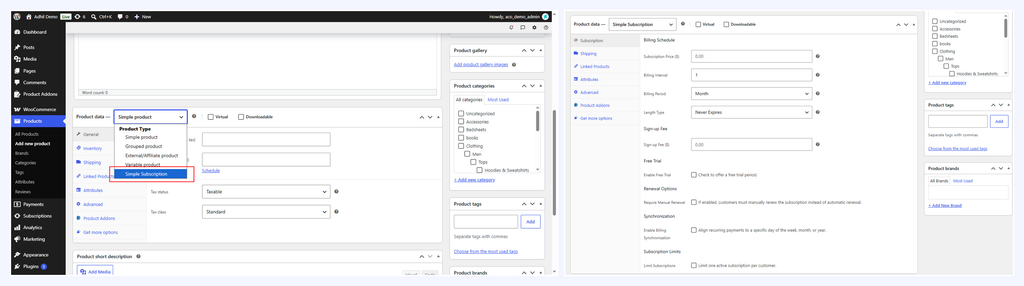
Go to Products → Add New and choose Simple Subscription or Variable Subscription as the product type. Then set:
- the price and billing interval, for example, $20 every 1 month
- the length (never expires, or a fixed number of billing cycles)
- an optional sign-up fee and free trial
Step 4: Start selling
Place a test order. The subscription shows up under Subscriptions in your admin and in the customer’s My Account. From then on, renewals run automatically.
Before you promote the product, check the order emails and the My Account page as a customer would. A few minutes of testing now prevents confusing messages later.
Want a longer walkthrough of every setting? Read our comprehensive guide to WooCommerce subscription and recurring payments.
Why choose Acowebs?
It is built around keeping subscribers. Many plugins stop at billing. This one adds a cancellation survey, retention offers, smart retries and card expiry reminders. These target the churn problem McKinsey describes. Our own post on how to measure and lower churn shows how to track it.
It fits the tools you already use. It works with the official Stripe and PayPal plugins, and it syncs with Mailchimp and Klaviyo.
Switching is easy. The import wizard reads exports from WooCommerce Subscriptions, YITH and SUMO. Each row is checked before it is saved, and renewals are scheduled so billing carries on. Moving subscribers is often the part store owners worry about most, so this removes a big reason to stay with a plugin you have outgrown.
Real support and a safety net. Acowebs plugins are used in 130+ countries. You get a 30-day money-back guarantee, and the plugin page lists a 4.9/5 rating.
Special launch pricing: save 10%
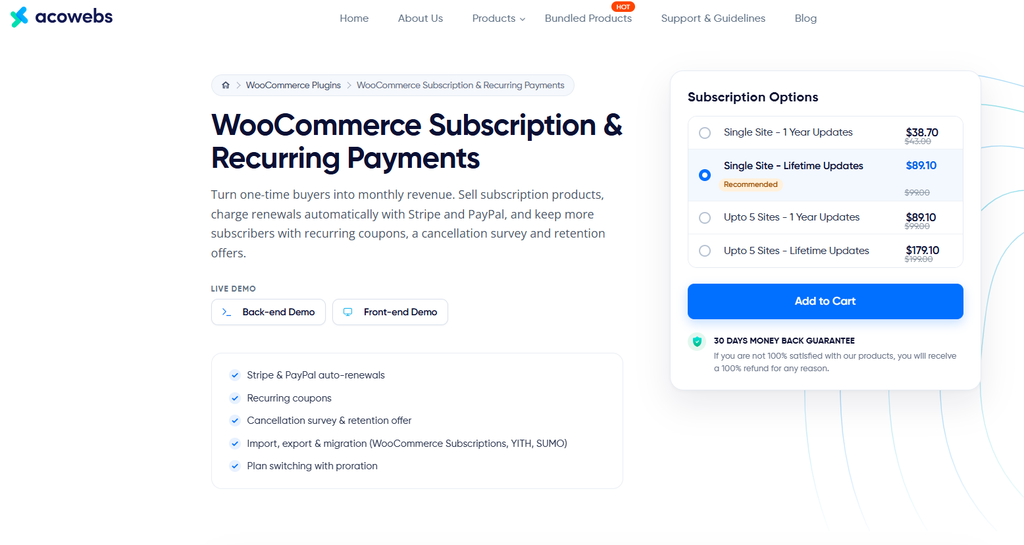
Launch pricing takes 10% off every plan. Prices below are in US dollars. The launch price is the regular price less 10%, rounded to the nearest cent.
| Plan | Regular price | Launch price (10% off) |
| Single site, 1 year of updates | $43.00 | $38.70 |
| Single site, lifetime updates | $99.00 | $89.10 |
| Up to 5 sites, 1 year of updates | $99.00 | $89.10 |
| Up to 5 sites, lifetime updates | $199.00 | $179.10 |
If you run more than one store, the 5-site lifetime plan is the best value per site. Every plan includes the 30-day money-back guarantee.
A yearly plan suits a single store that wants to start small. A lifetime plan suits owners who plan to run subscriptions for the long term and would rather pay once. Whichever you choose, you can test the plugin for 30 days and ask for a refund if it is not right for you.
Conclusion
Subscriptions give a store steady income and a closer link to its customers. Instead of chasing the next one-off sale, you build a base of people who come back every month. That makes your revenue easier to predict and your business easier to grow. The hard part is billing without friction and keeping people once they sign up. Research such as the McKinsey survey cited above shows that many subscribers cancel early, so the way you handle payments, changes and cancellations matters as much as the product itself. The Acowebs WooCommerce subscription plugin handles both. It charges renewals through Stripe and PayPal, gives customers control from My Account, and gives you retention tools like retries, coupons and a cancellation offer. Setup takes four steps, and the 30-day money-back guarantee means you can try it without worry.
A sensible way to begin is to pick one product your customers already reorder, add a subscription option, and watch how people respond. Learn from the cancellation survey and the reports, then improve your plans over time.

Subscriptions
& Recurring Payments
WooCommerce Plugin
✓ Stripe & PayPal auto-renewals
✓ Recurring coupons
✓ Smart payment retries
✓ Cancellation retention offers
Acowebs are the developers of the WooCommerce Subscription & Recurring Payments plugin, which turns your WooCommerce store into a subscription business. It handles automatic renewals, free trials and failed-payment retries, and gives customers self-service control over their plans. Try the free version or get Pro with a 30-day money-back guarantee.
FAQ
Can I track subscription sales?
Yes. The Subscriptions dashboard shows status cards for total, active, trial, pending, on-hold, cancelled and expired subscriptions. With Pro, you can also download CSV reports for payments, a monthly summary and cancellations. The monthly summary covers new subscriptions, revenue, tax, refunds and net revenue.
Can customers change or cancel their subscription?
Yes. You choose what customers can do in the plugin settings. They can cancel, pause and resume from My Account. With Pro, they can also switch plans, renew early, resubscribe and turn auto-renew on or off. Upgrades pay only the difference, and downgrades start at the next payment.
Can I offer free trials?
Yes. Free trials are in both the free and Pro versions. You set the trial length and the first payment is taken when it ends. Pro lets you allow only one trial per customer, per product or across the store.
Which payment gateway does it support?
Stripe and PayPal charge renewals automatically, using the official WooCommerce Stripe Gateway and WooCommerce PayPal Payments plugins. Other gateways, such as bank transfer, work with manual renewals. The customer receives an invoice email with a payment link for each renewal.
What happens when a renewal payment fails?
The subscription goes on hold, and the payment is retried on the schedule you set. The customer receives an email with a link to pay. With Pro smart retries, cards that cannot succeed, such as stolen or closed cards, are not retried.