Login
Login
 Cart
Cart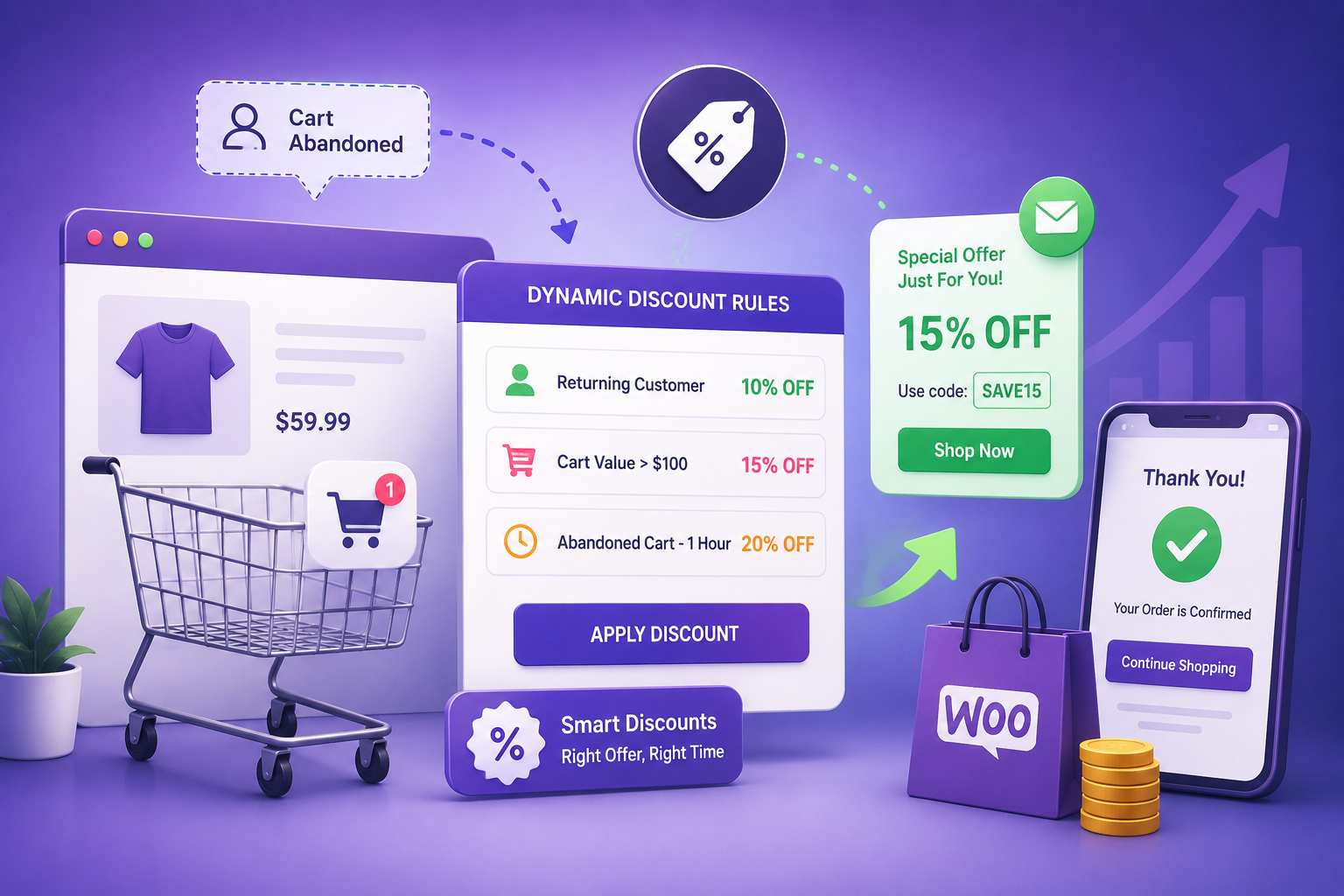
Cart abandonment is one of the most painful realities in e-commerce. According to industry research, nearly 70% of shopping carts are abandoned before checkout completion. Most store owners respond with the same knee-jerk solution: offer a bigger discount. But here’s the problem: a blanket 10% off works differently for someone abandoning a $20 cart versus someone leaving behind a $500 purchase. One customer needs a nudge; the other needs a reason. This is where dynamic discount strategies transform cart recovery from a guessing game into a precision operation. Unlike static, one-size-fits-all coupons, dynamic discount strategies adjust your offers based on cart value, customer history, purchase quantity, and timing. Instead of haemorrhaging margin with indiscriminate discounts, you strategically incentivise recovery while protecting profit. This guide explains how dynamic discount strategies improve cart recovery effectiveness and walks you through implementing them in WooCommerce using the right tools.
Why Cart Abandonment Happens (And How Discounts Help)
Before we discuss solutions, it’s important to understand why customers abandon carts in the first place. Baymard Institute’s aggregate of 50 different studies on e-commerce shopping cart abandonment puts the average abandonment rate at 70.22% – meaning roughly 7 out of every 10 shoppers who add an item to their cart never complete the purchase. Understanding why they leave is the first step to winning them back:
Price concerns are the leading reason for cart abandonment, cited by approximately 48% of customers. Unexpected shipping costs, taxes that weren’t previewed, or perceived product overpricing all contribute to this hesitation.
Friction in the checkout process is another major factor. Complicated forms, mandatory account creation, and limited payment options frustrate customers and prompt them to leave.
Lack of trust in the payment process or business reputation causes savvy shoppers to reconsider their purchase.
Competing offers from other retailers may make customers want to compare prices elsewhere before committing.
Dynamic discount strategies directly address the price-related abandonment rate. By strategically deploying targeted discounts during the cart recovery process, WooCommerce store owners can remove the primary barrier preventing purchase completion.
The Real Cost of Generic, One-Size-Fits-All Discounts
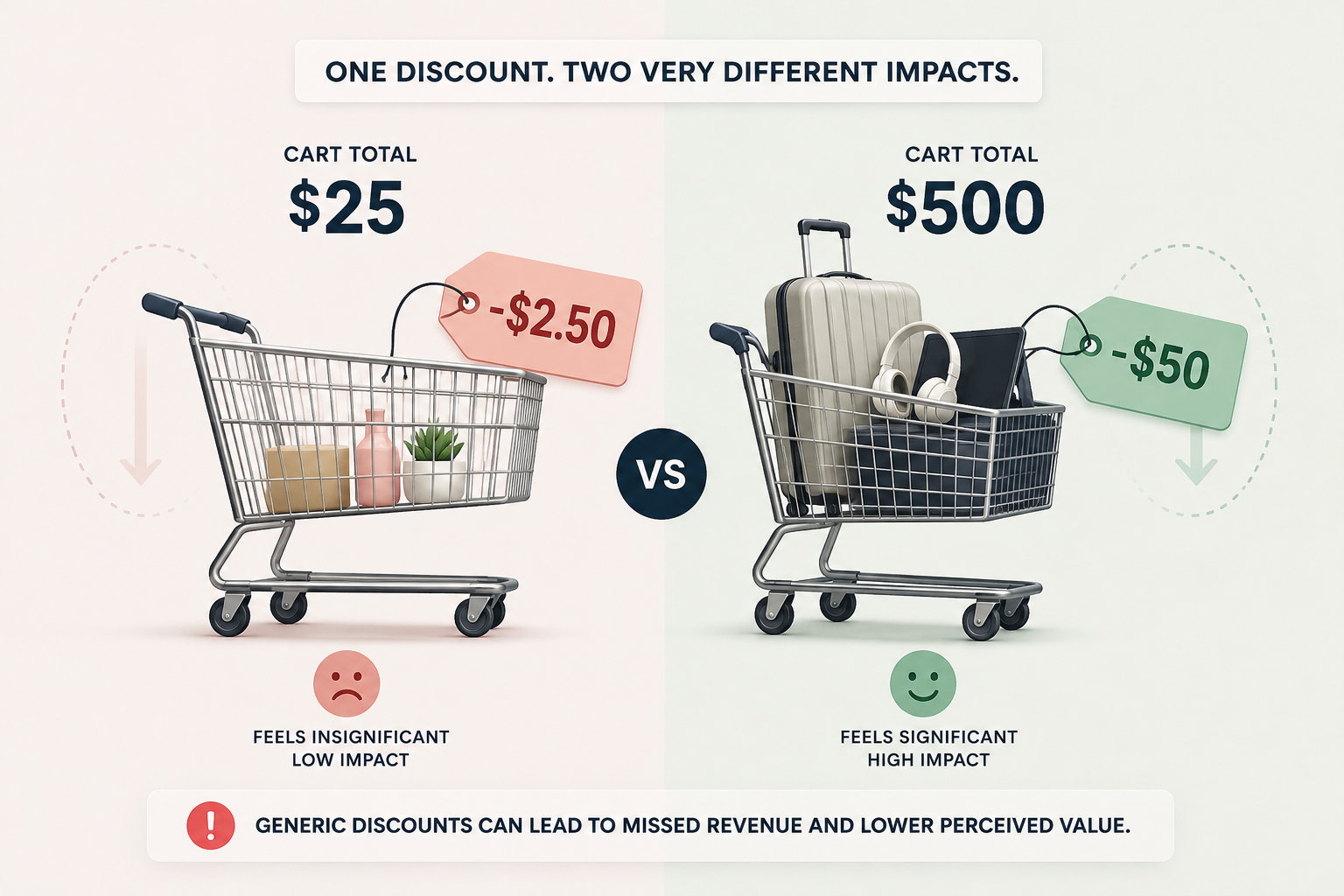
Before we talk about dynamic solutions, let’s diagnose why flat-rate discounts fail at cart recovery.
Why Static Coupons Underperform
A typical store might run a recovery email campaign offering “10% off your next purchase.” On the surface, that seems reasonable. But here’s what actually happens:
- Customer abandoning a $25 cart gets $2.50 off. Often not enough to overcome purchase anxiety.
- Customer abandoning a $500 cart gets $50 off. Your margin just took a $50 hit on a recovery that might have happened anyway.
- First-time visitor abandoning at checkout gets the same offer as your loyal repeat customer who’s abandoned before – even though first-time shoppers abandon at roughly 2.3x the rate of returning customers. Treating both groups identically means you’re overspending on discounts for a segment that was always going to be a harder sell, while under-rewarding the loyal customers who needed far less incentive to convert.
This approach trains customers to expect discounts, erodes profit margins, and often recovers customers you’d have kept anyway.
The Margin Erosion Problem
Every percentage-point discount hits your bottom line. A 15% recovery discount on a $1,000 order costs you $150 in immediate revenue, and that’s before you account for lost margin. If your average margin is 30%, that $1,000 order nets $300. A $150 discount cuts your actual profit to $150 – a 50% margin loss. Now multiply this across hundreds of abandoned carts per month, and generic discounting becomes a serious business problem.
Customer Behavior Training
When customers know you always offer a discount for abandoned carts, they abandon intentionally to get it. You’ve trained them to optimize for the coupon, not the purchase. Over time, your average order value stagnates and your cost per acquisition climbs.
What Makes a Discount “Dynamic”?
A dynamic discount isn’t just any discount – it’s rules-based, conditional, and intelligent.
Core Components of Dynamic Discounts
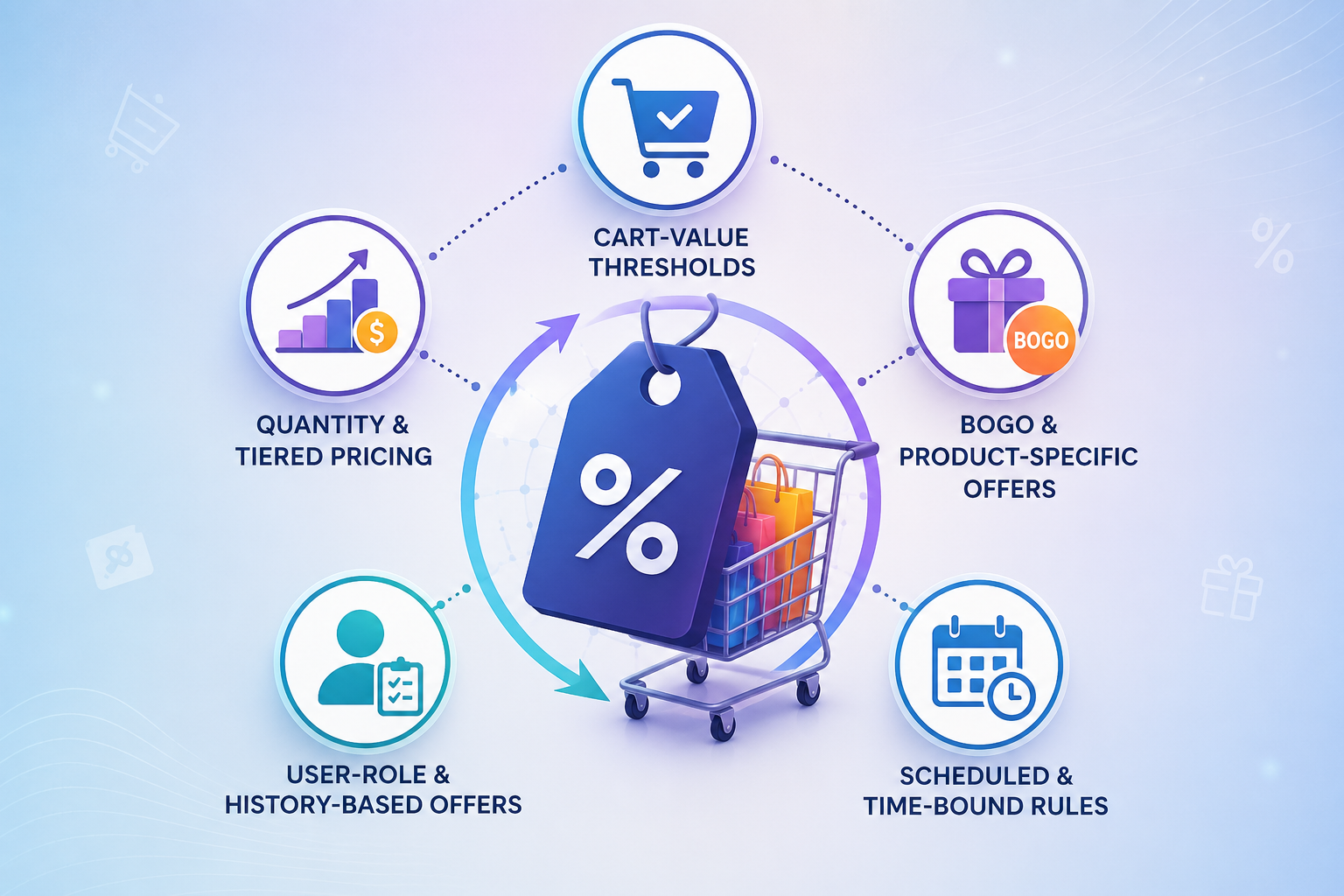
Cart-Value Thresholds
Apply different discount percentages based on total cart value. A customer abandoning a $30 cart gets a small nudge (5% or free shipping); a customer with $250 in items gets a tiered discount (8–12% depending on their total).
Quantity & Tiered Pricing
Reward customers for buying more. “Buy 3 or more and save 10%” encourages larger basket sizes and protects margin better than a flat percentage.
BOGO & Product-Specific Offers
“Buy this product, get 25% off another” targets specific products and upsells without margin erosion.
User-Role & History-Based Offers
First-time customers get a different offer than repeat buyers. High-value customers get preferential treatment. Guest checkout abandoners get a gentler nudge than registered users with past purchase history.
Scheduled & Time-Bound Rules
Create urgency with time-limited discounts. Flash sales, weekend-only offers, and countdown timers make recovery feel urgent, not desperate.
How WooCommerce Dynamic Pricing Enables This
Tools like WooCommerce Dynamic Pricing With Discount Rules Pro provide the mechanics to implement all of these strategies without coding:
- Discount Rules: Set conditions (cart value, quantity, product category) and outcomes (fixed $, %, or tiered pricing).
- User Restrictions: Limit offers to specific customer roles, purchase history, or registration date.
- Schedule & Expiry: Time-limit your recovery offers for urgency.
- Pricing Table Display: Show customers exactly what they’ll save – transparency increases conversion.
How Dynamic Rules Map to Recovery Scenarios
Now let’s apply this to real cart-recovery situations. Each scenario requires a different dynamic strategy.
Low-Cart-Value Abandoners ($20–$75)
The Problem: These customers are price-sensitive. A large discount hurts margin; no discount means they’re gone.
The Dynamic Strategy:
- Offer 5% off, or better yet, free shipping on carts over $25.
- Use a cart-value threshold: orders under $50 get free shipping; orders $50+ get 8% off.
- Most effective messaging: “Free shipping on orders over $25” (shipping feels more justified than a discount).
Setup :
Create a rule: If cart total < $75, apply free shipping. If the cart total is $75–$150, apply an 8% discount. This protects margin on small carts while incentivising the jump to a higher value.
Mid-Cart-Value Abandoners ($75–$300)
The Problem: These are valuable customers on the edge of conversion. A well timed push closes them.
The Dynamic Strategy:
- Use tiered discounts based on what’s in the cart.
- Carts with 3+ items get 10% off (bulk reward).
- Carts $100–$250 get 8% off.
- Carts $250+ get a fixed $20 discount (protects margin on high-value orders).
Setup :
Set up multiple rules: Rule 1 = quantity ≥ 3, apply 10%. Rule 2 = cart $100–$250, apply 8%. Rule 3 = cart $250+, apply fixed $20.
High-Cart-Value Abandoners ($300+)
The Problem: These customers represent serious revenue. One recovery is worth protecting the margin carefully.
The Dynamic Strategy:
- Avoid percentage discounts; use fixed amounts or tiered incentives instead.
- Example: $300–$500 = $25 off. $500+ = $40 off (fixed, not %).
- Alternatively, BOGO or bundle
- : “Spend $400+, get free shipping + a 10% discount on your next order” (converts a one-time recovery into repeat loyalty).
Setup :
Create a rule: If cart ≥ $300, apply a fixed $25 off. If cart ≥ $500, apply a fixed $40 off.
First-Time vs. Returning Customer Abandoners
The Problem: First-time customers abandoning at checkout need more incentive; repeat customers just need a reminder.
The Dynamic Strategy:
- New customers: Offer 12–15% off. They have no purchase history, so acquisition margin is worth it.
- Repeat customers: Offer 5–8% off or free shipping. They’ve already converted once; you just need to reactivate.
Setup:
Use User Restrictions: Create one rule for “non-purchased” users (first-time) with 15% off.
Time-Sensitive Urgency Abandoners
The Problem: Some customers abandon because they’re uncertain; others because they planned to “come back later” (and never do).
The Dynamic Strategy:
- Create time-limited recovery offers (24–48-hour windows).
- Show countdown timers in recovery emails and on the site.
- Use messaging like “Your exclusive offer expires in 24 hours.”
Setup:
Set a scheduled rule: Apply 10% discount, but only between 12pm and midnight, or only Friday–Sunday. Pair with a countdown timer to visually reinforce urgency.
Setting Up Dynamic Discount Rules in WooCommerce
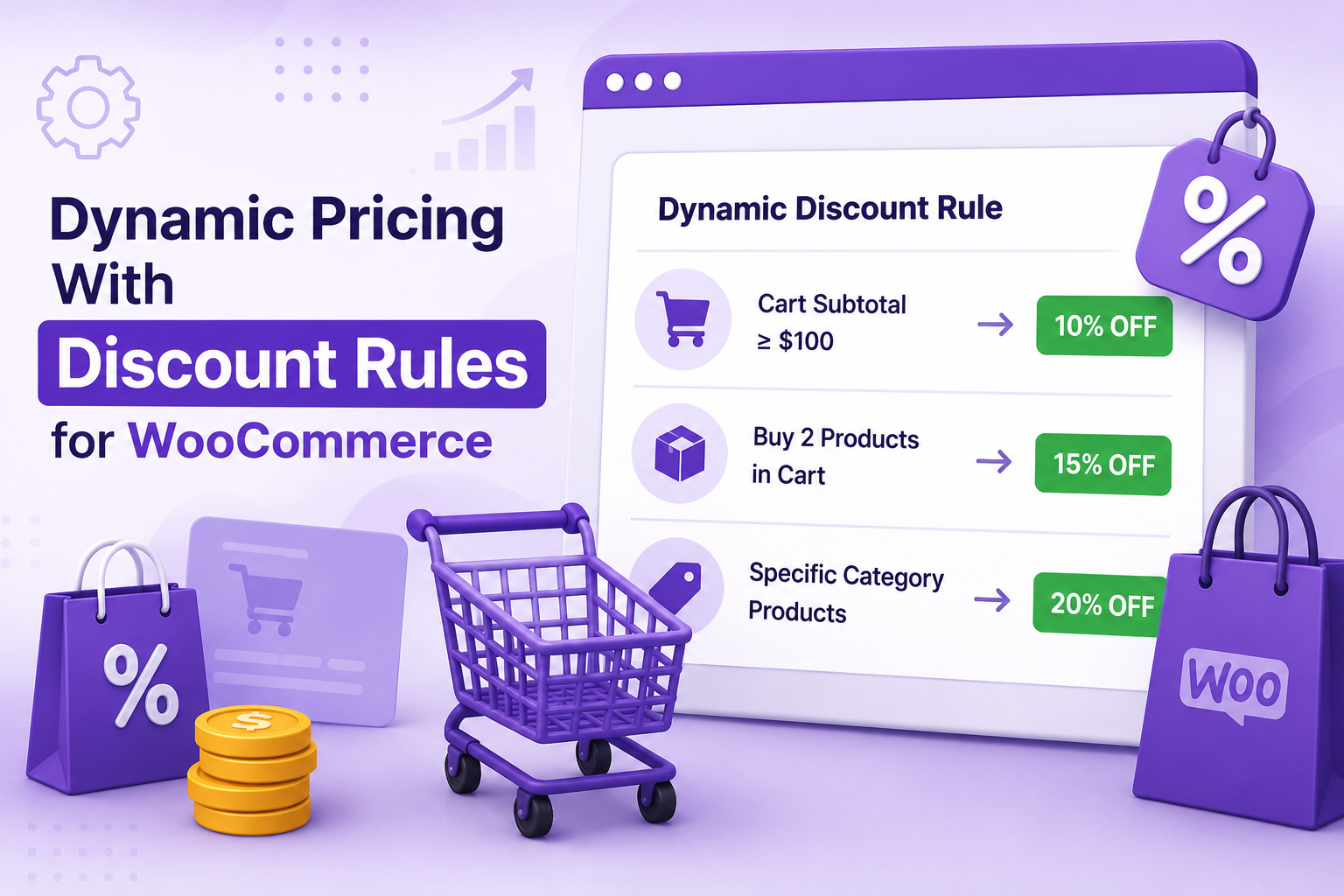
Here’s a step-by-step walkthrough to implement dynamic discount strategies on your WooCommerce store.
Step 1: Install & Activate WooCommerce Dynamic Pricing With Discount Rules Pro
After activation, navigate to WooCommerce > Dynamic Pricing > Discount Rules in your WordPress admin.
Step 2: Create Your First Rule
Click Add New Rule. You’ll see these sections:
- Discount Settings: Set the discount type, value, products, and rule options.
- Schedule: Define when the rule should be active.
- Usage Limits: Set overall and per-user usage limits.
- Additional Settings: Add a title and description for the offer.
Step 3: Configure the Discount
In the Discount Settings tab:
- Enter a Rule Name. Select the Discount Type. Choose the applicable Product List or enable a custom product filter. Enter the Discount Value:
- 10 for a 10% discount (Percentage Discount).
- 25 for a $25 discount (Fixed Amount Discount).
- Enable Set Multiple Discount Values to create tiered discounts.
- Configure any optional restrictions and click Publish.
Step 4: Set a Schedule (Optional)
In the Schedule tab:
- Set the From and To date/time.
- Optionally schedule the rule for specific weekdays.
Step 5: Configure Usage Limits (Optional)
In the Usage Limits tab:
- Enable usage limits.
- Set the maximum number of times the discount can be used.
- Set a per-user usage limit if needed.
Step 6: Add Additional Details (Optional)
In the Additional Settings tab:
- Enter a Title and Description for the offer.
- Save your changes by clicking Publish.
Step 7: Save & Test
Save the rule, then test it on your site. Add an item to your cart, verify the discount appears, and proceed to checkout to ensure it applies correctly.
Step 8: Replicate for Other Scenarios
Repeat Steps 1–7 for your other scenarios (high-cart, new-customer, BOGO, etc.). You can run multiple rules simultaneously; the best discount wins.
Measuring Recovery Effectiveness
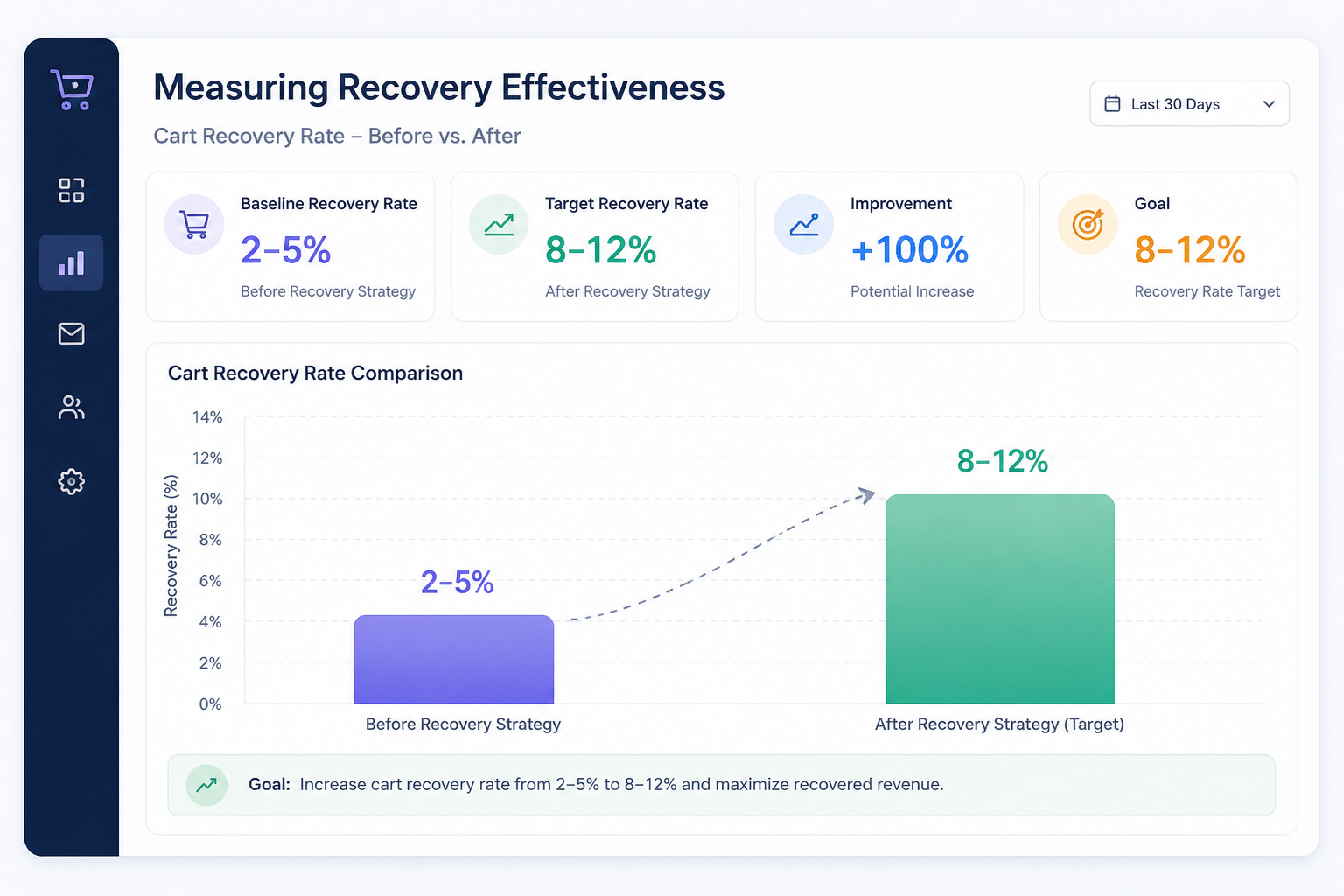
You’ve implemented dynamic discounts. Now how do you know if they’re working?
Key Metrics to Track
Cart Recovery Rate
Percentage of abandoned carts that convert after a recovery attempt. Track this before and after implementing dynamic strategies.
- Baseline: 2–5% (industry average)
- Target: 8–12% with dynamic strategies
Average Order Value (AOV) Impact
Does your AOV stay flat, increase, or decrease? You want to see stable or increasing AOV, not margin-crushing discounts on every recovery.
Discount Cost per Recovery
Total discount given ÷ number of recovered orders. If it’s more than 15% of order value, your rules may be too generous.
Profit per Recovery
Order value minus discount minus cost of goods. A $200 recovery with a $20 discount nets $80 profit at 50% margin—still solid. A $200 recovery with a $60 discount nets $40 profit—marginal.
How to Measure in WooCommerce
Use Google Analytics + WooCommerce conversion tracking:
- Set up cart abandonment tracking (many recovery plugins log this automatically).
- Tag recovery emails with UTM parameters: utm_source=abandoned_cart_recovery&utm_campaign=dynamic_discounts.
- Track recovered orders by their UTM source in Google Analytics or your WooCommerce reports.
- Compare AOV and conversion rates for recovered orders vs. regular orders.
Alternatively, use a recovery email plugin (FlyCart, CartFlows, etc.) that logs these metrics natively.
Common Mistakes to Avoid
Even with the best discount strategy, small mistakes tank effectiveness. Here’s what to watch for.
Discounting Too Early
Offering a discount the moment someone abandons trains them to abandon for discounts. Instead, wait 2–4 hours before your first recovery email, then escalate:
- Email 1 (2 hours): No discount, just a friendly reminder + free shipping threshold
- Email 2 (24 hours): 5–10% discount
- Email 3 (48 hours): 12–15% discount + urgency messaging
Same Discount for Everyone
We’ve covered this, but it bears repeating: blanket discounts destroy margin. Use dynamic rules from day one.
No Expiry or Urgency
A discount with no deadline is just a permanent price cut. Always set:
- Email-specific coupon expiry (48–72 hours)
- Countdown timers in recovery emails
- Time-limited rule schedules (e.g., weekend-only offers)
Ignoring Your Margin Thresholds
Before you create a single rule, calculate your minimum acceptable margin. If you sell a $100 product with a $30 cost, your margin is $70 (70%). Can you afford a 15% discount? That’s $15 off, leaving you $55 margin (55%) – still acceptable. But a 30% discount? That’s $30 off, leaving $40 (40%)—risky if you’re also paying for customer acquisition elsewhere.
Set rule maximums based on these thresholds, not just “what feels right.”
Forgetting to Bundle Discount Offers
The most effective recovery offers combine multiple incentives:
- “Get 10% off + free shipping on orders over $75”
- “Buy 2 or more of this product, get 15% off your entire order”
- “First-time customer? Get 15% off + free shipping”
Instead of a single discount lever, use multiple mechanics to increase perceived value without tanking margin.
How to Reduce Cart Abandonment Beyond Discounts
While dynamic discounts recover lost sales, they’re most effective alongside other cart-recovery strategies. Consider:
- Abandoned-cart emails — Timely, persuasive messaging
- Checkout optimization — Fewer form fields, guest checkout, trust signals
- Add-to-cart conversion strategies — Reduce abandonment before cart
- FOMO & urgency tactics — Stock scarcity, countdown timers
Dynamic discounts close the final 5–15% of recoverable carts, but they work best in a comprehensive strategy.
Conclusion
Generic discounts are dead weight on your margin. While competitors keep bleeding revenue on blanket 10%-off codes, the stores winning cart recovery in 2026 are the ones treating every abandoned cart differently — because a $30 cart and a $500 cart were never the same problem.
WooCommerce Dynamic Pricing With Discount Rules Pro gives you the rules engine to make that shift – no code, no guesswork. Pick one scenario to start: your highest-value abandoners, your first-time visitors, or your smallest carts. Set the rule, measure recovery rate and profit per order, then expand from there.
The revenue is already sitting in your abandoned carts. The only question is whether you’re pricing your way back to it – or just guessing
Acowebs are the developers of WooCommerce Dynamic Pricing the best way to add discounts based on a range of unconditional and considerable criteria to set with a simple user interface which makes your efforts much easier. Discount rules for WooCommerce also comes with Percentage / Fixed price discounts.
FAQ:
A static coupon is a fixed offer applied to anyone who has the code (e.g., “SAVE10” = 10% off, always). A dynamic discount rule is conditional: it applies different offers based on cart value, customer history, product, or timing. Static coupons are simple but inefficient. Dynamic rules are tailored and profitable.
There’s no universal “best” percentage; it depends on your margin and the cart size. Data on cart abandonment emails shows 40% of discount offers use 10% off, 20% use 15% off, and 12% use 20% off – meaning the large majority of stores cluster their offers in the 10–15% range. Our recommendation: start with 8–12% for mid-range carts, 5–8% for smaller carts, and fixed amounts ($20–$40) for high-value orders.
Yes-that’s exactly what dynamic discount rules do. Set conditions like “If cart ≥ $100, apply 10% discount” or “If cart $50–$100, apply 5% discount.” Most WooCommerce discount plugins support cart-value conditions natively.
WooCommerce has basic coupon functionality, but it doesn’t support conditional, rule-based discounts natively. You’ll need a plugin like WooCommerce Dynamic Pricing With Discount Rules Pro by Acowebs to access cart-value thresholds, tiered pricing, user restrictions, and scheduling.
Calculate your minimum acceptable margin before creating any rule. If a product costs $30 and sells for $100, your margin is $70. Set discount maximums (e.g., “never discount more than 20% of margin”). Use fixed-amount discounts instead of percentages for high-value carts. Track discount costs per recovery and adjust if they exceed 15% of order value. Use tiered rules to protect margin on small carts while incentivizing larger purchases.