












 Login

 Cart



Black Friday is November 27, 2026, and Cyber Monday is November 30. That leaves a little over two weeks, so these Black Friday and Cyber Monday ecommerce marketing strategies are ranked by impact and written for a small team. Adobe forecasts $275.1 billion in US online holiday spending this season, so the demand is there. The hard part is keeping your margin and turning one-weekend buyers into customers who come back.
Black Friday and Cyber Monday ecommerce marketing strategies at a glance
Key dates for 2026: Thanksgiving is Thursday, November 26. Black Friday is November 27, Small Business Saturday is November 28, and Cyber Monday is November 30. Treat Thursday to Monday as one five-day selling window.
The numbers below are from the 2025 weekend and this year’s forecasts. They are paraphrased, so check the linked sources before quoting them elsewhere.
- Black Friday is growing faster than the old advice assumes. According to Digital Commerce 360, US online sales grew 9.1% on Black Friday in 2025 against 7.1% on Cyber Monday. Black Friday reached $11.8 billion and Cyber Monday $14.25 billion.
- Cyber Monday’s share is slipping. It made up 32.8% of the five-day total in 2023 and 32.2% in 2025.
- Mobile is the main screen. Phones drove 57.5% of Cyber Monday sales, and Adobe projects mobile at 57.4% of holiday spending this year.
- Social and partners matter. Social referrals were 3.6% of Cyber Monday sales, up 56.5%. Affiliates and partners drove 21.8%.
- Pay-over-time is mainstream. Buy now, pay later (BNPL) use on Cyber Monday hit a record $1.03 billion.
- AI traffic is exploding from a small base. Retail-site visits referred by AI tools rose 670% year over year on Cyber Monday and 805% on Black Friday, per post-weekend reports. Adobe expects AI traffic up another 130% this season. It is still a small share of total visits, so treat it as an early channel, not the main one.
- The 2026 forecast: Adobe expects $47.5 billion across Cyber 5 and $12.9 billion on Black Friday itself.
What changed since 2021: Our earlier version of this post said Cyber Monday had overshadowed Black Friday. That is no longer a safe assumption. Shoppers now start earlier, buy on phones, split payments, and ask AI assistants where to shop. The plan below reflects that.

Black Friday × Cyber Monday
Up to 30% Off
Bundle any Acowebs WooCommerce plugins — the more you add, the more you save.
10%OffBuy 1
20%OffBuy 2
30%OffBuy 3+
Strategy 1: Start early with an early-access list
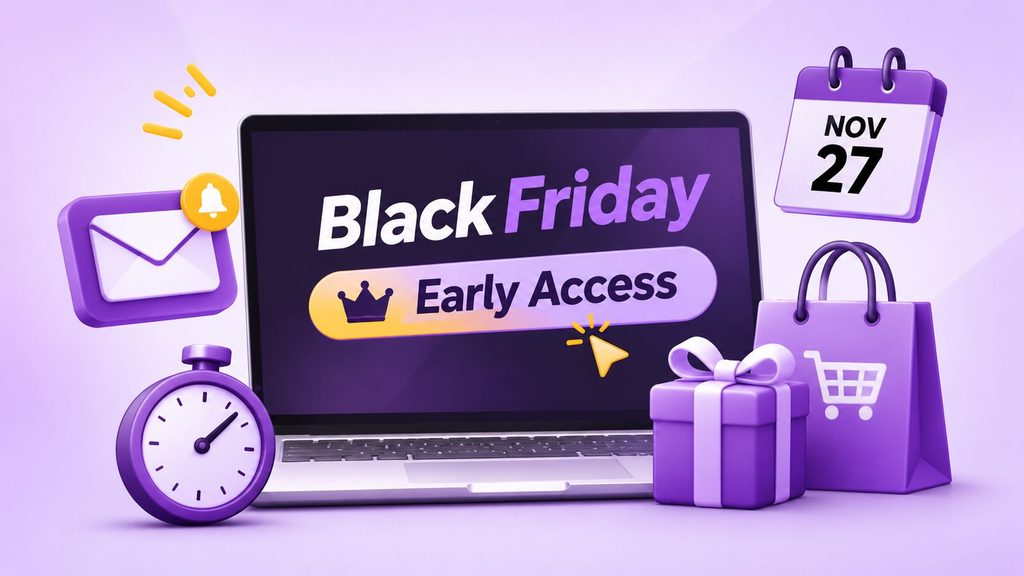
The cheapest buyers you will get this weekend already asked to hear from you. Add a signup form to your homepage, a pop-up for new visitors, and a banner in order-confirmation emails. Offer something real: a 24-hour head start, access to limited stock, or a gift only list members can unlock. “Get our newsletter” is not an incentive.
Build a Black Friday landing page with a countdown timer and link it from your header. Keep scarcity honest: if you say “only 50 left,” it must be true. Our guide to FOMO and urgency tactics covers what stays on the right side of the line. Capture consent at signup, with a separate, unticked SMS checkbox that says what you will send and how often.
- Do this first: Publish one early-access page this week with an email field and an optional phone field.
- Mistake to avoid: Giving everyone the deal on day one. If the list gets nothing extra, people stop signing up
Strategy 2: Offers that lift sales without killing margin
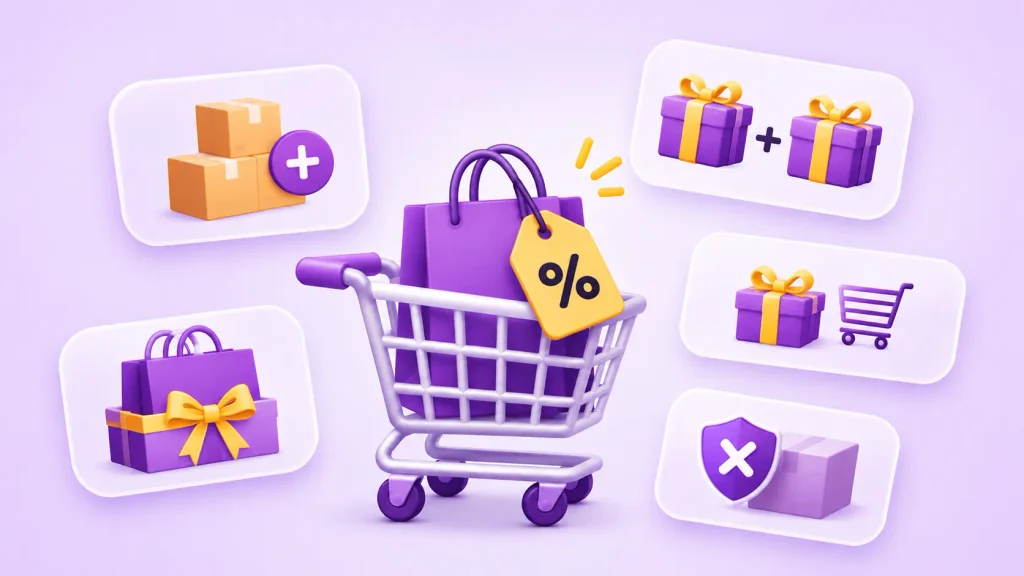
A deep discount that wipes out your profit is not a strategy. Design the offer first, then promote it.
Run a break-even check. Say a product sells for $50 and costs you $30 in product, shipping and fees. At 20% off, you earn $10 per unit instead of $20, so you must sell twice as many units just to match a normal day. If you cannot realistically double volume, pick a different offer.
Offer types that protect margin:
- Tiered or bulk discounts: Buy 2, save 10%. Buy 3, save 15%. These raise order size instead of cutting one unit’s price.
- BOGO (buy one, get one): Works on consumables and accessories, where the second unit is cheap to you.
- Bundles: Pair slow movers with best sellers at a fixed price.
- Gift thresholds: “Free gift over $100” costs you only on larger carts.
- Exclusions: Keep your lowest-margin products out of site-wide codes.
Make the deal visible. A clear sale badge on the product grid beats a banner nobody reads. Our guide to WooCommerce dynamic pricing explains quantity, cart-total and scheduled rules
Black Friday badge ideas
A badge only works if it says something specific. Match the wording to the offer you are running:
| Offer | Badge wording ideas | When to use it |
| Percentage discount | “30% off”, “Black Friday: save 30%” | When the same discount applies to the whole product, so the number on the badge matches the price |
| Time-limited deal | “Ends Sunday”, “Cyber Monday only” | When the deal really stops on a set date, so the deadline is honest |
| Early access | “VIP early access”, “Members get it first” | For your early-access list, before the sale opens to everyone |
| BOGO or bundle | “Buy 1, get 1 free”, “Bundle and save” | When the deal depends on basket contents, not a single price cut |
| Gift threshold | “Free gift over $100” | To lift order value on products that often sell in small carts |
| Low stock (only if true) | “Only a few left”, “Selling fast” | Only when your stock count backs it up |
| Best seller | “Black Friday best seller”, “Top pick” | To guide shoppers toward products you want to push or that have proven demand |
Black Friday Design tips:
| Tip | Why it helps |
| Use one badge per product | Shoppers read a single badge instead of skipping a cluster |
| Keep the text to two or three words | It stays readable on a phone screen |
| Pick a high-contrast colour | The badge stands out from your product photos |
| Place it in the same corner on every product, usually top left | Shoppers learn where to look as they scroll the grid |
| Use the same wording on the grid, product page and emails | The offer feels consistent from click to cart |
| Remove or update badges the moment a deal ends | Stale badges break trust and cause support questions |
- Where Acowebs fits: On WooCommerce, Dynamic Pricing With Discount Rules handles percentage and fixed discounts, BOGO, free gifts, scheduling, and pricing tables. WooCommerce Product Labels adds sale badges to products. Shopify stores can use Labeler, which can show a badge that updates with the discount percentage.
- Do this first: List your ten best-selling products with their true margin, then pick one margin-safe offer for each.
- Mistake to avoid: Discounting everything by the same percentage. It gives away margin on products that would have sold anyway.
Strategy 3: Email and SMS as your main sales channels
For most small stores, Black Friday email marketing is still the highest-return channel: you own the list and pay nothing per click. SMS adds speed for time-sensitive nudges.
A five-step cadence:
- Teaser (a week before): Announce the dates and link to the early-access page. No prices yet.
- Early access (Thursday): Open the sale to list members only.
- Launch (Black Friday morning): Lead with your best offer and one clear button.
- Mid-weekend reminder: Show best sellers, social proof and low stock.
- Last chance (Cyber Monday): State the exact deadline, with a second send in the evening.
- Where Acowebs fits: Your marketing emails live in your email tool, but order emails still get opened. Email Customizer for WooCommerce lets you restyle WooCommerce order emails in a drag-and-drop builder, so confirmations can carry your branding and a follow-up offer.
- Do this first: Write all five emails now and schedule them. Do not plan to write them during the weekend.
- Mistake to avoid: Sending the same message to your whole list five times. Fatigue shows up as unsubscribes by Sunday.
Strategy 4: A fast mobile experience and checkout
With phones driving more than half of Cyber Monday sales, a slow or clunky mobile checkout is a direct loss, and the cheapest one to fix.
- Test speed. Run your homepage, a top product page and checkout through PageSpeed Insights, and check mobile largest contentful paint first. Our Core Web Vitals guide explains the numbers. If your host struggles under load, ask about caching or a temporary upgrade before the weekend.
- Cut checkout fields. Company name and a second address line are common culprits.
- Offer guest checkout and wallets such as Apple Pay and Google Pay.
- Offer BNPL on larger baskets. Our post on buy now, pay later covers the trade-offs, including provider fees.
- Where Acowebs fits: Checkout Field Editor lets you remove, reorder, or make optional the fields on your WooCommerce checkout, with conditional logic for the rest. Quick View opens product details in a pop-up, and Product Table lists products in a table, which suits a deals page where people add several items quickly.
- Do this first: Place a test order on your own phone, on mobile data, and count the taps from product page to payment.
- Mistake to avoid: Testing only on your office Wi-Fi and desktop. Your shoppers will not be on either.
Strategy 5: Social commerce, creators and affiliates
Affiliates and partners drove more than a fifth of Cyber Monday sales, and social referrals grew quickly. For a small store, creators are the best-value paid channel.
- Work with micro-creators. Smaller creators often charge less and convert better. Give each a unique code and tracked link so you pay on results. New to this? Start with product seeding.
- Collect user-generated content (UGC). Ask recent buyers for photos and clips, with permission to reuse them.
- Lead with short video. Show the product in use, put the offer in the first three seconds, and add captions, since many people watch muted.
- Track everything. Add UTM parameters to every creator, affiliate and social link. Without them, Monday’s report will call half your revenue “direct.” Our social media strategy guide covers channel choice.
- Where Acowebs fits: Shopify stores can turn product videos into shopping experiences with Shoppable Videos, so a viewer can go from clip to cart.
- Do this first: Pick five micro-creators who already use products like yours and send each a unique code by the end of this week.
- Mistake to avoid: Giving all creators the same code. You lose the data and cannot reward the best performers.
Strategy 6: Get found in AI search and shopping assistants

More shoppers ask AI assistants “what is a good gift under $50” before they open a store. AI-referred traffic grew several hundred percent last year, from a small base. You cannot control those answers, but you can make your store easy to read and trust.
- Clean product data. Accurate titles, prices, availability, sizes and materials. Submit a feed to Google Merchant Center.
- Reviews. Recent, specific reviews help shoppers and the tools that summarize them.
- Product FAQs. Short answers on fit, compatibility and delivery. See our FAQ page guide.
- Clear shipping and returns on one easy-to-find page, plus visible trust signals.
- An llms.txt file (optional). The llms.txt proposal is still a proposal and no major AI provider has promised to use it, so treat it as low-cost groundwork, not a ranking lever.
Where Acowebs fits: LLMs.txt Pro generates llms.txt and llms-full.txt files for WordPress sites automatically. On your own store, Cart Easy is an AI shop assistant that helps visitors find products, which matters more now that shoppers expect to ask questions in plain language.
Do this first: Check that your ten best sellers have complete titles, prices, stock status, and at least five recent reviews.
Mistake to avoid: Building a plan around AI traffic alone. It is growing fast, but email, search, and social still bring far more visits.
Strategy 7: Respond to shopper behavior in real time
During Cyber 5, shoppers browse, leave, and come back within hours. A store that reacts quickly keeps those sales.
- Cart abandonment: Send a reminder within an hour, another the next morning, and a last-chance message before the deal ends. Our abandoned cart emails guide has templates. Do not add a bigger discount to the first email by default.
- Browse abandonment: A short “still looking?” message to people who viewed a product three or more times.
- Back-in-stock alerts: Collect emails when a best seller sells out. It turns a lost sale into a waiting list.
- Wishlist reminders: Tell shoppers when a saved item goes on sale.
- Support readiness: Add a short FAQ to the cart page and keep one person on live chat or email at peak hours.
Where Acowebs fits: WooCommerce Wishlist lets shoppers save products to a wishlist, which tells you what to feature in your weekend emails and retargeting.
Do this first: Switch on a three-step abandoned cart sequence before Thursday, and test it by abandoning your own cart.
Mistake to avoid: Leaving support unstaffed. A shopper with a delivery question who gets no reply will buy elsewhere.
Strategy 8: Turn deal hunters into repeat customers
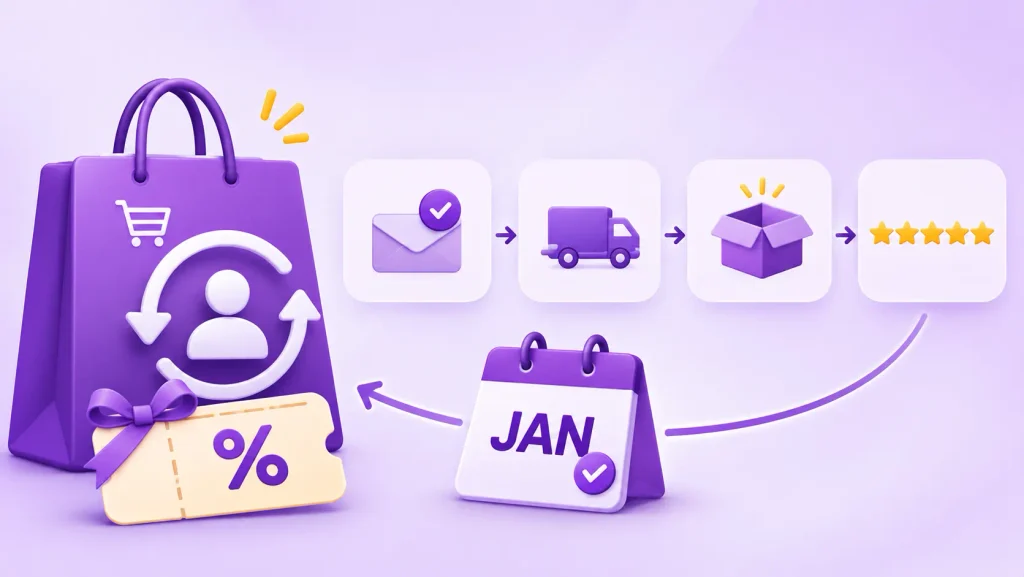
Everything above is wasted if buyers disappear on Tuesday. This strategy merges what used to be into one retention plan. Build a post-purchase flow. Send an order confirmation that sets delivery expectations, a shipping update, a how-to-use message after delivery, and a review request about a week later. Customers who feel looked after are more likely to buy again.
Give a January coupon. Include a “come back in January” code in the parcel or delivery email, valid for 30 to 45 days and on full-price items only. It gives a deal hunter a reason to return after the sale.
Strategy 9: Create referral opportunity
Add a referral reward. Offer a credit for each friend who buys. It is cheap compared to paid acquisition, and it works best right after a good delivery. Offer subscriptions where it fits. For consumables, a “subscribe and save” choice turns a one-time deal into recurring revenue.
Measure what matters. Judge Black Friday by your 60-day and 90-day repeat purchase rate for BFCM customers, not by weekend revenue alone. Compare it against customers who bought at other times of year. If BFCM buyers rarely return, your offers are attracting the wrong shoppers. Our customer journey map guide can help you plan the follow-up touchpoints.
Strategy 10: Set clear stop-loss for ad spends
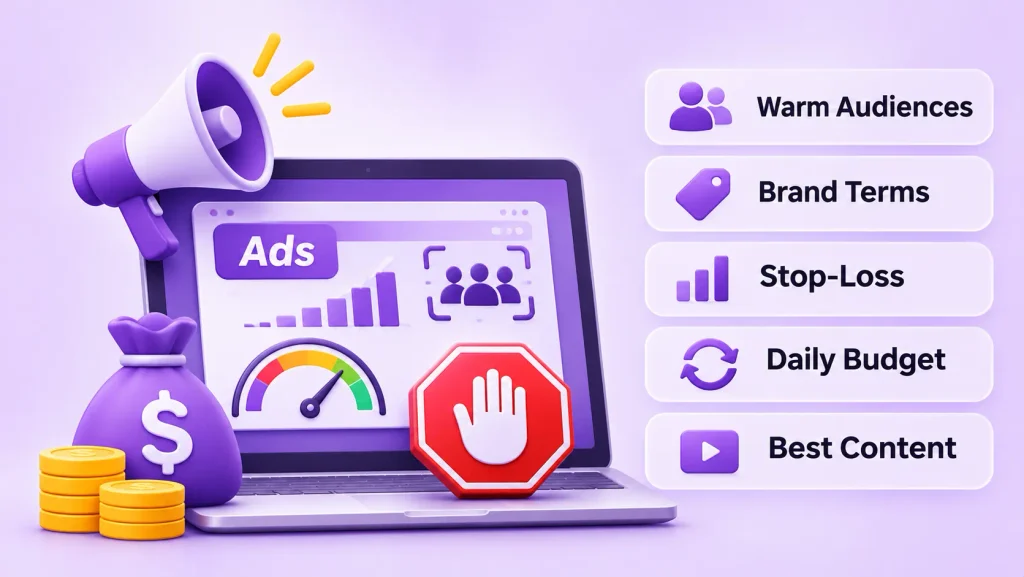
Ad costs tend to rise when every brand bids at once, so a small store can burn its budget fast. Treat paid ads as a way to reach people who already know you, not a way to find strangers at peak prices.
- Start with warm audiences. Aim ads at cart abandoners, product viewers, email subscribers and past buyers. Cap frequency so you do not annoy them.
- Protect your brand terms. Bid on your own store name in search so a competitor does not take the click.
- Set a stop-loss. Decide in advance the lowest return you will accept for each campaign, using your break-even numbers from Strategy 2. Pause anything below it rather than hoping it recovers.
- Move budget daily. Shift spend toward the offers and creatives that sell, and check results morning and evening.
- Reuse your best content. Creator videos and customer photos from Strategy 5 often make the strongest ads. Our Facebook remarketing guide covers audience setup.
Do this first: Write down your minimum acceptable return per campaign, and the daily budget cap, before launching any ad.
Mistake to avoid: Raising budgets mid-weekend on a campaign you have not yet checked against margin. Revenue that loses money is not growth.
Black Friday checklist
If you are reading this late, start here. Tick these off in order.
- Lock your offers. Run the break-even check and write down each offer, its dates, and exclusions.
- Load test. Test homepage, product, cart, and checkout on mobile. Fix anything slow.
- Finalize email and SMS. Write and schedule all five emails. Confirm opt-in lists and unsubscribe links.
- Set up tracking. Check analytics, UTM links, unique creator codes, and conversion events. Place a test order and confirm it records.
- Confirm inventory. Check stock for every promoted item and set low-stock alerts.
- Confirm shipping cutoffs. Publish last-order dates for delivery before Christmas, and tell customers clearly.
- Brief support. Share the offers, returns policy, and shipping dates with everyone who answers customers. Prepare saved replies.
- Prepare the retention flow. Schedule the post-purchase emails and January coupon.
Our holiday store preparation guide goes deeper on the technical side, and the holiday discount schedule for WooCommerce shows how to automate sale dates.
Planning for next year? Start in August. Build the early-access list, test your offers on a smaller sale in September, and fix your checkout before the traffic arrives. For a wider view, see our guide to ecommerce marketing strategies.
Black Friday × Cyber Monday
Up to 30% Off
Bundle any Acowebs WooCommerce plugins — the more you add, the more you save.
10%OffBuy 1
20%OffBuy 2
30%OffBuy 3+
Conclusion
If you can only do three things, do these:
- Design margin-safe offers and make them visible with clear sale badges.
- Send a planned five-email cadence to a segmented early-access list.
- Fix your mobile checkout so the traffic you earn actually converts.
Then use the weekend to start relationships, not just orders. If you run WooCommerce, explore Acowebs WooCommerce plugins for the discount, badge, and checkout tools mentioned above.
Acowebs are the developers of Woocommerce Custom Product Addons which is a optimized, lightweight, and fruitful plugin that is simply the best to add extra product options using its custom form builder easily. WooCommerce custom fields also comes with drag and drop form builder, 22+ field types and custom price formula.
FAQ
When are Black Friday and Cyber Monday in 2026?
Black Friday is Friday, November 27, 2026, and Cyber Monday is Monday, November 30. Thanksgiving is November 26, and Small Business Saturday is November 28. Plan around the full Thursday-to-Monday window.
What are the best channels for Black Friday and Cyber Monday?
Email is the most reliable for small stores, followed by SMS for time-sensitive reminders. Affiliates and creators drove 21.8% of Cyber Monday sales last year, and social referrals are growing fast. Paid ads work best aimed at people who already know you.
Is Black Friday or Cyber Monday better for online sales?
In 2025, Cyber Monday brought in more online revenue ($14.25 billion against $11.8 billion), but Black Friday grew faster (9.1% against 7.1%). Treat both as part of one five-day event rather than choosing one.
How do I prepare a WooCommerce or Shopify store for the traffic?
Test speed on mobile, simplify your checkout, and confirm your host or plan can handle a surge. Stress-test cart and checkout with a few test orders, and set up stock alerts. Staff support during peak hours.