The Labeler – Product Labels app allows merchants complete control over where their product badges and labels are displayed.
You can choose to show badges on all devices, only on desktop, or only on mobile to maintain a consistent and optimized look across different screen sizes.
Use the Target Device settings to define where your badges should appear:
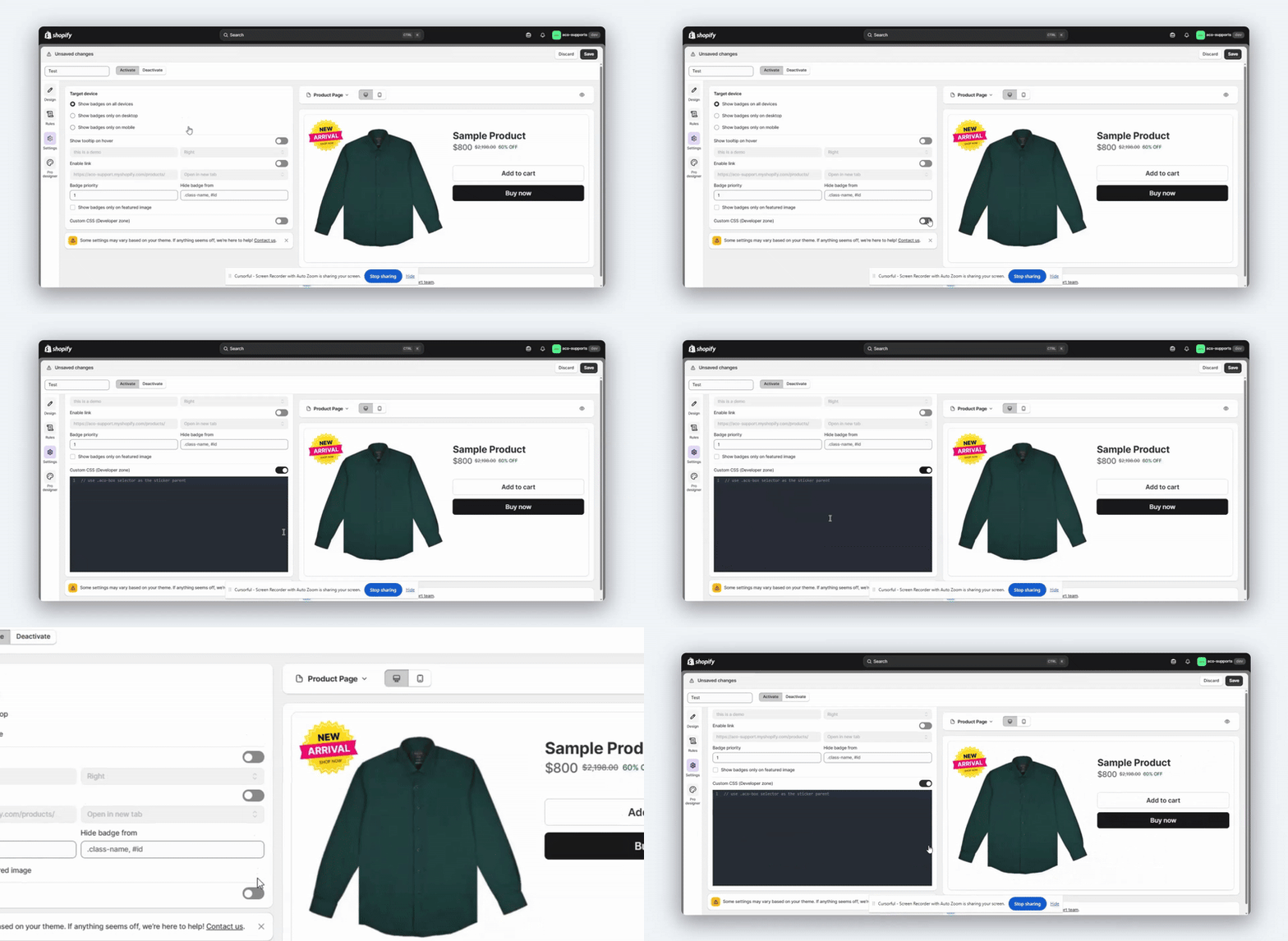
This setting can be configured from the Settings tab under the Target Device section in the Badge/Label settings panel.
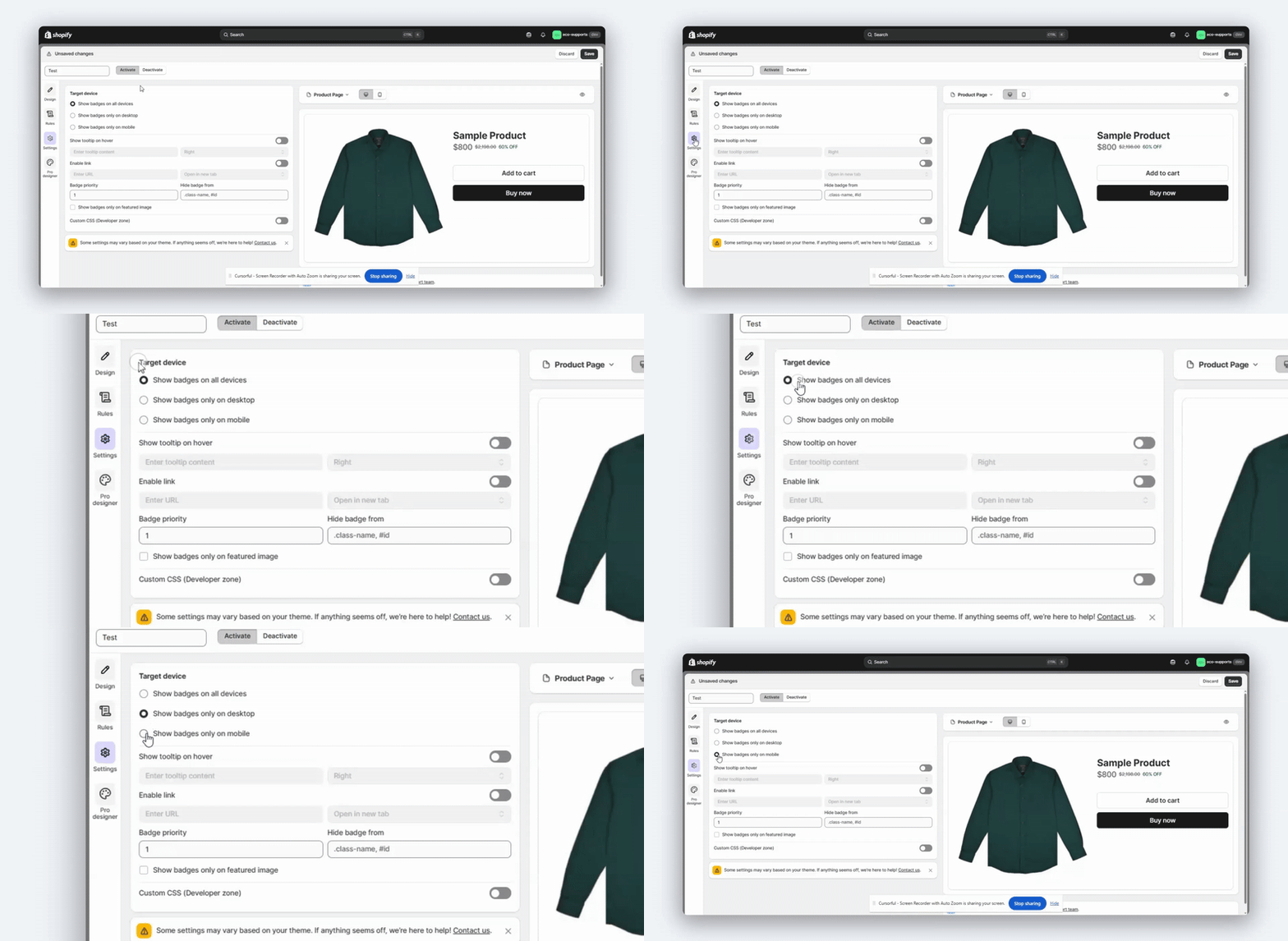
We’ve covered how to control where badges appear.
Now, let’s explore a few additional features that help you customise the look and behaviour of your badges even further.
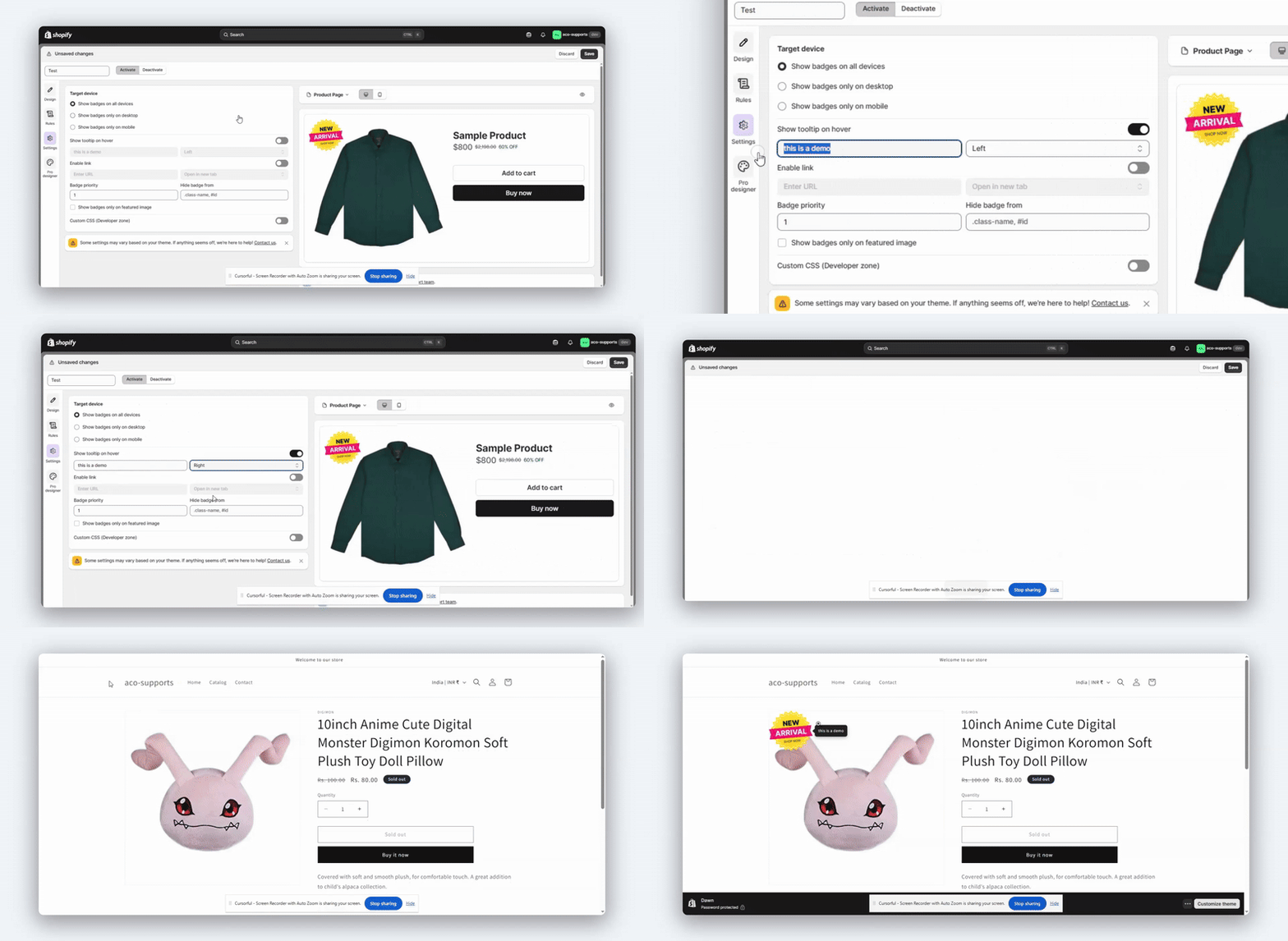
1. Show Tooltip on Hover
This option allows you to display a tooltip when customers hover over a badge by enabling the tooltip feature.
You can enter the desired content and also set the tooltip position on the badge, such as top, left, right or bottom.
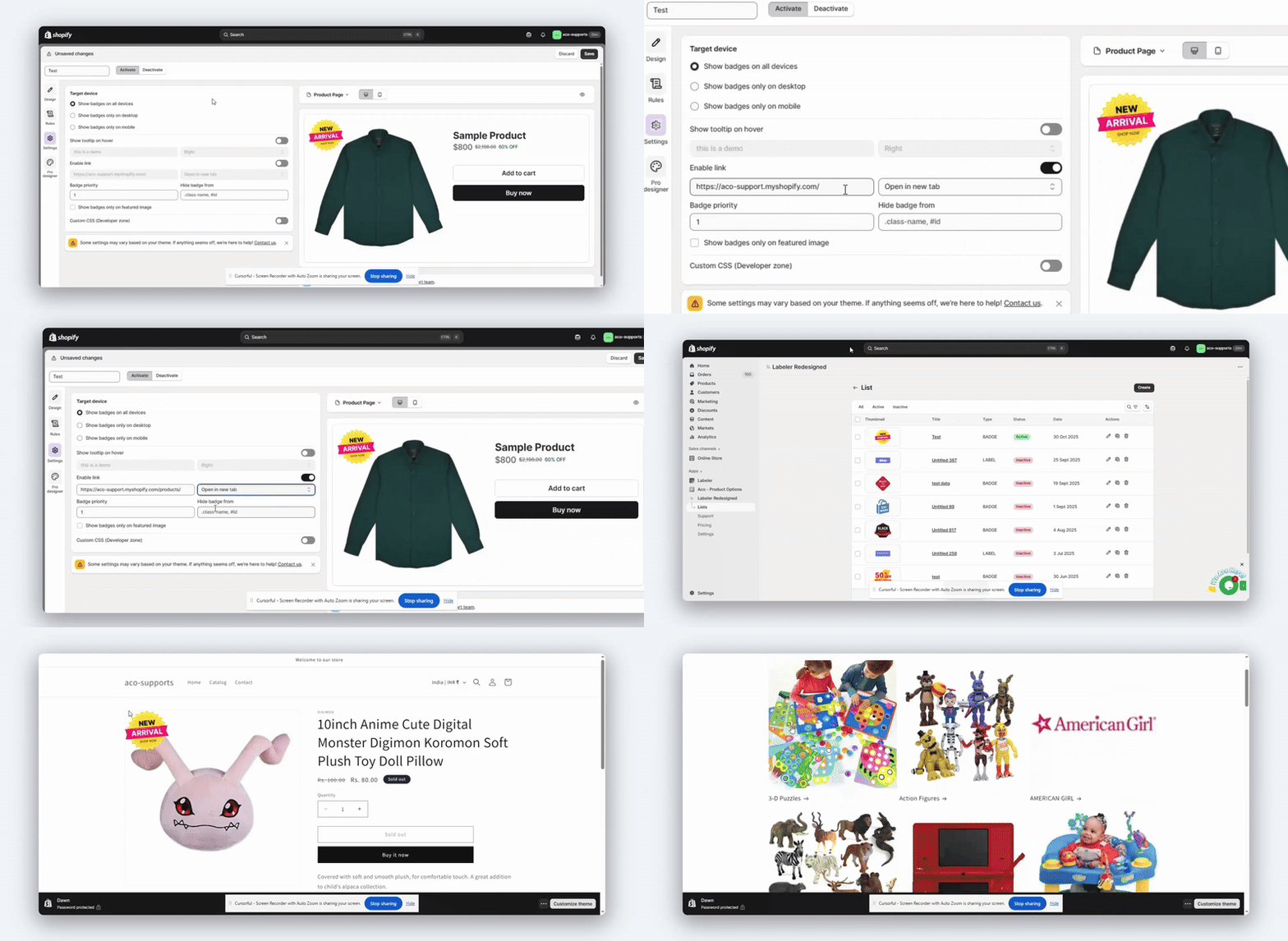
2. Enable Link
The enable link option allows you to make badges clickable. By entering a URL, you can redirect customers to a specific page, such as a product, collection or sale page. You can also choose to open the link in a new tab.
3. Badge Priority
If multiple badges are used on the same product, the Badge Priority options determines which one appears on top. Lower numbers indicate higher priority.
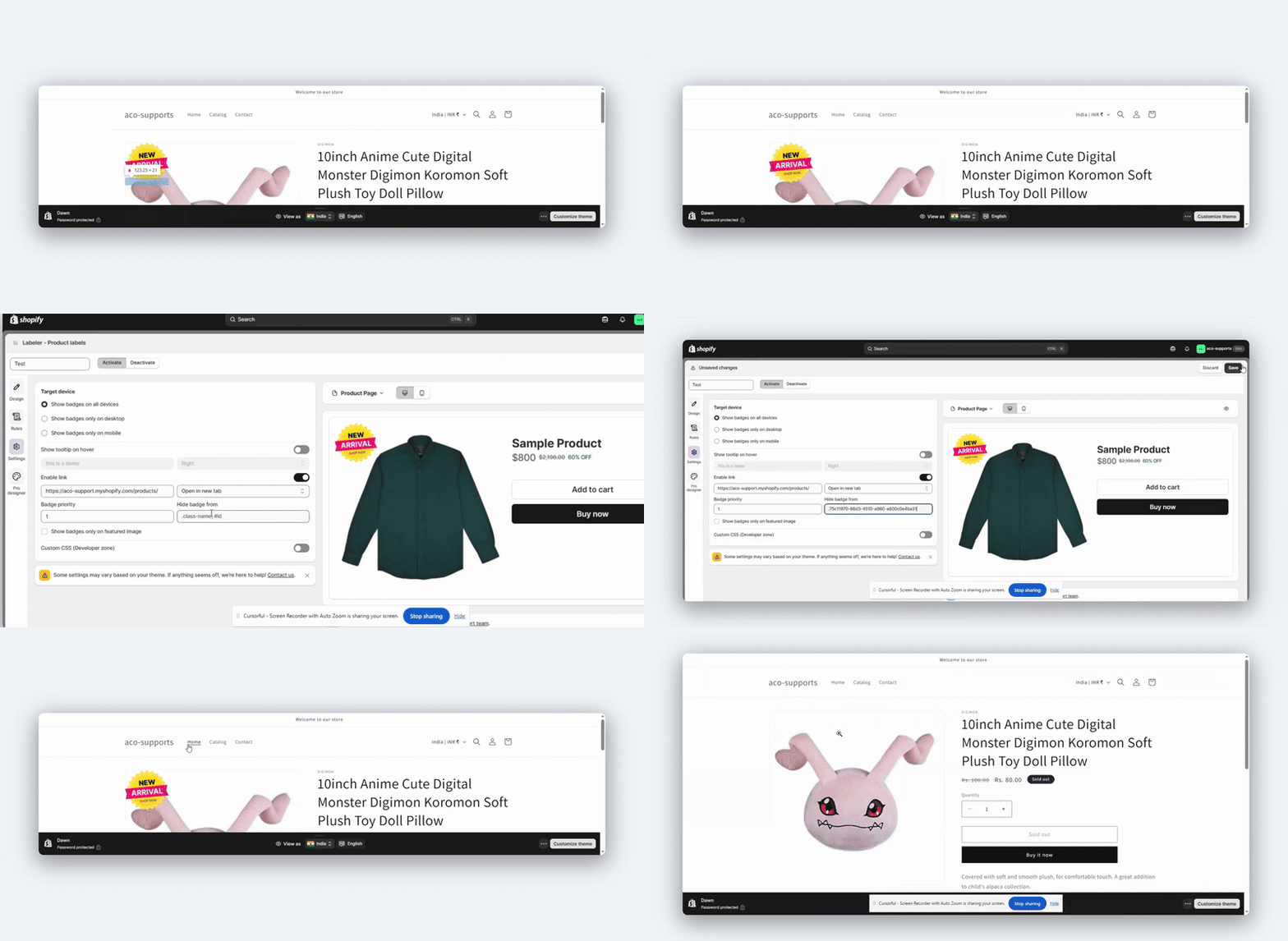
4. Hide Badge From
You can hide badges from specific elements on your store by entering their CSS class or ID under the Hide Badge From field.
Example : .class-name, #id
5. Show Badges Only on Featured Image
You can enable this option to display badges only on the featured product image, keeping your design clean and focused.
6.Custom CSS (Developer Zone)
For developers or advanced users, the Custom CSS section allows you to add custom CSS to further adjust the badge styling, position, or appearance based on your store’s theme.
After updating these settings, always preview your product pages on both desktop and mobile devices to ensure that badges appear as expected.
If you have questions about our plugin(s), are experiencing issues with any of our plugin














 Login
Login
 Cart
Cart BUY THIS PLUGIN