
The Country Restriction feature allows you to control the countries where a specific badge should be displayed or hidden. This can be useful when you want to show certain badges only to customers from selected countries.
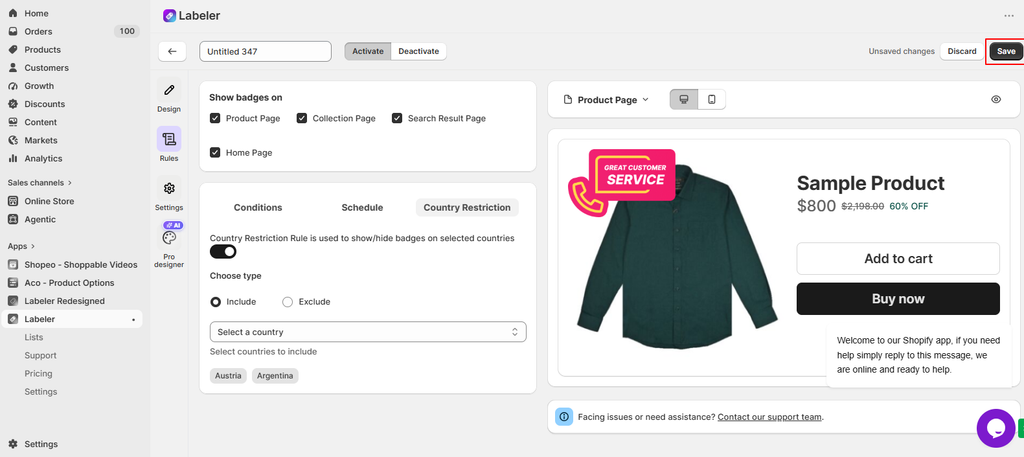
From your Shopify Admin, go to Apps → Labeler and open the badge you want to configure. Then go to the Rules section.
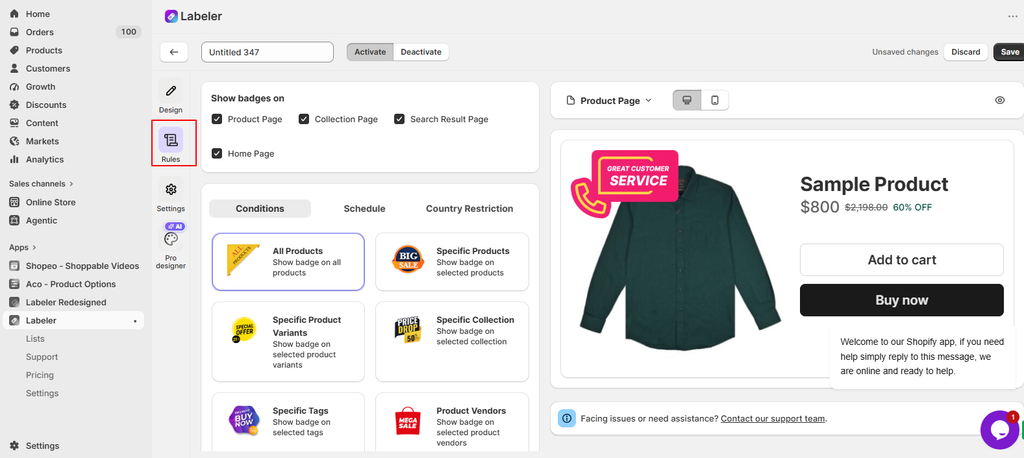
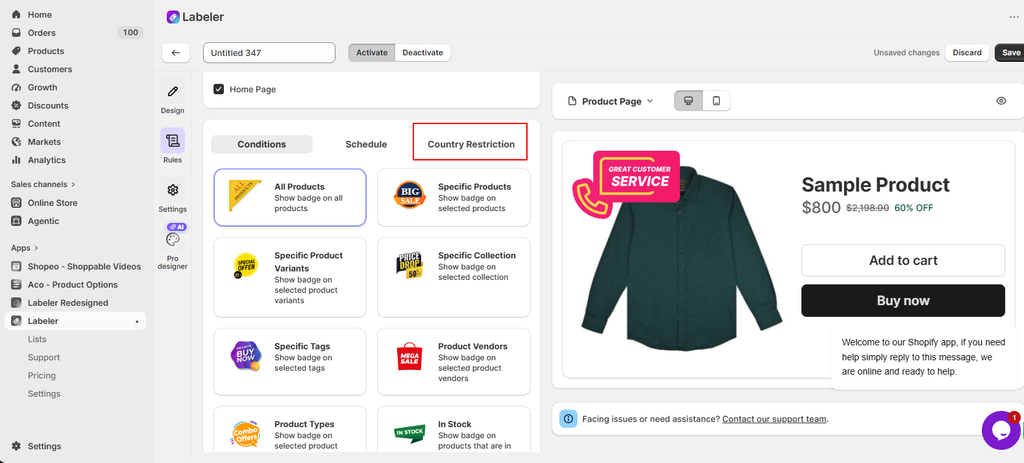
In the Rules section, select the Country Restriction tab. You will see the option to enable country-based restrictions for the badge.
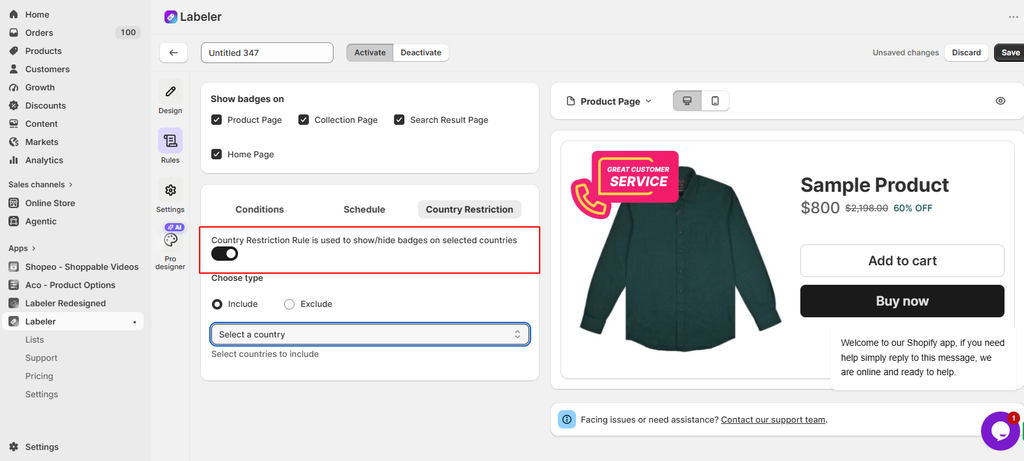
Enable the Country Restriction Rule toggle. Once enabled, you can choose whether the selected countries should be included or excluded.
Under Choose type, select either Include or Exclude.
Then click Select a country and choose the required country or countries.
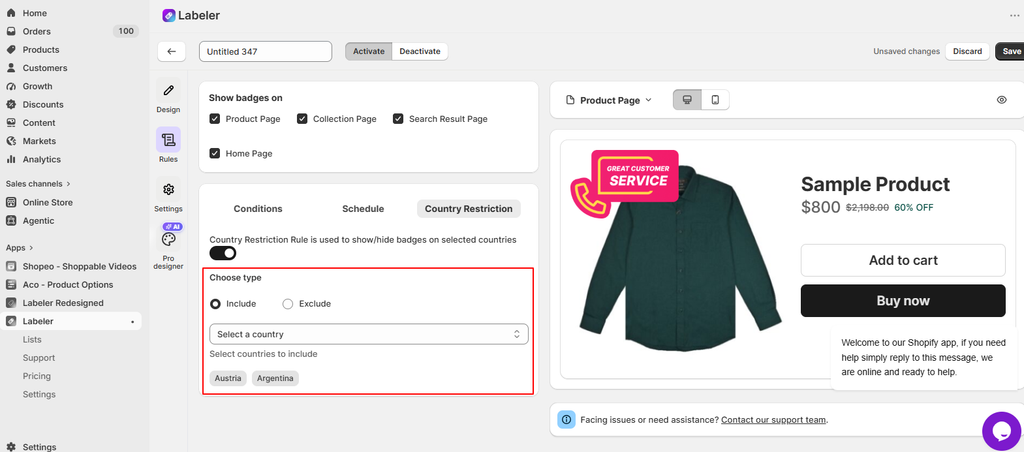
Once the country restriction and display settings are configured, click Save in the top-right corner to apply the changes.
If you have questions about our plugin(s), are experiencing issues with any of our plugin






















 Login
Login
 Cart
Cart BUY THIS PLUGIN
