















 Login

 Cart
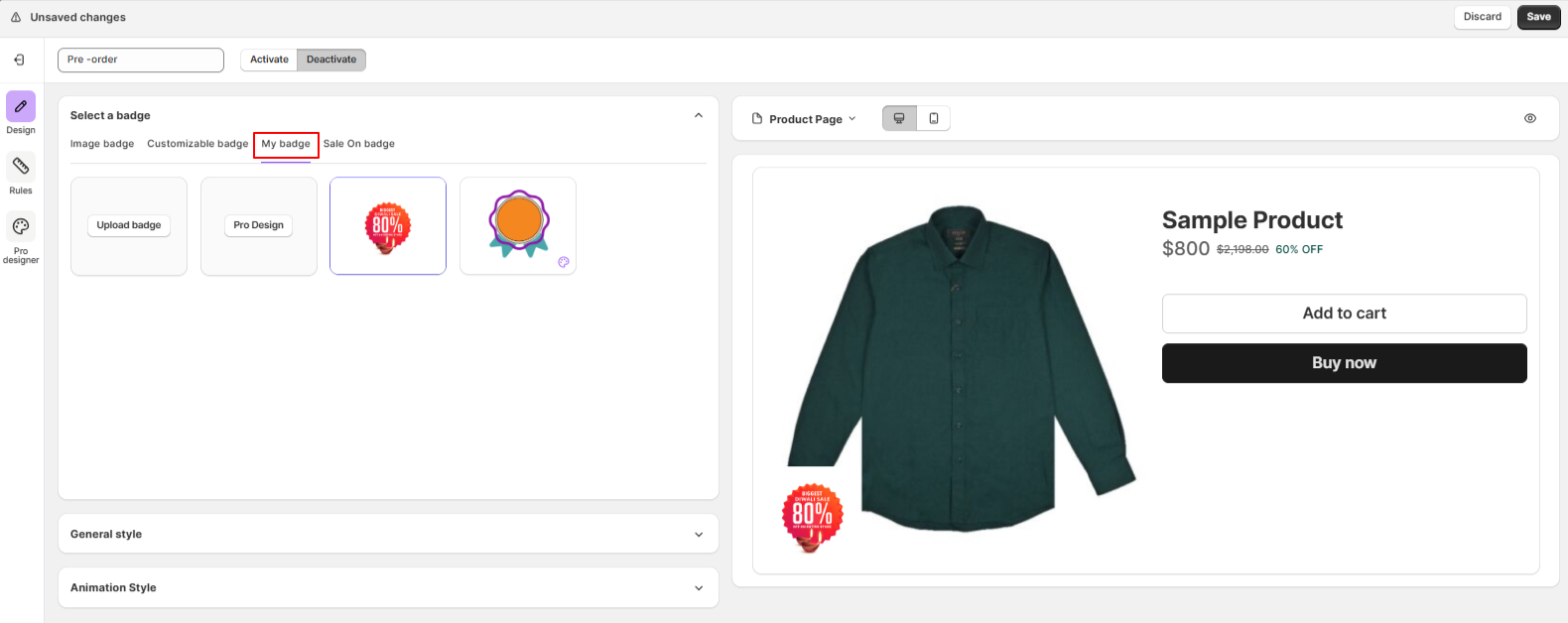
All your uploaded or designed badges are visible under the My Badges section, which you can find within the Badges/Labels Settings of the Labeler app. This section displays a complete list of badges you’ve created, allowing you to review, edit the general settings or animation, etc, in one place.
Was this article helpful?
Thanks for letting us know.
Sorry about that. Ask our support team and we will help you set it up.