


















 Login

 Cart
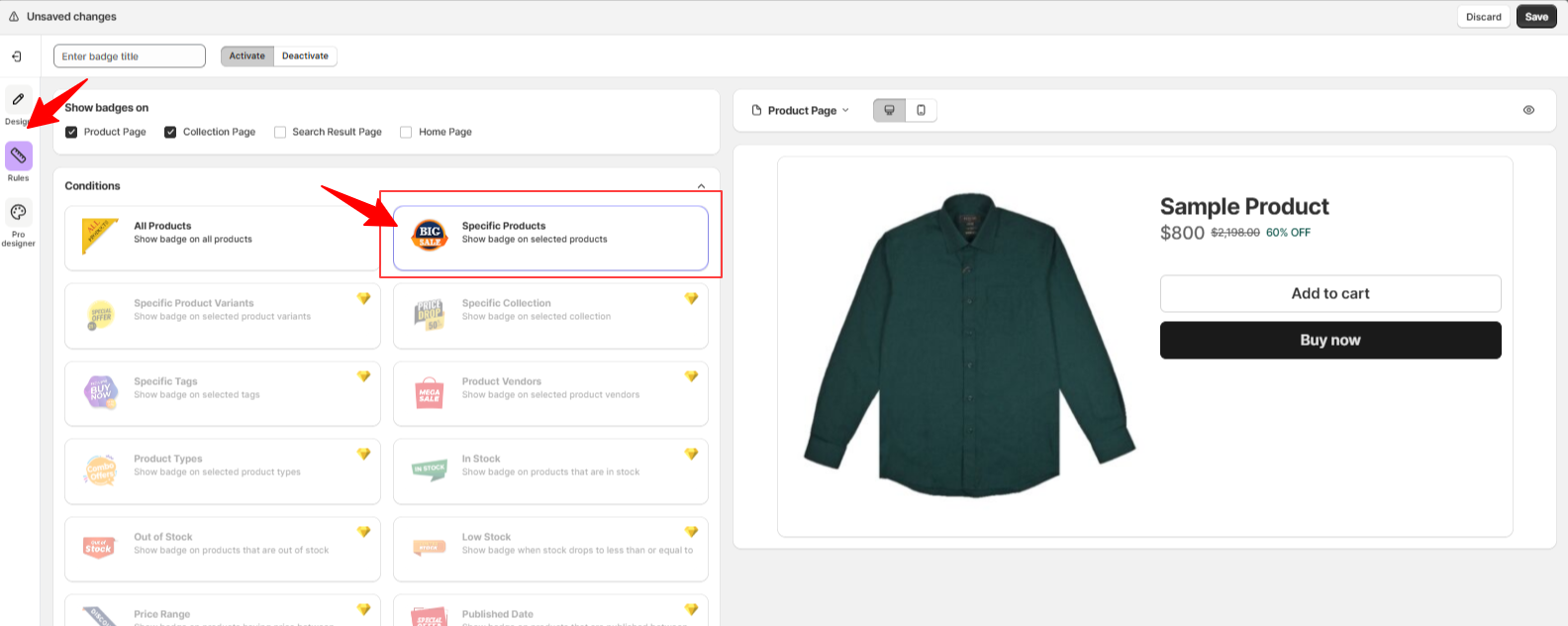
You can apply labels to individual products by using the “Specific Products” condition when creating your label. Here’s how to do it:
How to apply a label to individual products:
1. Create a new label or edit an existing one in the Labeler app.
2. In the Badge/Label settings, Go to Rules, then under Conditions, choose “Specific Products.”
3. You’ll see an option where you can add the products you want the label to appear.
4. Select or search the products to the list and click on Save to update the changes.
The label will then only show up on those selected products.
Was this article helpful?
Thanks for letting us know.
Sorry about that. Ask our support team and we will help you set it up.