To automatically open the chat widget after a specified delay, navigate to Widget Settings → Behavior within the CartEasy app.
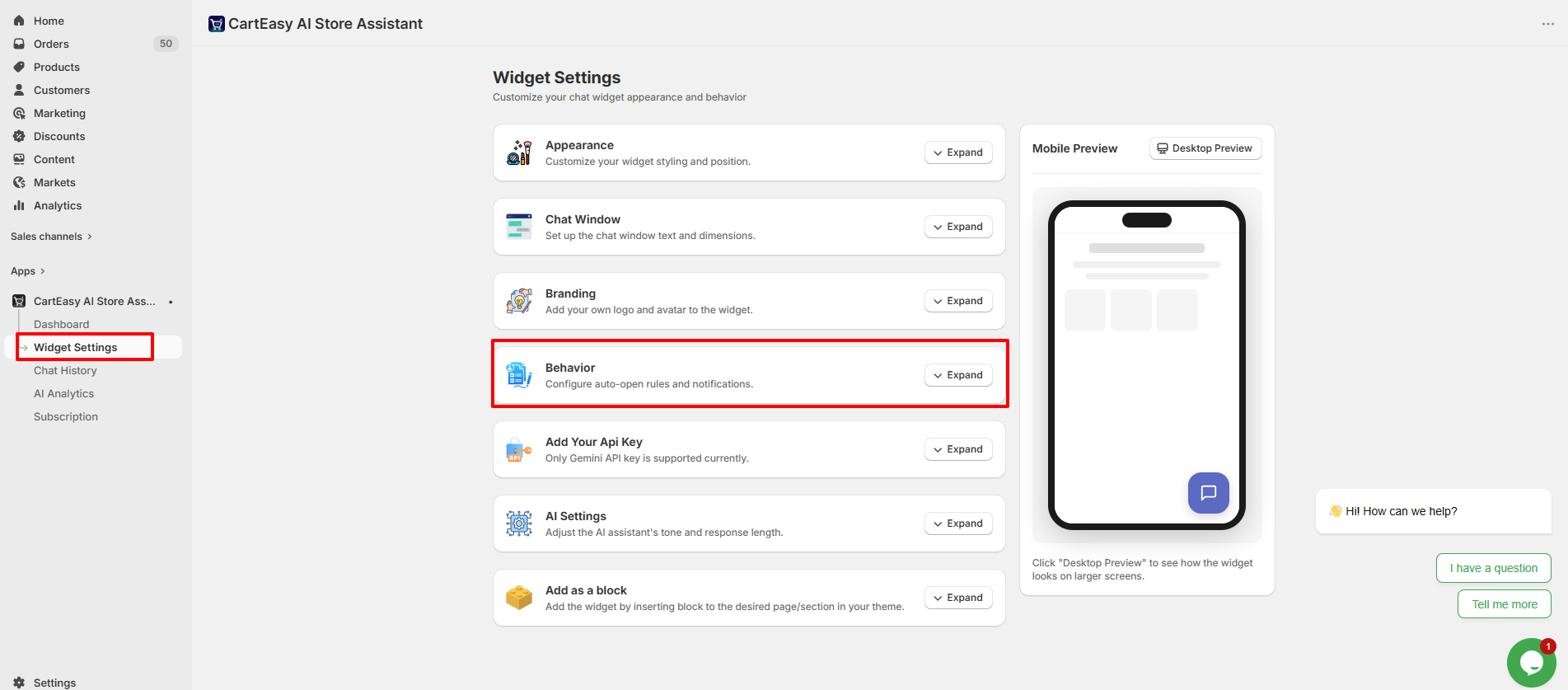
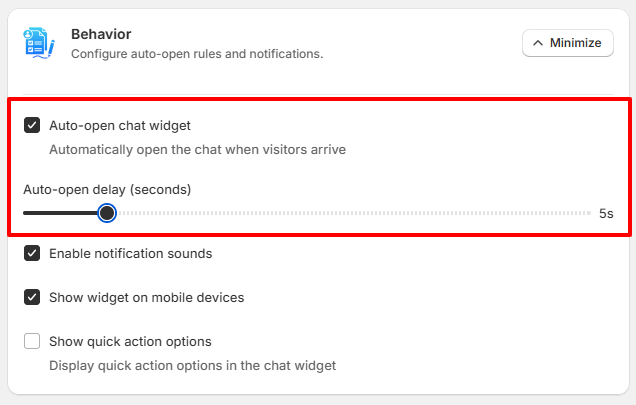
Once enabled, the chat widget will automatically open for visitors after the configured delay, helping you proactively engage customers and encourage conversations.
If you have questions about our plugin(s), are experiencing issues with any of our plugin











 Login
Login
 Cart
Cart