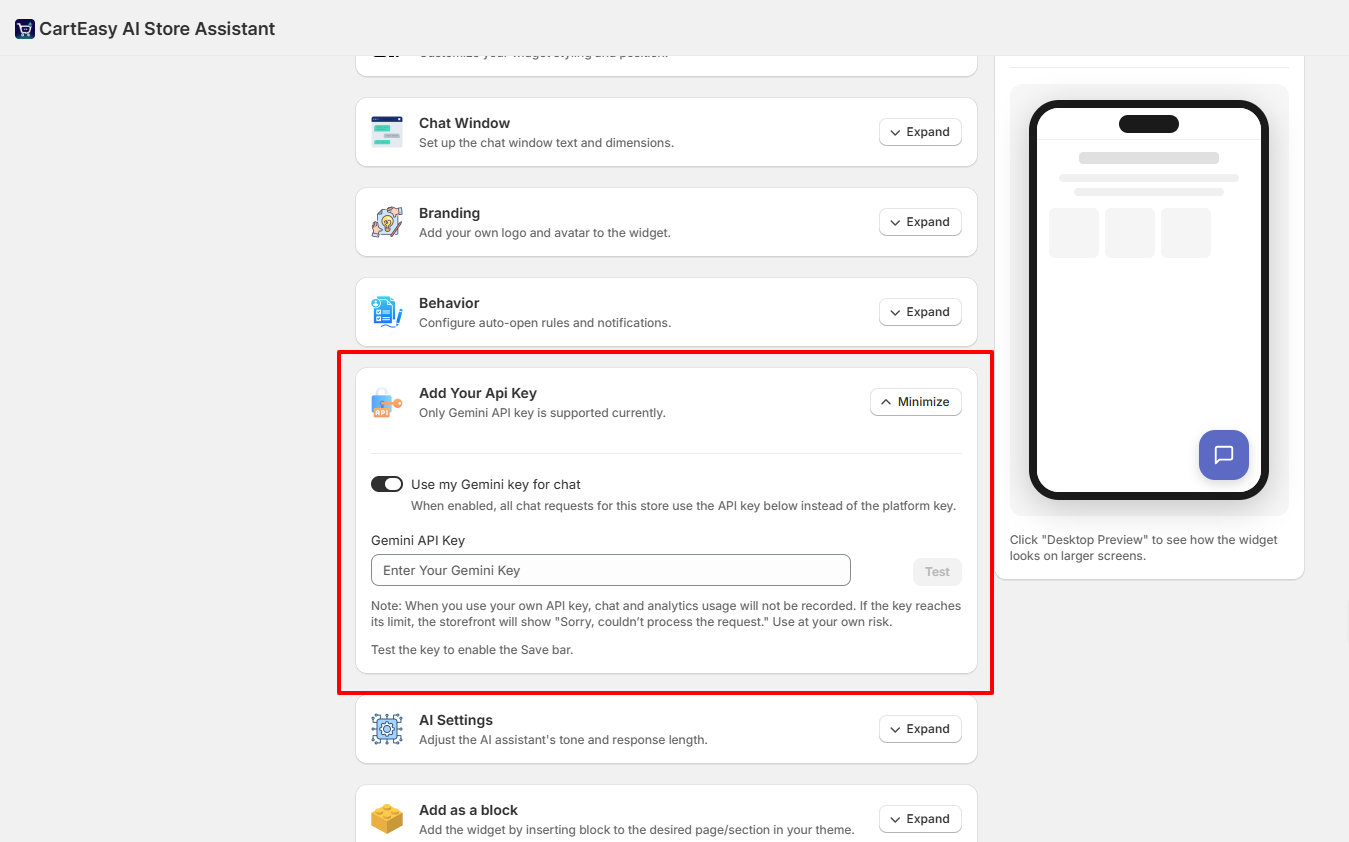
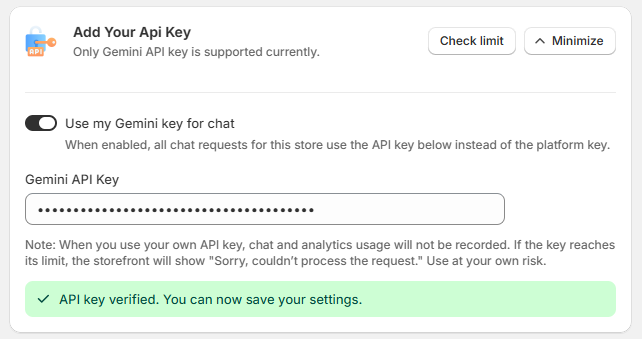
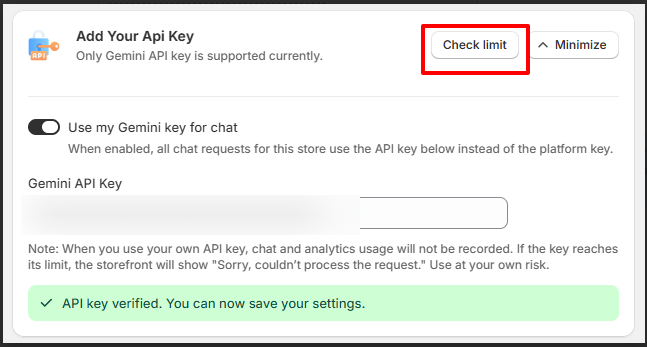
By default, the app uses its own platform key to process assistant replies. If you prefer to use your own Google Gemini API key to bypass default usage limits or gain more direct control, you can connect it directly in your dashboard.
Important Note: When you use your own API key, chat and analytics usage will not be recorded by the app. Furthermore, if your custom key reaches its Google quota or billing limit, the storefront assistant will display the error: “Sorry, couldn’t process the request.”
If you have questions about our plugin(s), are experiencing issues with any of our plugin









 Login
Login
 Cart
Cart