














 Login

 Cart
To automatically open the chat widget after a specified delay, navigate to Widget Settings → Behavior within the CartEasy app.
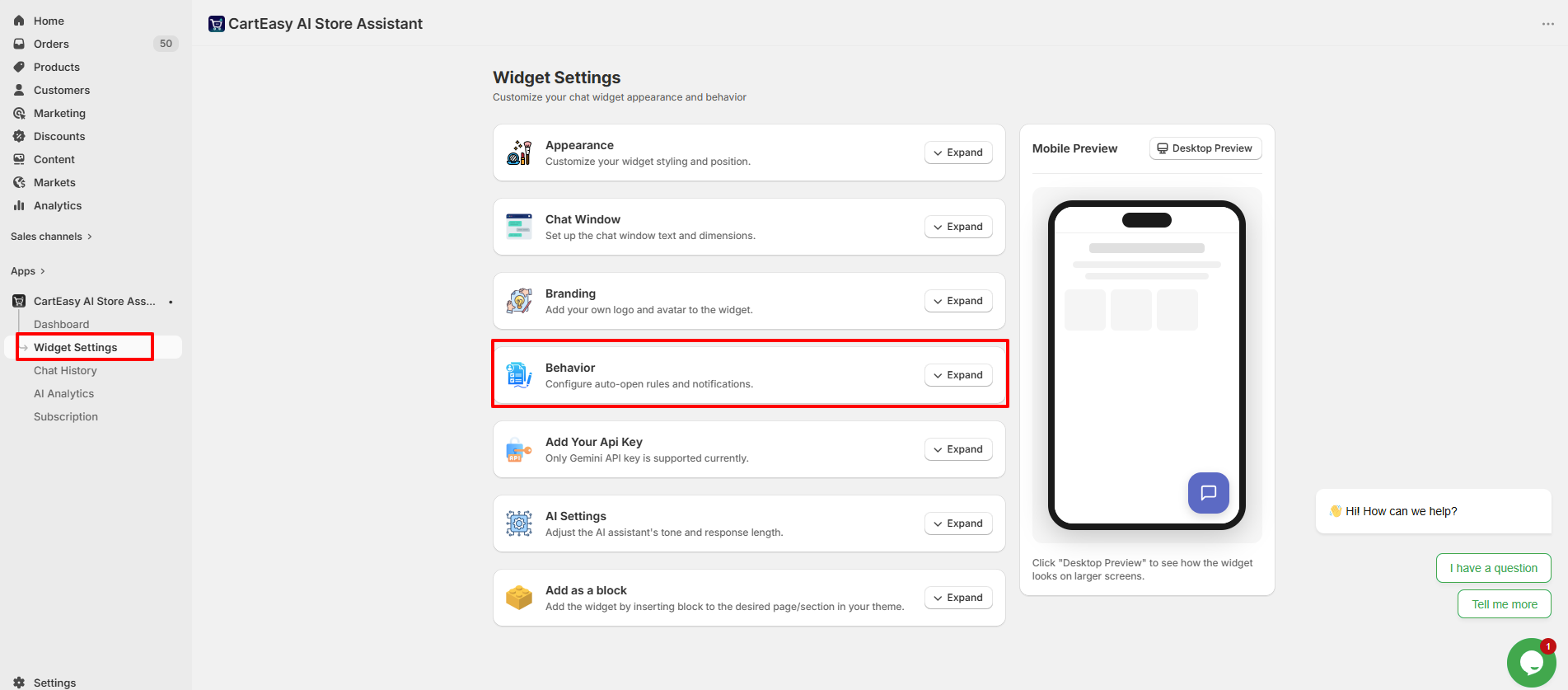
- Open Widget Settings from the CartEasy dashboard.
- Expand the Behavior section.
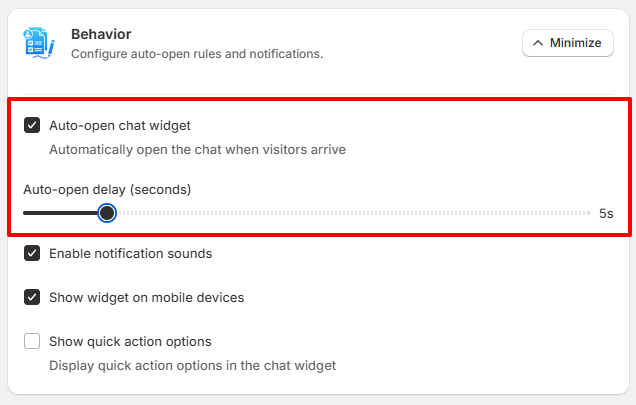
- Enable the Auto-open chat widget option by checking the checkbox.
- Use the Auto-open delay (seconds) slider to specify how long the app should wait before opening the chat widget automatically after a visitor arrives in your store.
- Save your changes.
Once enabled, the chat widget will automatically open for visitors after the configured delay, helping you proactively engage customers and encourage conversations.
Was this article helpful?
Thanks for letting us know.
Sorry about that. Ask our support team and we will help you set it up.