















 Login

 Cart
The CartEasy AI Assistant allows your shoppers to instantly look up their recent order details, check delivery statuses, or view the current items in their shopping cart directly inside the chat interface using natural language.
How to Check Order Status
To safeguard user privacy, the AI requires a quick, one-time authentication before disclosing any personal order history or customer data.
Step 1: Prompt the AI Assistant
Shoppers can initiate an order lookup by typing standard queries into the chat box, such as:
- “Track my order”
- “What is my order status?”
- “Show my recent order details”
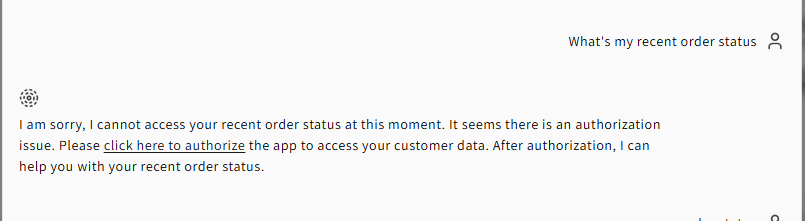
Step 2: Authenticate and Authorize
If it is the shopper’s first time requesting order data during their session, the AI will note an authorization requirement.
- Click the “click here to authorize” hyperlink inside the chat window.
- A secure login pop-up window will appear (shopify.com/authentication/…).
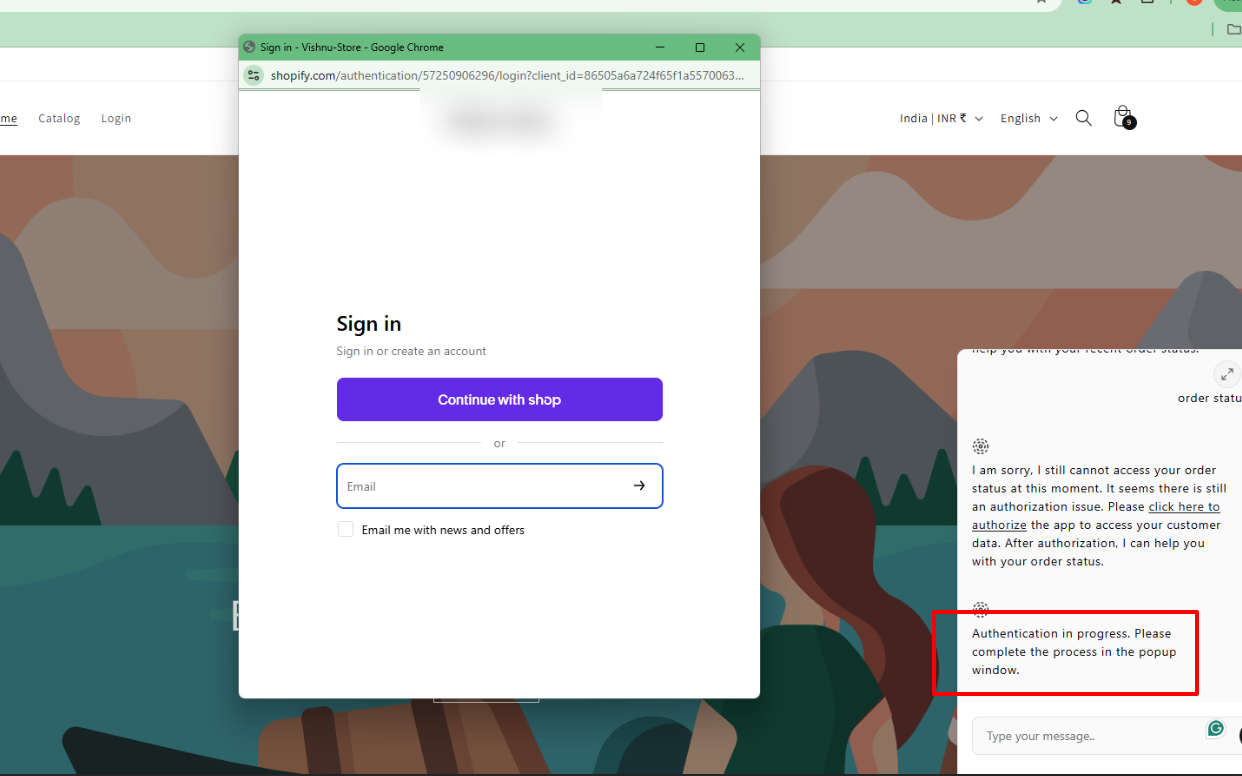
- The shopper can click Continue with Shop or log in manually by entering their store-registered email address.
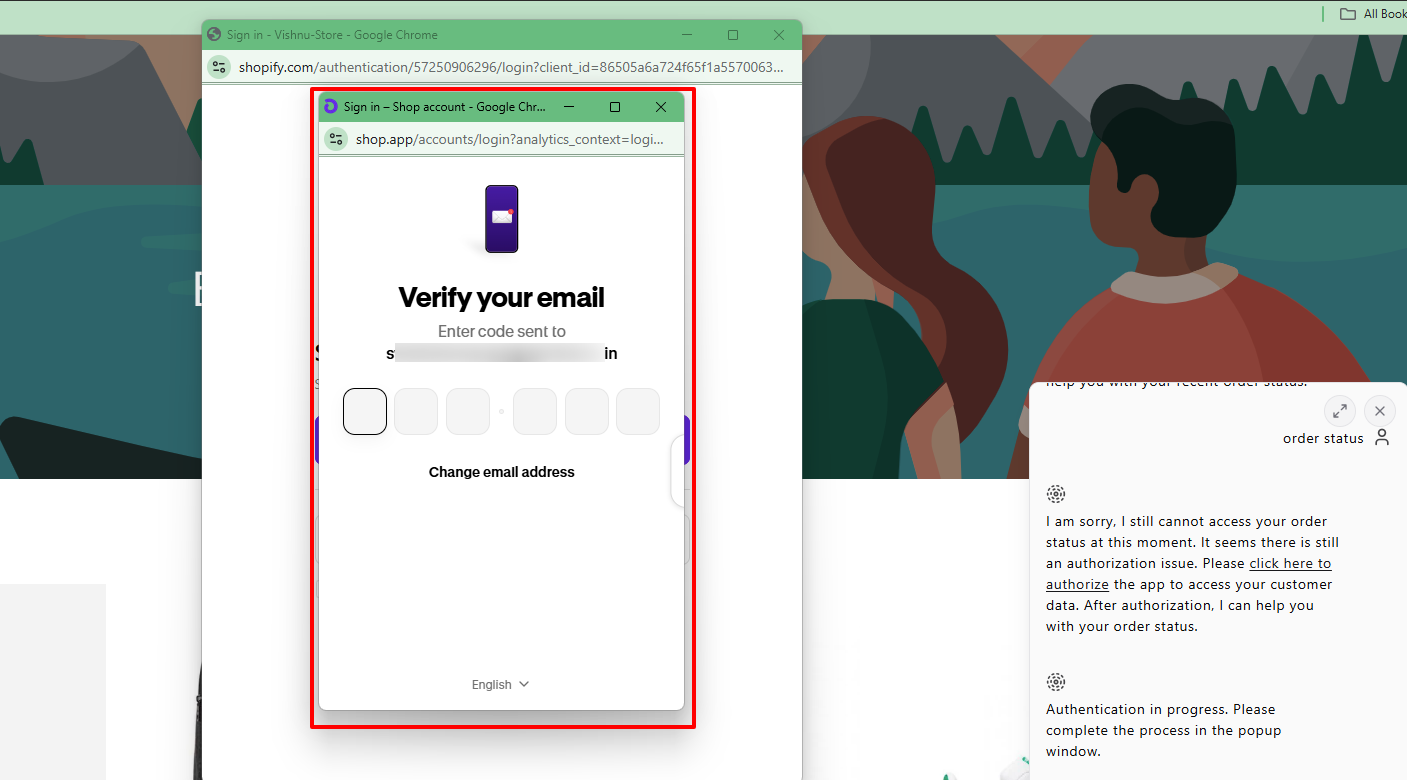
- A 6-digit verification OTP (One-Time Password) will automatically be sent to the shopper’s email account.
- Enter the OTP in the verification pop-up to complete the secure handshake.
Step 3: View Order Details
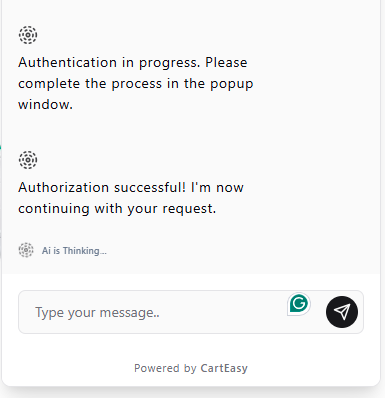
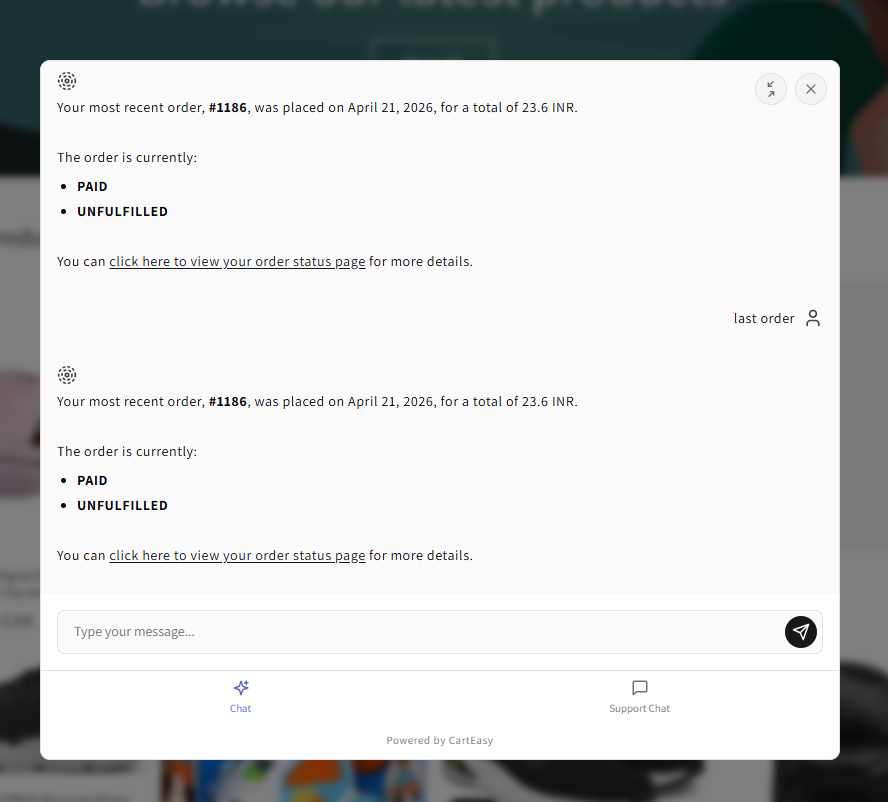
Once verified, the chat widget will display an “Authorization successful! I’m now continuing with your request” message. The AI will then immediately pull and display their matching real-time order data and fulfilment updates.
How to View the Shopping Cart
Checking cart items does not require an email verification link since cart data is stored locally within the browser session.
Shoppers can interact with the assistant using simple text phrases to quickly review their selections:
- “What’s in my cart?”
- “Show my cart items”
- “View my current cart”
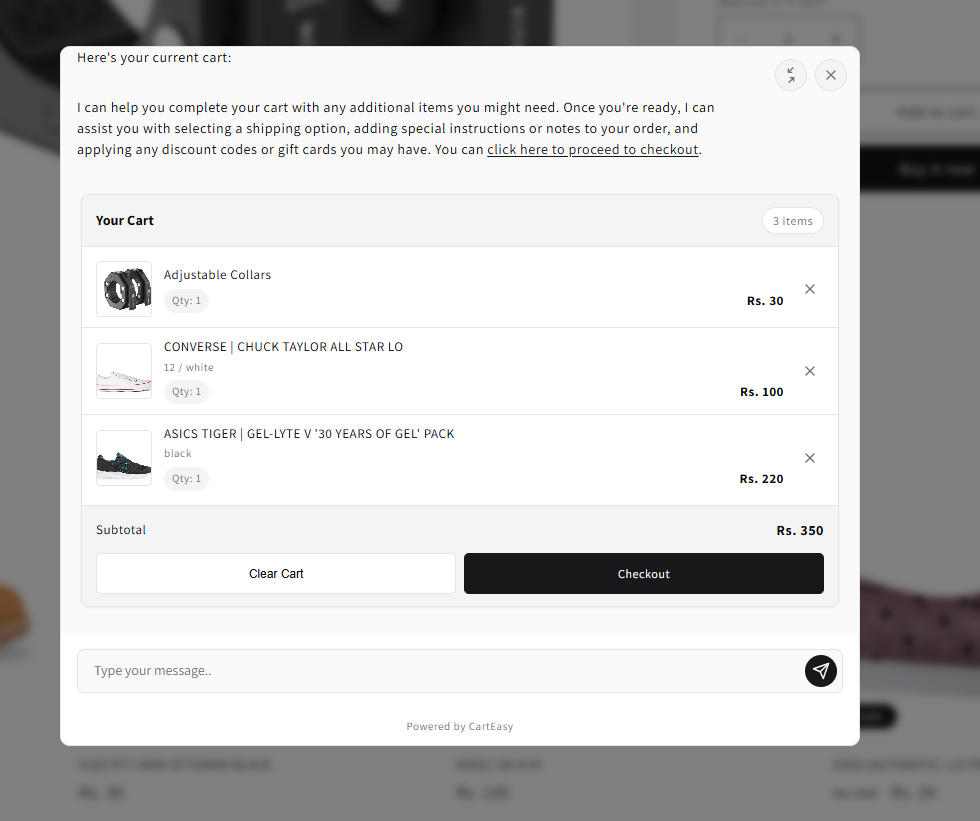
The AI will output a live summary of all variants currently placed in the basket, helping shoppers review their choices right before heading to checkout.
Was this article helpful?
Thanks for letting us know.
Sorry about that. Ask our support team and we will help you set it up.