Knowledge Base

Hi, How can we help?

How can I add predefined Quick Questions for first-time shoppers?

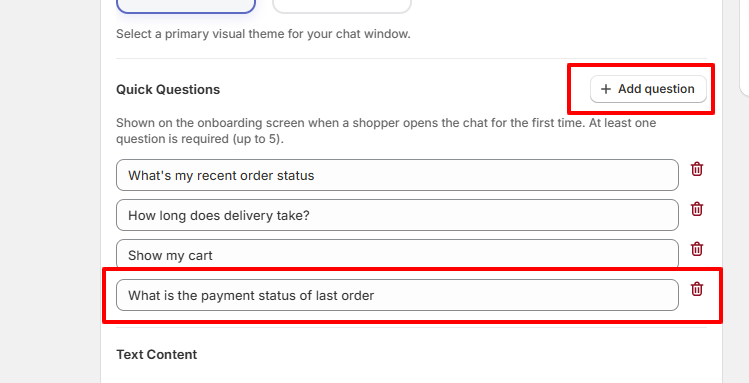
To add predefined Quick Questions that are displayed when a shopper opens the chat widget for the first time, navigate to Widget Settings → Chat Window in the CartEasy dashboard.
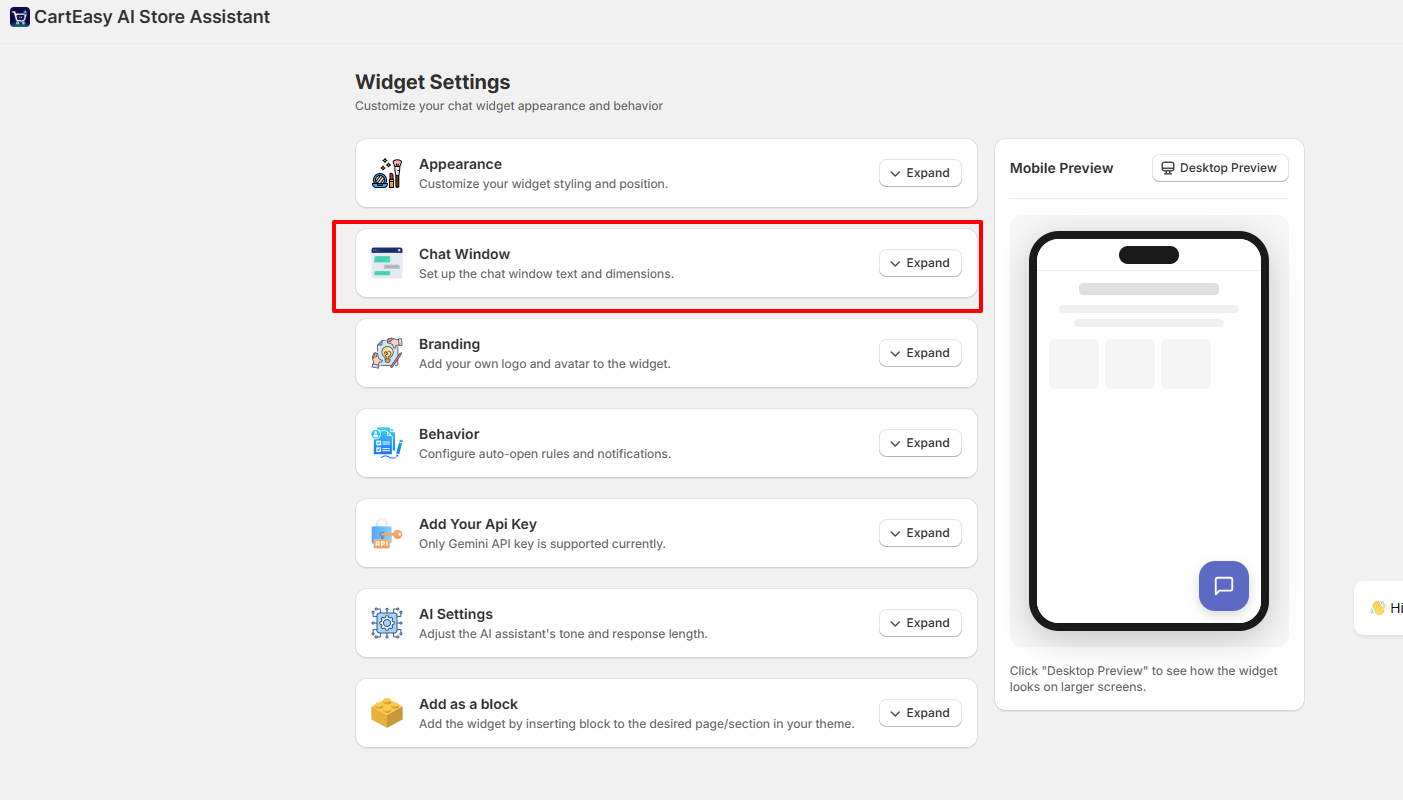
  1. Open Widget Settings.
  2. Expand the Chat Window section.
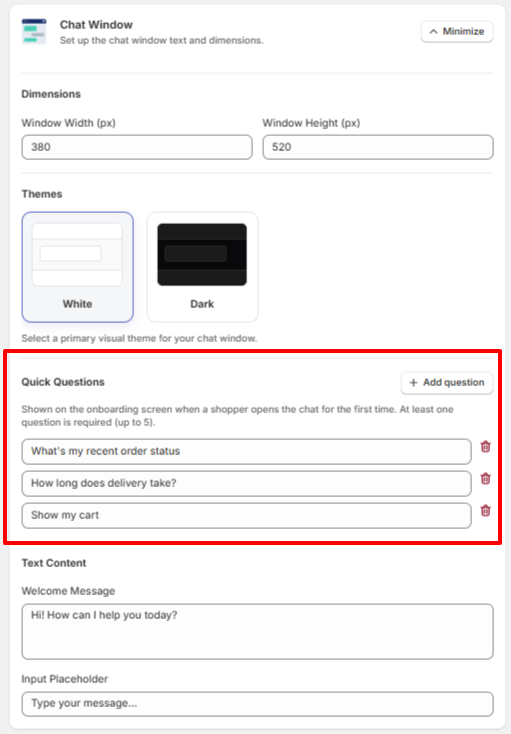
  3. Scroll down to the Quick Questions area.

  1. Click + Add Question to add a new predefined question.
  2. Enter the question text that you want shoppers to see.
  3. Repeat the process to add additional questions as needed.
  4. Save your changes.


Please note the below recommendations:

  • At least one Quick Question is required.
  • You can add up to 5 Quick Questions.
  • No question can be left blank.
  • These questions are shown on the onboarding screen when a shopper opens the chat widget for the first time, helping them start a conversation quickly.
  • No questions if created can be empty.

Customer Support

If you have questions about our plugin(s), are experiencing issues with any of our plugin