Knowledge Base

Hi, How can we help?

How can I add the AI Assistant as a theme block on a product or landing page?

If you prefer to embed the CartEasy AI Assistant directly into a specific page, such as a product page or a landing page, rather than using the floating chat bubble, you can easily add it as a theme block.

Important Note: Enabling the Assistant as an embedded theme block will automatically disable the default floating storefront chat widget bubble across your store.
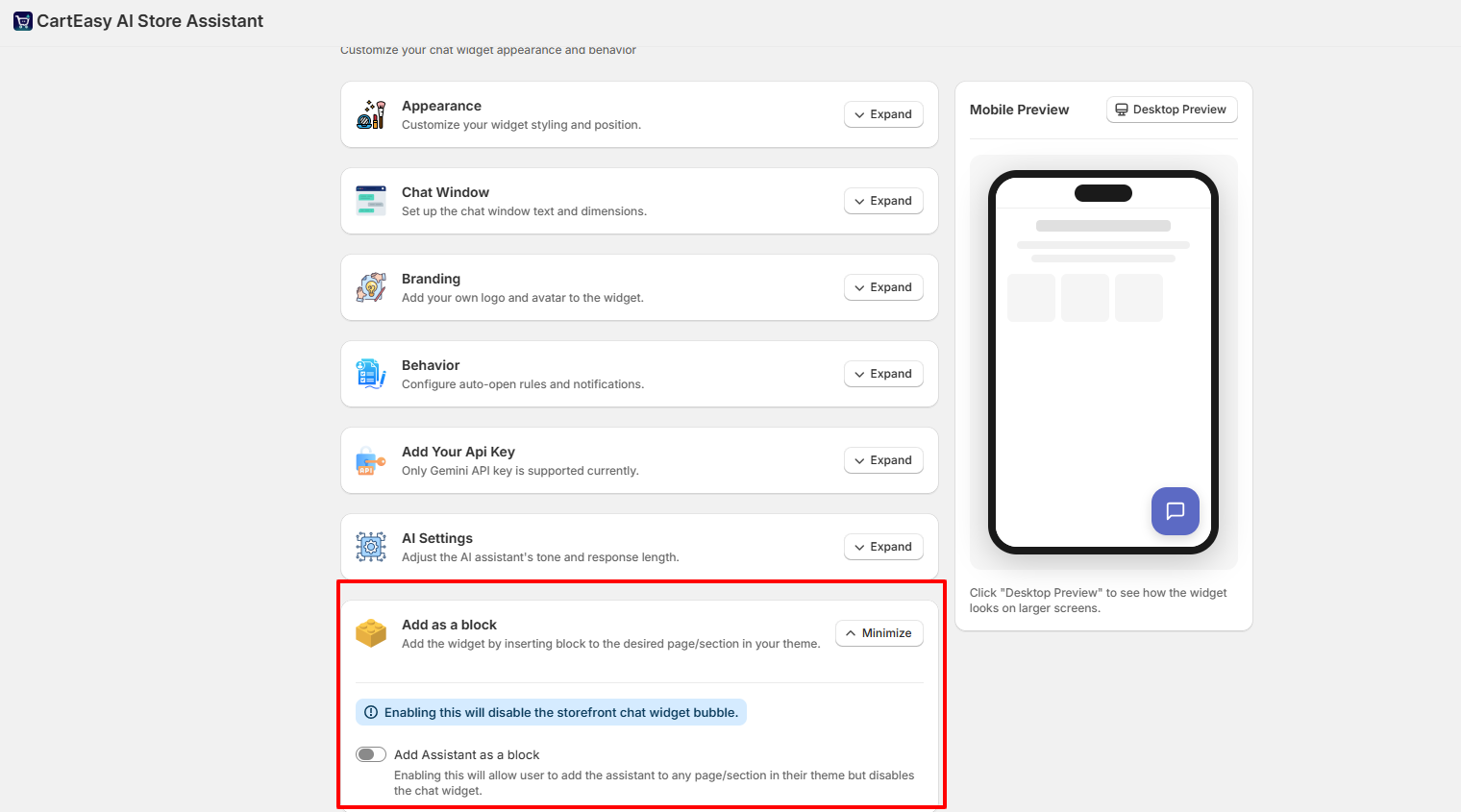
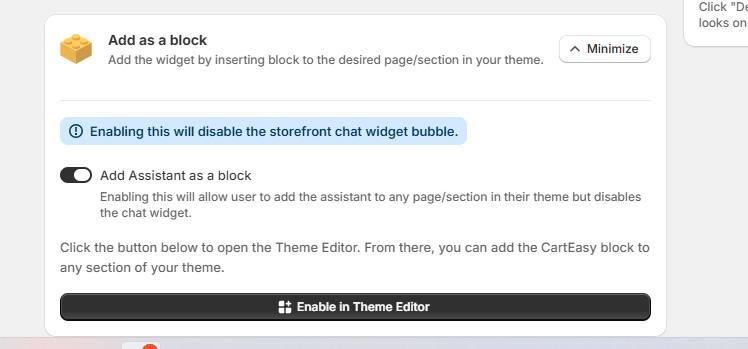
Step 1: Enable the Block Feature in App Settings

  1. Open the CartEasy AI Assistant app in your Shopify admin.
  2. Scroll down and click on  Add as a block section 
  1. Toggle the switch to enable Add Assistant as a block.
  2. Click the Enable in Theme Editor button. This will automatically redirect you to your Shopify Theme Editor.

Step 2: Add the Block in the Shopify Theme Editor

  1. Once the Theme Editor opens, navigate to the specific page or template where you want the assistant to appear (e.g., Home page, Default product page).
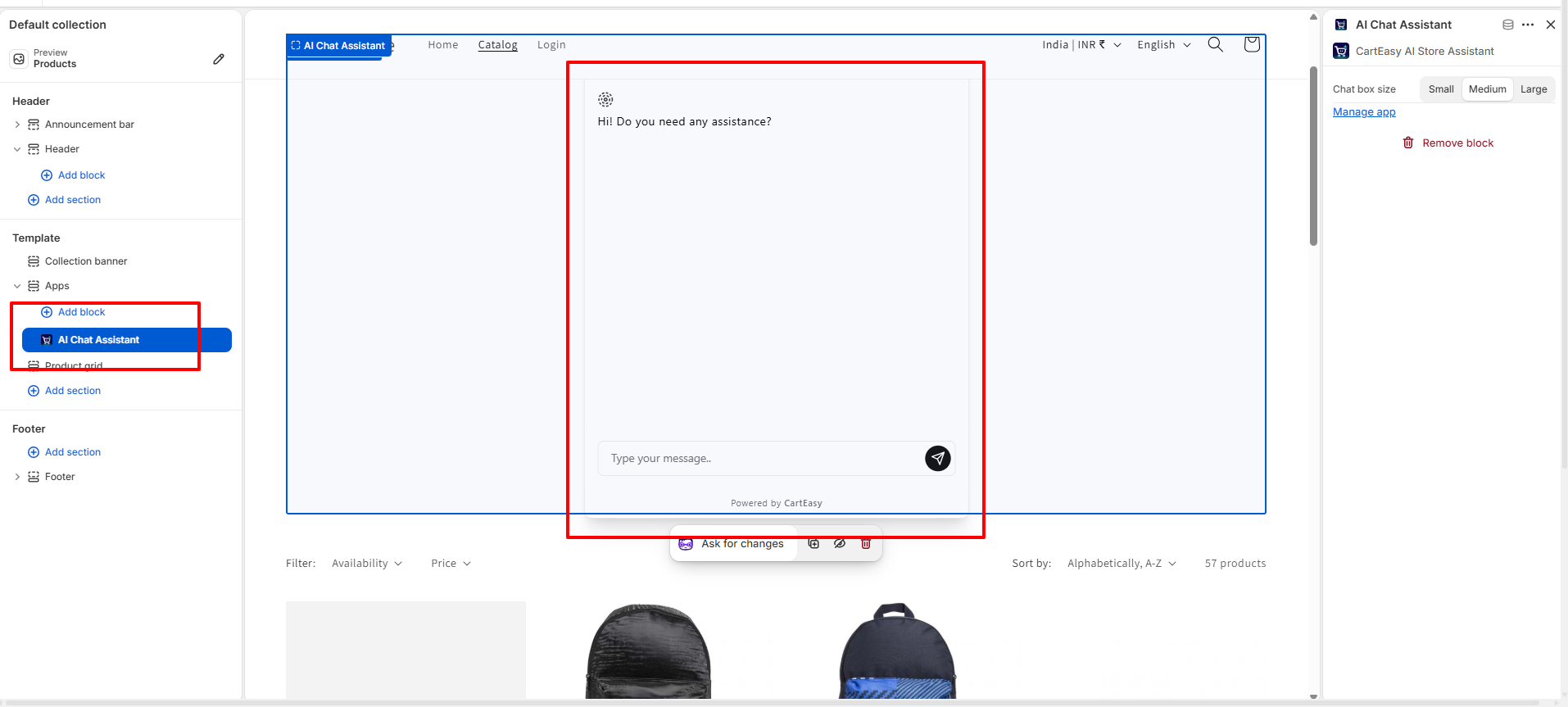
  2. In the left-hand sidebar menu, scroll to the desired section and click Add section or Add block.
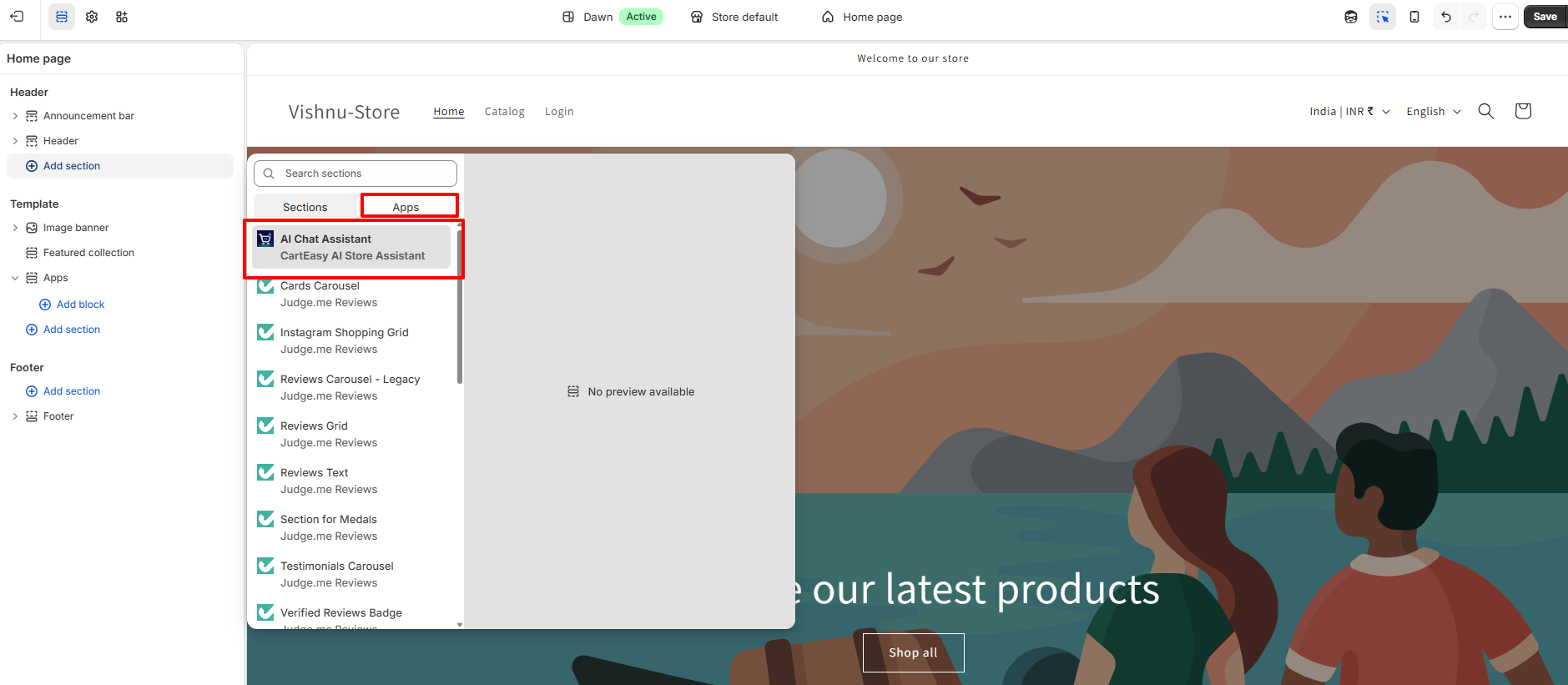
  3. In the pop-up menu, switch to the Apps tab.
  4. Select AI Chat Assistant (CartEasy AI Store Assistant) from the list.
  5. Drag and drop the block to your preferred position on the page.
  1. Click Save in the top right corner of the Theme Editor to publish your changes.

Critical Placement Rules

Before configuring your block layout, please keep the following operational rules in mind:

  • One Block Per Page Limit: The AI Assistant block can only be added once per page template. Adding multiple instances of the block on a single page is not supported.
  • Chat Bubble Suppression: If the Add Assistant as a block option is active, the floating chat bubble will automatically be completely hidden from your storefront.
  • Exclusive Visibility Mode: Only one layout mode can be active at any given time. You must choose between utilising the floating storefront chat bubble or the embedded theme block layout.

Customer Support

If you have questions about our plugin(s), are experiencing issues with any of our plugin