Knowledge Base

Hi, How can we help?

Where can I see which products shoppers searched for the most?

These details can be seen on the AI Analytics.

The AI Analytics dashboard provides deep insights into your customers’ behavior, helping you understand how shoppers interact with your AI assistant, what topics they care about, and which items are driving the most interest. 
How to Find Top Searched Products

To see which products your customers are searching for the most via the AI assistant, follow these steps:
  1. Open the CartEasy AI Store Assistant app in your Shopify admin.
  2. From the left-hand app navigation menu, click on AI Analytics.
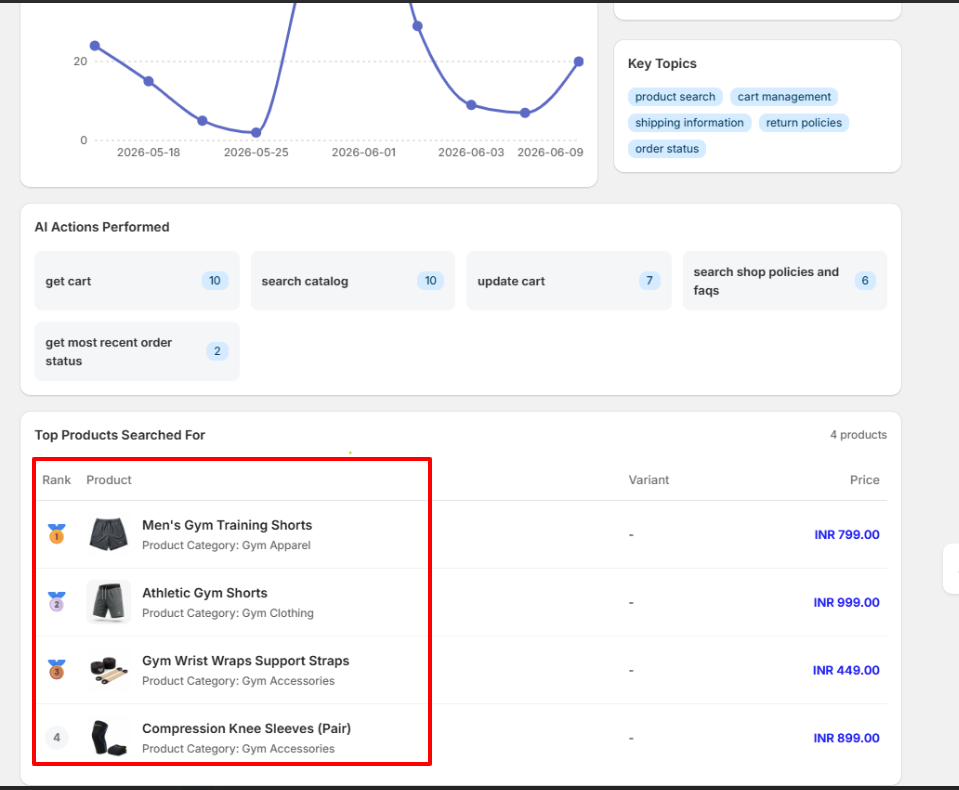
  3. Scroll down past the main traffic charts to the Top Products Searched For section at the bottom of the page.

What Metrics Can You Track Here?

The analytics panel breaks down data into several actionable cards:

  • Top Products Searched For: Displays a ranked leaderboard of your store’s items based on search volume. You can view the product name, image, category, variant specifications, and retail price. The absolute ranking is clearly indicated by medals and numbers on the left.
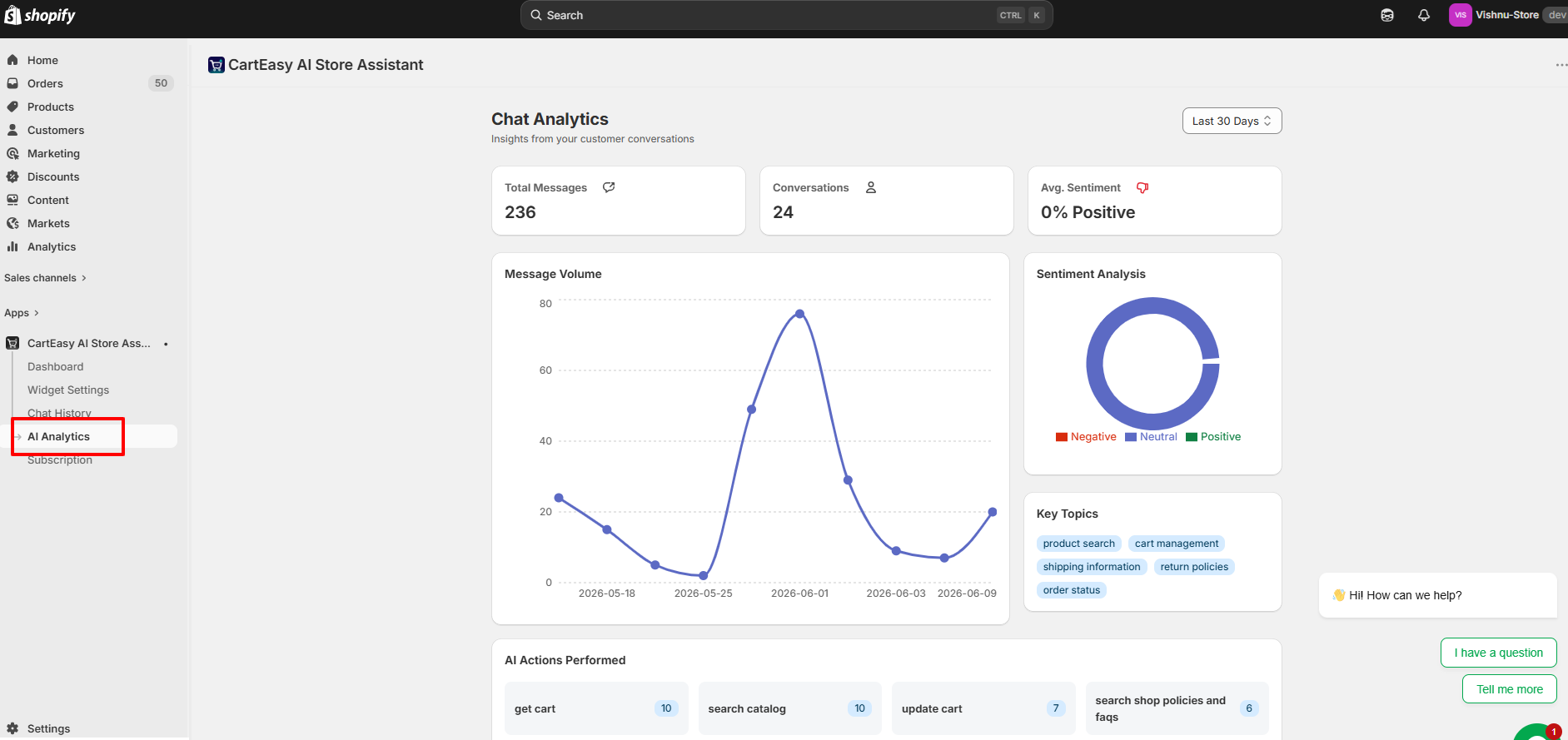
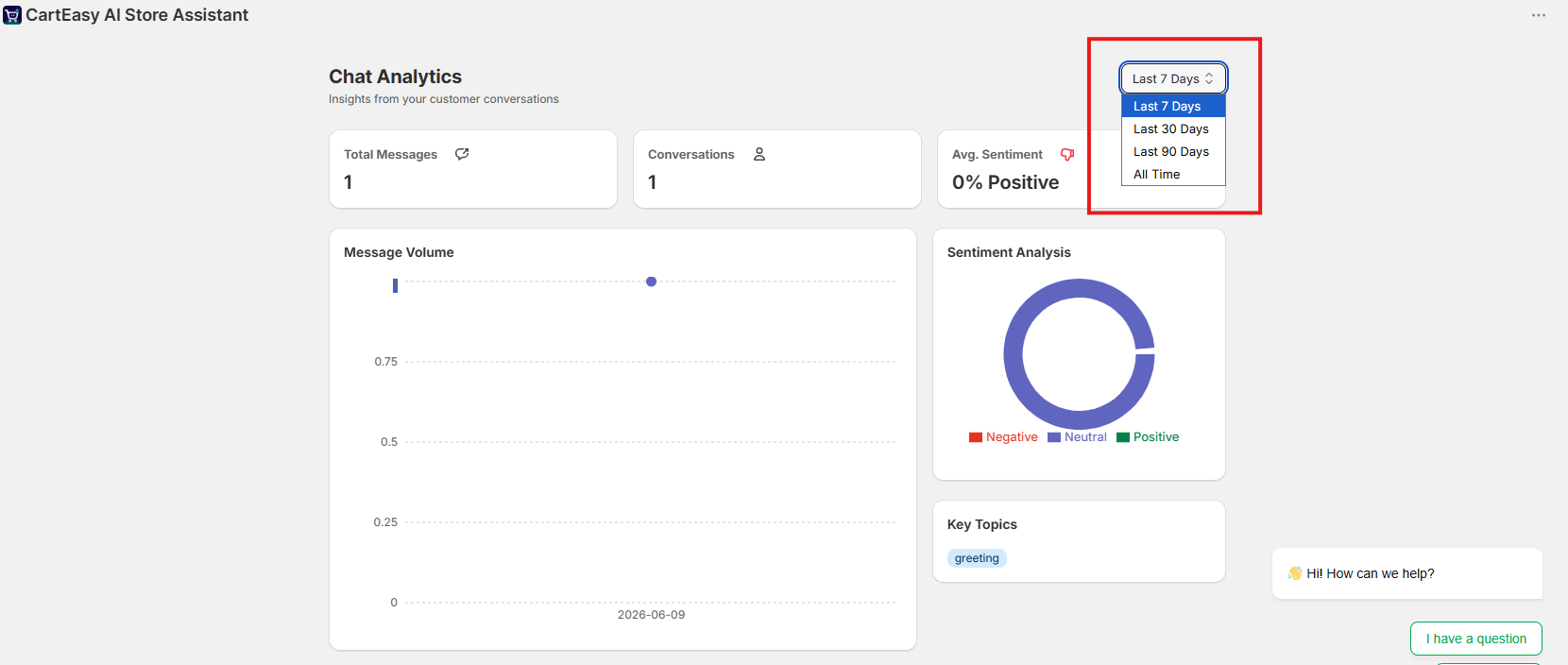
  • Core Interaction Metrics: Track your Total Messages, total active Conversations, and view a Message Volume timeline chart to pinpoint busy shopping days.
  • Sentiment Analysis: An AI-powered breakdown showing the overall tone (Positive, Neutral, Negative) of customer inquiries.
  • Key Topics: At-a-glance tags revealing popular customer intents, such as product search, cart management, shipping information, return policies, and order status.
  • AI Actions Performed: Tracks the specific technical tasks the AI successfully completed for users (e.g., fetching a cart, searching the catalog, updating cart quantities, or calling shop FAQs).

You can also use the date filter dropdown in the top right corner (e.g., Last 30 Days) to adjust the time window of your analytics reports.
Customer Support

If you have questions about our plugin(s), are experiencing issues with any of our plugin