The CartEasy AI Assistant allows your shoppers to instantly look up their recent order details, check delivery statuses, or view the current items in their shopping cart directly inside the chat interface using natural language.
To safeguard user privacy, the AI requires a quick, one-time authentication before disclosing any personal order history or customer data.
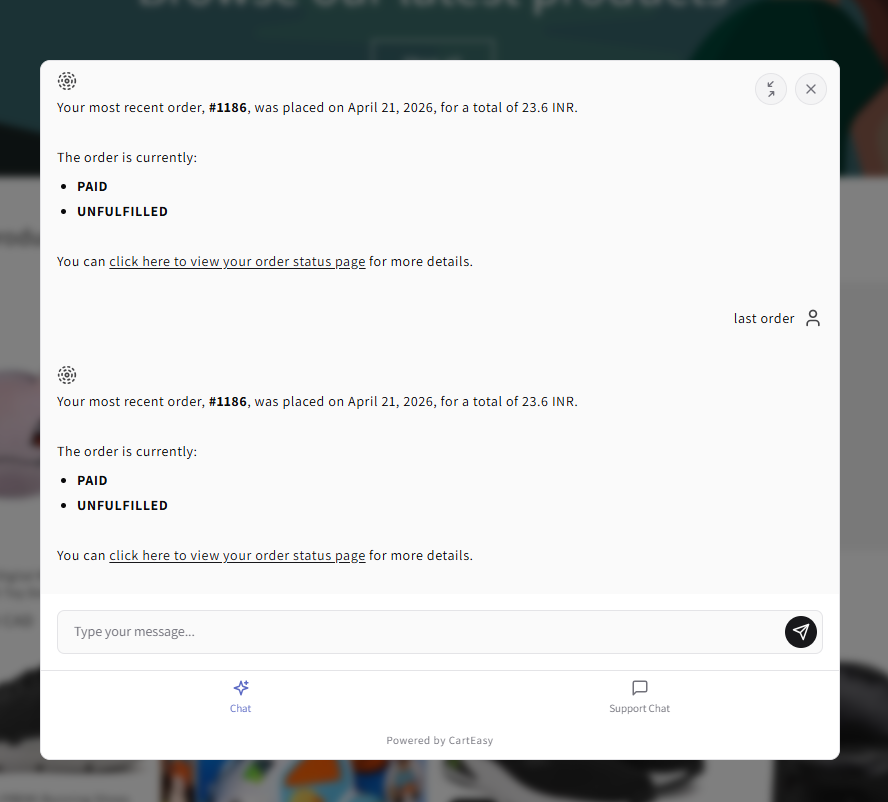
Shoppers can initiate an order lookup by typing standard queries into the chat box, such as:
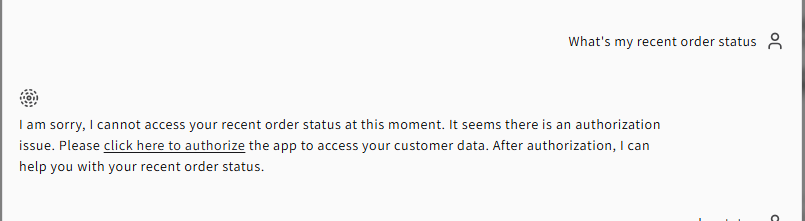
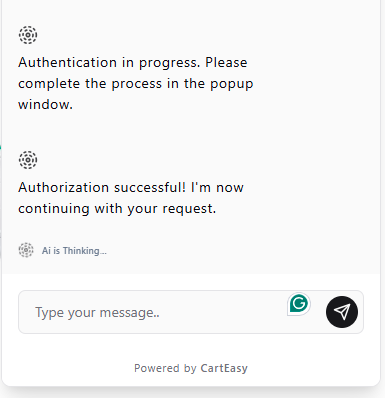
If it is the shopper’s first time requesting order data during their session, the AI will note an authorization requirement.
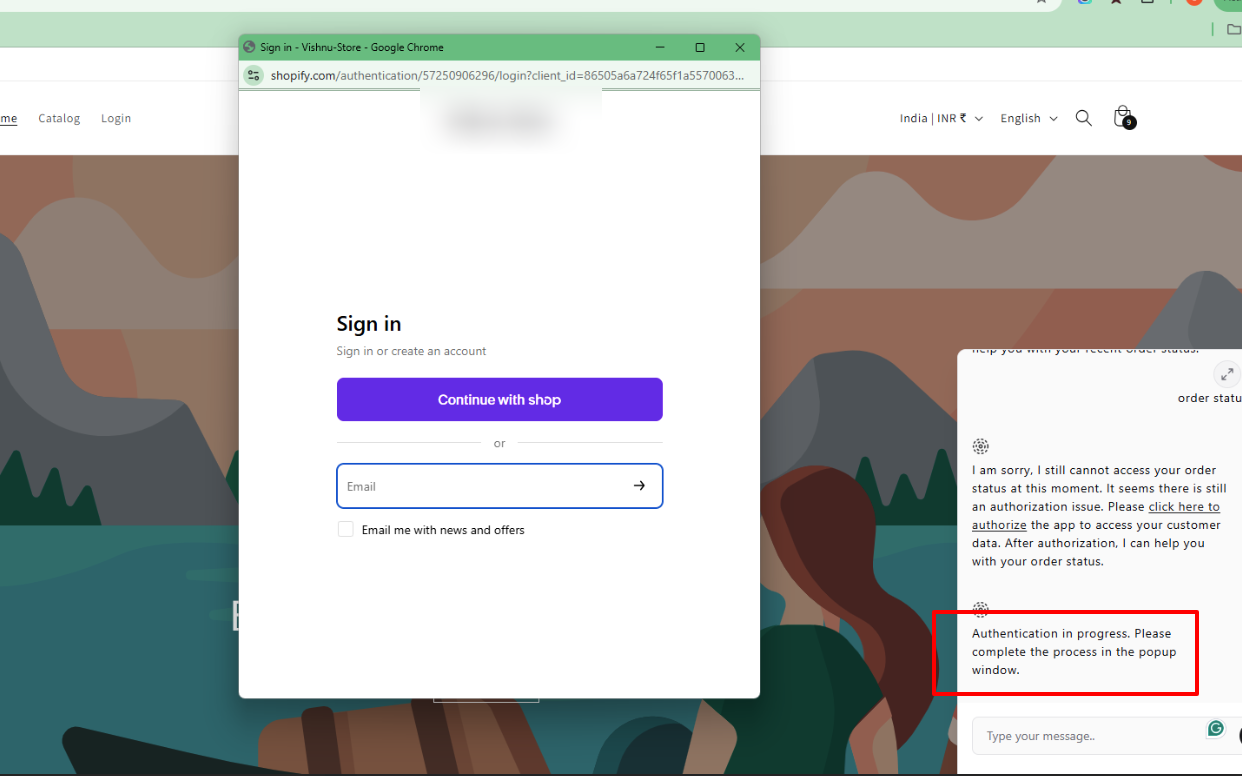
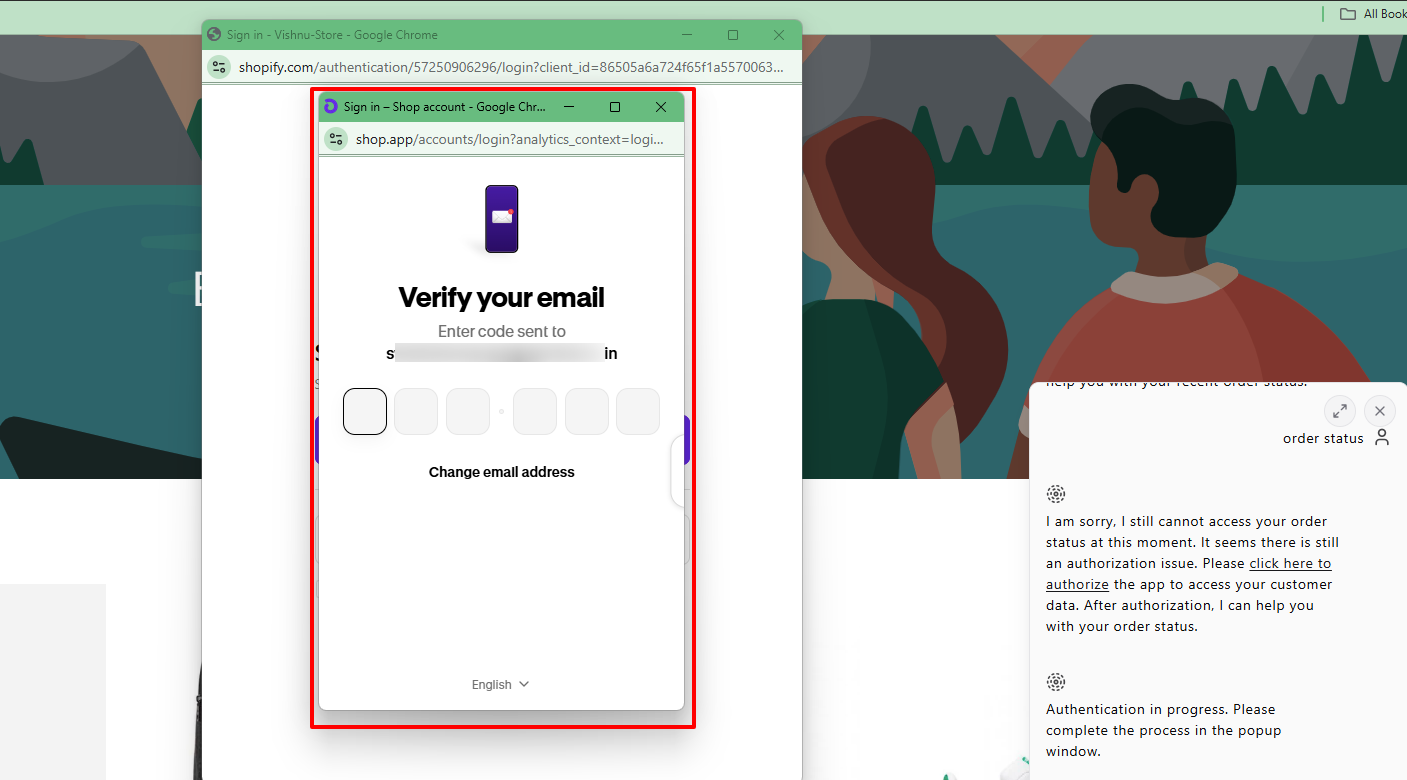
Once verified, the chat widget will display an “Authorization successful! I’m now continuing with your request” message. The AI will then immediately pull and display their matching real-time order data and fulfilment updates.
Checking cart items does not require an email verification link since cart data is stored locally within the browser session.
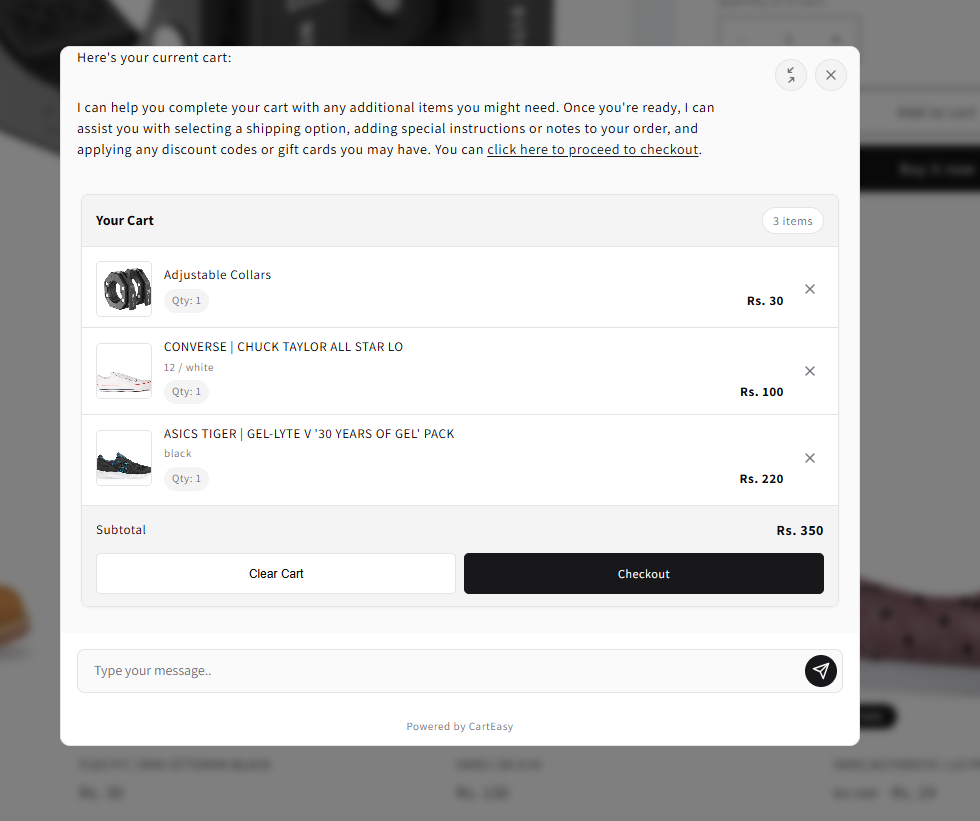
Shoppers can interact with the assistant using simple text phrases to quickly review their selections:
The AI will output a live summary of all variants currently placed in the basket, helping shoppers review their choices right before heading to checkout.
If you have questions about our plugin(s), are experiencing issues with any of our plugin










 Login
Login
 Cart
Cart