Knowledge Base

Hi, How can we help?

Does the chat widget support integration with third-party customer support platforms?

To give your shoppers the perfect balance of automated AI assistance and live human help, the CartEasy AI Store Assistant natively integrates with Tawk.to

Once configured, a dedicated live chat toggle appears directly inside the AI chat interface, allowing customers to switch from the AI assistant to your live customer support team seamlessly.
Setup Guide

Step 1: Enable the Tawk.to Integration

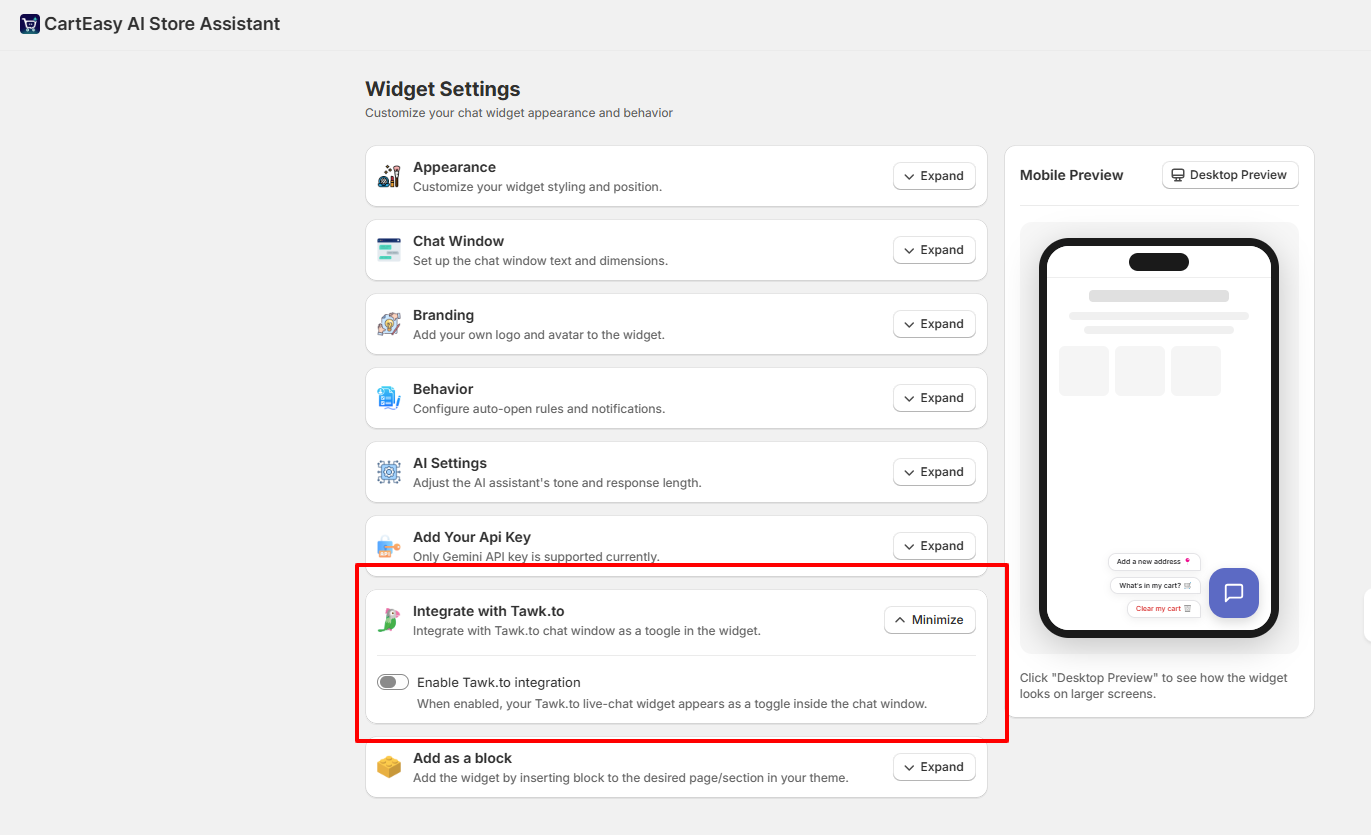
  1. Open the CartEasy AI Store Assistant app in your Shopify admin panel.
  2. Navigate to Widget Settings from the left-hand app menu.
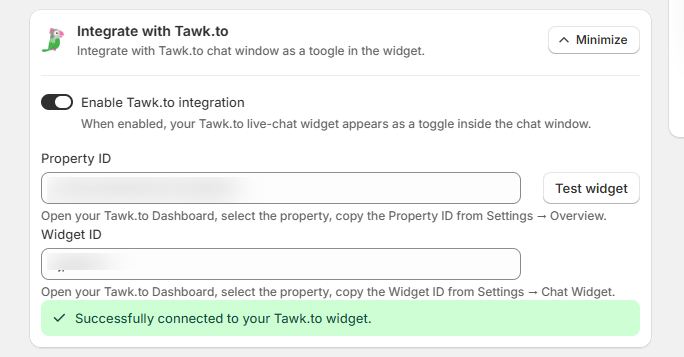
  1. Scroll down to the Integrate with Tawk.to section card and click Expand.
  2. Toggle the switch to enable Enable Tawk.to integration.

Step 2: Retrieve and Input Your Tawk.to Credentials

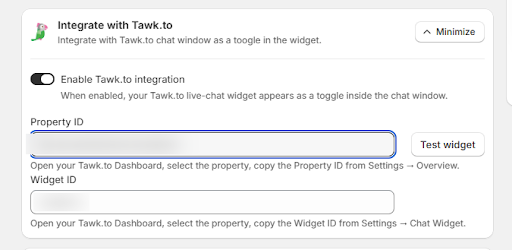
To link the platforms, you will need to pull your unique IDs directly from your Tawk.to account:
  1. Log in to your Tawk.to Dashboard.
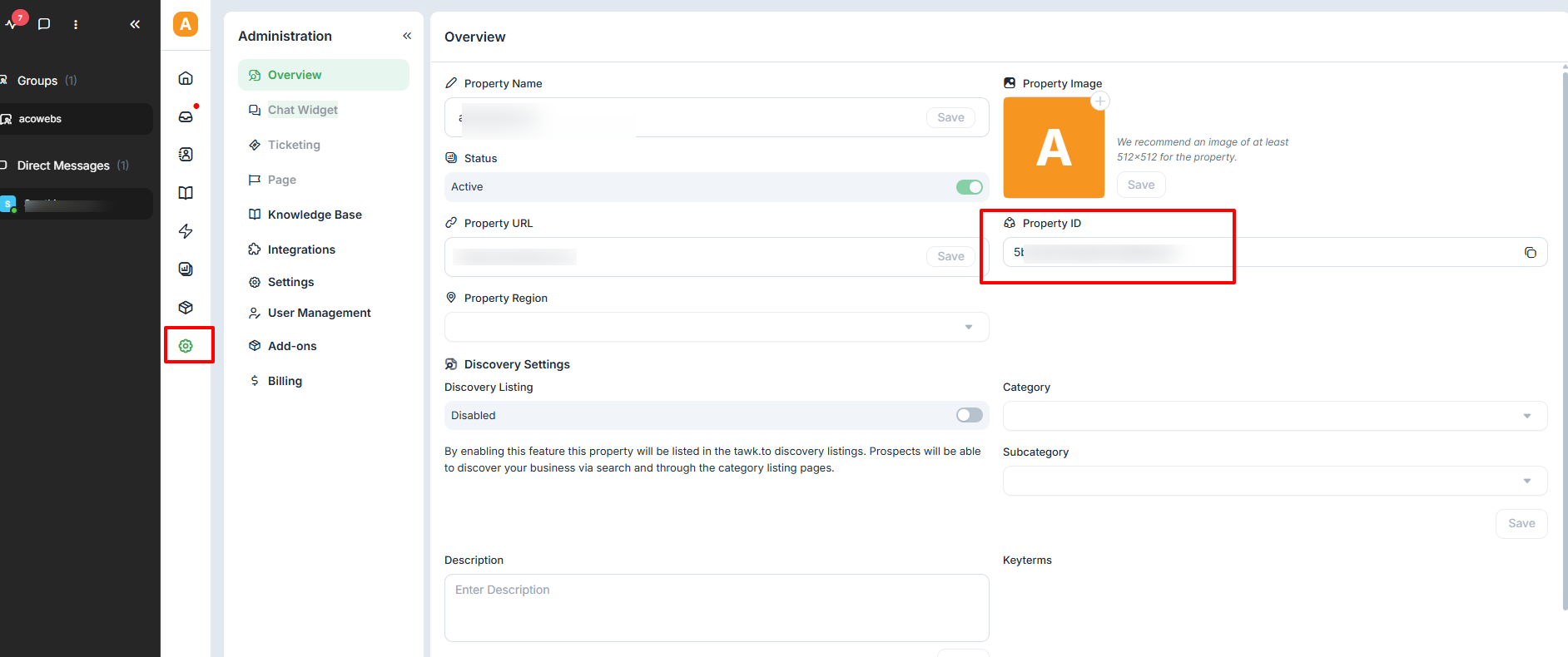
  2. Go to Administration (Settings Icon) ➔ Overview to locate and copy your Property
    ID. Paste this into the corresponding field in the Shopify app.
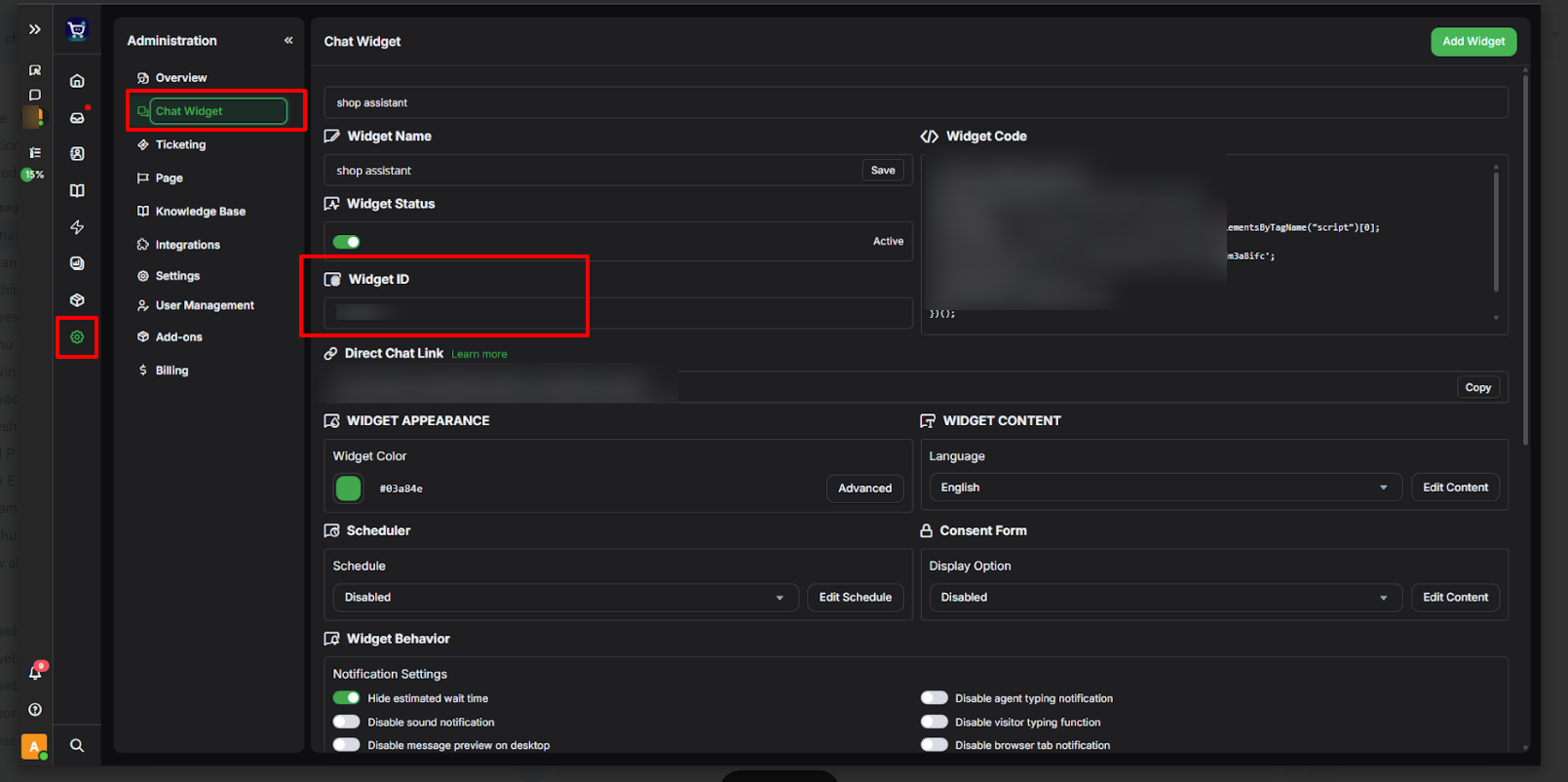
  1. Next, go to Administration ➔ Chat Widget to copy your Widget ID. Paste this into the Widget ID field in the Shopify app.

Step 3: Test and Connect

  1. Click the Test widget button to verify the connection.
  2. Once the app authenticates the details, a green confirmation banner will appear: “✓ Successfully connected to your Tawk.to widget.”
  3. The integration is now live!

Front-End Customer Experience

Once connected, your storefront chat window receives a layout update:
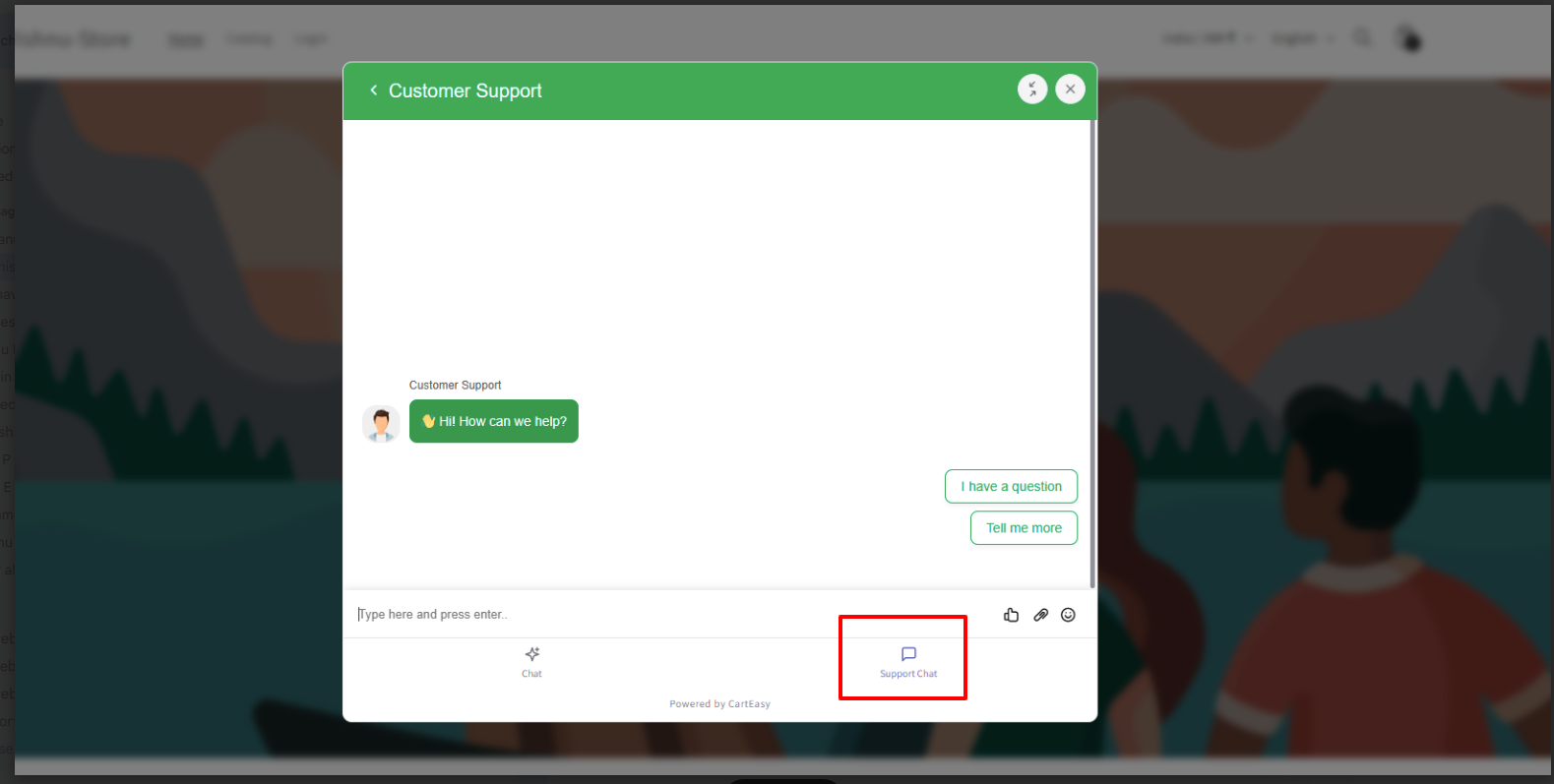
  • A new navigation footer bar is added to the bottom of the AI chat window featuring two tabs: Chat (for the automated AI assistant) and Support Chat.
  • Clicking on Support Chat transforms the interface into your live Tawk.to human support stream, enabling customers to converse directly with your active help desk agents without leaving the page.

Customer Support

If you have questions about our plugin(s), are experiencing issues with any of our plugin