
An electronics store is preparing to launch several new smartphones next week. To build customer interest before the official launch, the merchant uploads the products to Shopify in advance but keeps their inventory at zero until launch day.
The merchant wants every upcoming smartphone to automatically display a Coming Soon badge while it is waiting for its official release. Once the products become available for purchase, the badge should no longer appear without requiring any manual updates.
Managing product launches manually can become difficult, especially when new smartphones are released throughout the year.
Without a clear Coming Soon indicator, customers may assume the products are unavailable or simply overlook them. At the same time, manually assigning and removing badges for every launch adds unnecessary work for the merchant.
The merchant needs an automated solution that identifies upcoming products and displays the badge until the products are ready to launch.
Acowebs Shopify Labeler provides the Coming Soon Smart Rule, allowing merchants to automatically display a Coming Soon badge on newly added products that currently have no inventory.
The merchant only needs to create the badge, configure the Smart Rule, and specify how long the badge should remain visible.
From that point onwards, Labeler automatically checks every newly added smartphone. If it matches the Smart Rule conditions, the Coming Soon badge is displayed automatically without manually selecting products.
Open the Labeler app and click Create New Badge.
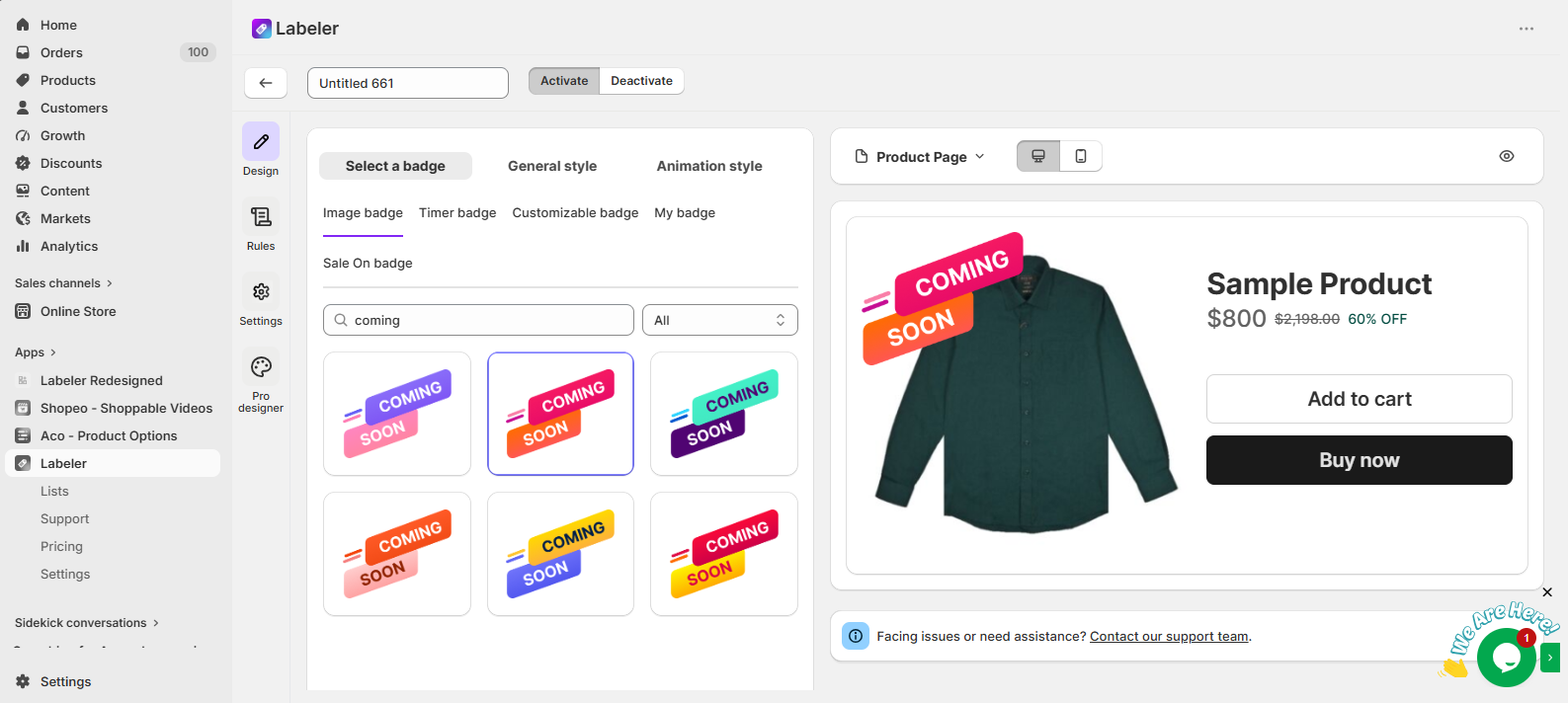
Then, Go to the Design tab and select a badge with the text Coming Soon. You can customise the badge position, size, colours, opacity, and rotation to match your storefront design.
Screenshot: Coming Soon badge selected in the Design tab.
Next, open the Rules tab.
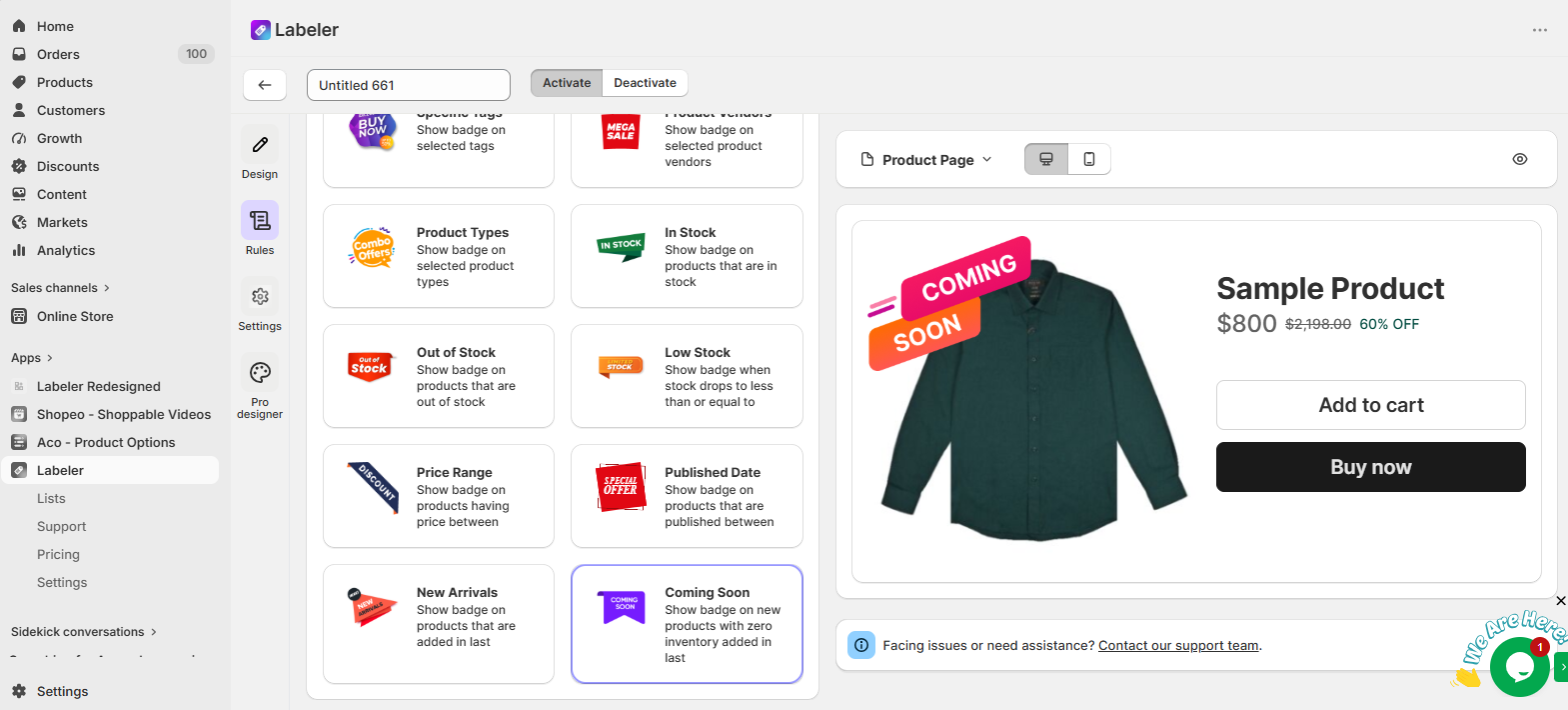
Under Conditions, select Coming Soon.
This Smart Rule automatically checks every newly added product and identifies products that currently have no inventory. Instead of manually selecting every smartphone before each launch, Labeler automatically determines which products should display the Coming Soon badge.
Screenshot: Coming Soon Smart Rule selected.
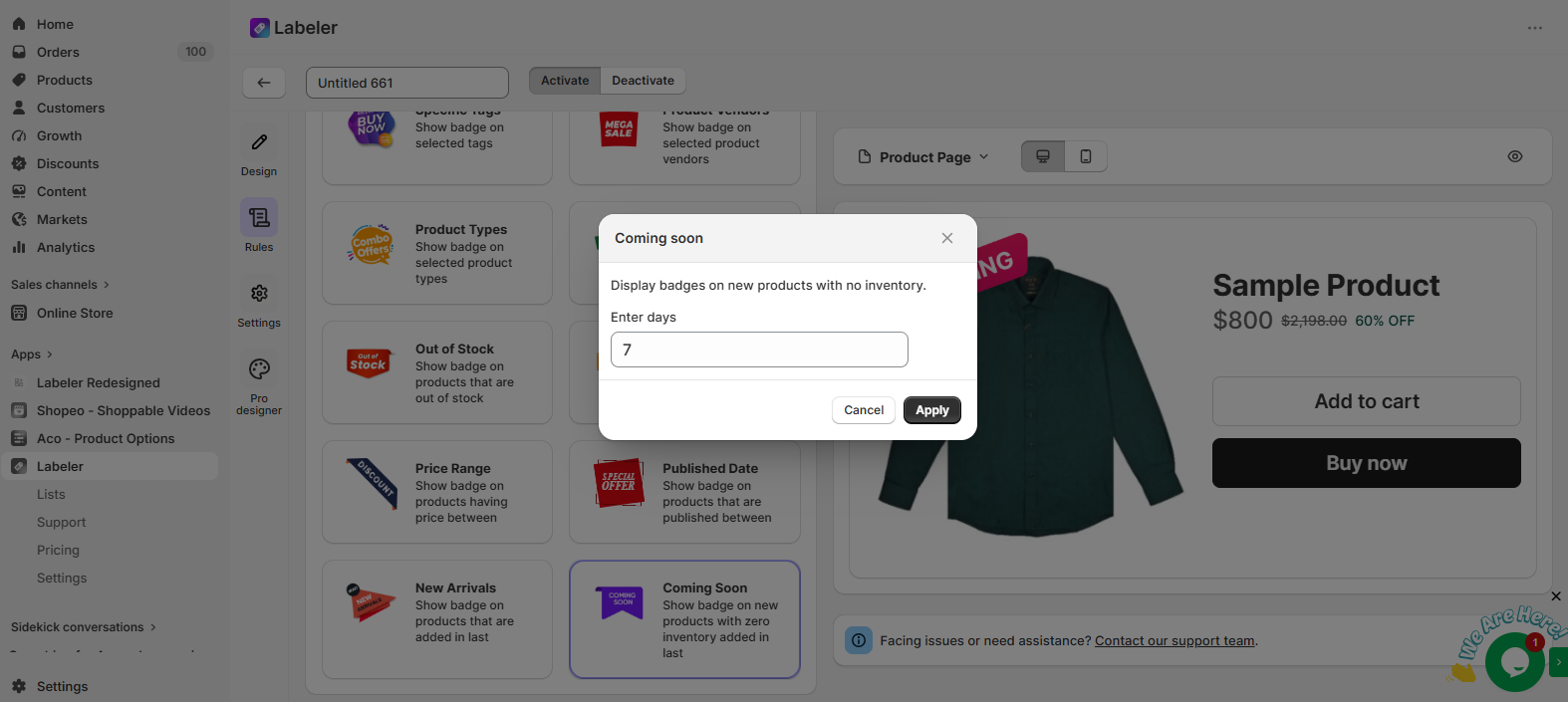
Click the Coming Soon Smart Rule to open its configuration.
Enter the number of days the badge should remain active.
For example, if the merchant uploads new smartphones 7 days before launch, enter 7.
This tells Labeler to automatically display the Coming Soon badge on newly added smartphones with zero inventory for the first 7 days after they are added to Shopify. If inventory is added before the seven-day period ends, or once the configured duration expires, Labeler automatically removes the badge without requiring any manual updates.
Click Apply to save the Smart Rule.
Screenshot: Coming Soon Smart Rule configuration.
Click Save to publish the badge.
From this point onwards, every smartphone uploaded before launch is handled automatically.
Whenever the merchant adds new smartphones to Shopify with zero inventory, Labeler automatically checks the configured Smart Rule, displays the Coming Soon badge during the configured period, and removes it automatically once the product no longer meets the rule conditions.
The merchant no longer needs to manually assign or remove badges for every smartphone launch.
Screenshot: Coming Soon badge displayed on the storefront.
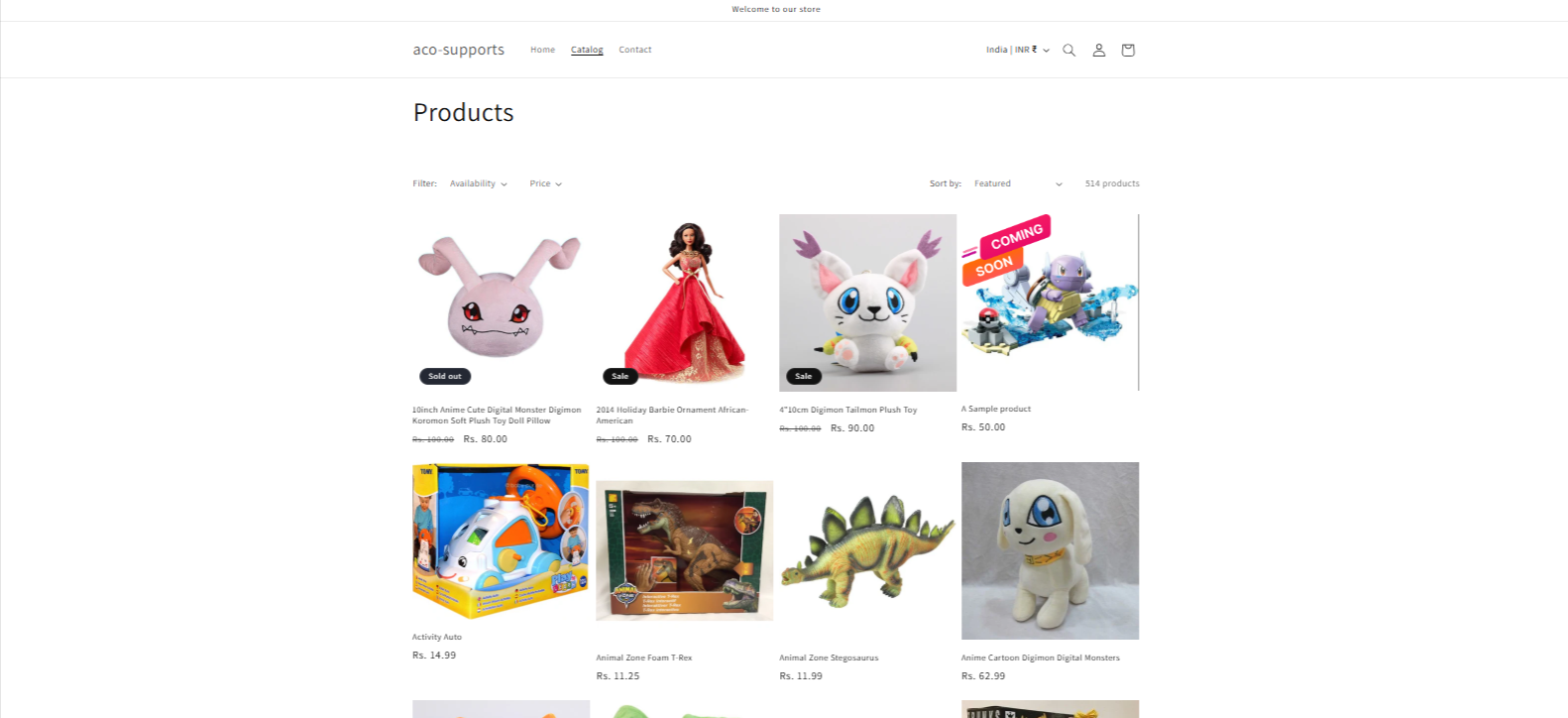
Once the configuration is complete, upcoming smartphone launches are managed automatically.
Every newly added smartphone that matches the Smart Rule conditions displays the Coming Soon badge before launch, helping customers recognise upcoming products and generating interest before they become available.
This reduces manual badge management, improves product visibility, creates anticipation for new smartphone launches, and ensures the storefront always reflects the current launch status automatically.
If you have questions about our plugin(s), are experiencing issues with any of our plugin






















 Login
Login
 Cart
Cart BUY THIS PLUGIN
