
A shoe store sells popular products such as running shoes, sneakers, boots, and sandals. Some styles sell quickly, and the merchant wants customers to know when only a few pairs are left.
Instead of manually updating product badges as inventory changes, the merchant wants a Low Stock badge to automatically appear whenever a product has 5 pairs or fewer remaining in stock.
Stock levels change throughout the day as customers place orders. Manually monitoring inventory and updating badges for fast-selling products is time-consuming and difficult to manage.
Without a visible Low Stock badge, customers may not realise that a product is nearly sold out, reducing the urgency to complete their purchase.
The merchant needs an automated way to display a Low Stock badge whenever inventory reaches a specific level.
Acowebs Shopify Labeler includes the Low Stock Smart Rule, which automatically displays a Low Stock badge when a product’s inventory reaches or falls below a specified quantity.
The merchant simply creates a Low Stock badge, configures the stock threshold, and publishes it.
From that point onwards, Labeler continuously monitors inventory levels. Whenever a product has 5 pairs or fewer remaining, the badge is displayed automatically. If the product is restocked above the threshold, the badge is removed automatically.
Open the Labeler app and click Create Badges.
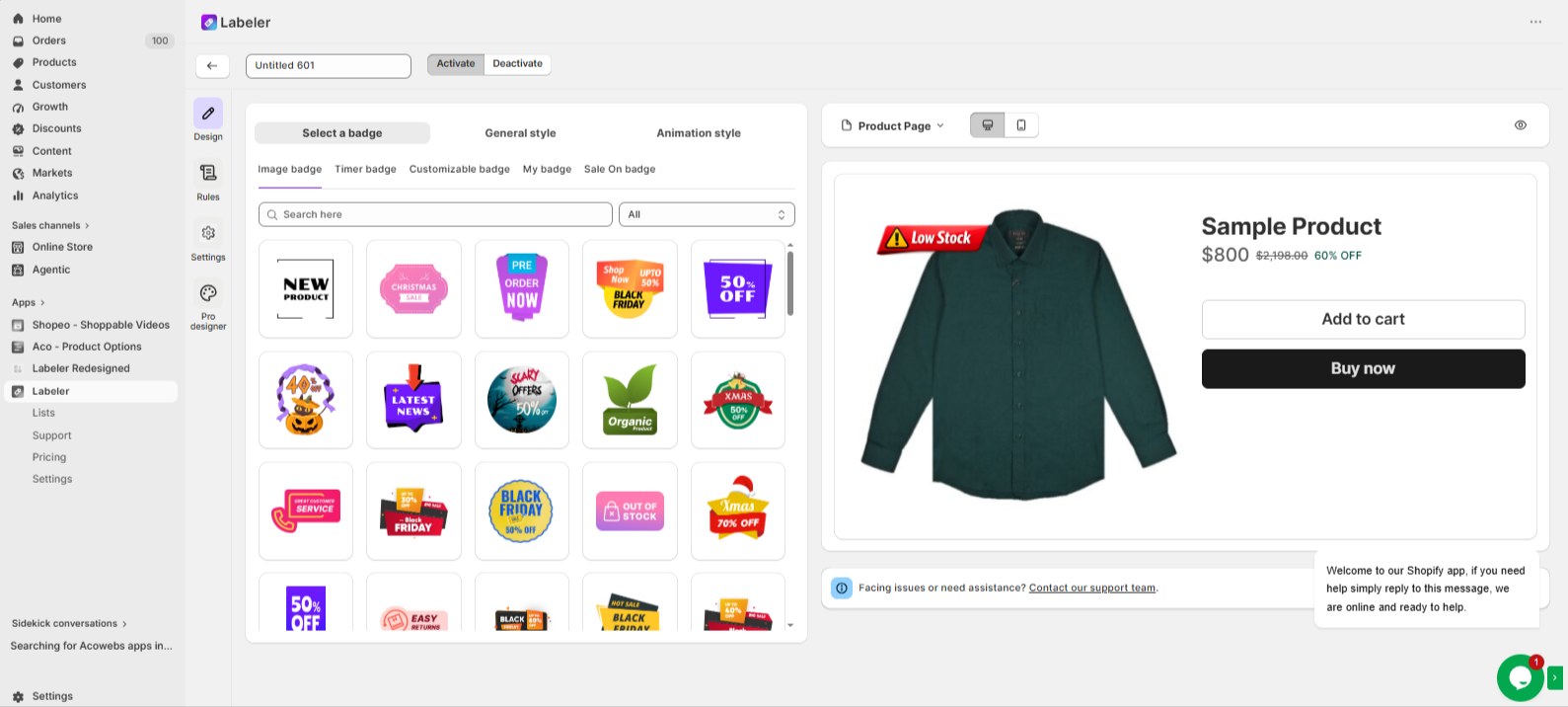
Go to the Design tab and select or create a badge with the text Low Stock. Customise the badge colours, fonts, position, and style to match your store’s branding.
This creates the badge that will automatically appear when products reach the configured stock level.
Screenshot: Low Stock badge selected in the Design tab.
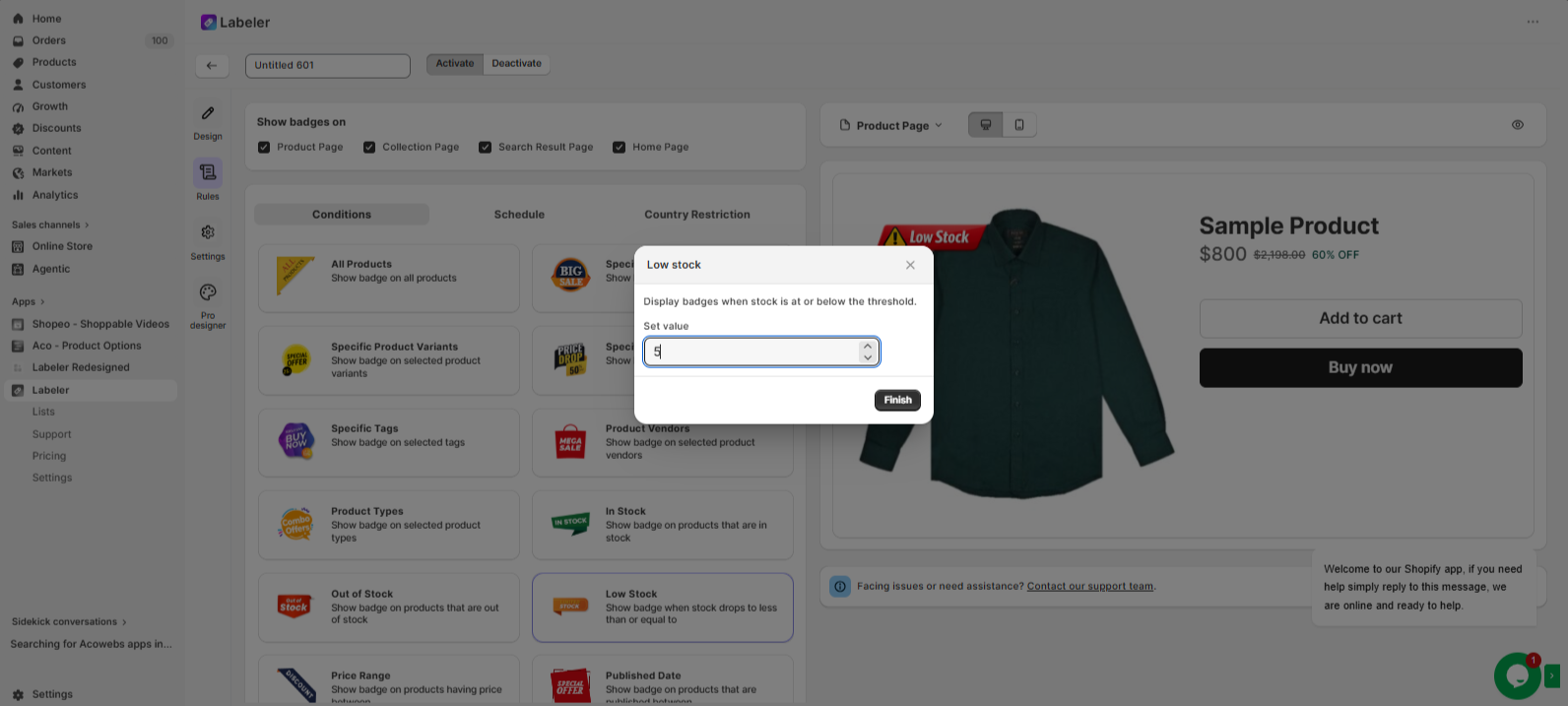
Open the Rules tab. Under Conditions, select Low Stock.
In the Low Stock settings, enter 5 as the stock threshold. Click Finish to save the Smart Rule.
This tells Labeler to automatically display the Low Stock badge whenever a product has 5 pairs or fewer remaining in stock. If the product is restocked above 5, the badge is removed automatically.
Screenshot: Low Stock Smart Rule configured.
Click Save to publish the badge.
From this point onwards, every product is monitored automatically. Whenever stock drops to 5 pairs or fewer, Labeler immediately displays the Low Stock badge. As inventory is replenished above the configured threshold, the badge is removed automatically without any manual updates.
Screenshot: Low Stock badge displayed on the storefront.
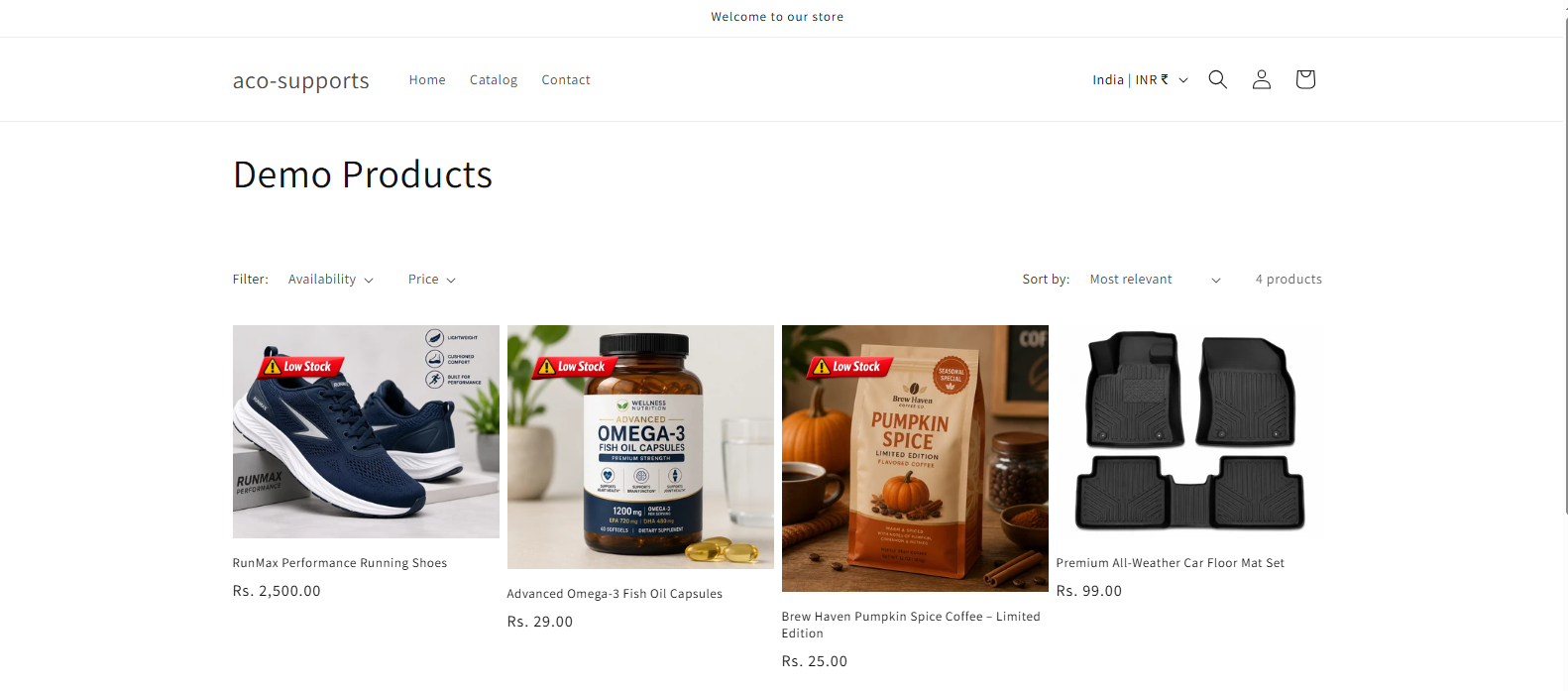
Once the configuration is complete, fast-selling shoes are automatically highlighted with a Low Stock badge when only a few pairs remain.
Customers can quickly recognise products that are running out of stock, creating a sense of urgency and encouraging faster purchase decisions. At the same time, the merchant no longer needs to manually manage inventory badges, ensuring the storefront always reflects current stock levels automatically.
If you have questions about our plugin(s), are experiencing issues with any of our plugin






















 Login
Login
 Cart
Cart BUY THIS PLUGIN
