
A jewellery store is preparing for a Valentine’s Day promotion featuring products such as engagement rings, necklaces, bracelets, and gift sets. The merchant wants selected products to display a themed Valentine’s Day badge during the promotional period to attract shoppers looking for gifts.
Instead of manually enabling and disabling the badge before and after the campaign, the merchant wants it to appear automatically for the duration of the promotion.
Seasonal promotions require merchants to update badges within a specific time frame. Manually publishing and removing promotional badges can become repetitive and increases the risk of forgetting to update the storefront once the campaign ends.
The merchant needs a simple way to schedule the campaign so the Valentine’s Day badge appears and disappears automatically.
Acowebs Shopify Labeler allows merchants to schedule badges using the built-in Badge Schedule feature.
The merchant simply creates a Valentine’s Day badge, assigns it to the collection, configures the campaign dates, and publishes it.
From that point onwards, Labeler automatically displays the badge at the scheduled start time and removes it when the campaign ends, without requiring any manual updates.
Open the Labeler app and click Create Badges.
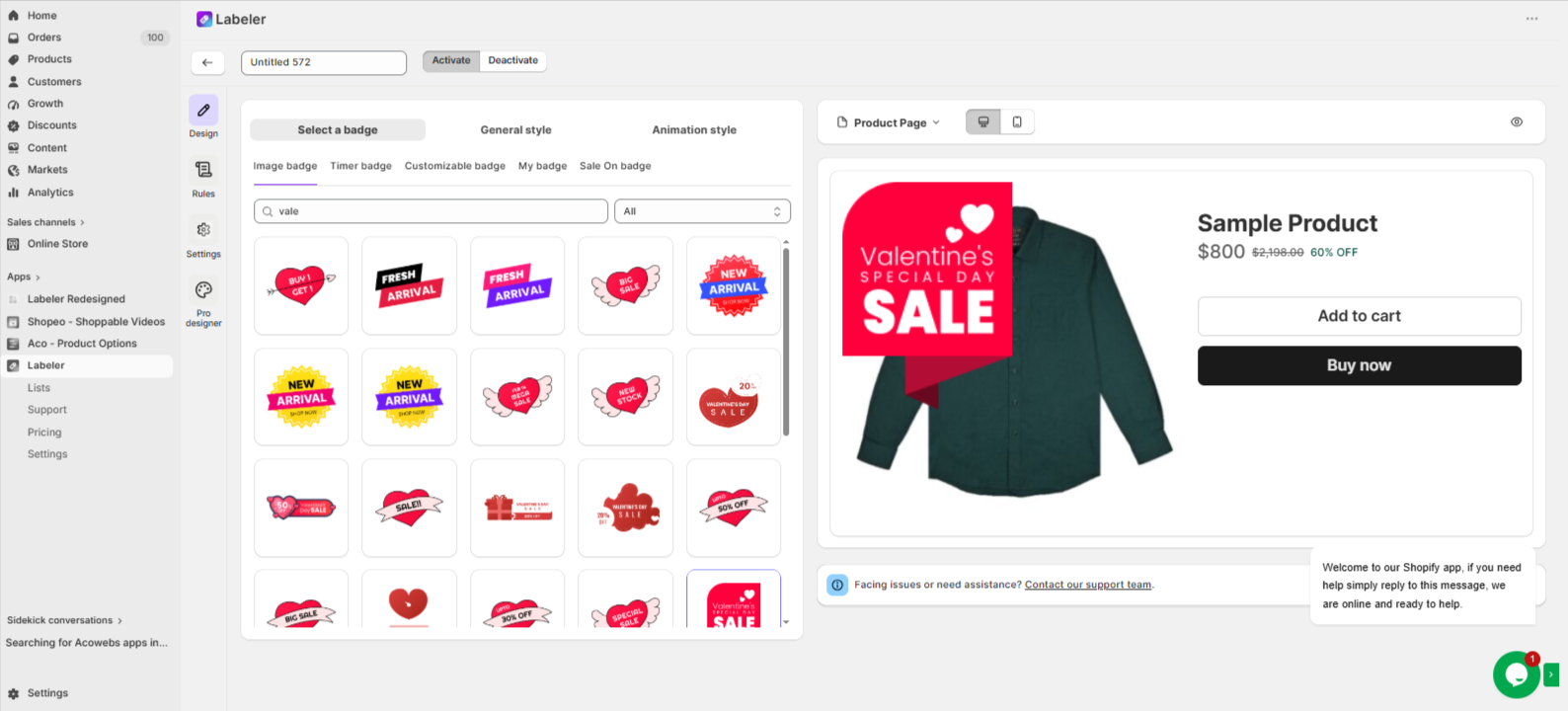
Go to the Design tab and select a badge with text such as Valentine’s Special Day or Perfect Valentine’s Gift. Customise the badge using colours, icons, and styles that match the campaign.
Screenshot: Valentine’s Day badge selected in the Design tab.
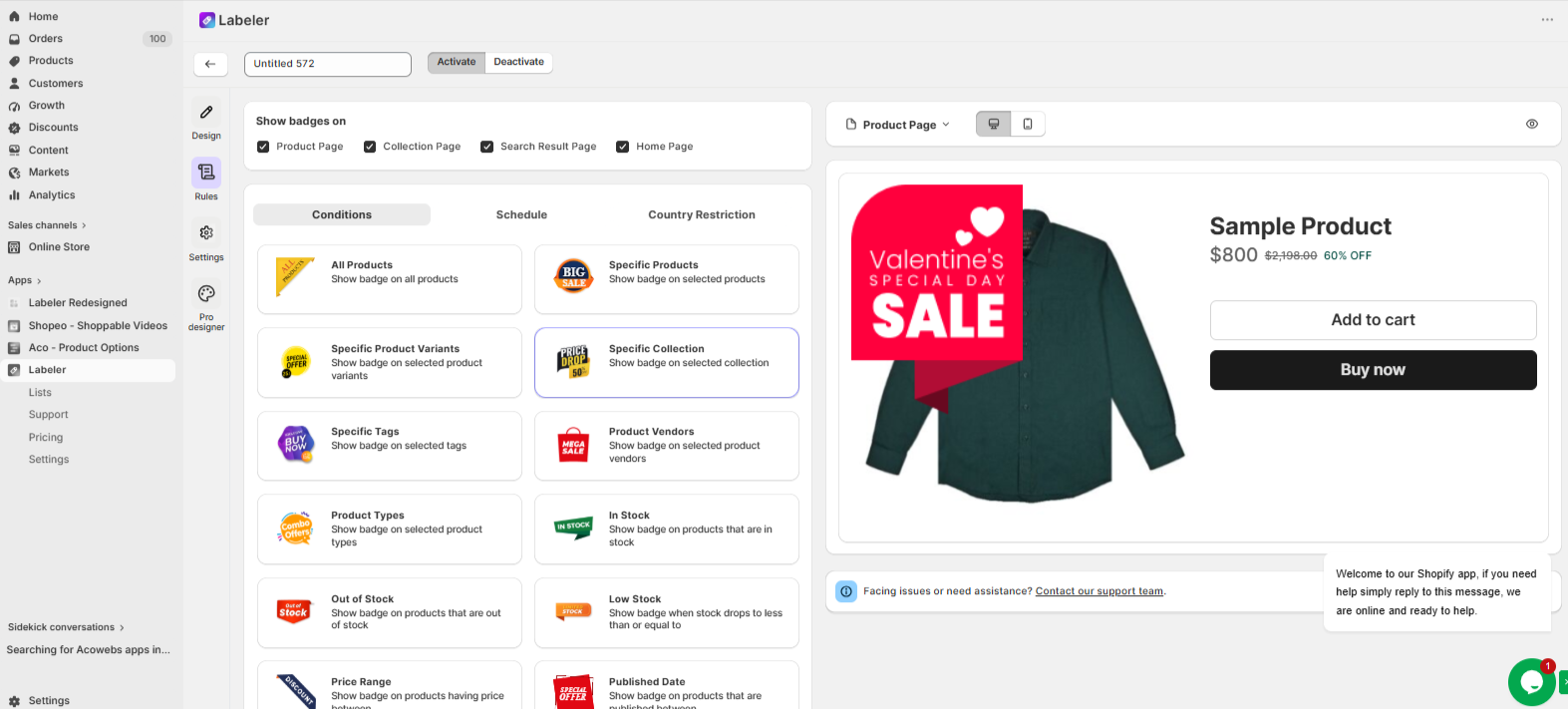
Open the Rules tab and choose Specific Collection.
This tells Labeler to automatically display the badge only on the products included in the Valentine’s Day campaign.
Screenshot: Campaign products configured.
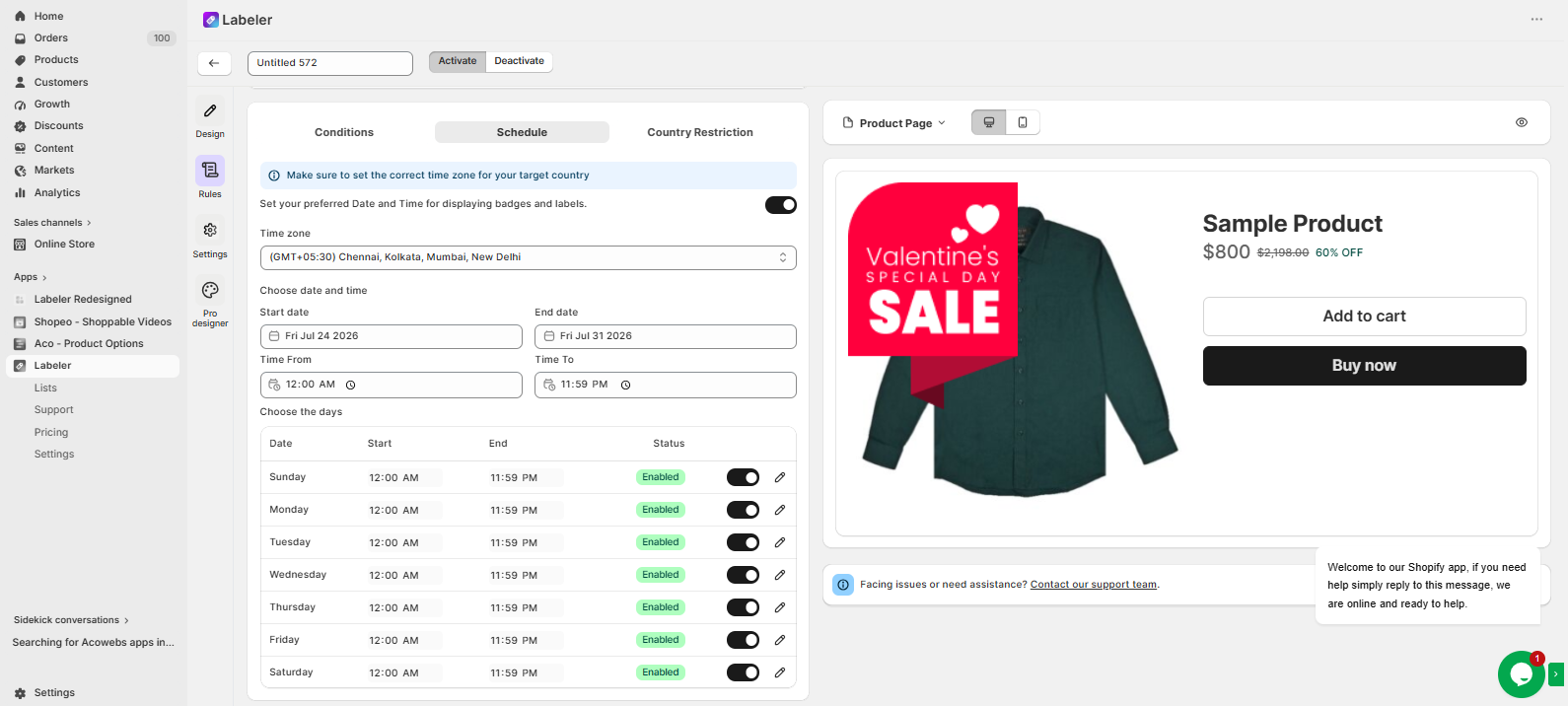
Open the Schedule settings.
Set the campaign start date and end date for the Valentine’s Day promotion.
This tells Labeler to automatically display the badge during the scheduled campaign period and remove it once the promotion ends.
Screenshot: Badge Schedule configured.
Click Save to publish the badge.
From this point onwards, Labeler automatically manages the entire campaign. The Valentine’s Day badge appears on the selected products at the scheduled start time and is automatically removed after the campaign ends, eliminating the need for manual updates.
Screenshot: Valentine’s Day badge displayed on the products.
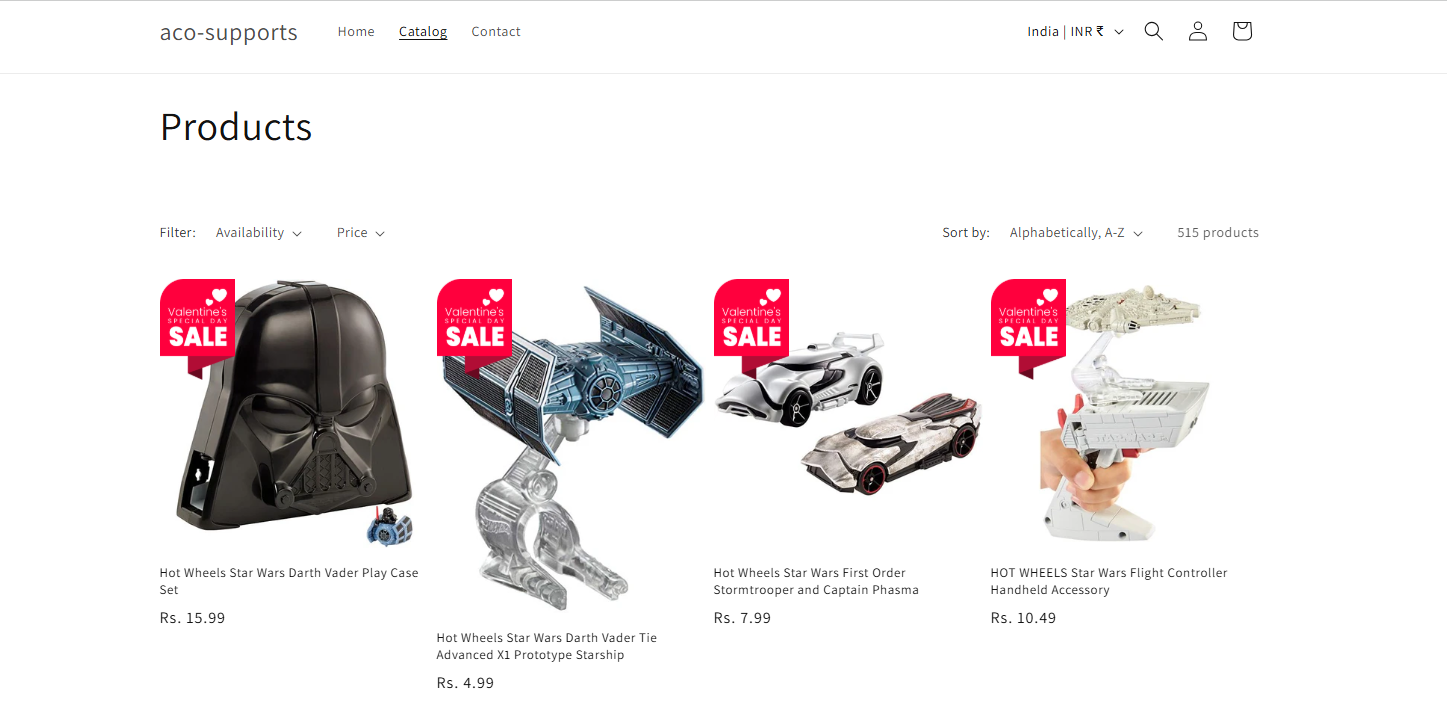
Once the configuration is complete, the Valentine’s Day campaign runs automatically using scheduled badges.
Customers immediately recognise products included in the seasonal promotion, helping increase campaign visibility and encouraging gift purchases. At the same time, the merchant saves time by allowing Labeler to automatically activate and deactivate the campaign based on the configured schedule.
If you have questions about our plugin(s), are experiencing issues with any of our plugin






















 Login
Login
 Cart
Cart BUY THIS PLUGIN
