
A furniture store specialises in handcrafted products such as solid wood dining tables, artisan chairs, coffee tables, and custom-built cabinets. The merchant wants these premium products to stand out from the rest of the catalogue by displaying a distinctive Handcrafted badge.
Instead of using a standard badge design, the merchant wants to create a fully customised badge that reflects the premium quality and craftsmanship of the collection.
Premium handcrafted furniture deserves greater visibility, but standard product badges may not match the store’s branding or effectively communicate the uniqueness of these products.
The merchant needs a way to design a professional-looking badge and automatically display it on handcrafted furniture collections without manually updating each product.
Acowebs Shopify Labeler includes the Pro Designer, allowing merchants to create fully customised badges using their own colours, typography, icons, and layouts.
The merchant simply designs a premium Handcrafted badge, applies it to the handcrafted furniture collection, and publishes it.
From that point onwards, every product within the selected collection automatically displays the premium badge, helping customers immediately recognise handcrafted furniture.
Open the Labeler app and click Create New Badge.
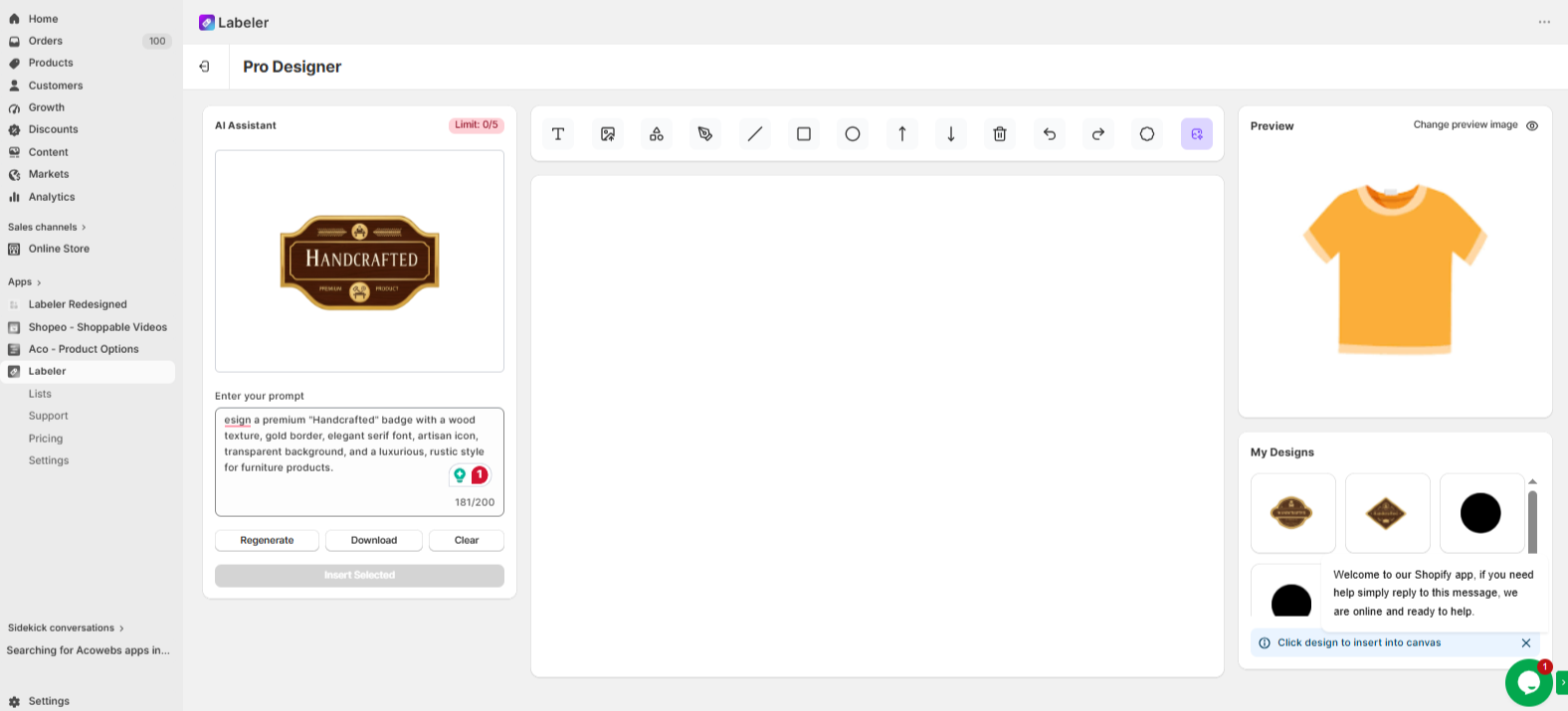
Open the Pro Designer tab and create a custom Handcrafted badge. You can also use the built-in AI Assistant to generate a badge by entering a suitable prompt.
Once the badge is generated, click Insert Selected. You can then customise its colours, fonts, shapes, and icons to match your store’s branding. Finally, click Save to save the badge.
This creates a unique badge that highlights the quality, craftsmanship, and premium appeal of your handcrafted furniture collection.
Screenshot: Handcrafted badge created using the Pro Designer with the AI Assistant.
Click Create New Badge again. Since the previous design window closes after saving, you can now find your newly created badge under My Badges in the Design tab.
Select the handcrafted badge and open the Rules tab.
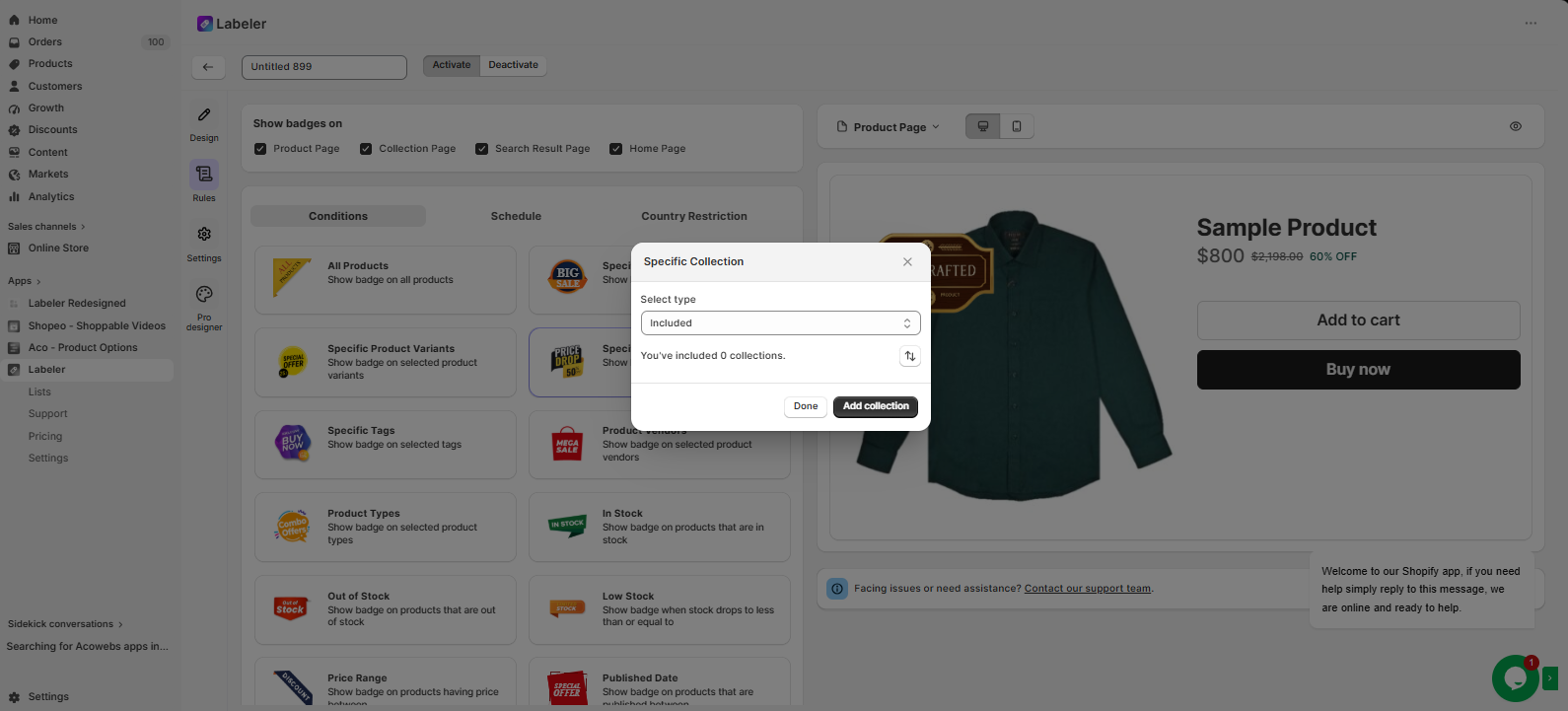
Under Conditions, choose Specific Collection, then click on Add Collection and select the Handcrafted Furniture collection from your Shopify store.
This tells Labeler to automatically display the premium handcrafted badge on every product within the selected collection. Any new products added to the same collection will automatically receive the badge.
Screenshot: Specific collection window.
Click Save to publish the badge.
From this point onwards, every product in the Handcrafted Furniture collection automatically displays the premium handcrafted badge across the configured storefront pages. Whenever new handcrafted products are added to the same collection, Labeler automatically applies the badge without any additional configuration.
Screenshot: Premium Handcrafted badge displayed on the collection page.
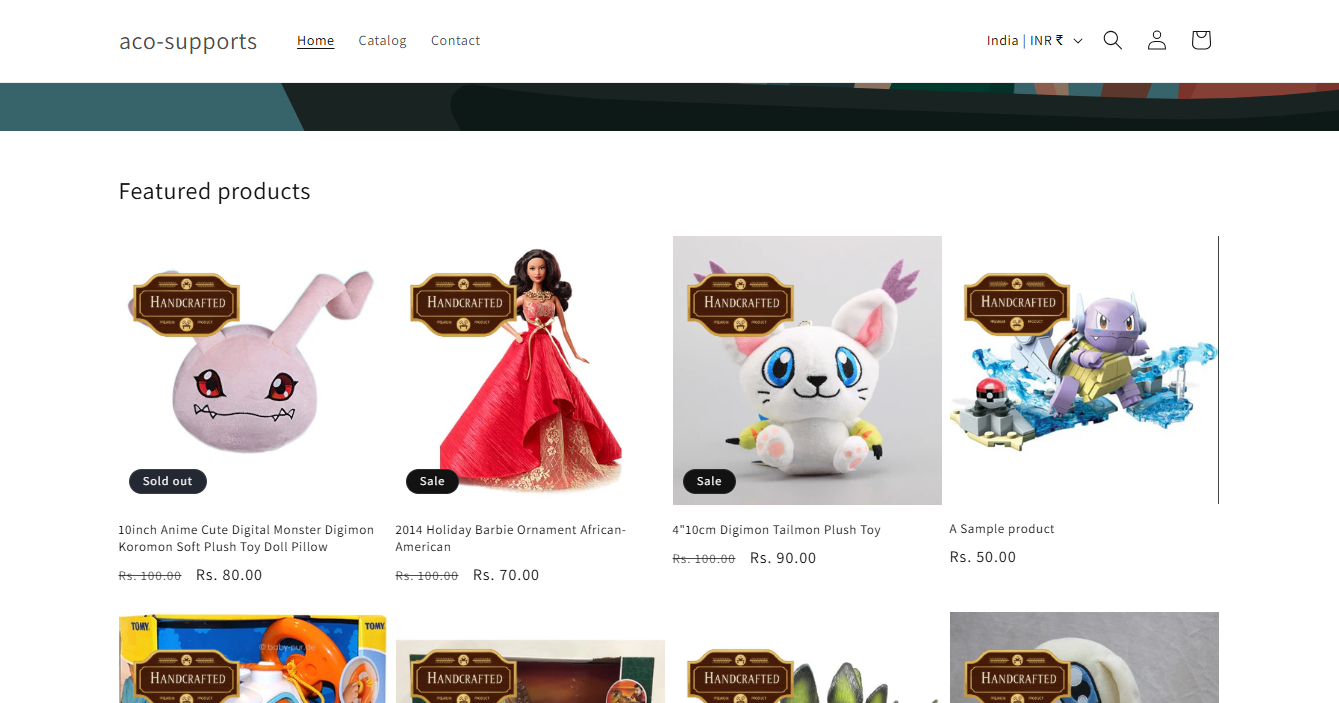
Once the configuration is complete, handcrafted furniture products are automatically highlighted with a professionally designed premium badge.
Customers can instantly identify handcrafted collections while browsing the store, helping premium products stand out from standard furniture. This improves product visibility, reinforces the quality and craftsmanship of the collection, and eliminates the need to manually assign badges whenever new handcrafted products are added.
If you have questions about our plugin(s), are experiencing issues with any of our plugin






















 Login
Login
 Cart
Cart BUY THIS PLUGIN
