
A toy store sells educational toys for different age groups, including toddlers, preschoolers, and young children. The merchant wants educational toys designed for children aged 3 to 5 years to stand out with an Age 3+ label.
Instead of manually assigning labels to every toy, the merchant tags eligible products with Age 3+ in Shopify and wants the label to be applied automatically.
As new educational toys are added to the store, manually assigning labels becomes repetitive and time-consuming.
Without a clear age label, parents may spend extra time checking product descriptions to determine whether a toy is suitable for their child.
The merchant needs an automated way to highlight age-appropriate toys.
Acowebs Shopify Labeler allows merchants to automatically display labels using the Specific Tags rule.
The merchant simply creates an Age 3+ label, selects the Age 3+ tag, and publishes it.
From that point onwards, Labeler automatically displays the label on every product with the Age 3+ tag. Any new toys assigned the same tag automatically receive the label.
Open the Labeler app and click Create Badges.
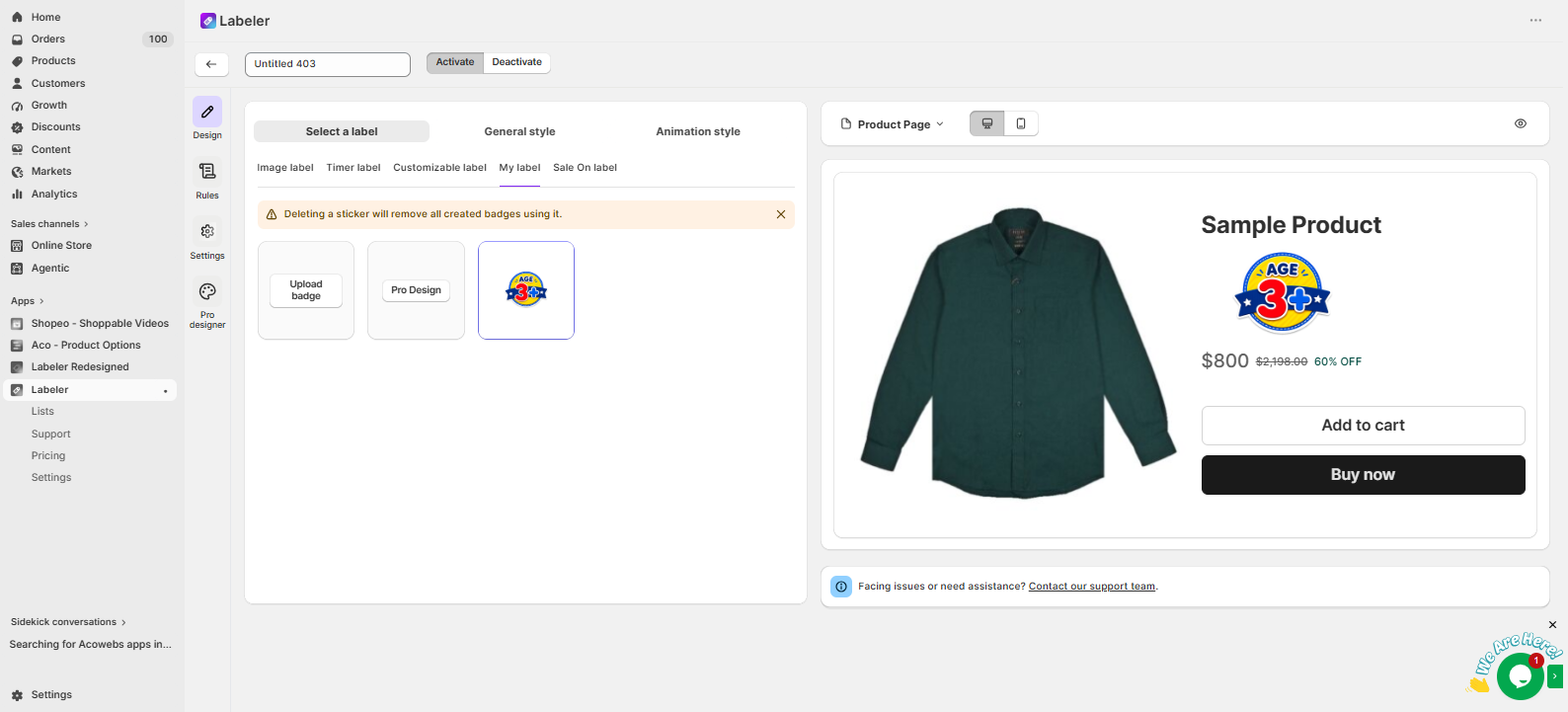
Go to the Design tab and select or create a label with the text Age 3+. Customise the colours, fonts, icons, and position to match your store’s branding.
This creates the label that will automatically appear on educational toys suitable for children aged 3 years and above.
Screenshot: Age 3+ label selected in the Design tab.
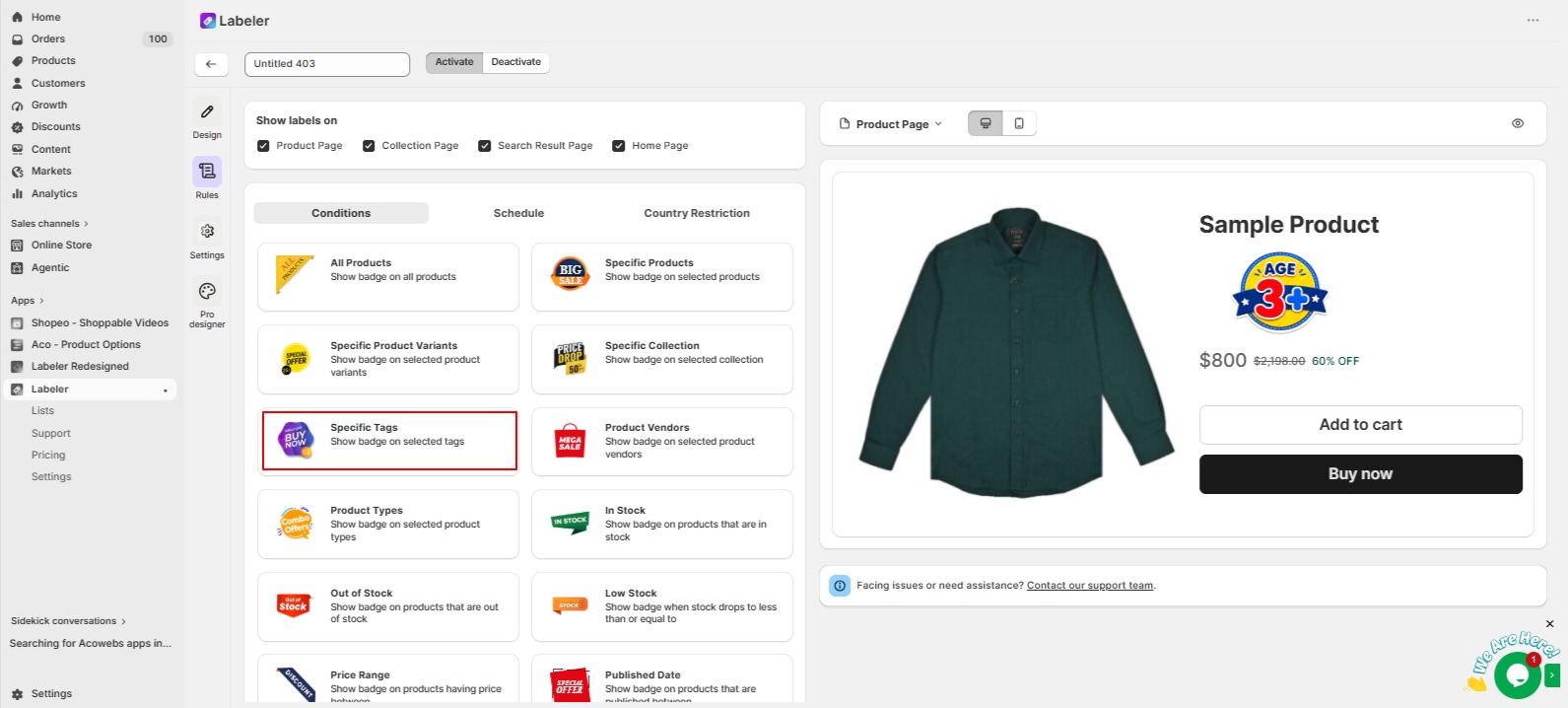
Open the Rules tab. Under Conditions, select Specific Tags.
This rule allows Labeler to automatically identify products based on their Shopify tags instead of manually selecting individual products.
Screenshot: Specific Tags rule selected.
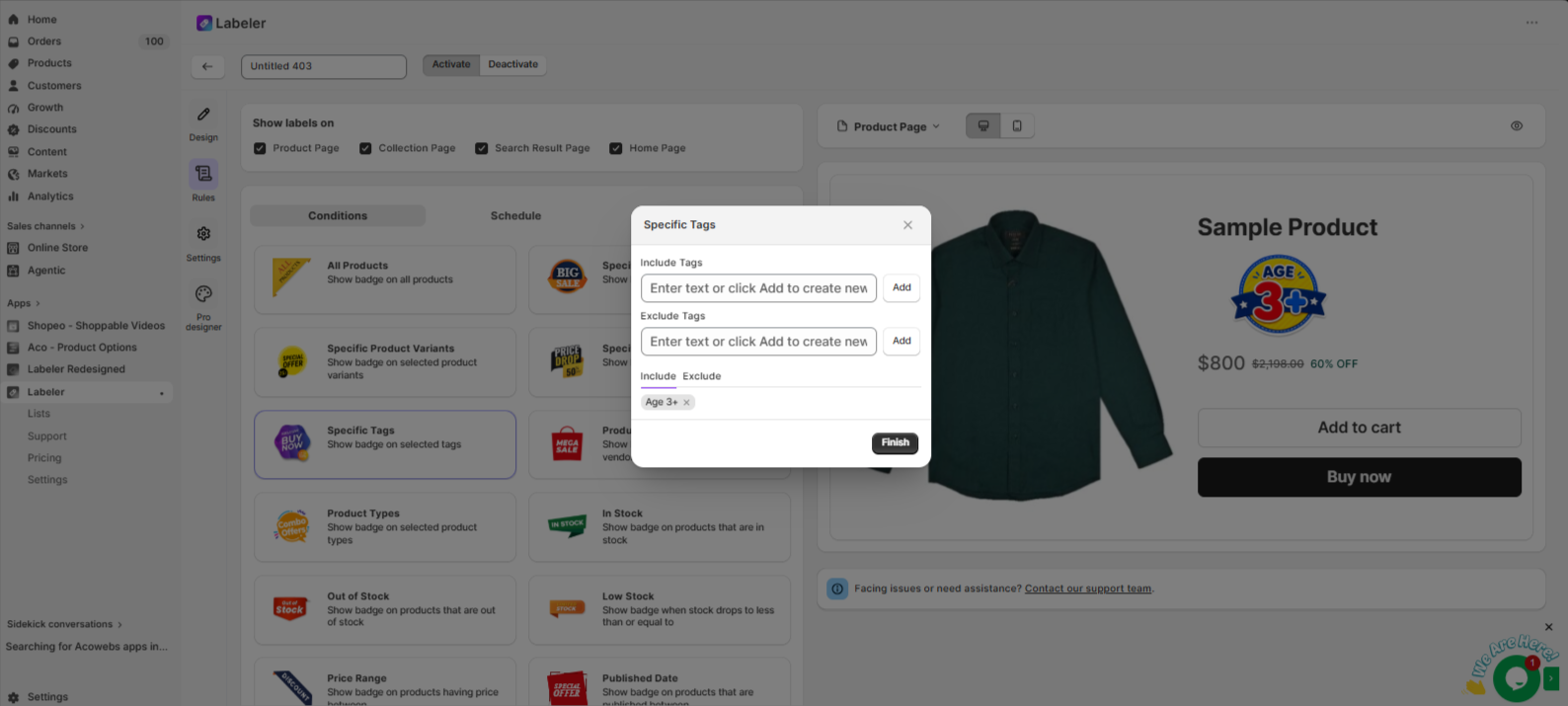
Choose the Age 3+ tag and click Finish.
This tells Labeler to automatically display the Age 3+ label on every product tagged Age 3+. Whenever a new educational toy is assigned the same tag, Labeler automatically applies the label without any additional configuration.
Screenshot: Age 3+ tag selected.
Click Save to publish the label.
From this point onwards, every product tagged Age 3+ automatically displays the label across the configured storefront pages. If the tag is removed from a product, the label is removed automatically.
Screenshot: Age 3+ label displayed on the product page.
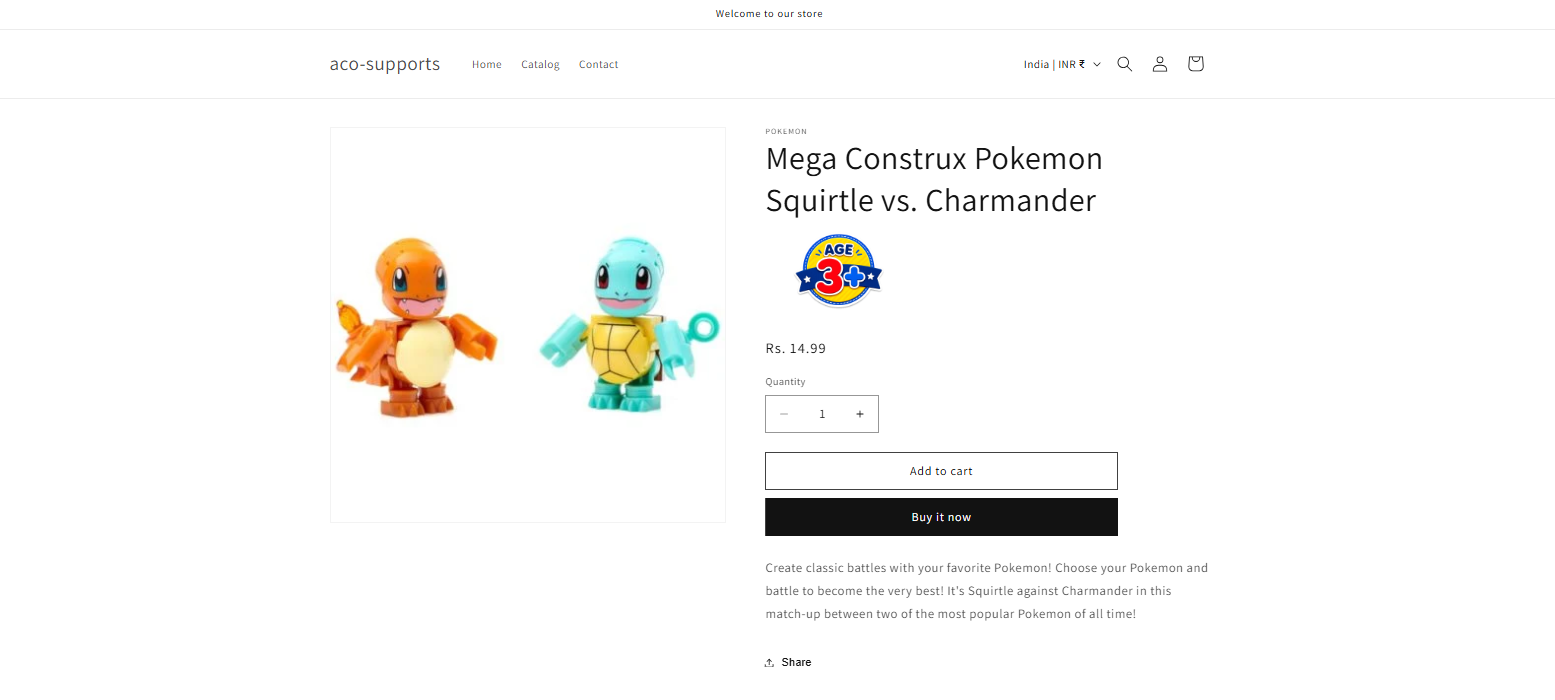
Once the configuration is complete, educational toys for children aged 3 years and above are automatically highlighted with an Age 3+ label.
Parents can quickly identify age-appropriate toys while browsing, making it easier to choose suitable products. At the same time, the merchant no longer needs to manually manage labels, ensuring all eligible toys are highlighted automatically as new products are added to the store.
If you have questions about our plugin(s), are experiencing issues with any of our plugin






















 Login
Login
 Cart
Cart BUY THIS PLUGIN
