
A pet store sells veterinarian-approved pet food, supplements, and healthcare products. The merchant wants customers to easily identify these trusted products while browsing the store.
Instead of manually adding badges to every product, the merchant wants all products tagged Vet Recommended to automatically display a Vet Recommended badge.
As new veterinarian-approved products are added, manually assigning badges becomes time-consuming.
Without a clear Vet Recommended badge, customers may not easily recognise products recommended by veterinarians.
The merchant needs an automated way to highlight these trusted products.
Acowebs Shopify Labeler allows merchants to automatically display badges using the Product Tag Rule.
The merchant simply creates a Vet Recommended badge and applies it to products with the Vet Recommended product tag.
From that point onwards, Labeler automatically displays the badge on every product with that tag, including any new products tagged in the future.
Open the Labeler app and click Create Badge.
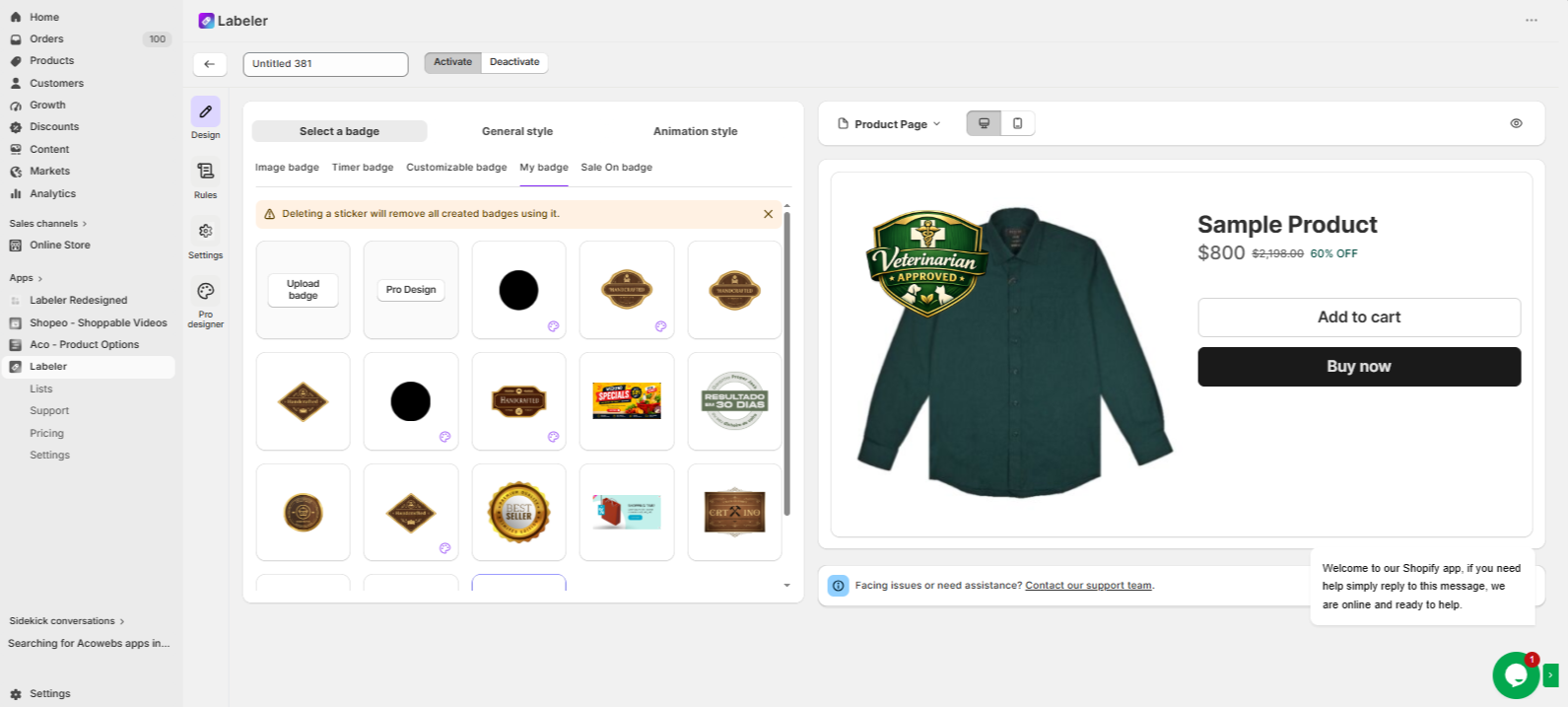
Go to the Design tab and Upload/ Create a badge with the text Vet Recommended.
Screenshot: Vet Recommended badge Uploaded in the Design tab.
Open the Rules tab.
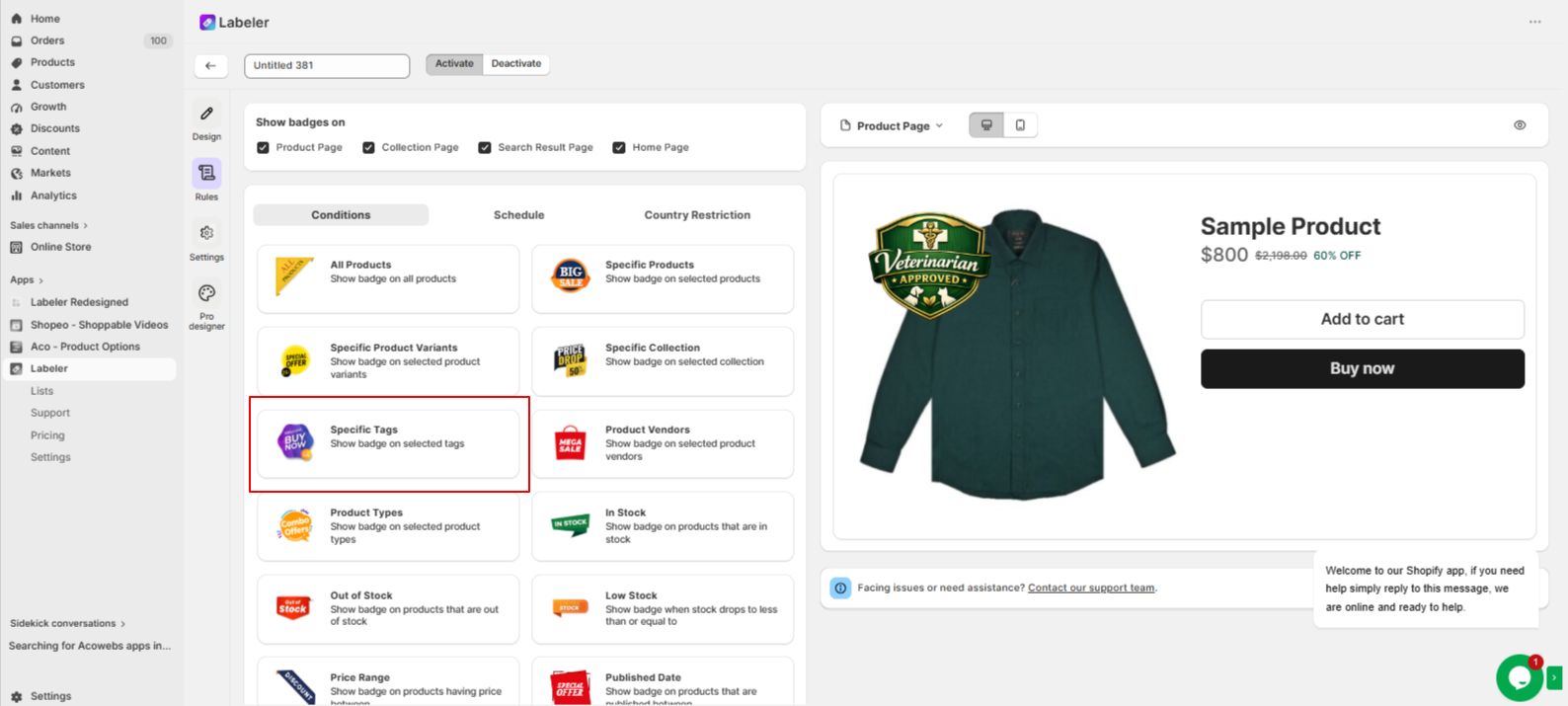
Under Conditions, select Product Tags.Choose the Vet Recommended product tag and click Finish
This tells Labeler to automatically display the Vet Recommended badge on every product with the Vet Recommended tag. Any new products assigned the same tag will also receive the badge automatically.
Screenshot: Product Tag Rule selected.
Click Save to publish the badge.
From this point onwards, every product tagged Vet Recommended automatically displays the badge across your storefront. If the tag is removed, the badge is removed automatically.
Screenshot: Vet Recommended badge displayed on the product page.
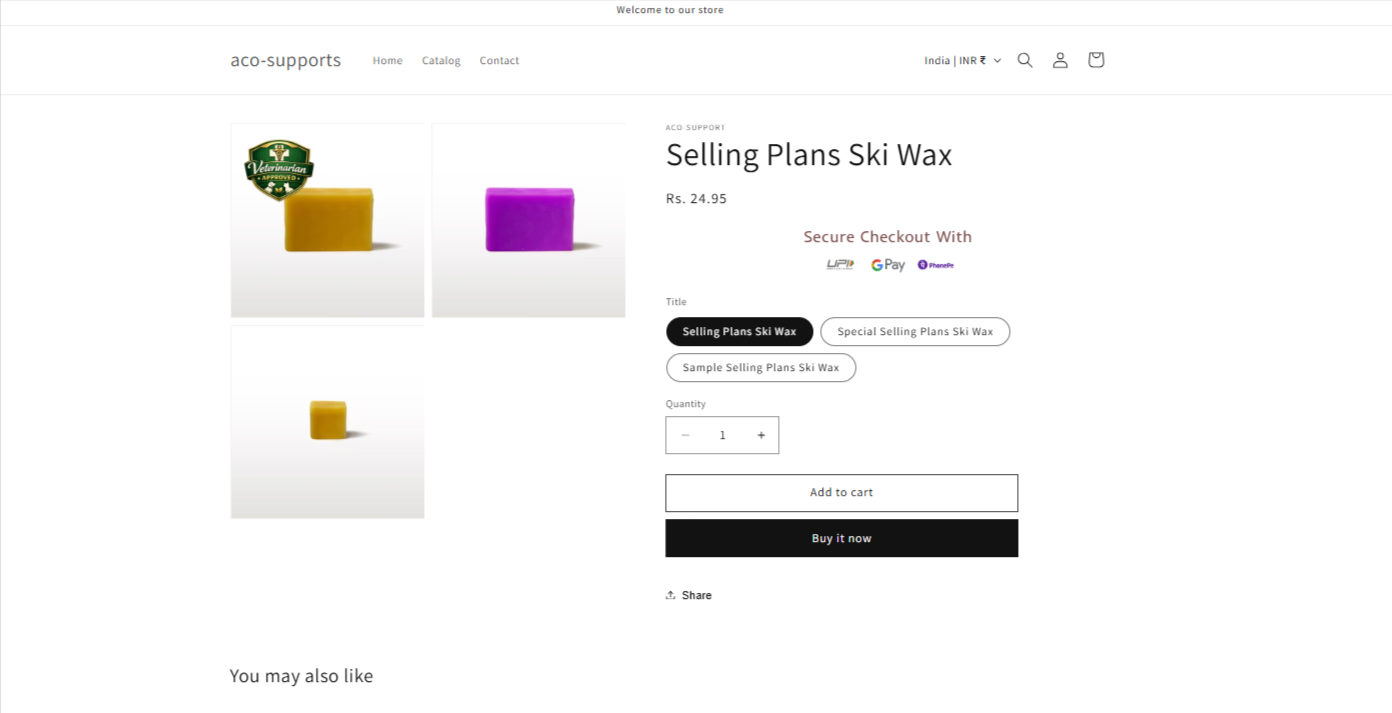
Once the configuration is complete, veterinarian-approved products are automatically highlighted with a Vet Recommended badge.
Customers can quickly identify trusted products while shopping, helping build confidence in their purchase decisions. At the same time, the merchant no longer needs to manually assign badges, ensuring all approved products are highlighted automatically.
If you have questions about our plugin(s), are experiencing issues with any of our plugin






















 Login
Login
 Cart
Cart BUY THIS PLUGIN
