
A gift shop offers Christmas gift boxes, greeting cards, decorations, toys, and holiday accessories. During December, the merchant wants selected festive products to display a Gift Ideas badge to help customers quickly find Christmas gifts.
Instead of manually enabling and removing the badge each year, the merchant wants it to appear automatically throughout the Christmas campaign.
Holiday promotions run for a limited time. Manually displaying and removing badges every season takes extra effort and can lead to outdated promotions remaining on the storefront.
The merchant needs a simple way to automatically display festive badges during the Christmas campaign and remove them when the promotion ends.
Acowebs Shopify Labeler allows merchants to schedule badges using the Badge Schedule feature.
The merchant simply creates a Gift Ideas badge, applies it to selected Christmas products, configures the campaign schedule, and publishes it.
From that point onwards, Labeler automatically displays the badge when the campaign starts and removes it when the campaign ends.
Open the Labeler app and click Create Badges.
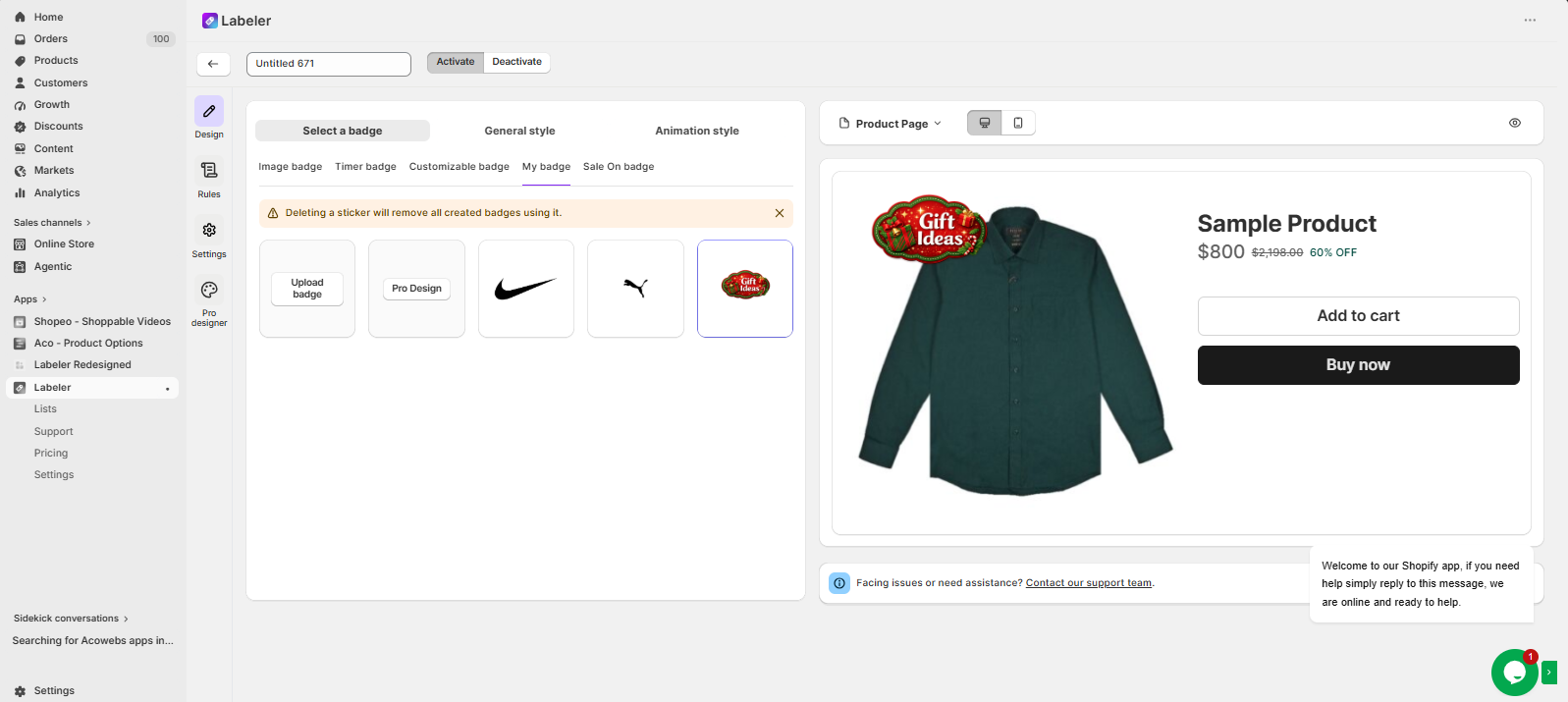
Go to the Design tab and Select / Create a badge with the text Gift Ideas. Customise the colours, fonts, icons, and position to match your Christmas theme.
Screenshot: Gift Ideas badge selected.
Open the Rules tab.
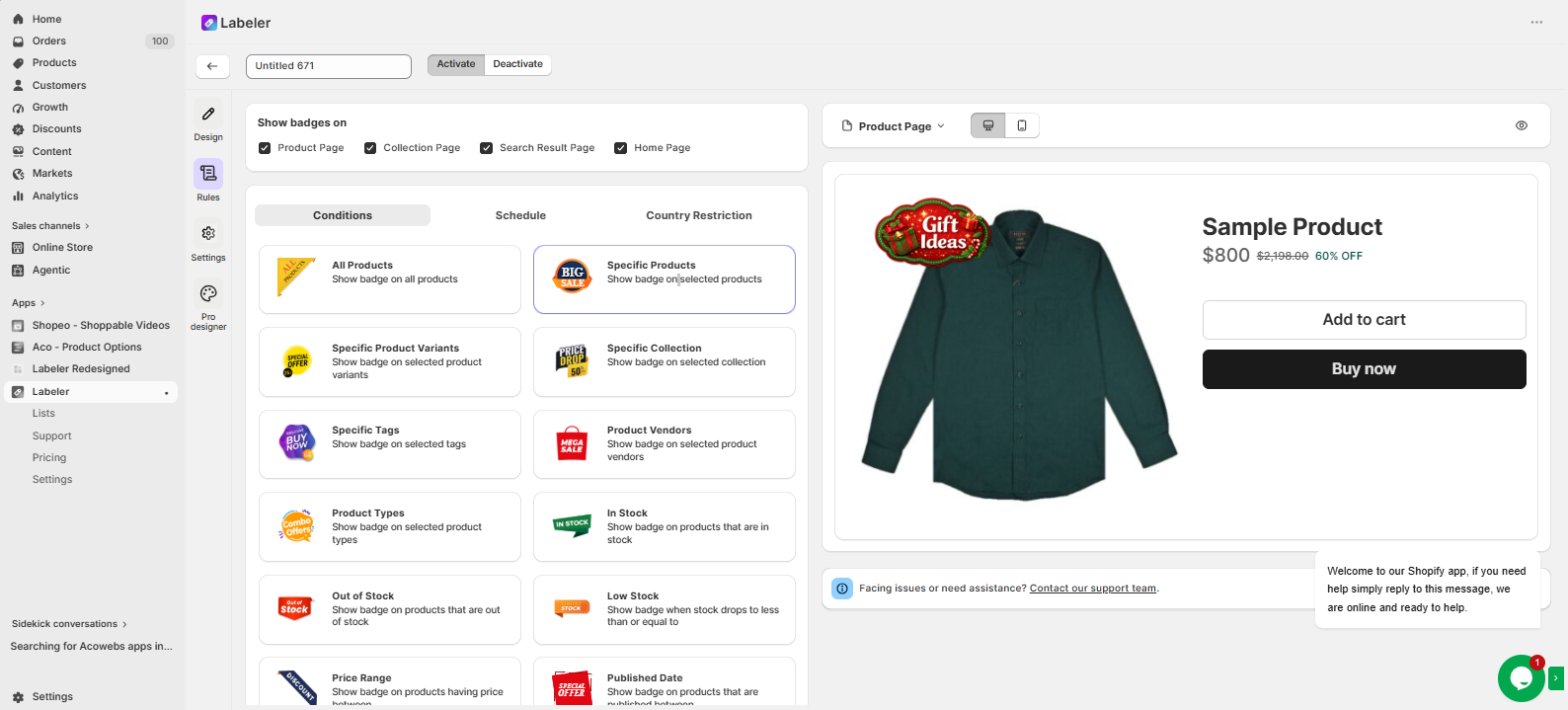
Choose the rule you want to use (such as Specific Products, Specific Collection, or Specific Tags) and select the Christmas products that should display the badge.
This tells Labeler which products will show the Gift Ideas badge during the campaign.
Screenshot: Christmas products selected.
Open the Schedule tab.
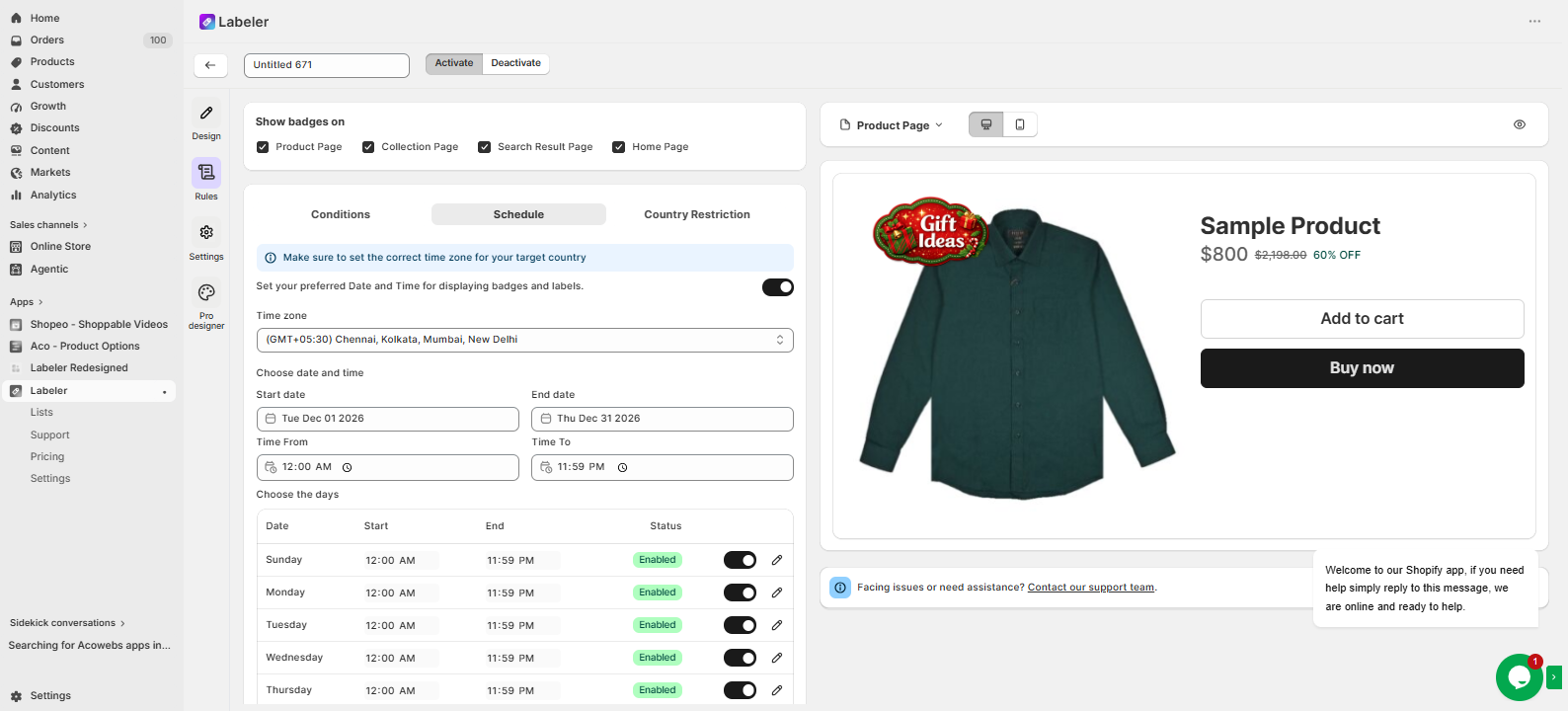
Enable “Set your preferred Date and Time for displaying badges and labels.”
Select the campaign start date as 1st December and the end date as 31st December.
This tells Labeler to automatically display the Gift Ideas badge throughout December and remove it automatically when the campaign ends.
Screenshot: Badge Schedule configured.
Click Save to publish the badge.
From this point onwards, the Christmas campaign runs automatically. The Gift Ideas badge appears on the selected festive products at the beginning of December and is automatically removed after the campaign ends.
Screenshot: Gift Ideas badge displayed on the storefront.
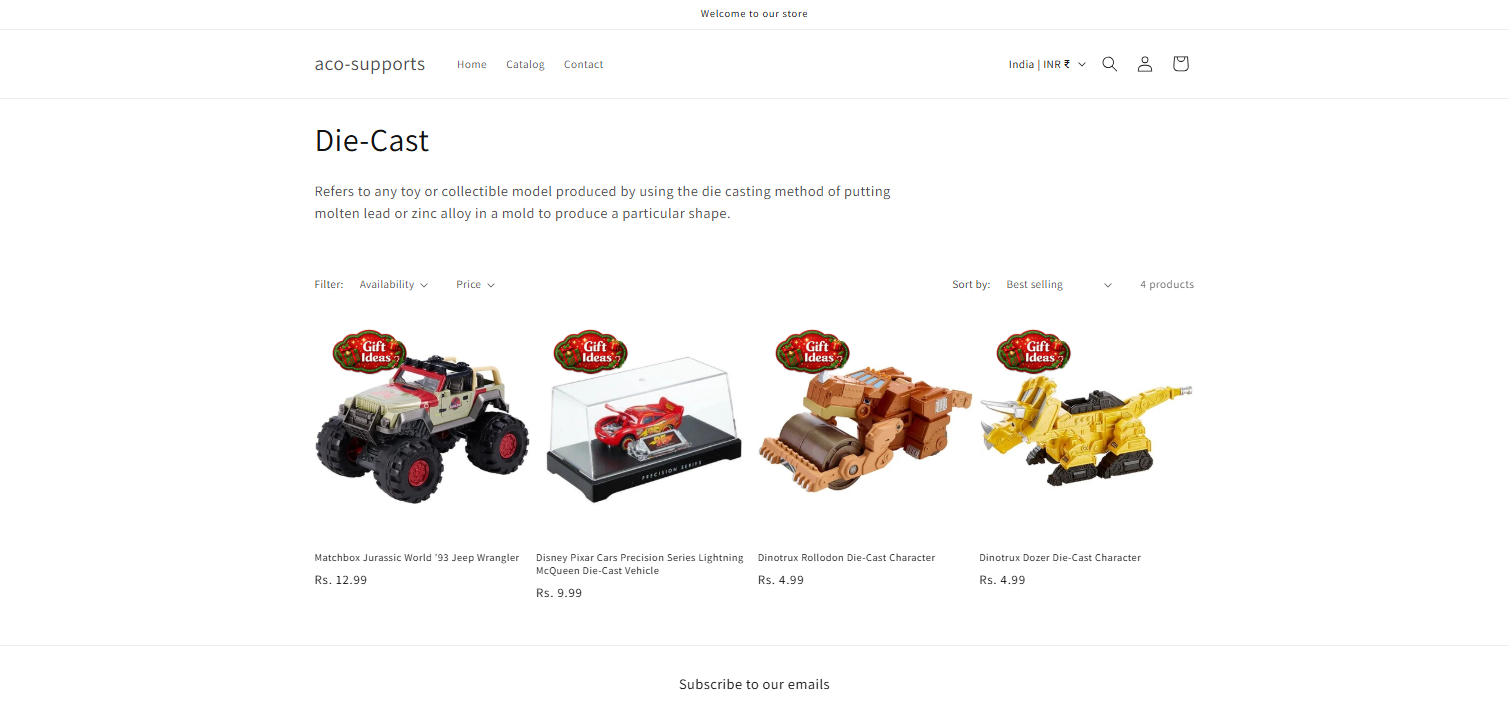
Once the configuration is complete, festive products are automatically highlighted with a Gift Ideas badge during the Christmas campaign.
Customers can quickly discover gift ideas while browsing the store, increasing the visibility of seasonal products and encouraging holiday purchases. At the same time, the merchant no longer needs to manually enable or remove promotional badges every year.
If you have questions about our plugin(s), are experiencing issues with any of our plugin






















 Login
Login
 Cart
Cart BUY THIS PLUGIN
